Lab10-01.sys
This lab both includes a driver and an executable. You can run the executable from anywhere, but in order for the program to work properly, the driver must be placed in the C:\Windows\System32 directory where it was originally found on the victim computer. The executable is Lab10-01.exe and the driver is Lab10-01.sys.
Question 1.1
Does the program make any direct changes to the registry?
If we prepare regshot, we can see that we have some registry changes due to the fact that it attempts to add a service (which is normal for driver installation), but we can also see some registry keys being added regarding Windows Firewall.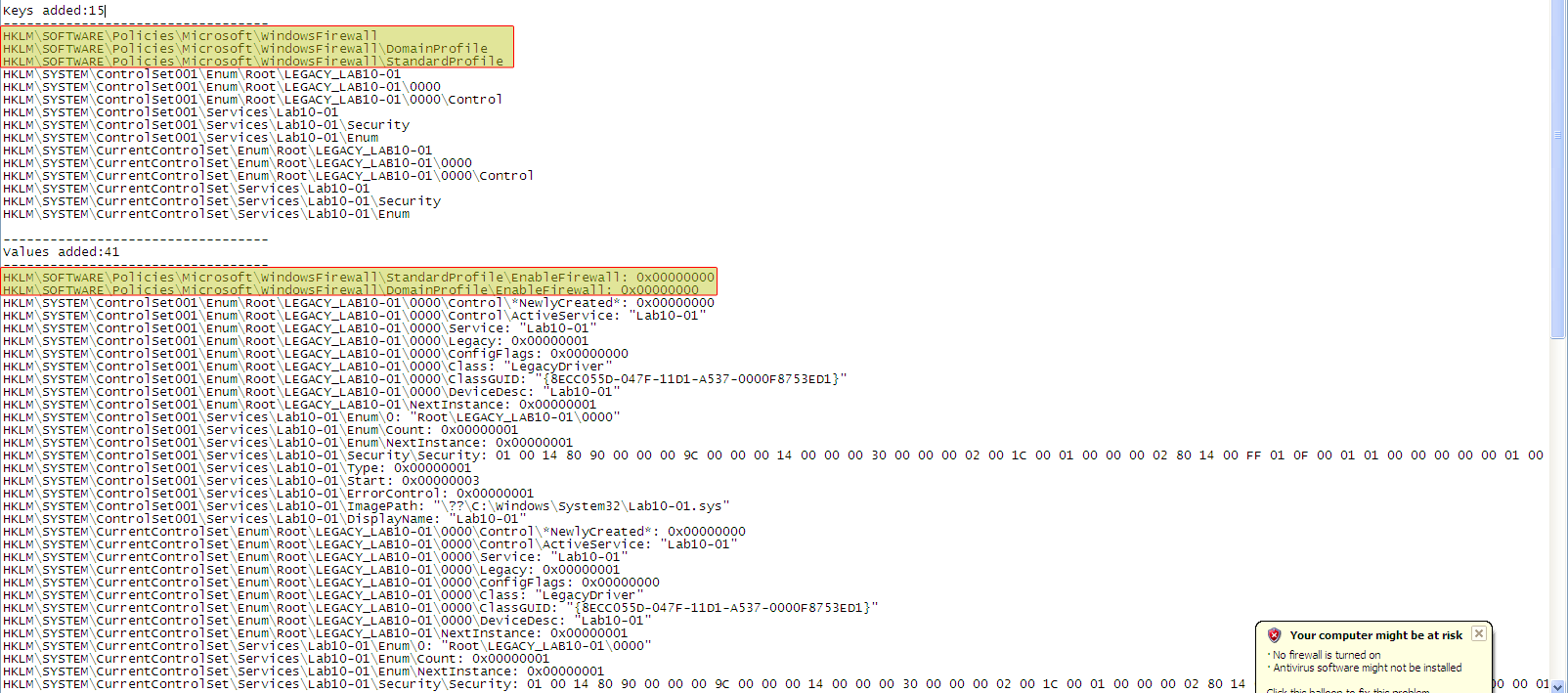
Please note:
The user-mode component of the malware does not import any functions related to registry manipulation.
As Regshot only compares the snapshot differences in the registry, it does not tell you which binary did the change.
Question 1.2
The user-space program calls ControlService function. Can you set a breakpoint with WinDbg to see what is executed in the kernel as a result of the call to ControlService?
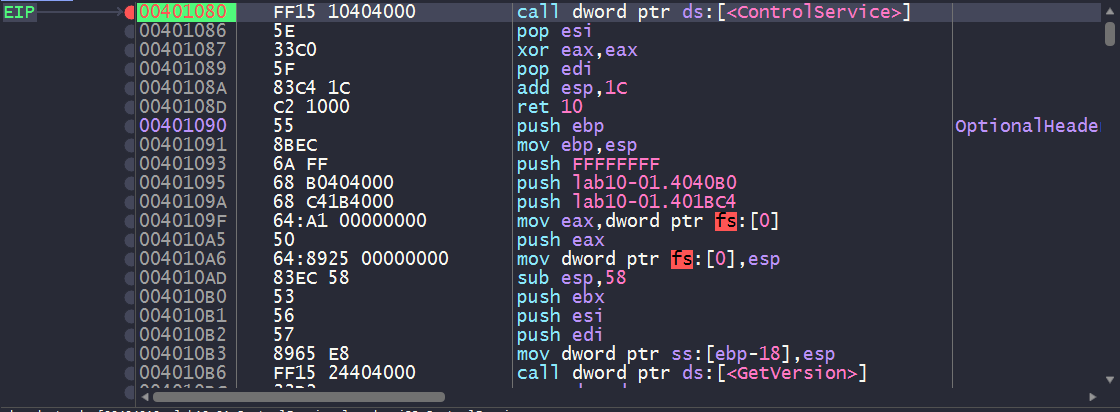
We’ll need to load up the program in IDA and see where the call to ControlService is made.
From this point, we can load up a user-mode debugger such as x64dbg and set a breakpoint on this call instruction and then break our kernel debugger and check the loaded driver modules.
We know that
ControlServiceis used to stop the service used for the kernel driver, so we’ll have to look forDriverUnloadprocedure in theDRIVER_OBJECTstructure to see what executes when the driver is unloaded.
After breaking with the kernel debugger on our host, if we check the loaded modules, we can see a module called Lab10_01: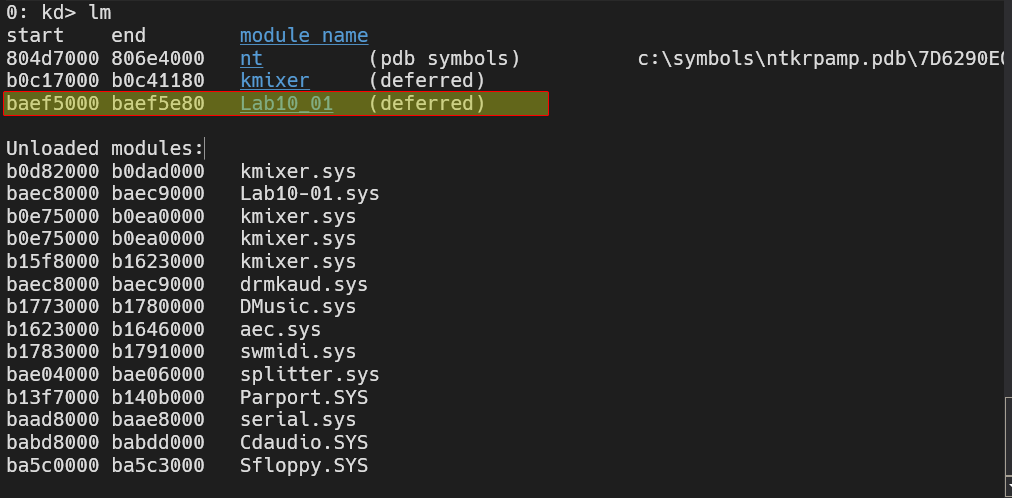
Now that we have obtained the name of this driver, we can then begin to find the address for that driver object by using !drvobj Lab10_01: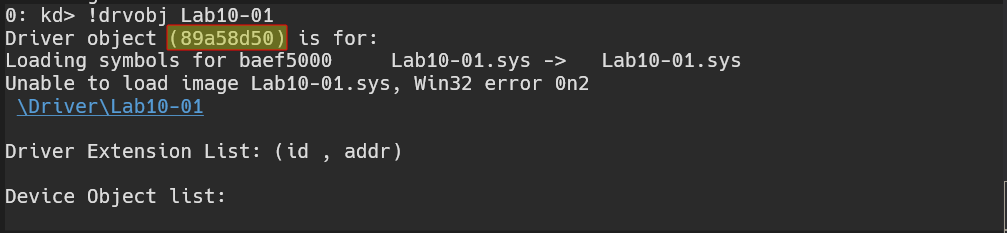
Now that we have obtained the address, we can apply the nt!_DRIVER_OBJECT datatype to that address and check for important info, including the function that executes when the driver’s loaded, unloaded, etc..
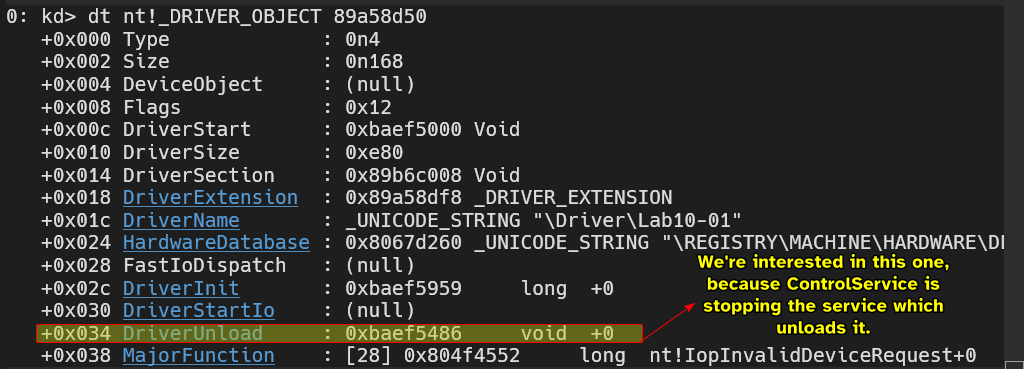
From this point, we can set a breakpoint to the address of DriverUnload and run both the kernel debugger and the user-mode debugger.
And indeed, we do land at DriverUnload.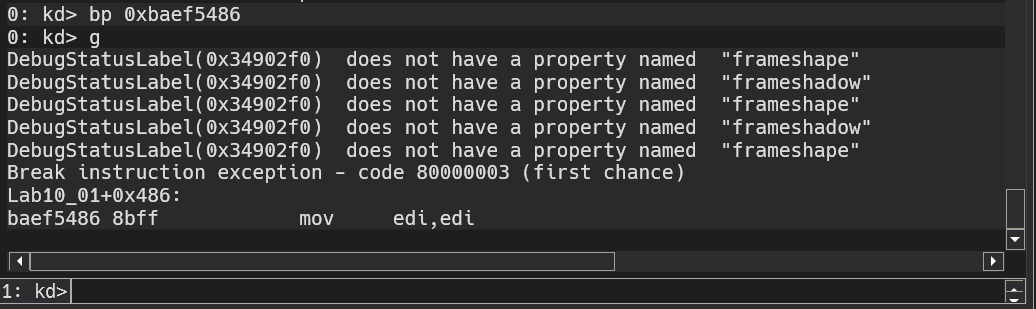
We can use the disassembly window and see what the DriverUnload function seems to be doing: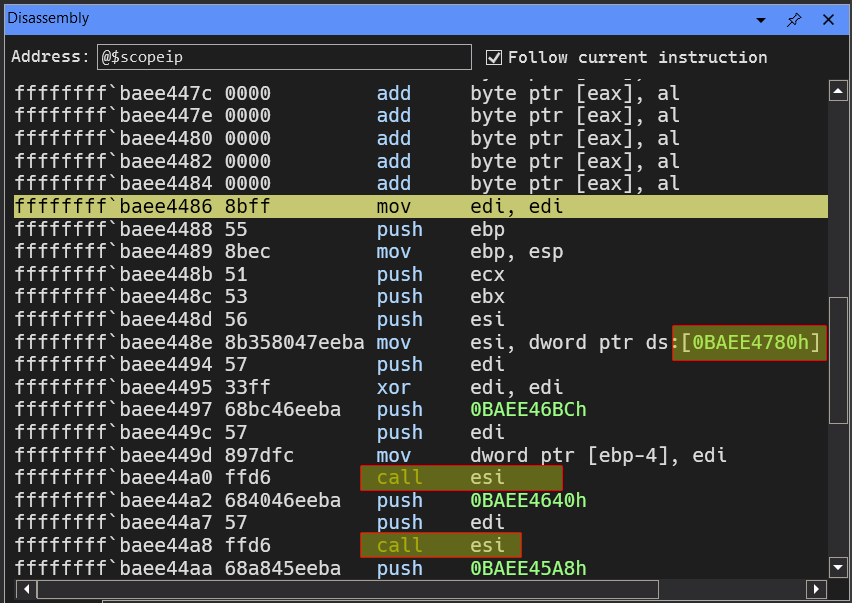
We can see that the driver is loading some function pointer at 0xBAEE4780 and then calls it later on, we can obtain that pointer by doing dd 0xBAEE4780 L1 and obtain the pointer and from there disassemble using u.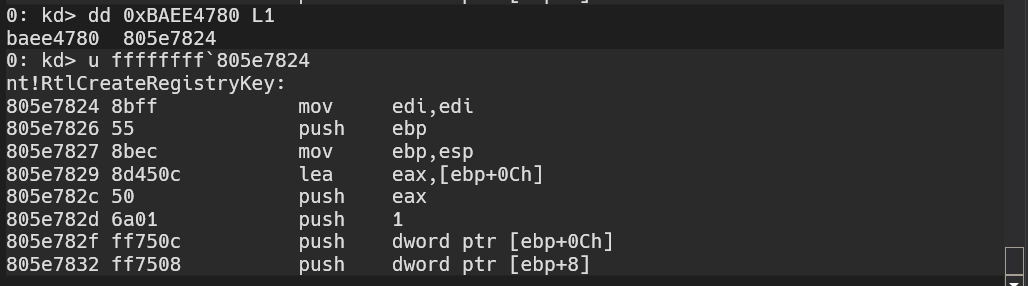
We can see that the function called is actually nt!RtlCreateRegistryKey, and later on in the code, we see a similar pattern for a different function: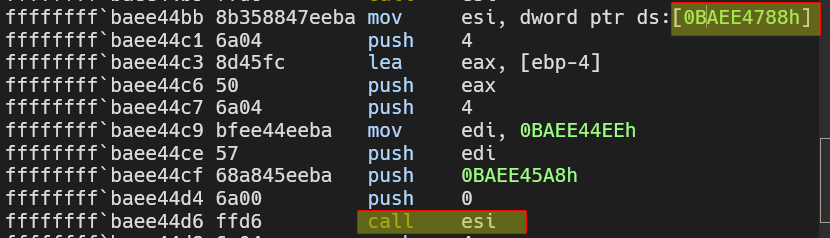
Resolving this yields nt!RtlWriteRegistryValue.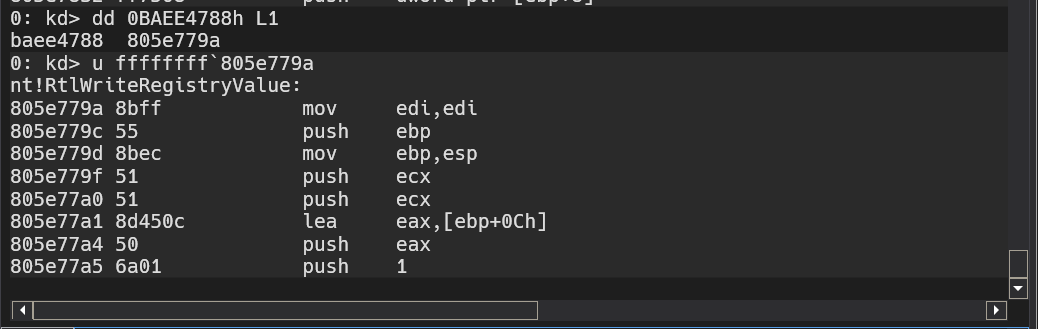
When referencing kernel address space, make sure to sign extend the address with
0xFalong with backtick (`).
From this we conclude that the DriverUnload calls the functions above which deals with registry manipulation.
This is also why no results appear if you use procmon, because procmon monitors usermode applications only.
Static Analysis Method
We can confirm all our findings by analyzing the usermode application and the kernel driver using IDA.
By loading the usermode application, we can see that it creates a new service for the kernel driver stored in the system directory under the name of Lab10-01 then starts it and stops it using ControlService.
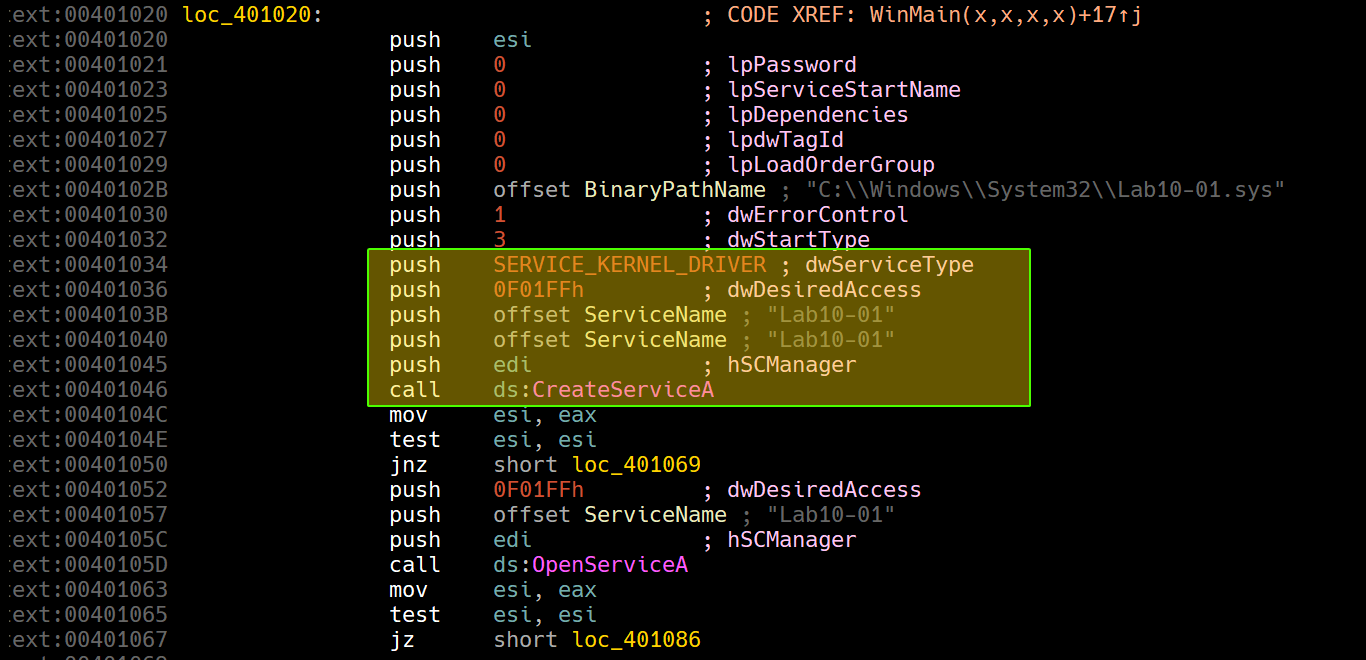
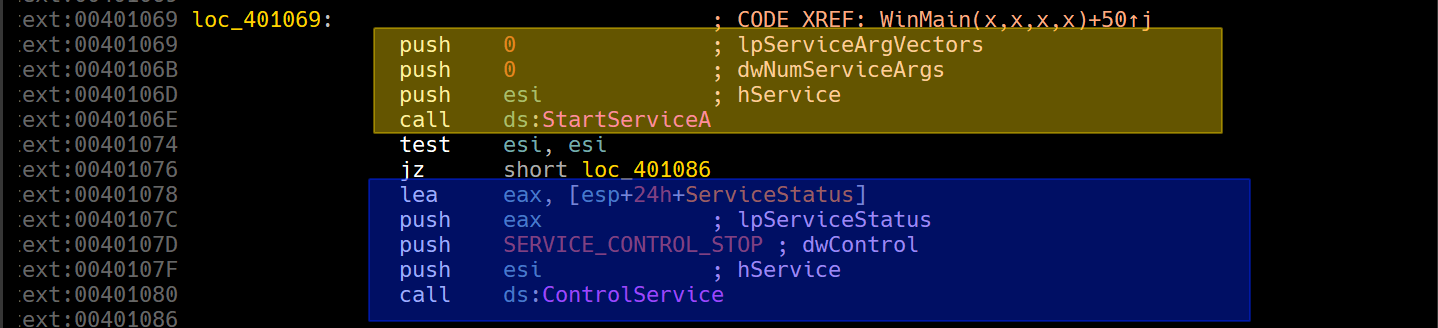
That’s all for the usermode application, so we turn our focus to the kernel driver.
Starting at DriverEntry, we can see that the driver loads up an offset within DriveObject parameter with a function pointer.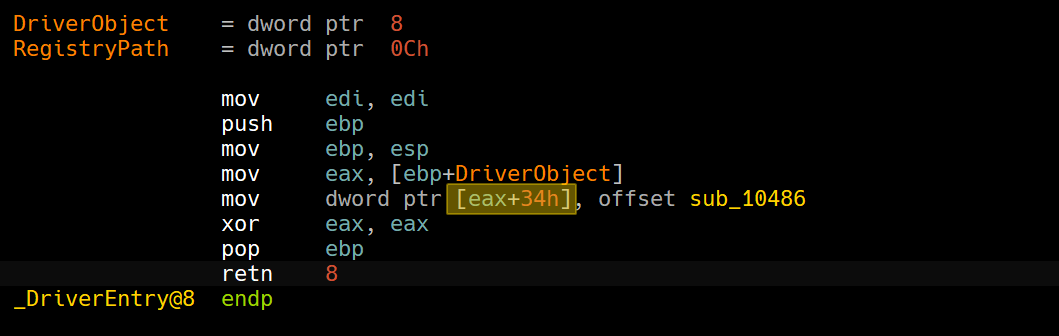
Cool IDA Trick
If you have the type library for
ntapiandntddkloaded, you can apply a structure to theeax+34hexpression so it appears as an offset to theDriverObjectstructure by clicking T and then applying the suitable member.

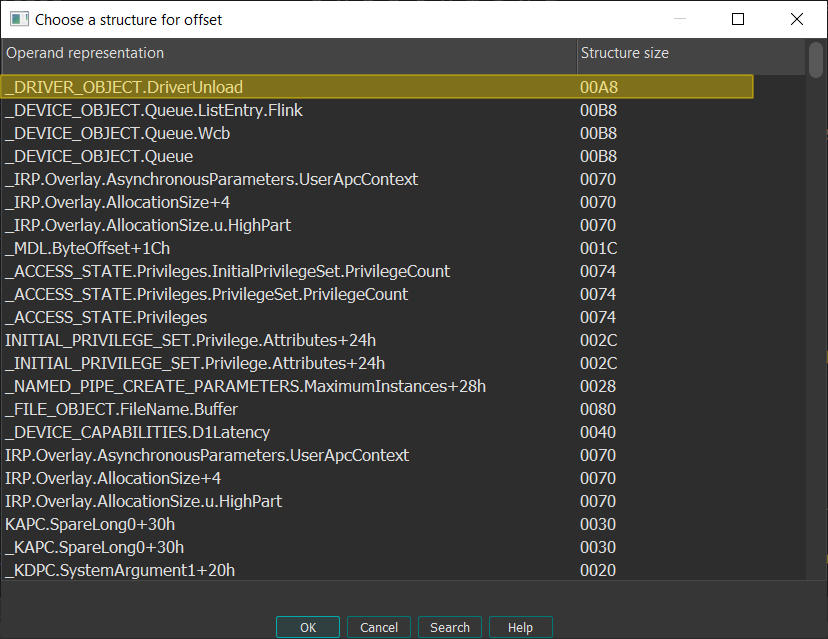
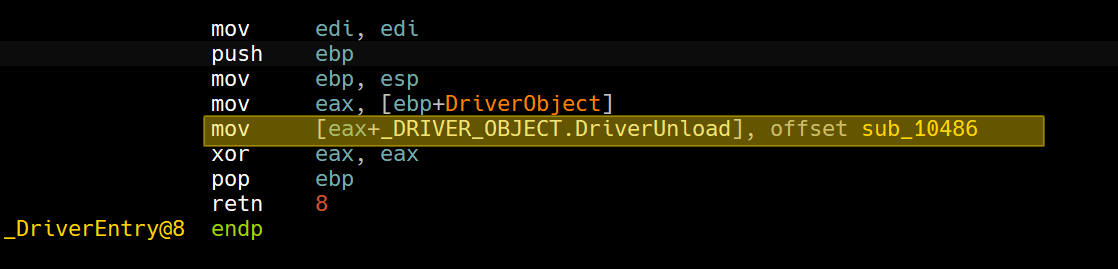
This matches up with what we’ve been looking at in the kernel debugger, so we’ll turn our focus to sub_10486.
Since IDA is able to identify the imports of the driver and also having FLIRT signatures, we can see the function much more clearly than the kernel debugger.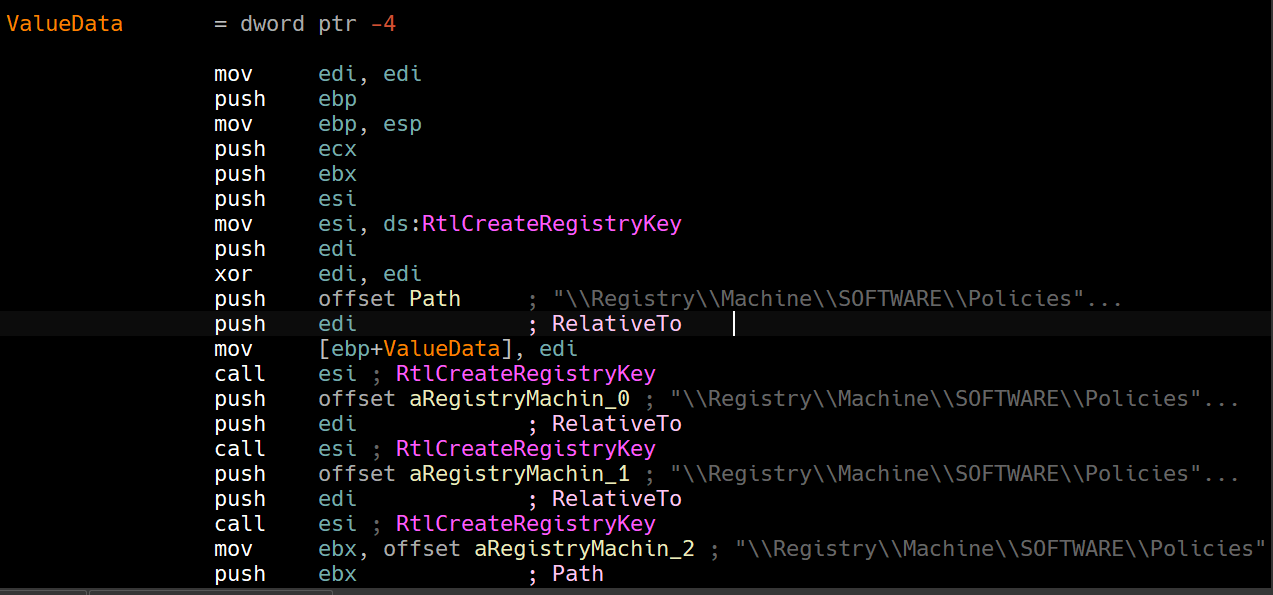
We can see that it attempts to create the following registry keys using RtlCreateRegistryKey who match with the result we’ve got in the Regshot report.
Then we can see uses of RtlWriteRegistryValue:
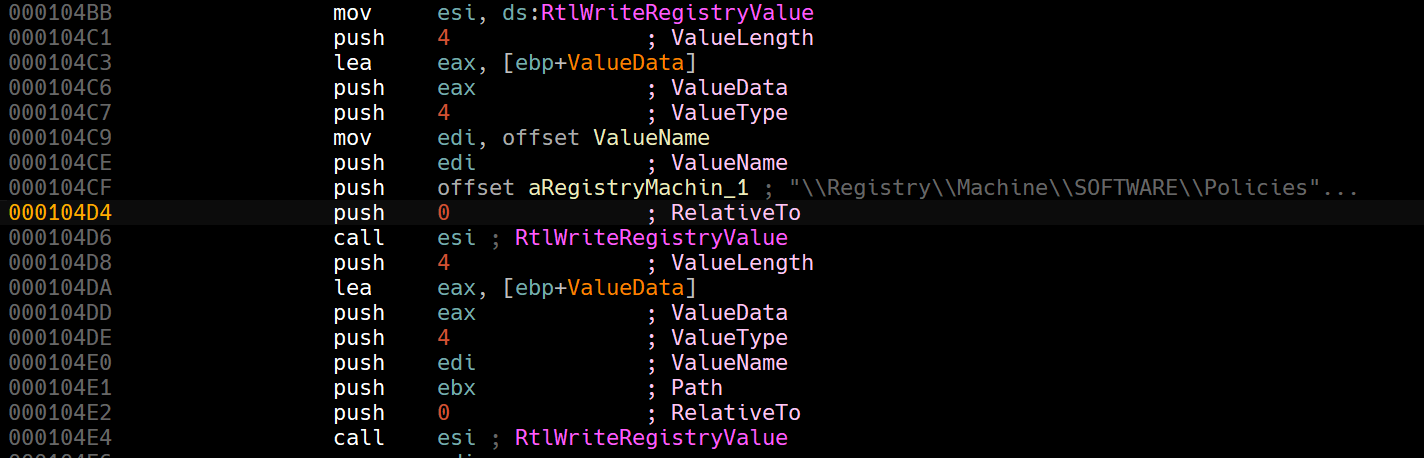
This matches the exact values written in the Regshot report.
Judging by the keys that the driver writes to, it seems to be zeroing out (disabling) the Windows Firewall.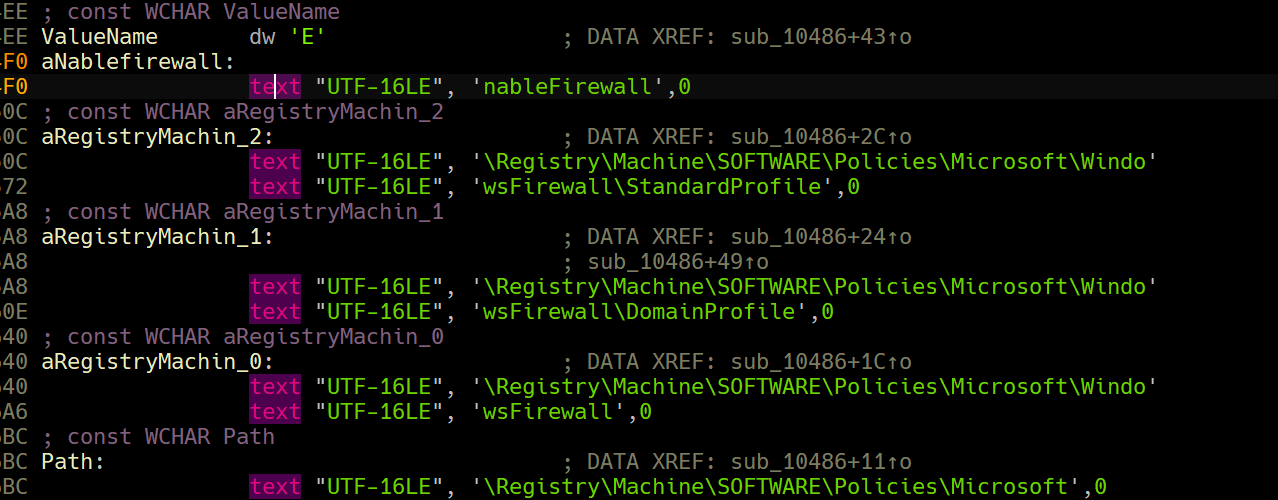
And indeed, if we try to enable Windows Firewall, we get the following error message.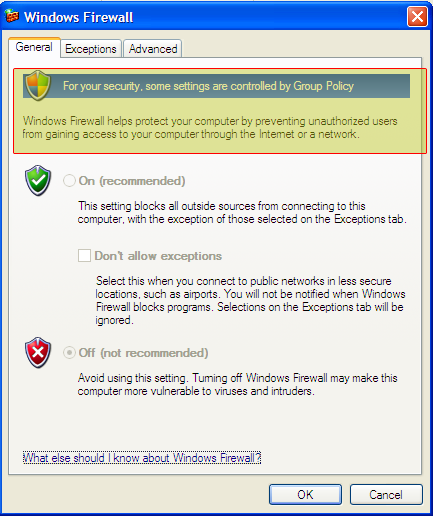
Question 1.3
What does this program do?
This program has both a usermode component and a kernel driver, the user mode component basically installs the kernel driver as a service and then stops it immediately to trigger it’s payload as it triggers when the driver’s unloaded.
The kernel driver initializes itself by setting up the callback function that is triggered when the driver is unloaded which creates keys in the registry that creates a group policy that disables Windows Firewall entirely from the system.
It could’ve taken this approach as this process would be invisible to any user-mode registry monitoring programs, like procmon.
If we were to run procmon and setup filters for the usermode executable and the kernel driver, we can see nothing related to the Windows Firewall appearing.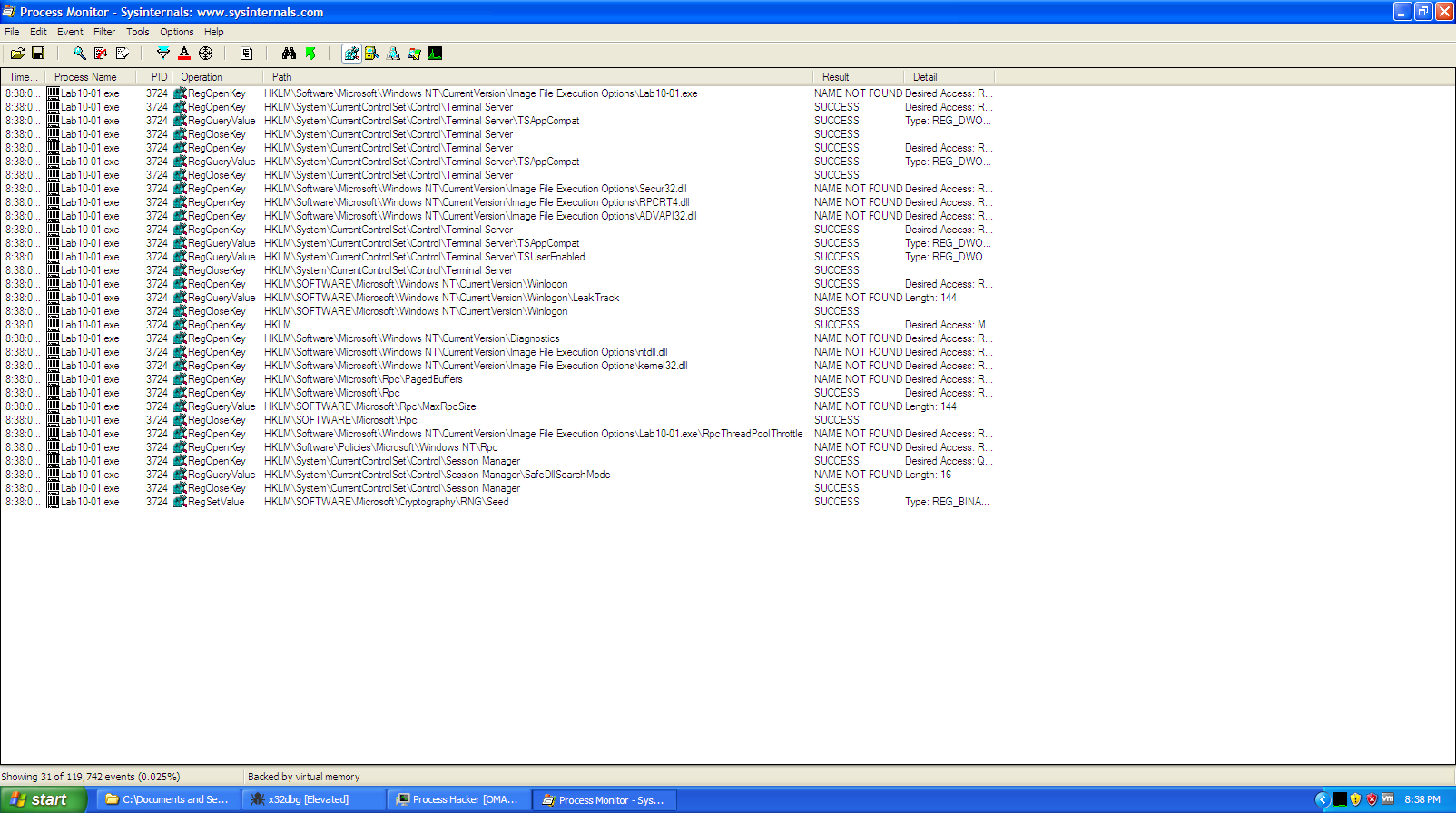
Lab10-02.exe
The file for this lab is Lab10-02.exe
Question 2.1
Does this program create any files? If so, what are they?
Judging by the imports of the program, we can see functions related to resource managment and also file creation: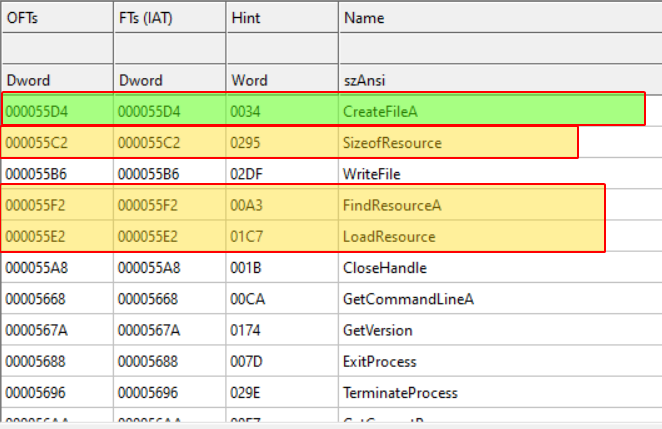
This hints that the executable has a resource embedded, and if we double check with Resource Hacker: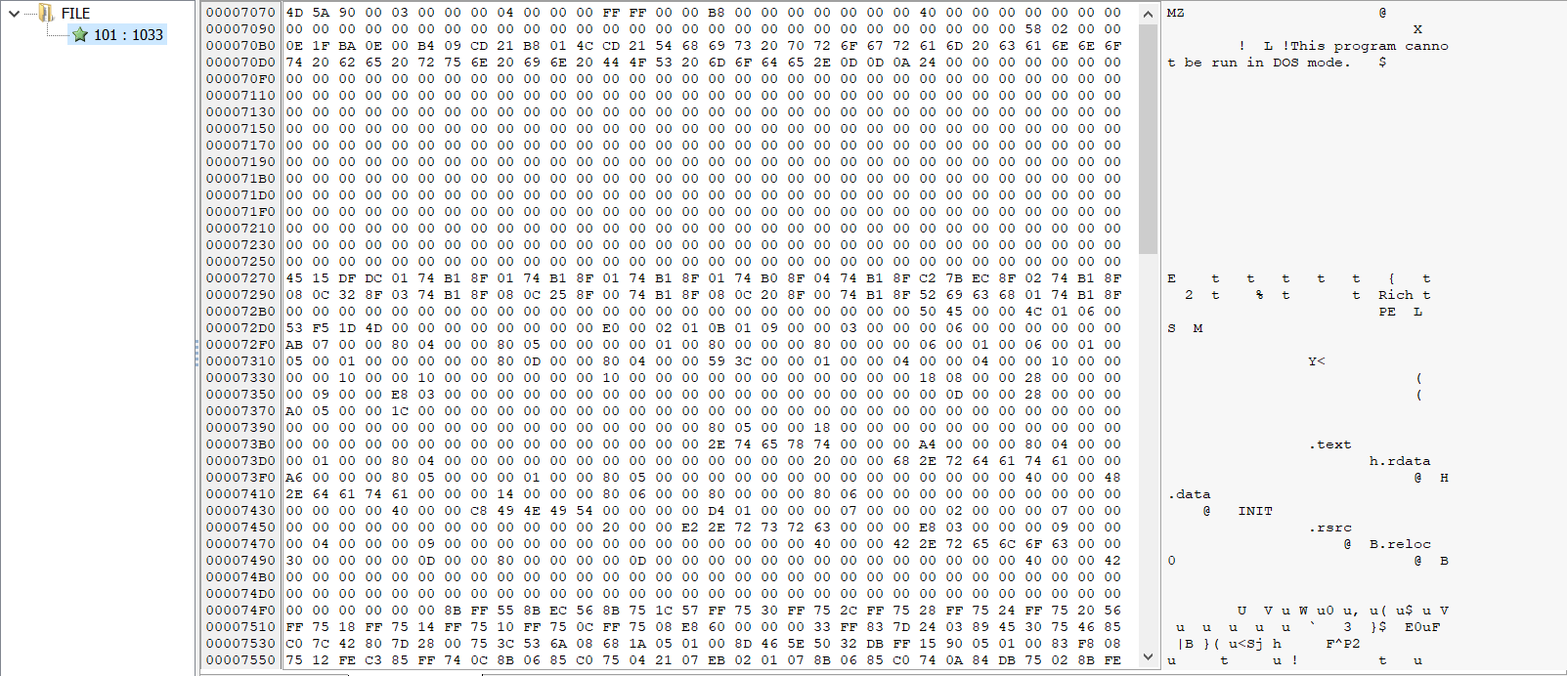
We do indeed an MZ header contained, so we make an initial guess that the user-mode will write the resource somewhere, so we’ll have to load the program into IDA and check where it writes it and in the meantime, we can extract the resource and leave it be until we check how it’s managed.
We can see that the malware first loads the resource: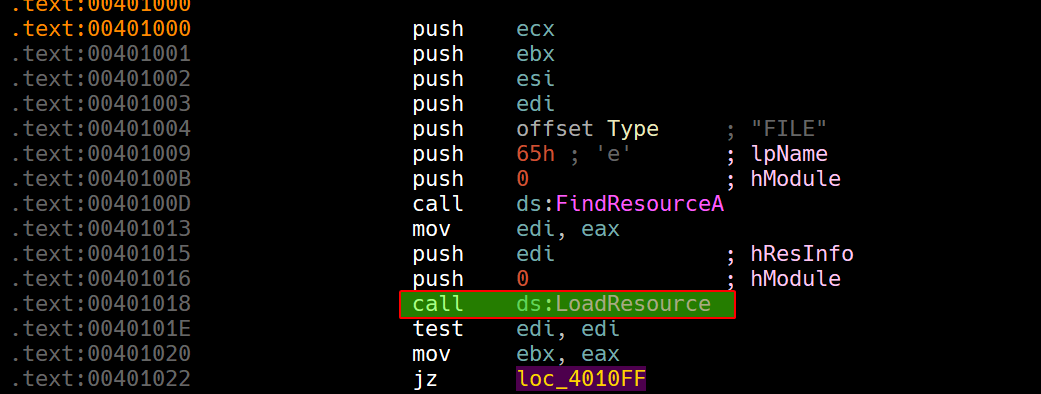
Then if it is found, it begins creating a file in the system directory called Mlwx486.sys with GENERIC_READ | GENERIC_WRITE access and writes the resource content to the file.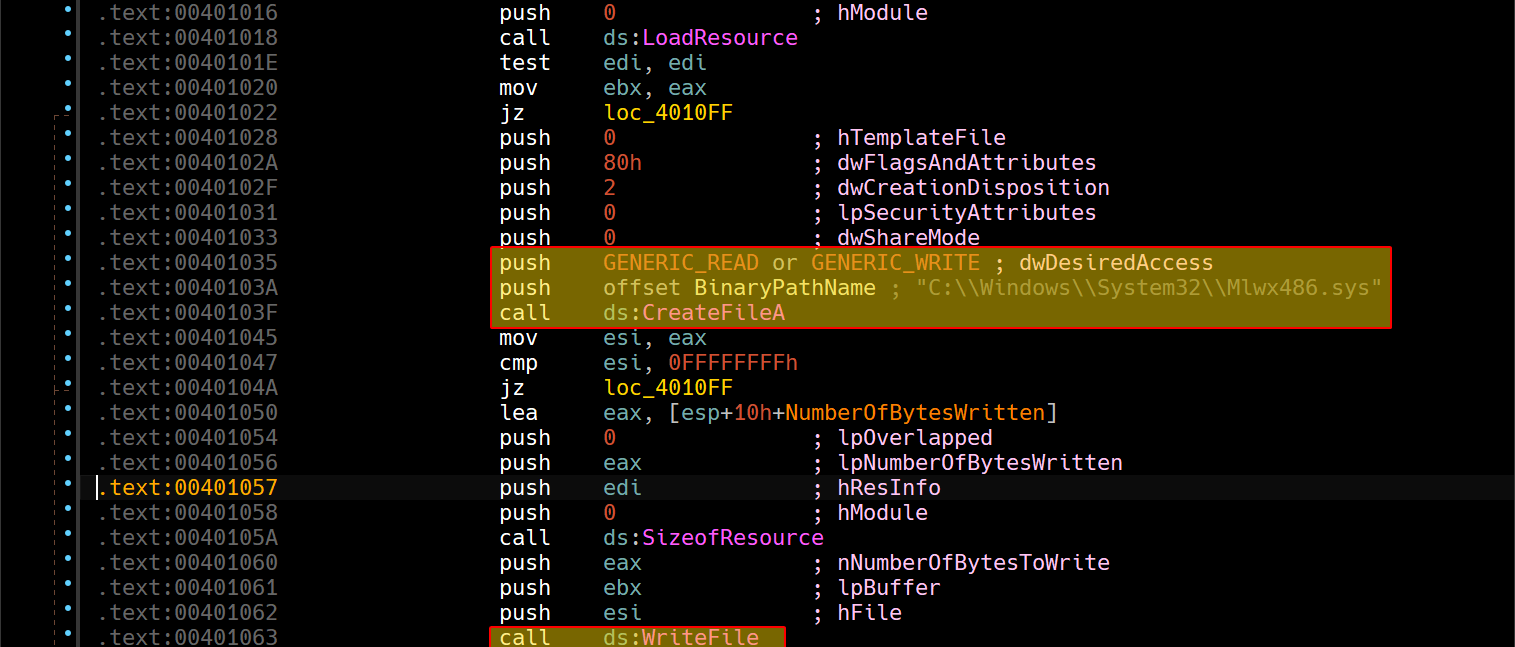
Question 2.2
Does this program have a kernel component?
If we continue analyzing the user-mode component after the file creation, we can see that it begins creating a service of type SERVICE_KERNEL_DRIVER called 486 WS Driver: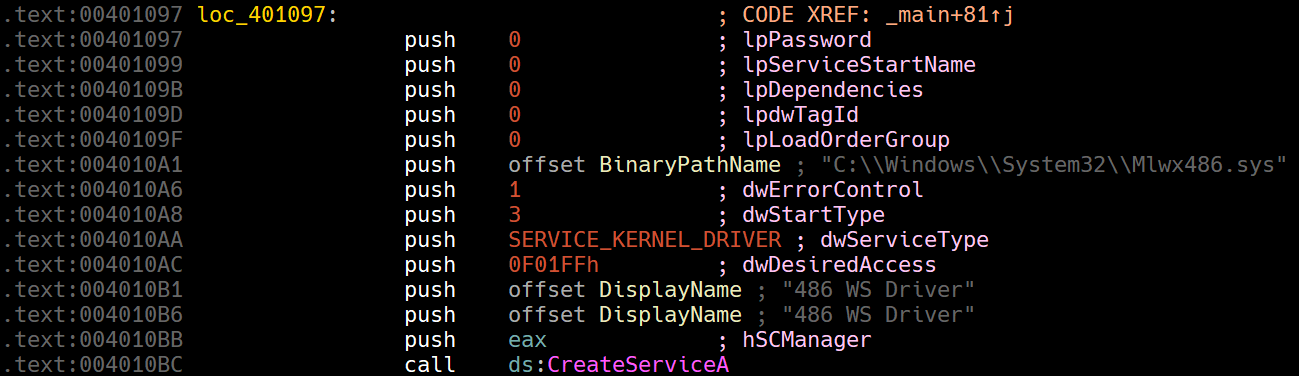
So we can conclude that the malware has a kernel driver, since we’ve extracted the resource binary, we can begin loading the driver in IDA and see what it does.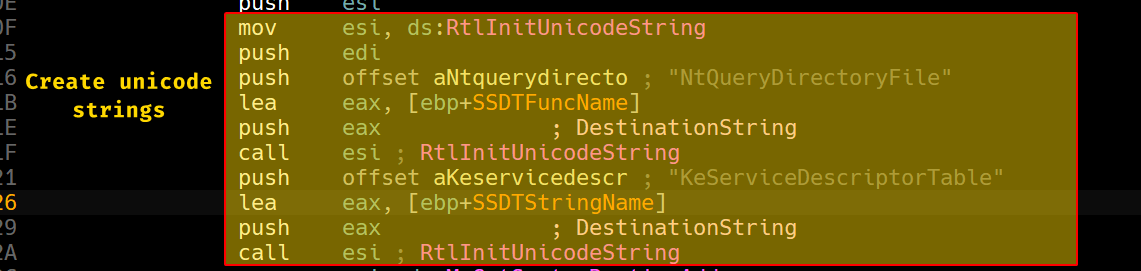
We can see that it begins creating two UNICODE_STRING structures that contain both NtQueryDirectoryFile and KeServiceDescriptorTable.
KeServiceDescriptorTable stands for the SSDT, which leads us to believe that it will hook
NtQueryDirectoryFile.
Please Note
When dealing with string literals in the IDA database, please make sure to set them as Unicode strings as IDA tends to get confused between them as Unicode strings contain null bytes in between.
Then we can see that it obtains their addresses within the kernel using MmGetSystemRoutineAddress.
Then the driver begins iterating through all the entries starting from the SSDT and check if they match the address of NtQueryDirectoryFile.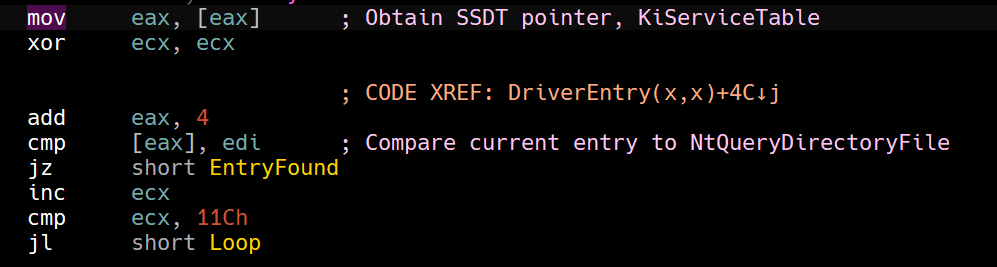
Then if it does find it then it overwrites the entry with sub_10486.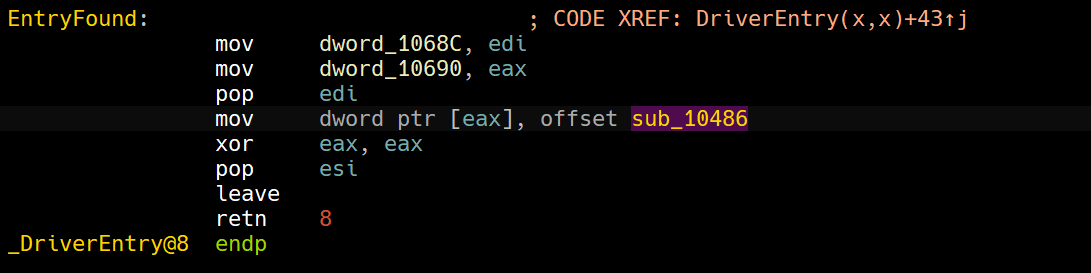
Within this function, we can see what the hooking function does: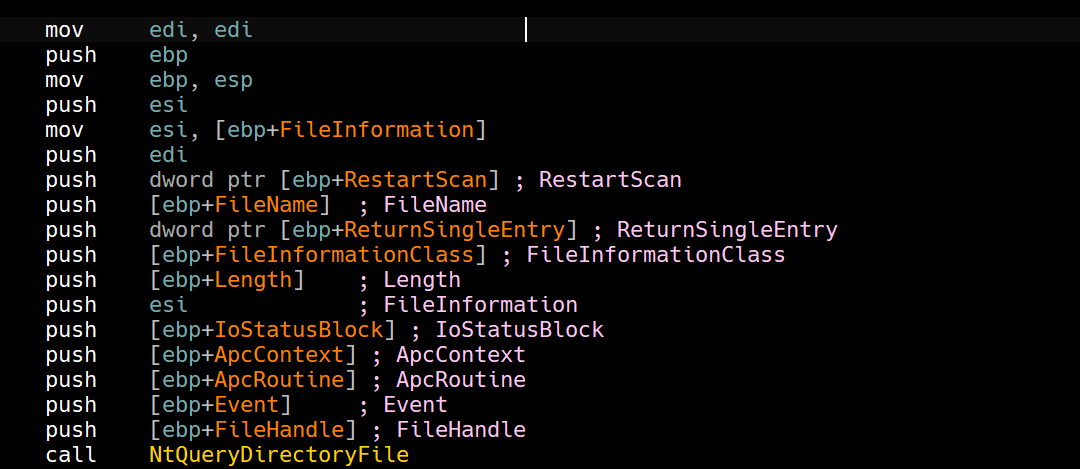
It begins by calling NtQueryDirectoryFile normally, but it compares the first 8 bytes of the filename queried to a hardcoded string Mlwx.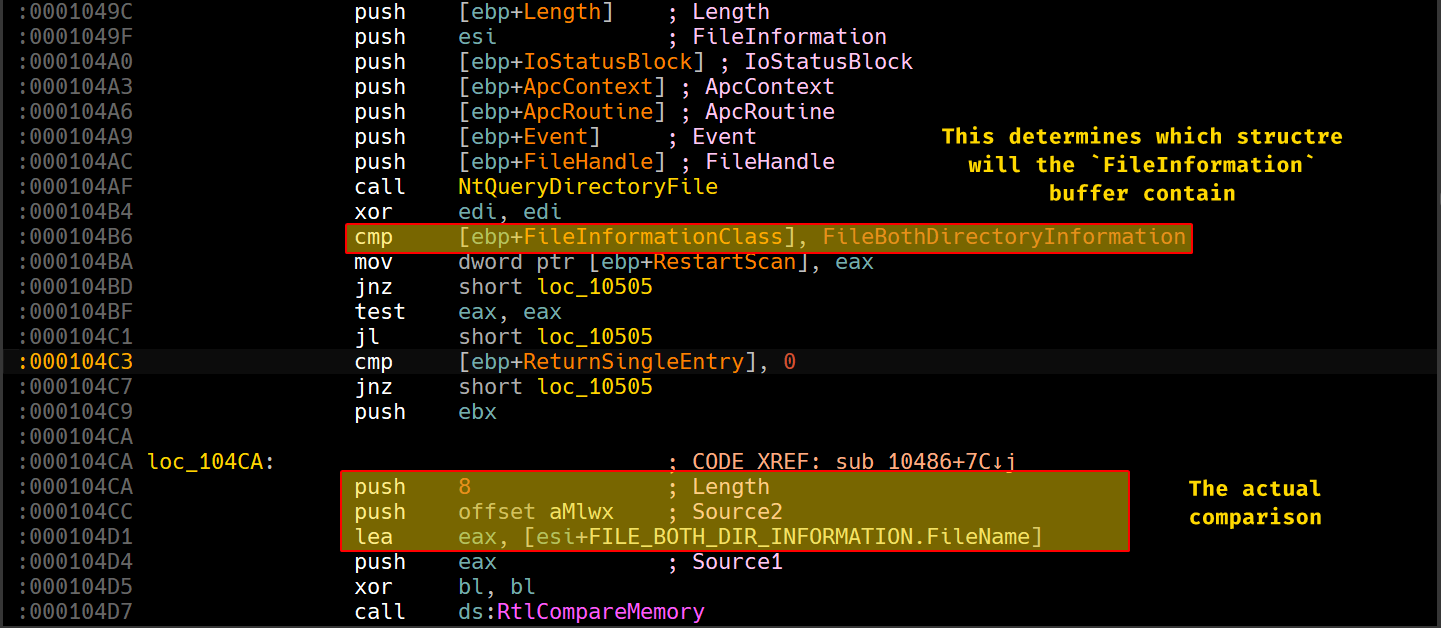
RtlCompareMemory returns the number of bytes that match, so the driver checks if it returns 8, from this we assume that the driver will disregard any filenames that contain the first 4 characters of the driver (Mlwx).
Note that we’re dealing with Windows Unicode
UTF-16which means that each character takes 2 bytes (16 bits).
To confirm our findings, we’ll load the driver using OSR Loader and check the SSDT after it’s been loaded.
Remember that the entire payload is within
DriverEntry.
Within nt!KeServiceDescriptorTable, the first entry to it is a pointer to nt!KiServiceTable.

And indeed, that address gives us the starting point of the SSDT.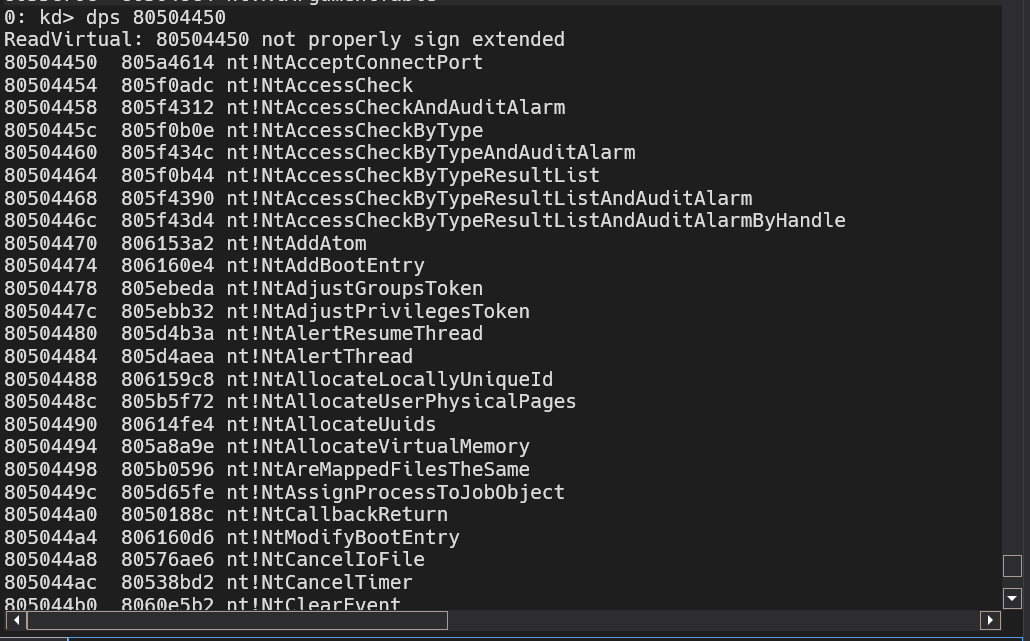
If we set a breakpoint here at this specific location, we can see which entry the driver attempts to overwrite: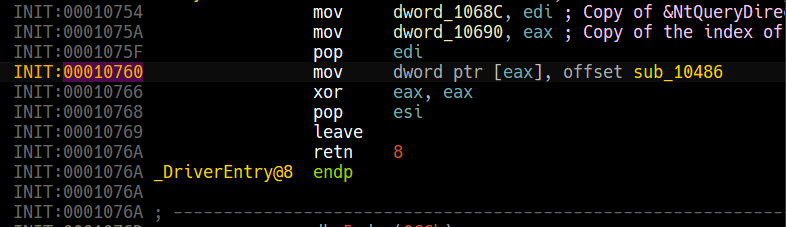
For this to work, we’ll have to set a breakpoint at the DriverEntry of the driver which is by obtaining the RVA of the function, we can use CFF explorer’s address converter to obtain the RVA.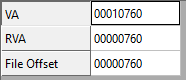
From this, we can set our breakpoint as following Lab10_02+0x760.
Note that if you type
Lab10-02+0x760, it won’t work as Windbg evaluates hyphens as underscores.
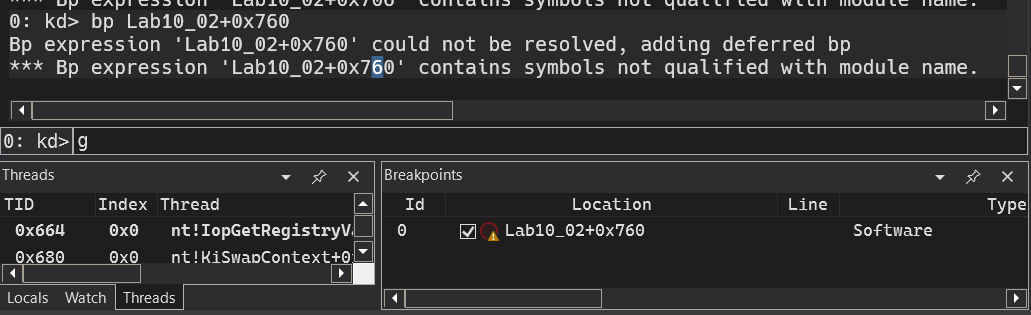
And if we load the driver once more, we can see that we’ll hit that breakpoint as soon as it finds NtQueryDirectoryFile’s entry.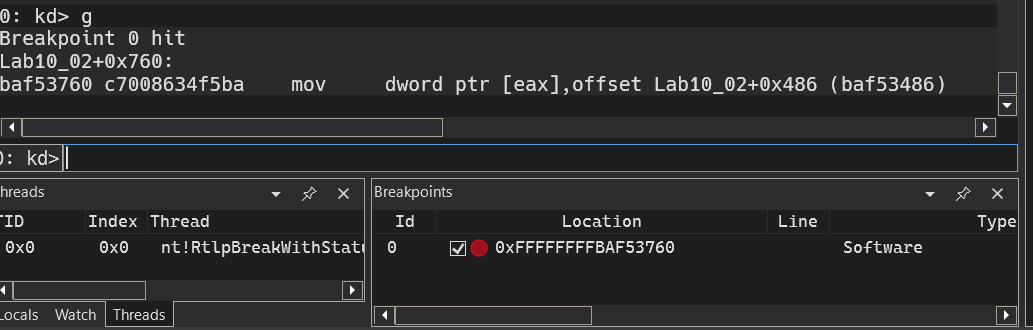
We know from static analysis EAX contains a pointer to the SSDT pointer, confirmed by dynamic analysis.
To obtain the index itself, we can use the following formula
? (EAX - nt!KiServiceTable) / 4
# (Target - Base) / 4 -> Each entry is a pointer.
So if we were to obtain the entry and we have nt!KiServiceTable, we can use this instead: nt!KiServiceTable+0x91 * 0x4

Now, since we know that the driver will use RtlCompareMemory and will take a path if it returns 8, we can set a breakpoint here: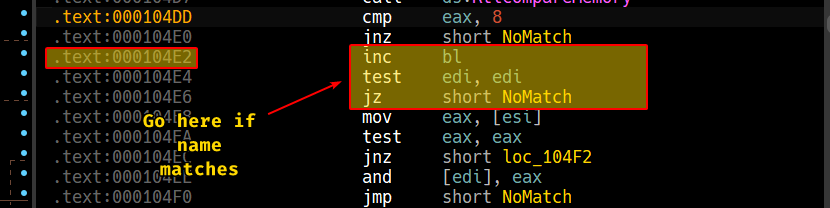
We can also rebase the program in IDA by obtaining the image base of the loaded module:

If we run this now, we’ll see nothing happens so I’ll create two dummy files with names that start with Mlwx along with the driver itself.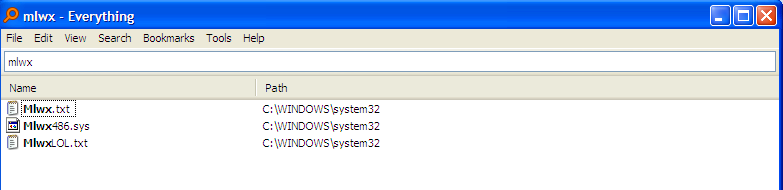
For reference, we’ll use Everything as it shows all occurrences of the files as it uses an index of it’s own.
If use file explorer to browse to the system32 directory, we can see a breakpoint getting hit immediately and if we hit run 2 more times, control is given back to the OS: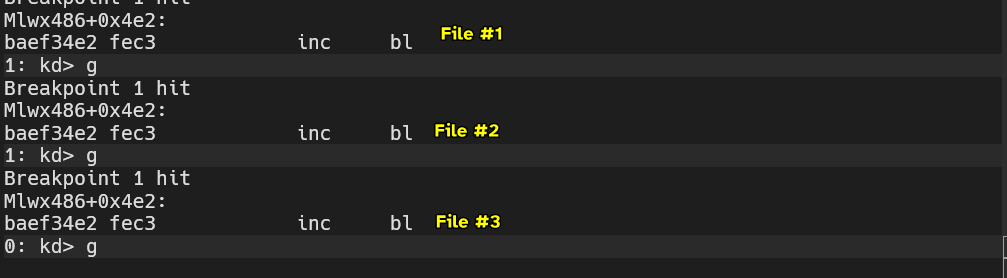
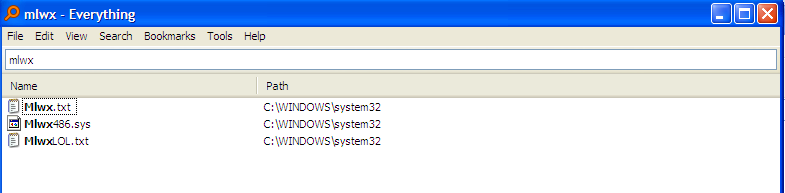
And we no longer see the 3 files within the system directory even though they appear with in Everything.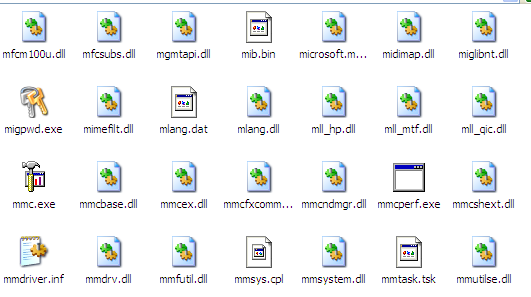
Question 2.3
What does this program do?
This program has a usermode component that both drops a kernel mode component into the system directory and also registers it as a service in the system.
The kernel mode component hooks the NtQueryDirectoryFile function and checks if the file queried has a starting name of Mlwx, then it disregards that file and does not appear when explorer.exe queries files, so they don’t appear at all.
Lab10-03.sys
This lab includes a driver and an executable. You can run the executable
from anywhere, but in order for the program to work properly, the driver
must be placed in the C:\Windows\System32 directory where it was originally
found on the victim computer. The executable is Lab10-03.exe, and the driver
is Lab10-03.sys.
Question 3.1
What does this program do?
The usermode component of the malware creates a new kernel driver service under the name of Process Helper.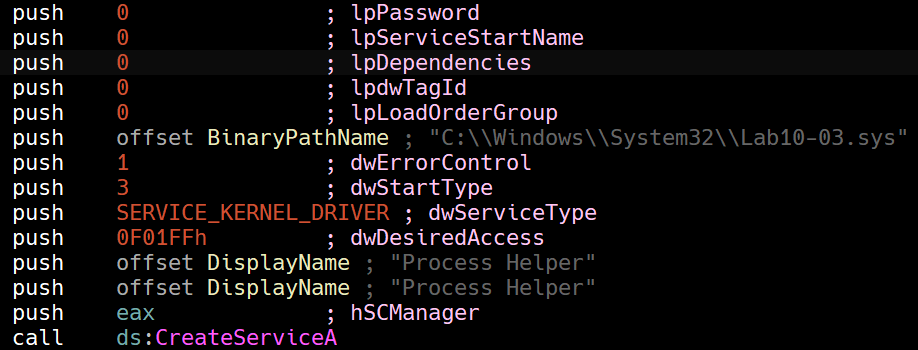
Then the program obtains a file handle to a device object in the Win32 namespace called ProcHelper with GENERIC_READ and GENERIC_WRITE access.
Then it sends a control code 0xABDEF01 to the driver so that DriverObject->MajorFunction[0xe] would execute in kernel space.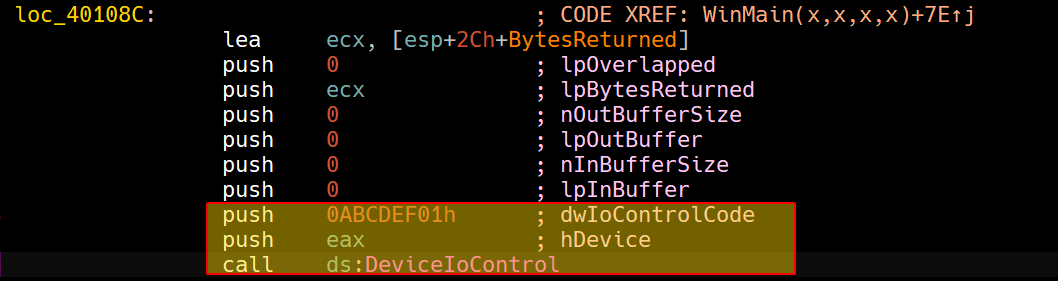
Then it begins creating an OLE instance, and we can also see a URL reference, indicating that this might be creating an Internet Explorer instance.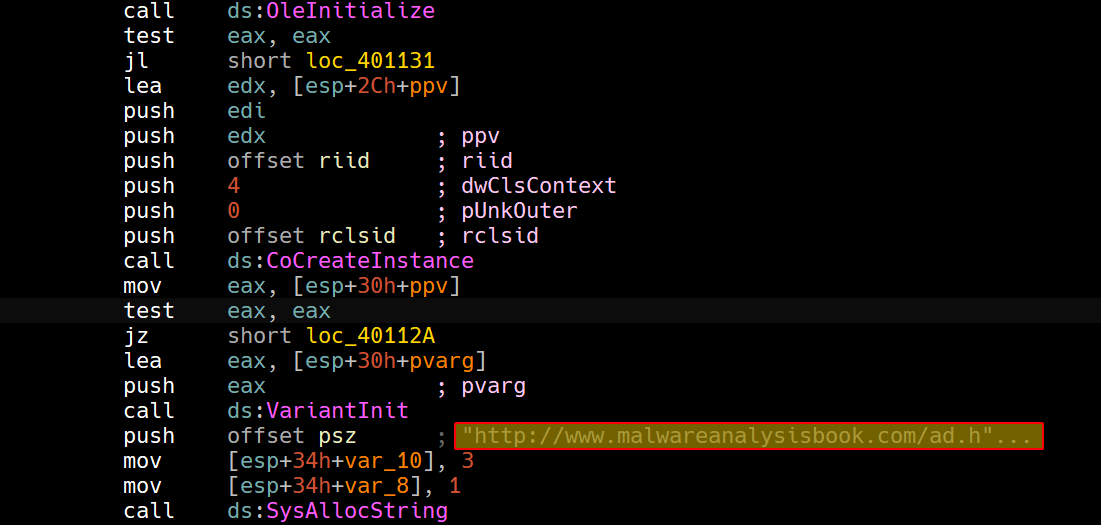
Then we can see that it begins looping over a block of code which is indicative that it’ll go to this website every 30 seconds, so we suspect that the usermode process will stay running indefinitely.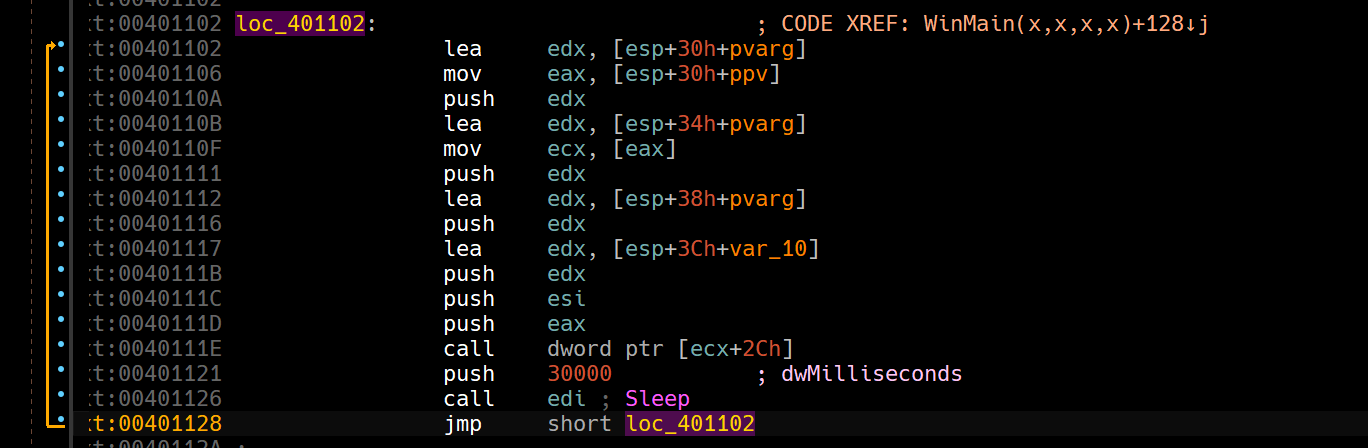
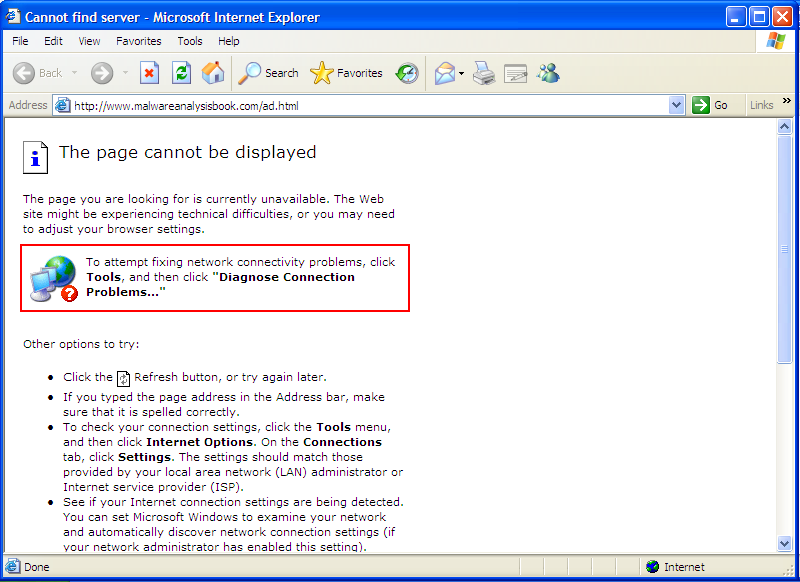
So in conclusion, the user mode component initializes, sets up and triggers a kernel mode component that does “something” and then keeps popping up Internet Explorer instances going to http://www.malwareanalysisbook.com/ad.html.
Question 3.2
Once this program is running, how do you stop it?
Since we know that Lab10-03.exe is running an infinite loop as shown in the disassembly, we don’t see it appearing in the process listing of Process Hacker or any process listing program for that matter.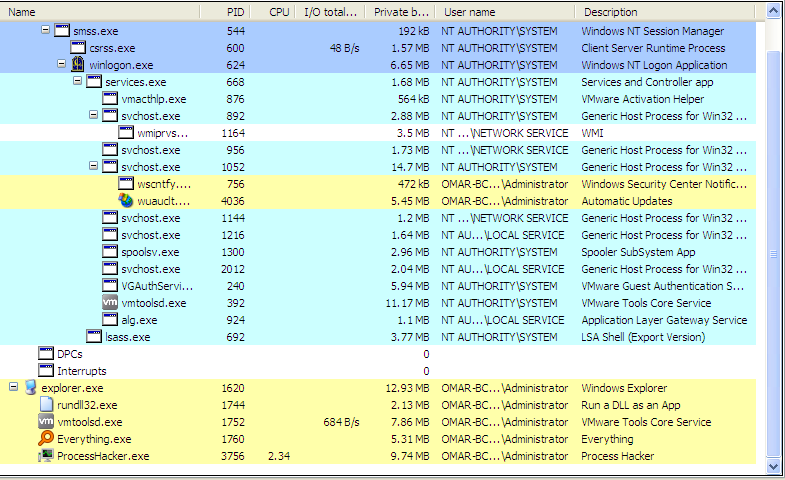
Keep in mind that the Internet Explorer instances are separate from the actual executable spawning them.
Question 3.3
What does the kernel component do?
Examining the kernel driver statically provided to us, we can see that the driver actually creates a device object for user mode applications to communicate to, if they ever wish to communicate to the kernel driver.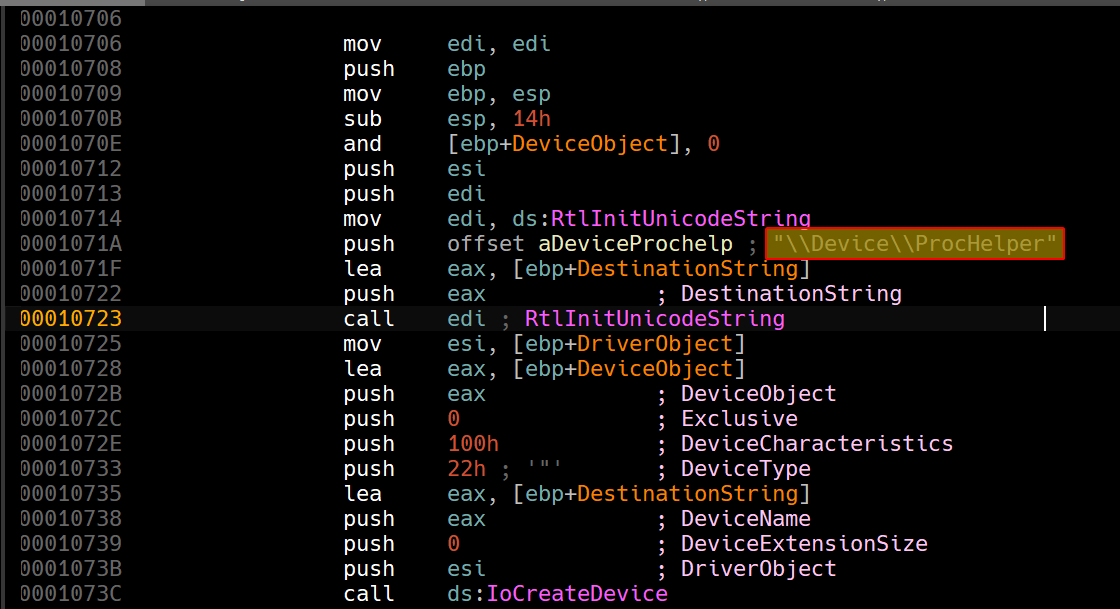
This merely creates the device object, the one contacted by the usermode application is
\\.\ProcHelperwhich is theWin32namespace view, not the device object itself.
Afterwards, we can see that it begins initializing DriverObject->MajorFunction[28].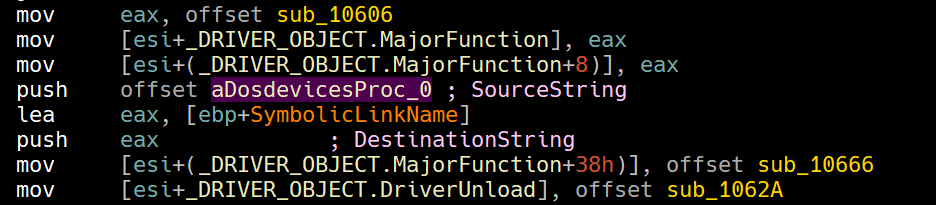
To make sense of this, we can load up the driver in a kernel debugger and see them for ourselves.
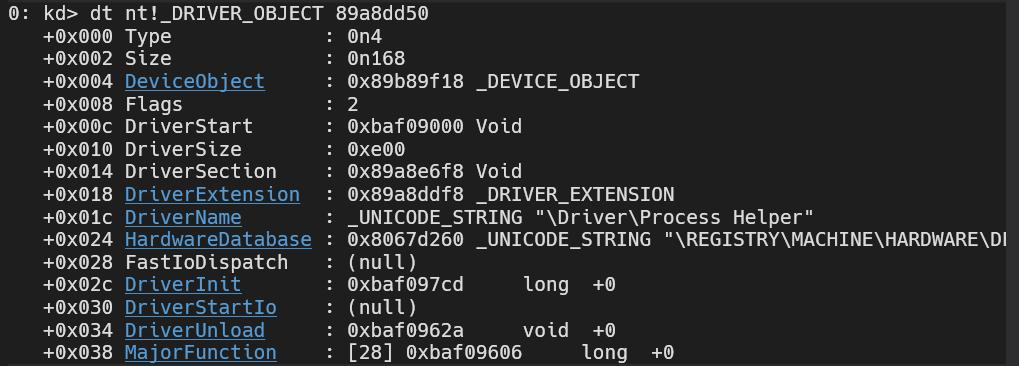
If we click the MajorFunction hyperlink, we can see the array spread out for us.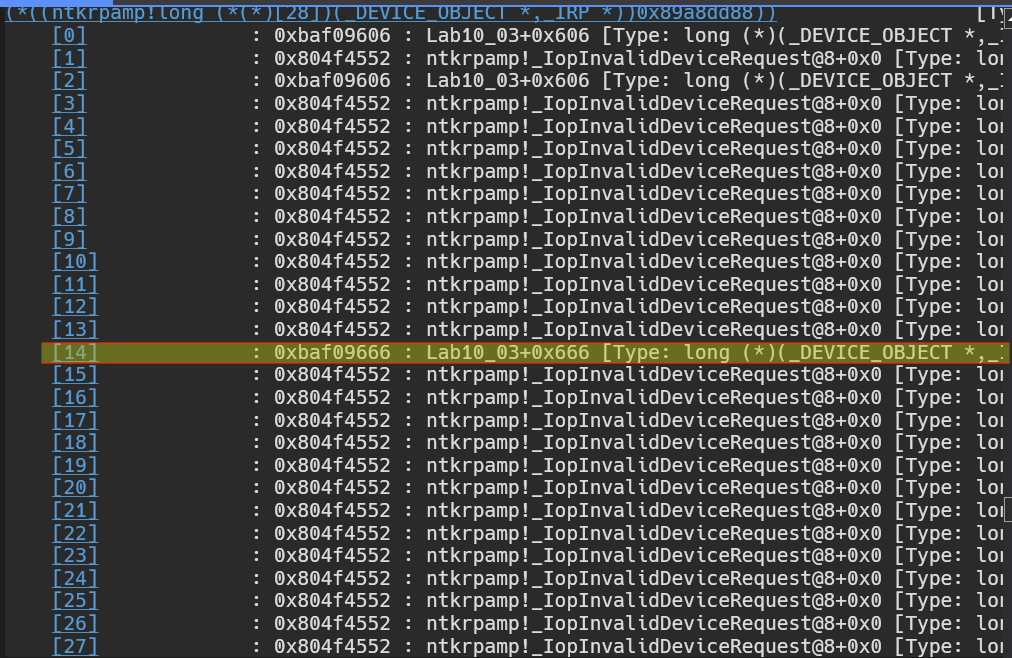
We’re only interested in the 14th entry (0xe) and it gives a function that has an offset of 0x666 from the image base, we can use this knowledge to go back into IDA and see what it does.
Please note
We could have also calculated the index for ourselves statically, if we take a closer look at this image and apply the
_DRIVER_OBJECTstructure on it:
We get the following result:
As complicated as this may look, it’s actually very easy:
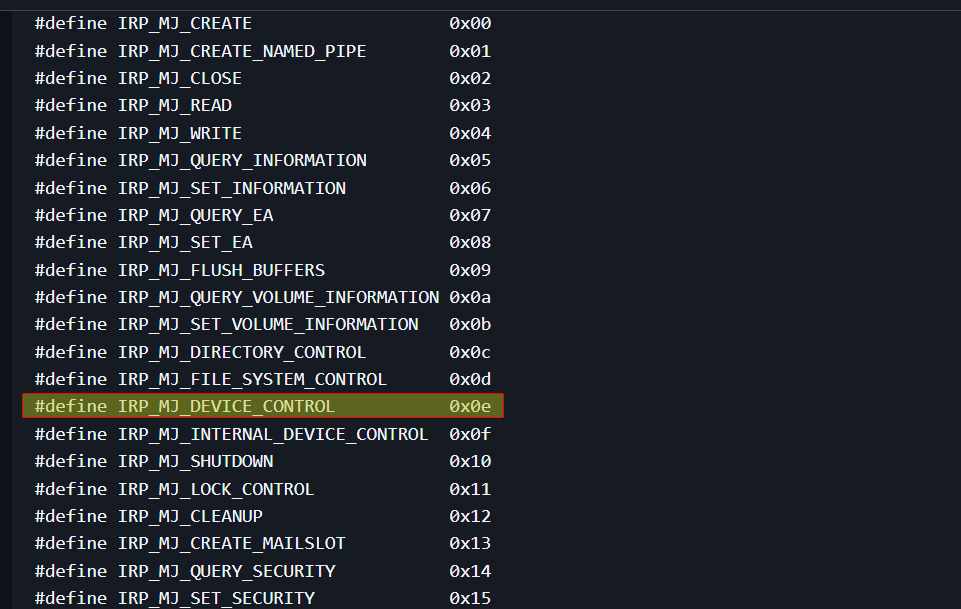
We know thatIRP_MJ_DEVICE_CONTROLis the0xeindex of the array, and per the documentation of the_DRIVER_OBJECTstructure, we know thatMajorFunction[28]is at offset0x38, now since we move0x38away fromMajorFunction, we can translate this into the index it refers by doing this simple formula:0x38 / 0x4(each pointer is 4 bytes), we get0xe, we do the same calculation for eachMajorFunctionreference.
Now that we know each index, we can refer to each entry as per this documentation.
Now we know thatsub_10666is the callback forIRP_MJ_DEVICE_CONTROL.
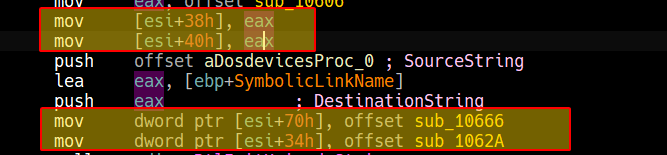
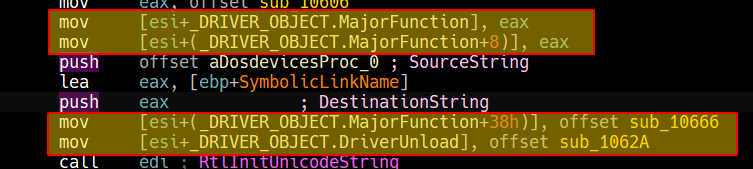

Analyzing sub_10666, we can see that it starts by first obtaining the _EPROCESS structure using the call to IoGetCurrentProcess.
Since the _EPROCESS structure is undocumented, we can’t really use the standard libs in IDA, so we’ll have to apply them using this documentation.
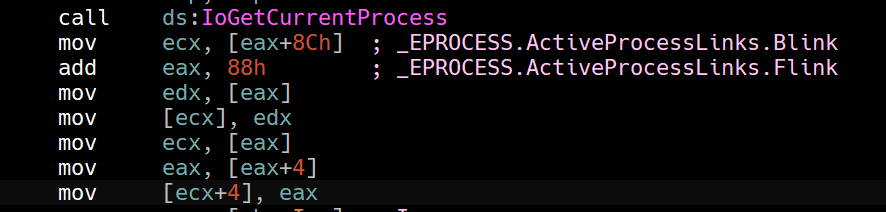
The following code snippet unlinks the current process from the list of ActiveProcessLinks, because processes are linked through a circular linked list of *_LIST_ENTRY.
It unlinks by replacing the previous process’ Flink to the ActiveProcessLinks pointer of the next process. (Forward Unlinking)
It also unlinks the process backwards by replacing the next process’ Blink to the ActiveProcessLinks pointer of the previous process.
In this way, the current process (the one instantiating the Internet Explorer payloads) is hidden from any process listings, that means that any programs that shows a process list such as Task Manager or even Process Hacker will be hidden.
So in conclusion, the adware installs a kernel drive that leverages itself to unlink the process object of itself, that way it stays hidden from any process listings while the user mode application bombards the victim with adware by instantiating Internet Explorer to load http://www.malwareanalysisbook.com/ad.html.