Lab 9-1
Description
Analyze the malware found in the file Lab09-01.exe using OllyDbg and IDA Pro to answer the following questions. This malware was initially analyzed in the Chapter 3 labs using basic static and dynamic analysis techniques.
Questions
- How can you get this malware to install itself?
- What are the command-line options for this program? What is the password requirement?
- How can you use OllyDbg to permanently patch this malware, so that it doesn’t require the special command-line password?
- What are the host-based indicators of this malware?
- What are the different actions this malware can be instructed to take via the network?
- Are there any useful network-based signatures for this malware?
Solution
-
The malware can be installed by using the following command:
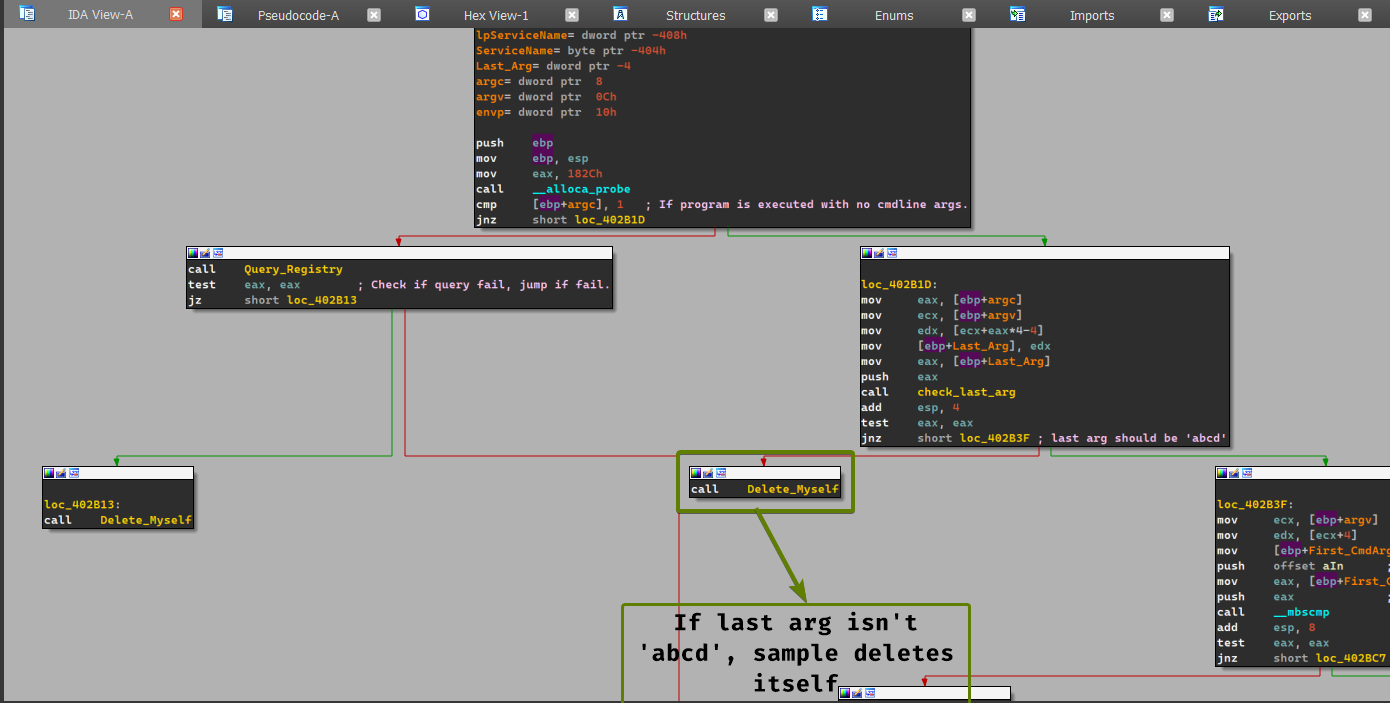
Lab09-01.exe -in abcd. (abcdhere serves as the password for the sample, otherwise it deletes itself.)
-
The command line arguments provided by the program are the following: the sample must have
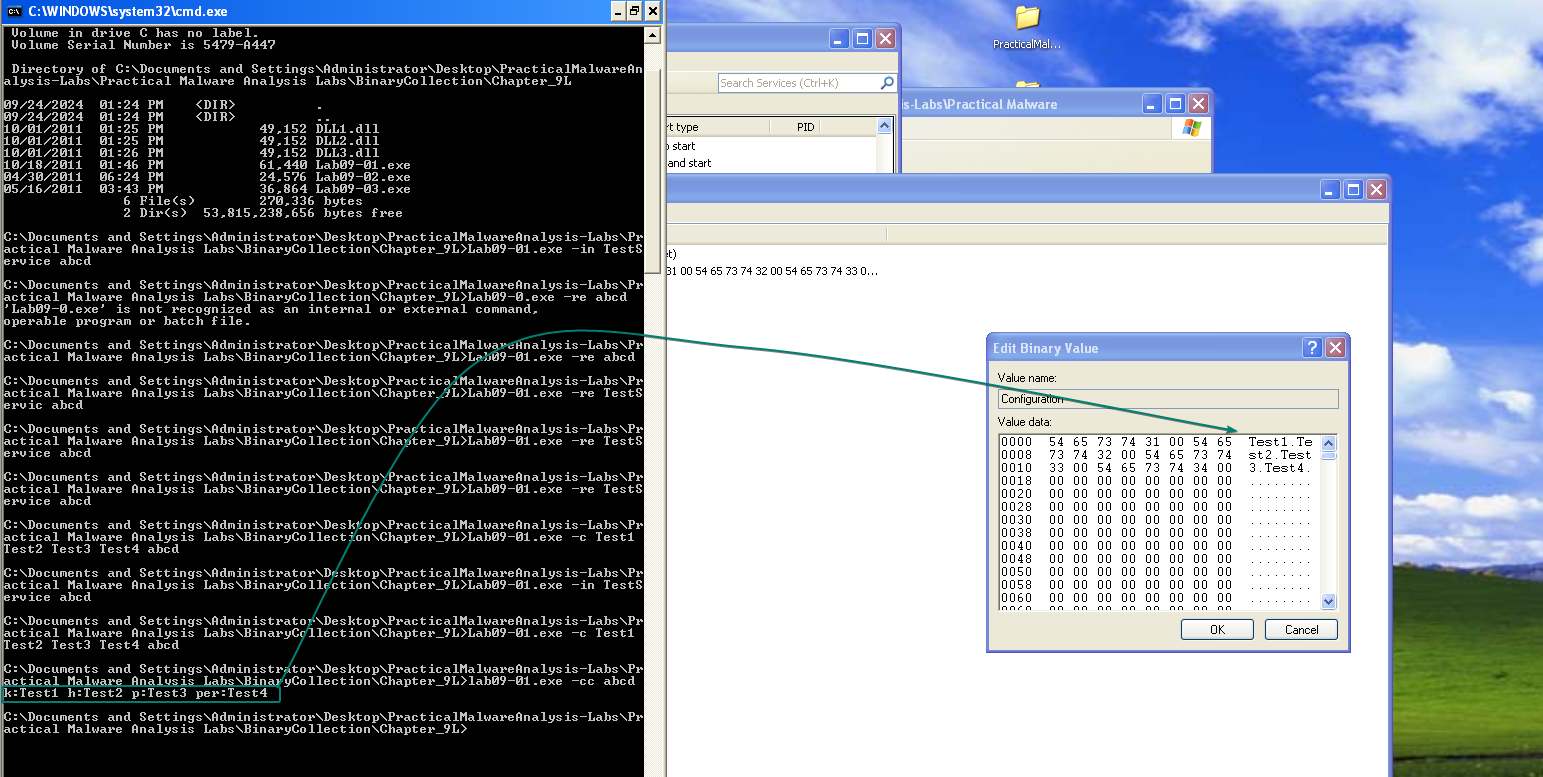
abcdas a last argument, should have at most 4 arguments. (including the program executable)Lab09-01.exe -in <Service_Name>: The sample installs itself as a service with the specified name.Lab09-01.exe -re <Service_Name>: Uninstalls the service whose name is given in the cmdline args.Lab09-01.exe -c <Str1> <Str2> <Str3> <Str4>: Sets the configuration subkey inHKLM\Software\ Microsoft\XPSto the specified strings respectively.
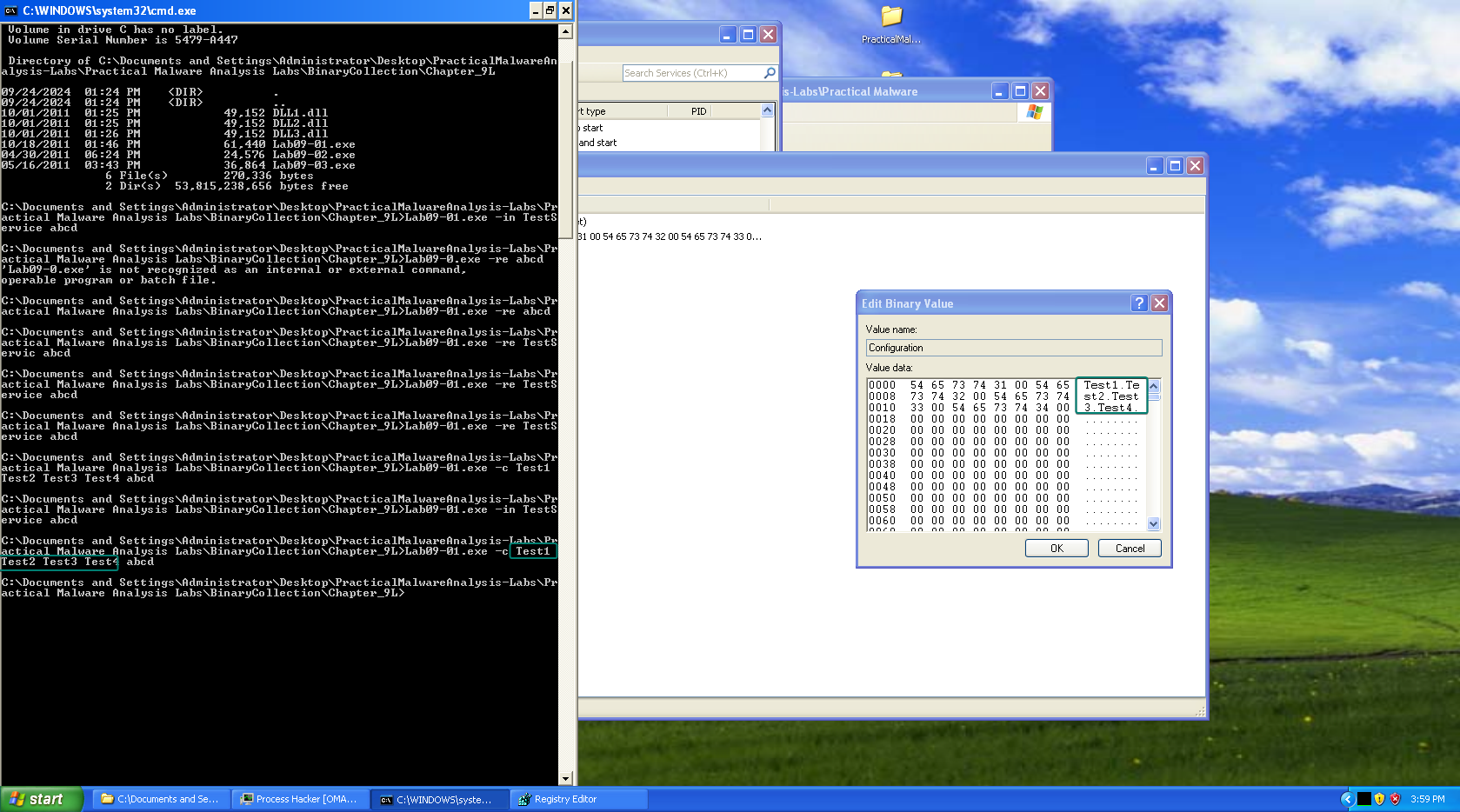
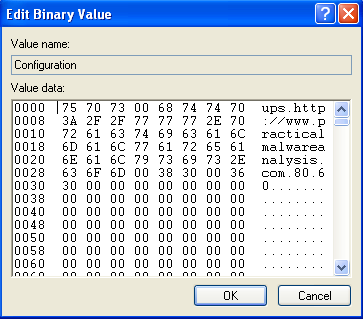
Lab09-01.exe -cc: Prints out the configuration key’s content to the console.
- The password requirement for the malware is
abcd, without it the malware deletes itself.
-
We can patch this program so that it jumps directly to the command line parser instead of checking the last argument given, as such: NOP out the initial call to the
check_last_argcall at0x402b38
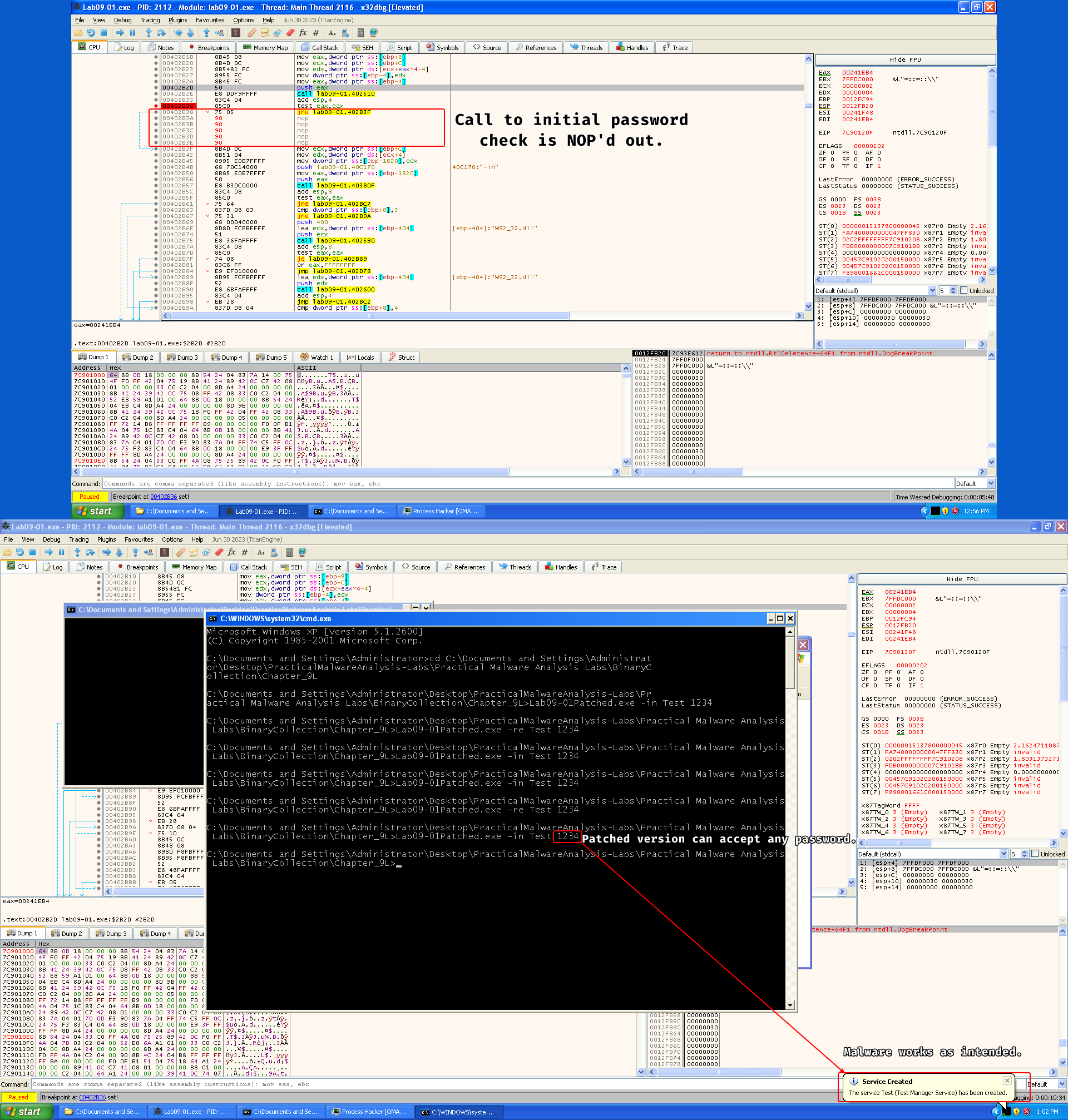
Keep in mind that this does not cancel the need for a password because the order of the arguments is used respectively within the sample, so you need to give in anything as a last parameter.
-
There are several host based indicators for this malware:
command.com- Registry key
HKLM\SOFTWARE\Microsoft \XPS - The service that ends with
<Service_Name> Manager Service(The malware can customize the service name based on the-inargument)
-
There are different actions that the malware can take from its C2:
SLEEP: causes the malware to sleep.NOTHING: does absolutely nothing.UPLOAD: downloads a file from the C2 server (presum)CMD: creates a pipe that executes the command and sends it to the C2.DOWNLOAD: uploads a file to the C2.
The C2 server is specified in the configuration key in the registry.
-
The sample has one network-based signature:
http://www.practicalmalwareanalysis.com
Lab 9-2
Description
Analyze the malware found in the file Lab09-02.exe using OllyDbg to answer the following questions.
Questions
- What strings do you see statically in the binary?
- What happens when you run this binary?
- How can you get this sample to run its malicious payload?
- What is happening at 0x00401133?
- What arguments are being passed to subroutine 0x00401089?
- What domain name does this malware use?
- What encoding routine is being used to obfuscate the domain name?
- What is the significance of the CreateProcessA call at 0x0040106E?
Solution
-
We don’t see anything interesting other than the imports of the file itself: we see signs of
GetProcAddress(),GetCommandLineA(),LoadLibraryA(), we can also see the presence of aMessageBoxwithin the strings, which means the malware could print something to the victim.Malware can import other libraries at runtime.
-
Nothing seems to be happening.
-
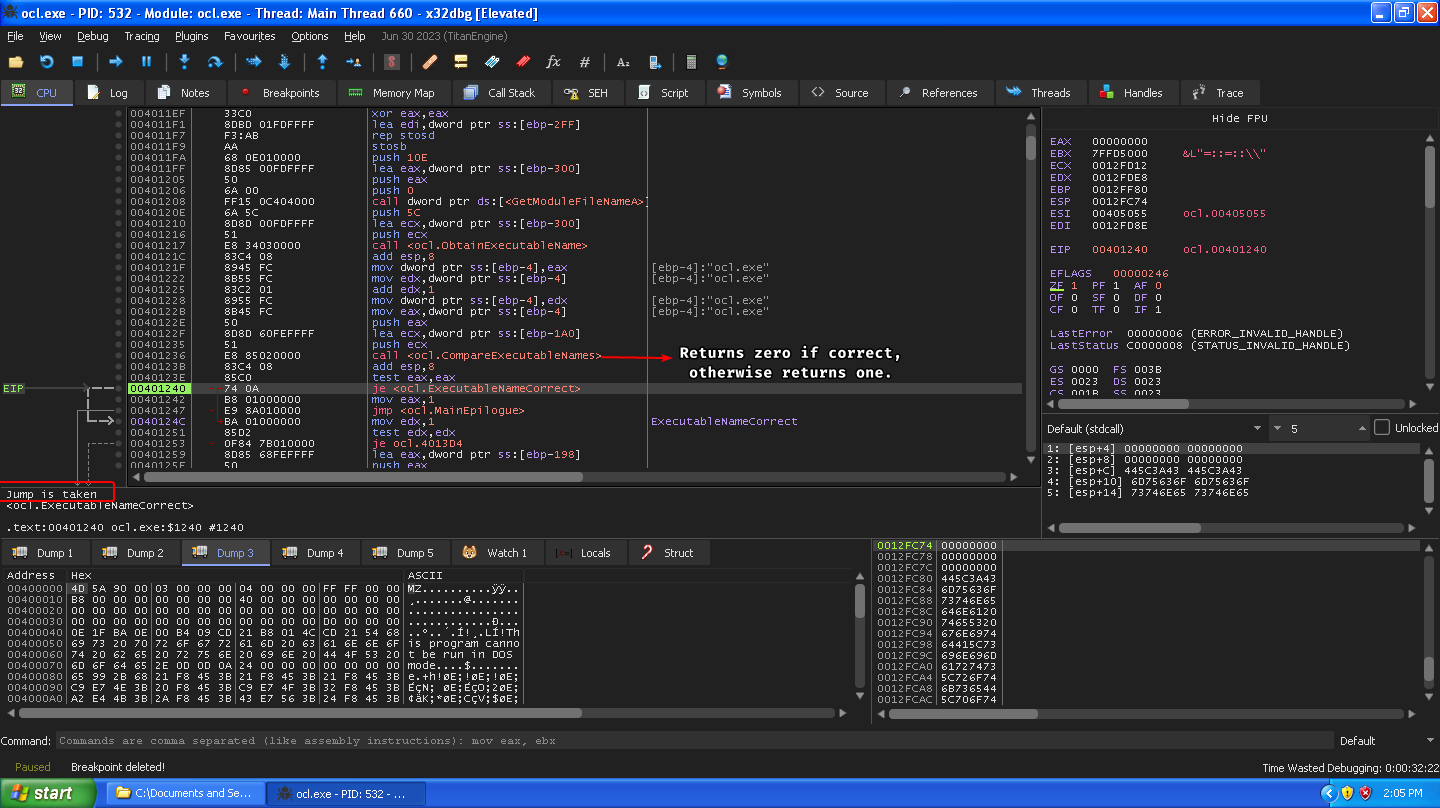
The malware retrieves its name and compares it with
ocl.exe, returns 1 (fail) if they’re not equal and jumps to the main epilogue, otherwise it takes a different path if they’re equal, so the malware needs to have the nameocl.exe.
-
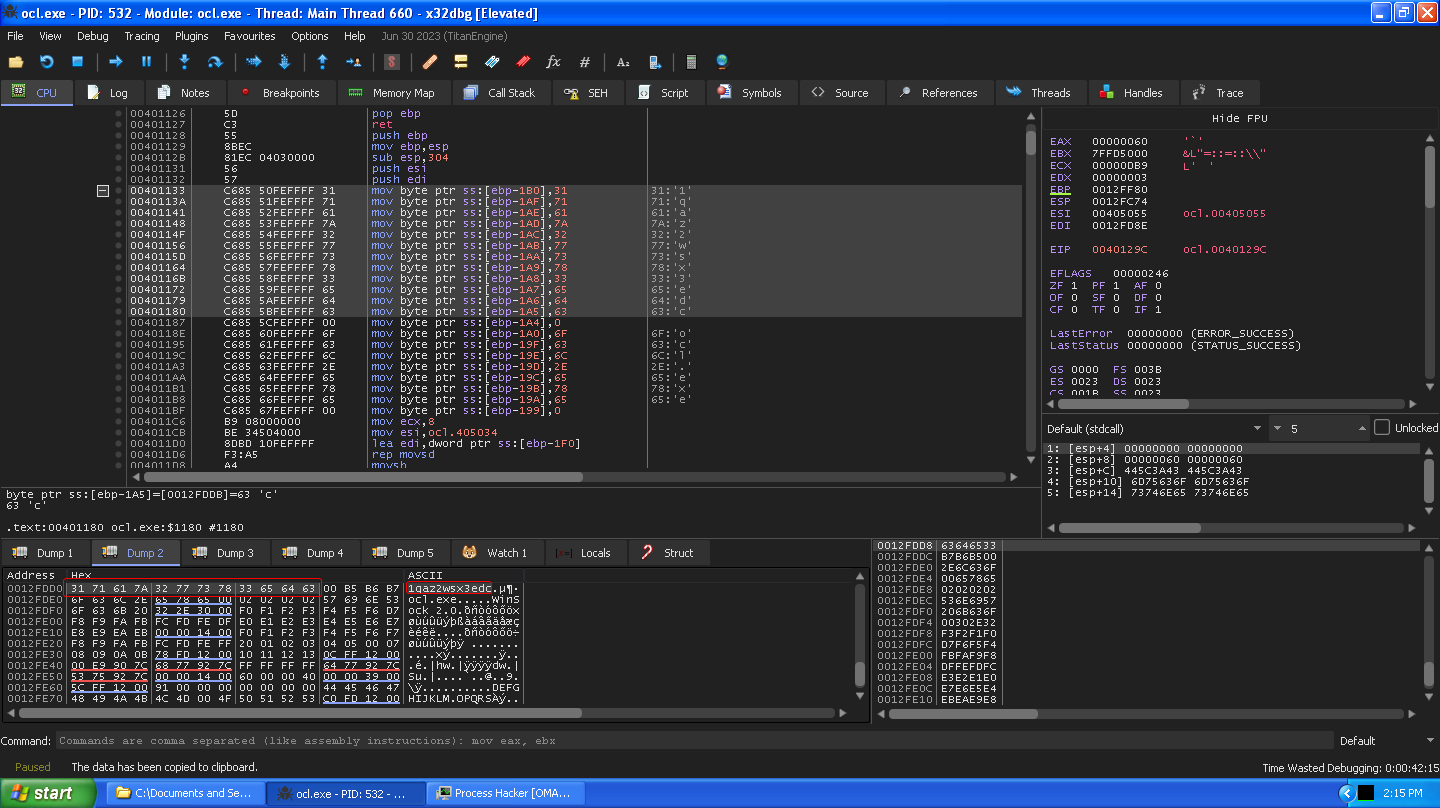
The malware initializes an array of characters that contains what seems to be random characters:
1qaz2wsx3edc
-
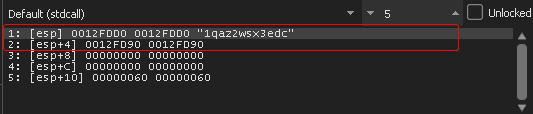
Two memory references are passed to this subroutine, one that has the random character initialized array and a secondary array reference that was copied into from
.data:0x405034
-
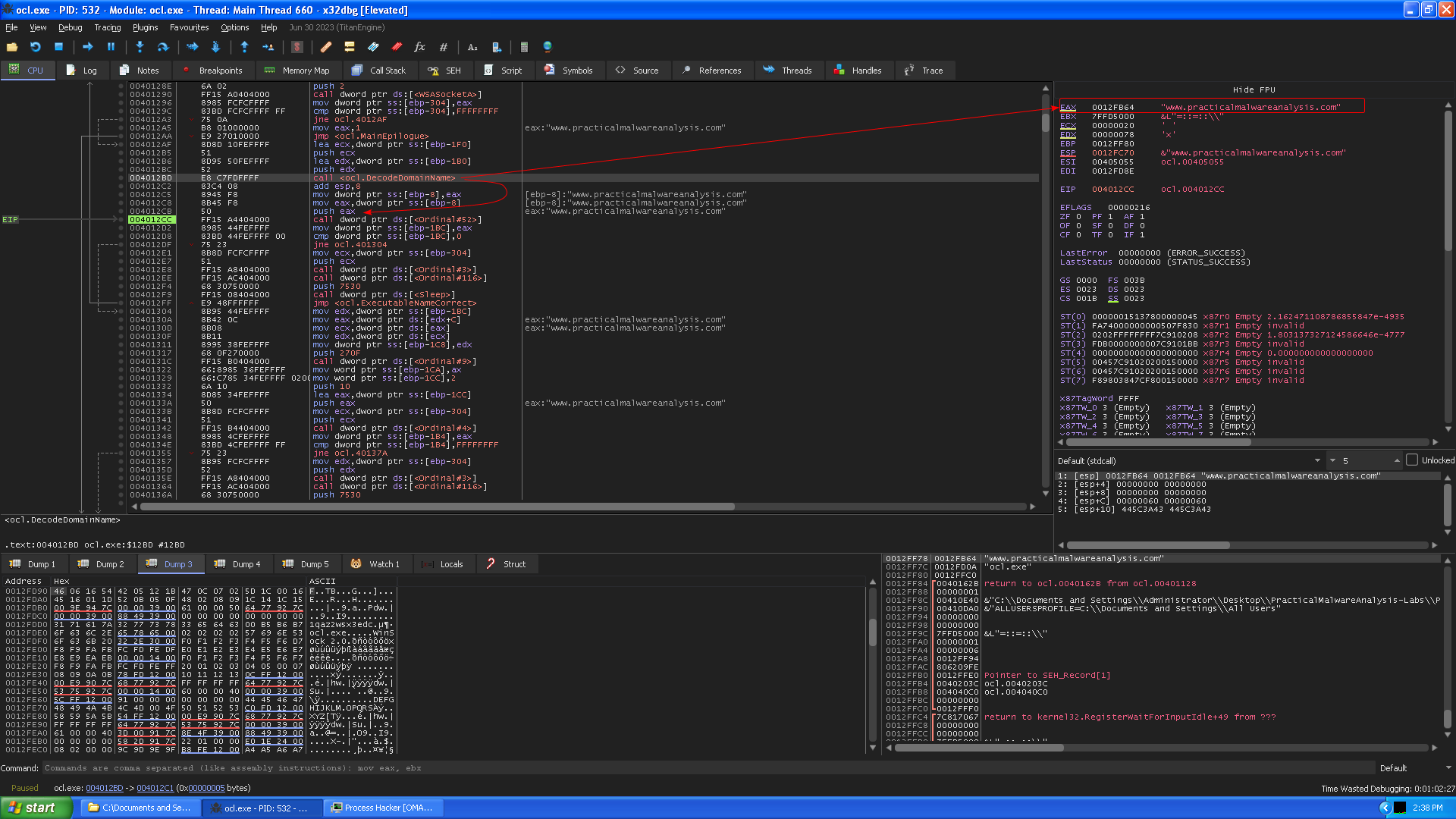
After the subroutine at
0x00401089finishes, the function returns the deobfuscated domain namewww.practicalmalwareanalysis.com(and that’s why we couldn’t see it in the strings output of the program.)
-
The program keeps taking a byte from the random character array
1qaz2wsx3edcand XORs it with460616544205121B470C07025D1C00164516011D520B050F480208091C141C15and stores the result in a memory location, then it does this until it iterates over each byte of1qaz2wsx3edcand then goes around every0xCbytes, which means that this random string actually serves as an XOR key (or at least, each byte of the string)
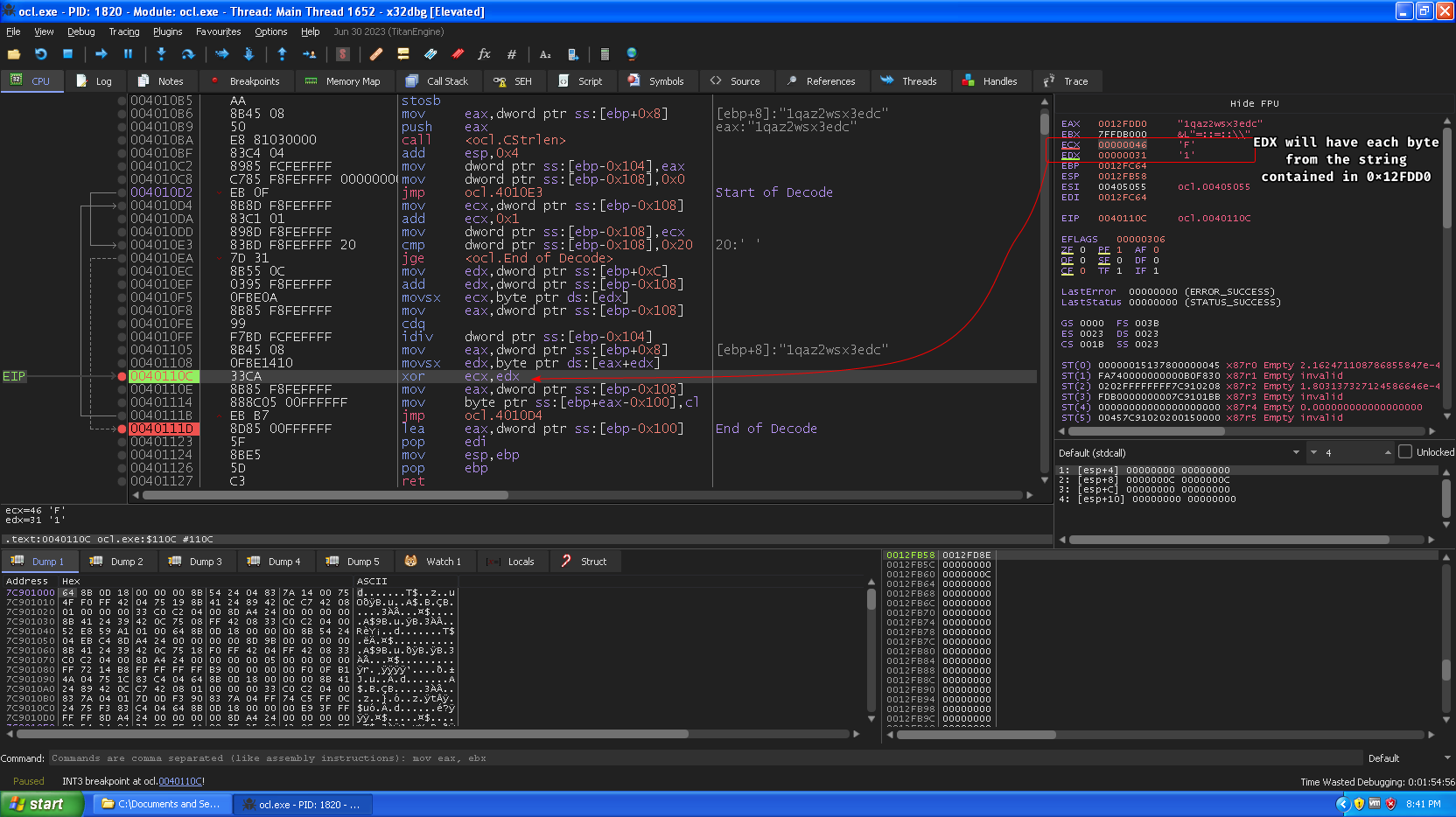
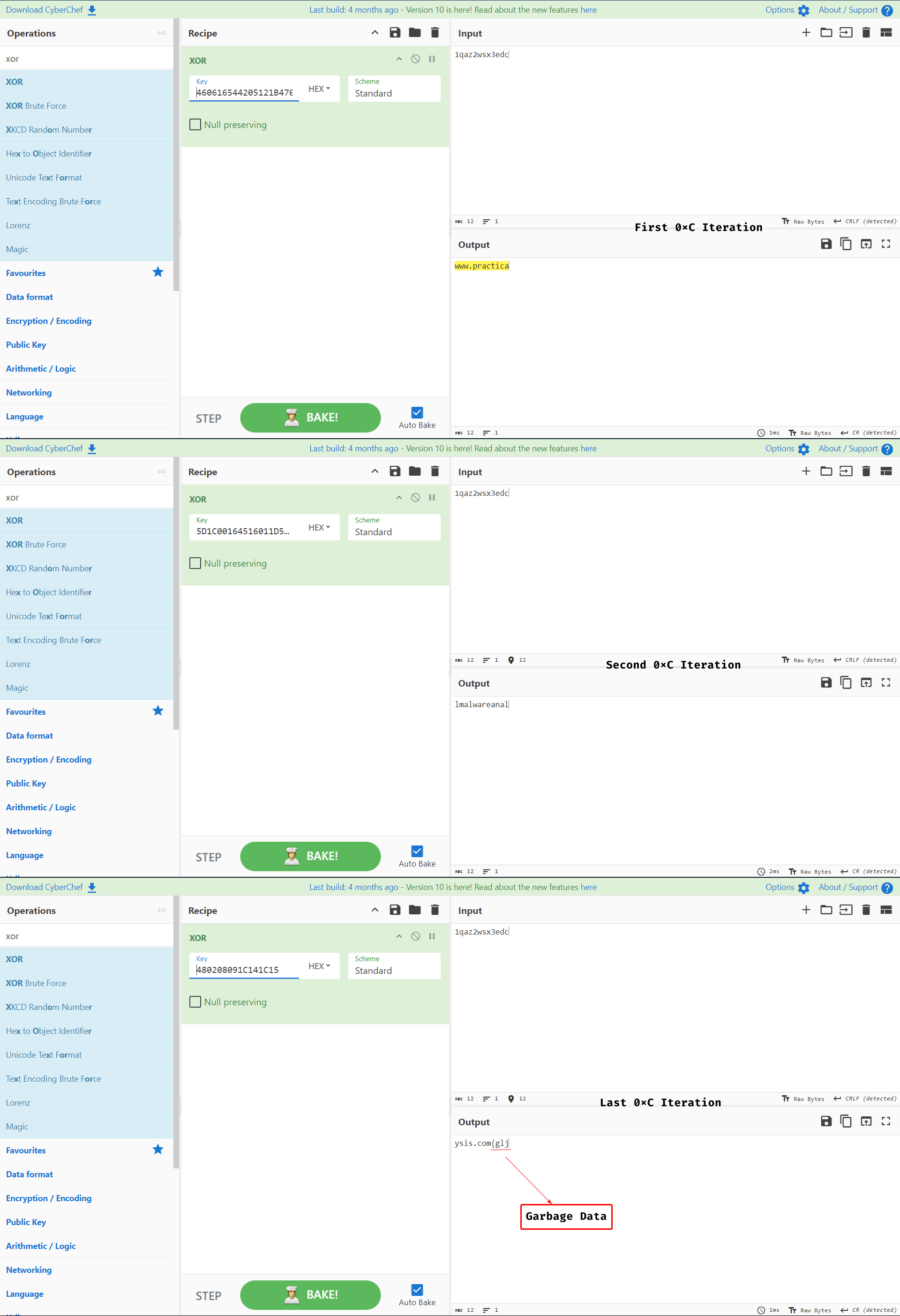
We took every 0xC from the big key and kept iterating it through the smaller key to showcase the XOR operation.
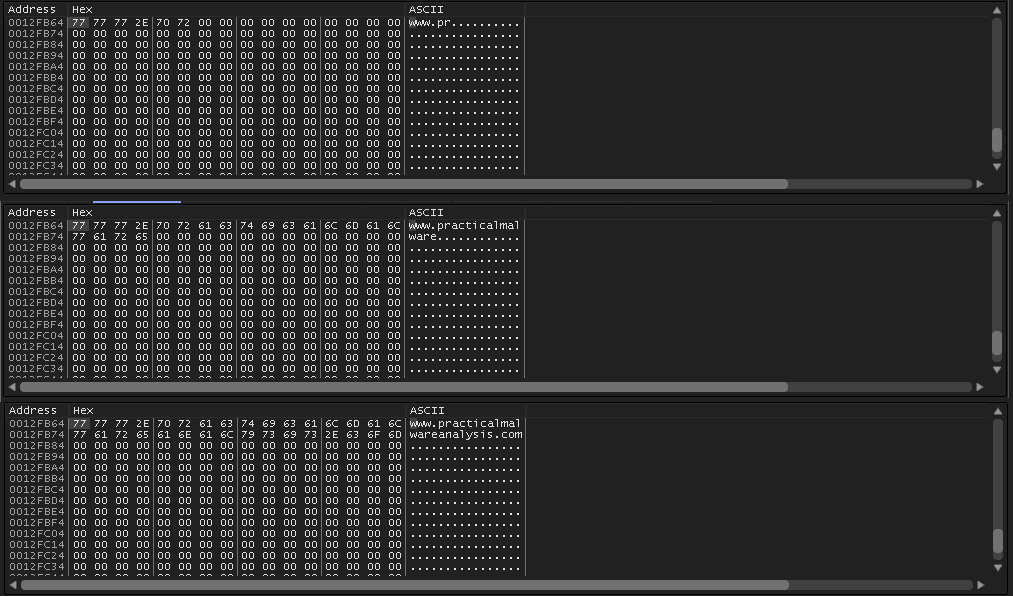
Concatenate all the result and store them in memory.
8. This function is reached when the program succeeds in making a connection with the server, so that means we need to fake a server to whom the sample connects to, otherwise the malware sleeps after attempting to beacon out to the server.
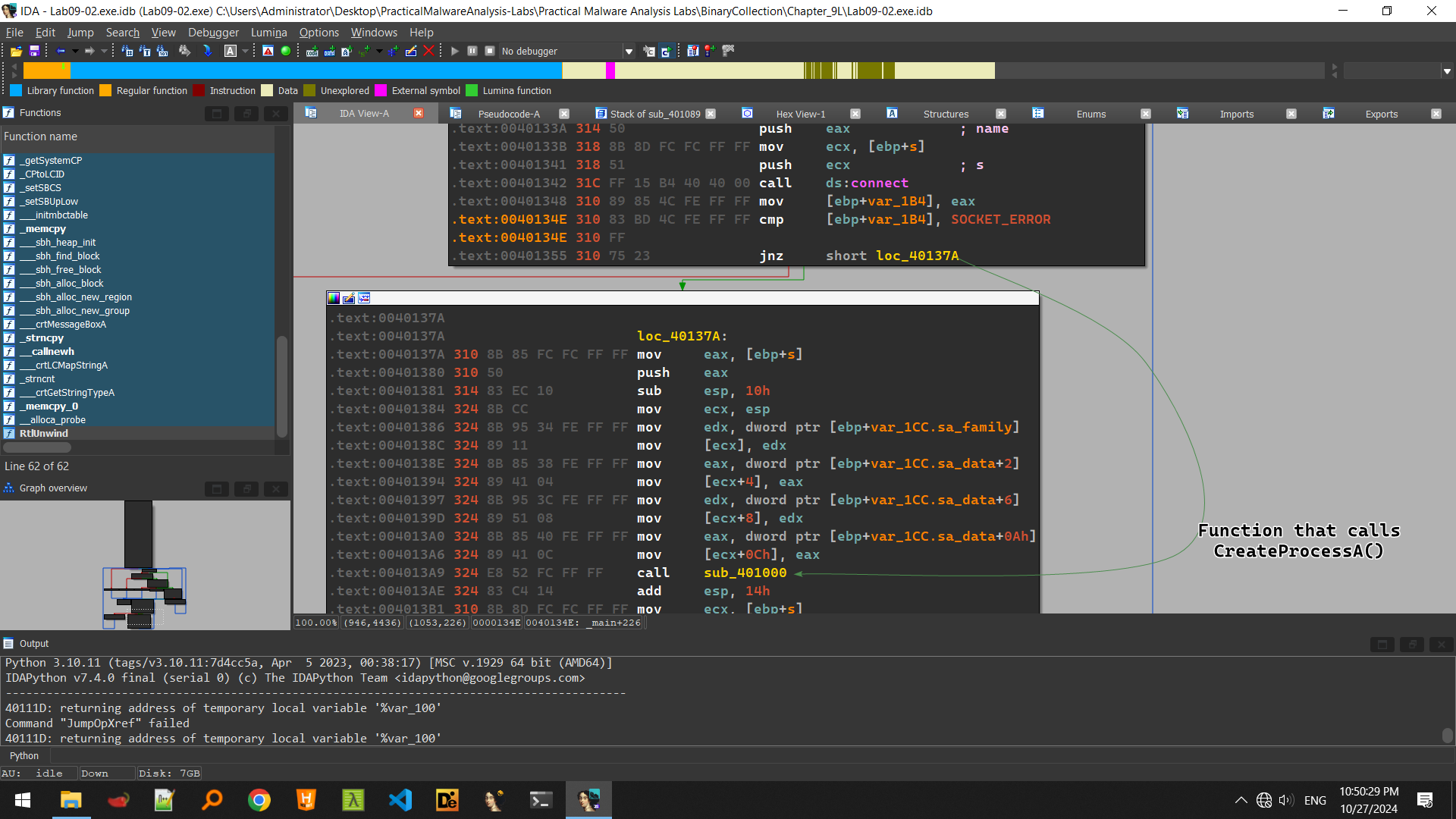
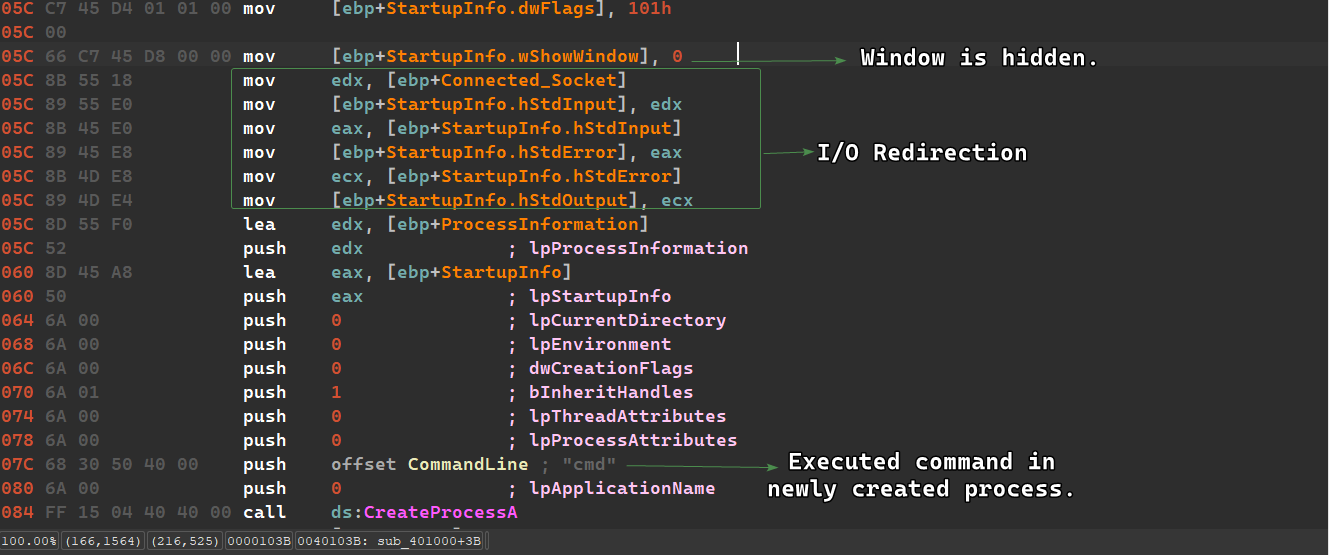
We can just modify the EIP register to the jump location or patch it to jump directly, but it seems that CreateProcessA() takes the second argument as cmd which means that the sample creates a secondary shell and then waits indefinitely, this could be a reverse shell.
Keep in mind that CreateProcessA() will attempt to redirect all I/O to the socket, so if we jump directly without a socket, things can work unexpectedly.
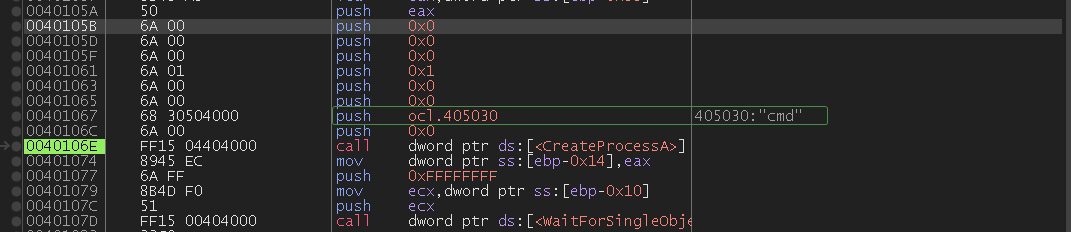
We can see that the function that calls CreateProcessA() is sub_401000() which takes the connected socket as a parameter.
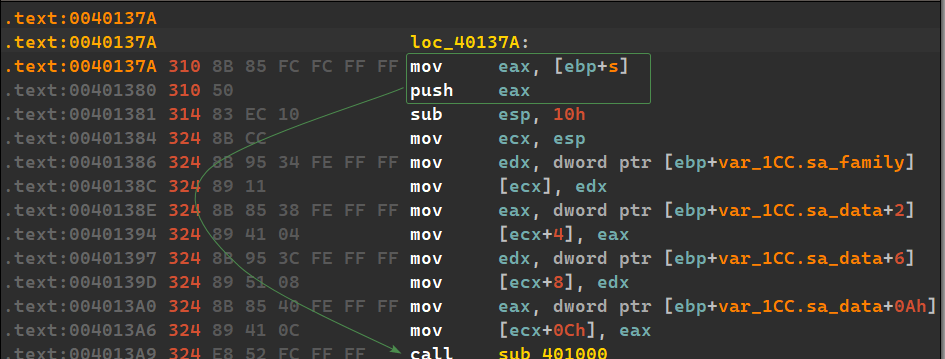
The sample then initializes the STARTUPINFO structure used for process creation so that it hides the process’ window and redirects stdin, stderr and stdout to the connected socket, and then it creates the process with the command line cmd.
Lab 9-3
Description
Analyze the malware found in the file Lab09-03.exe using OllyDbg and IDA Pro. This malware loads three included DLLs (DLL1.dll, DLL2.dll, and DLL3.dll) that are all built to request the same memory load location. Therefore, when viewing these DLLs in OllyDbg versus IDA Pro, code may appear at different memory locations. The purpose of this lab is to make you comfortable with finding the correct location of code within IDA Pro when you are looking at code in OllyDbg.
Questions
- What DLLs are imported by Lab09-03.exe?
- What is the base address requested by DLL1.dll, DLL2.dll, and DLL3.dll?
- When you use OllyDbg to debug Lab09-03.exe, what is the assigned based address for: DLL1.dll, DLL2.dll, and DLL3.dll?
- When Lab09-03.exe calls an import function from DLL1.dll, what does this import function do?
- When Lab09-03.exe calls WriteFile, what is the filename it writes to?
- When Lab09-03.exe creates a job using NetScheduleJobAdd, where does it get the data for the second parameter?
- While running or debugging the program, you will see that it prints out three pieces of mystery data. What are the following: DLL 1 mystery data 1, DLL 2 mystery data 2, and DLL 3 mystery data 3?
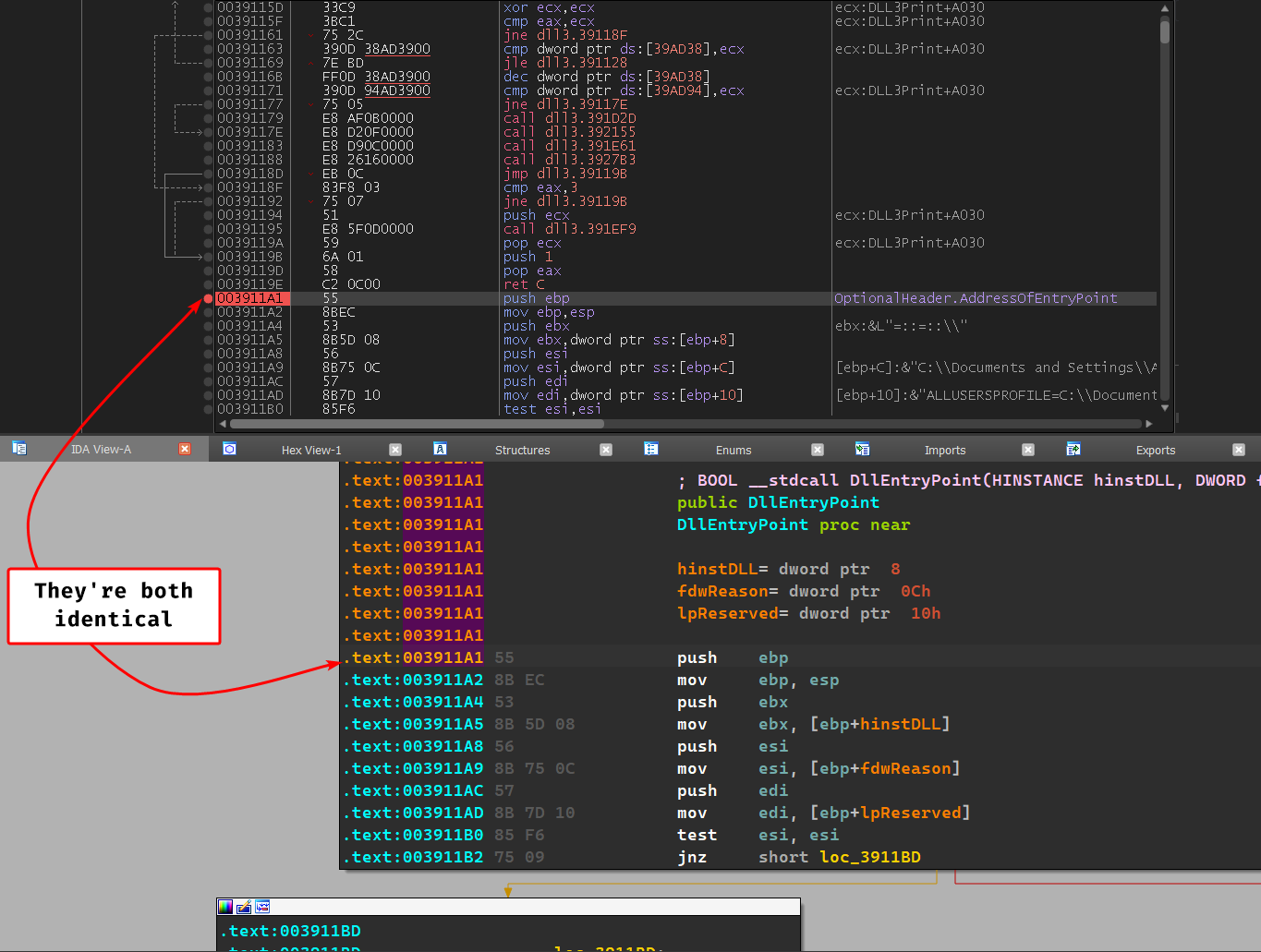
- How can you load DLL2.dll into IDA Pro so that it matches the load address used by OllyDbg?
Solution
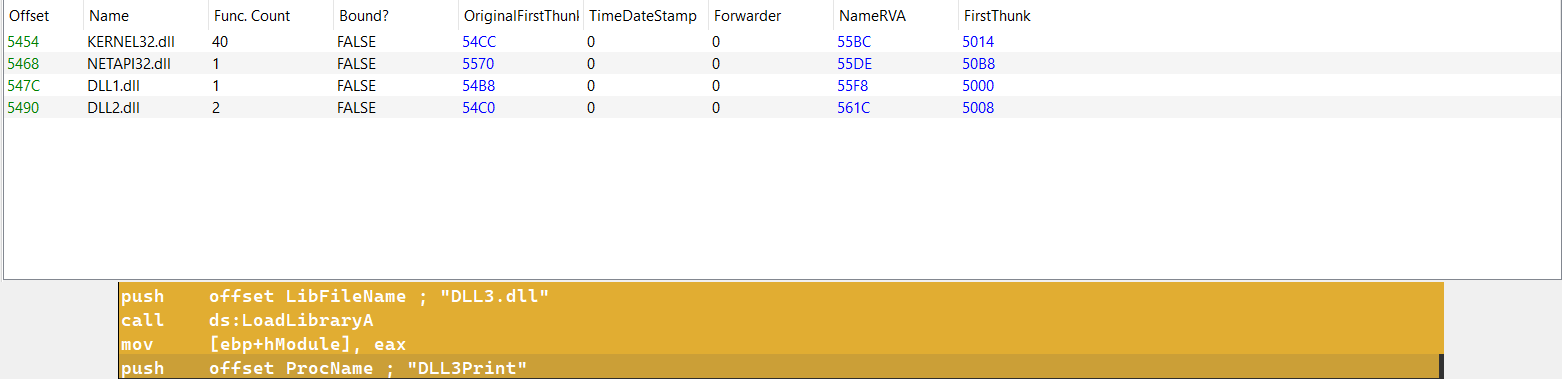
- The sample imports
DLL1.dllandDLL2.dlldynamically, but we can notice that the program loadsDLL3.dllat runtime usingGetProcAddress()andLoadLibraryA().
- Every single DLL has the base address of
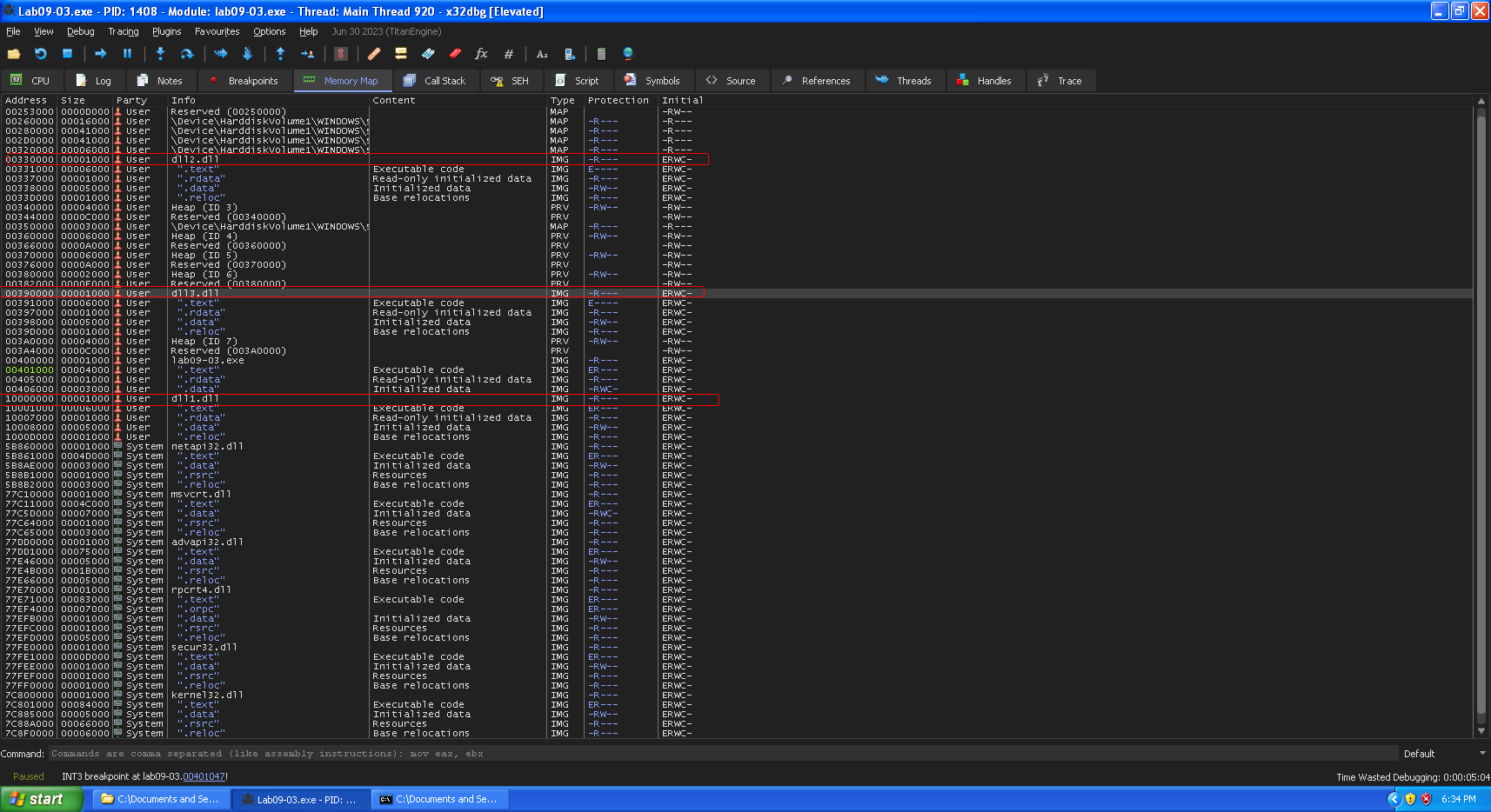
0x10000000. - In this instance of x32dbg, we notice that
DLL1.dllis indeed mapped in0x10000000butDLL2.dllis mapped in0x330000andDLL3.dllis mapped in0x390000.
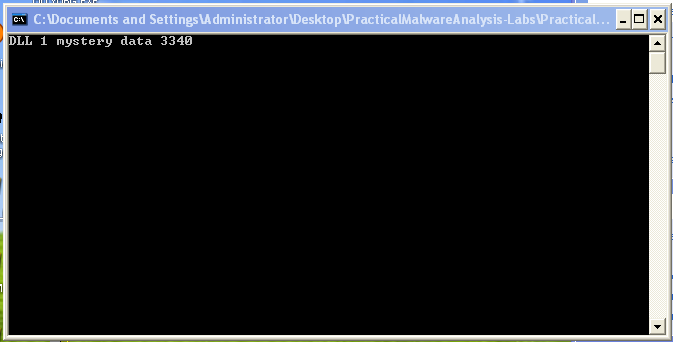
- Prints
DLL1 mystery data <PID_of_Sample>
WriteFile()takes the handle to the open file as a first parameter so by usingprocexp, we can view what this handle points to:temp.txt
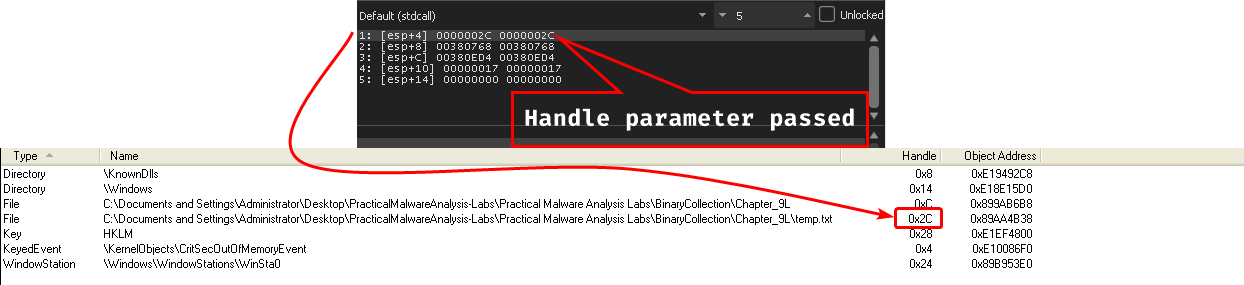
- The 2nd parameter passed seems to be from the runtime loaded
DLL3.dll:.data, looking at the dump, we findping www.malwareanalysisbook.com

- DLL 1 mystery data is the PID of the current instance of the process, DLL 2 mystery data is the handle to
temp.txt’s value in decimal (0x2c = 4410) and DLL 3 mystery data is the memory address of the string in DLL3 (0x39B0C0 = 378080010)
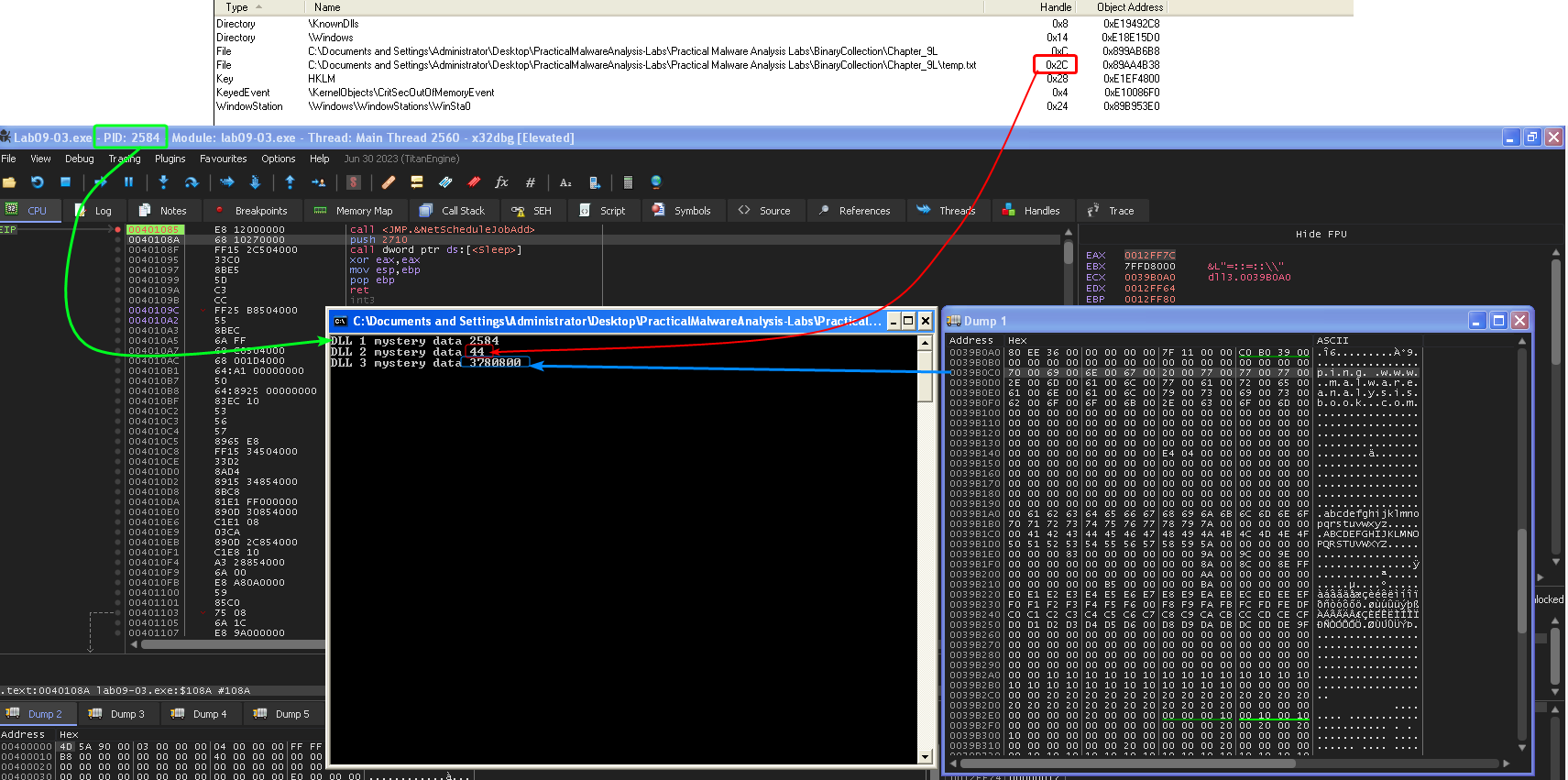
- We can either manually load the DLL in IDA to match the
x32dbgbase address, or rebase it after loading it automatically in IDA.