Lab 7-1
Description
Analyze the malware found in the file Lab07-01.exe.
Questions
- How does this program ensure that it continues running (achieves persistence) when the computer is restarted?
- Why does this program use a mutex?
- What is a good host-based signature to use for detecting this program?
- What is a good network-based signature for detecting this malware?
- What is the purpose of this program?
- When will this program finish executing?
Solution
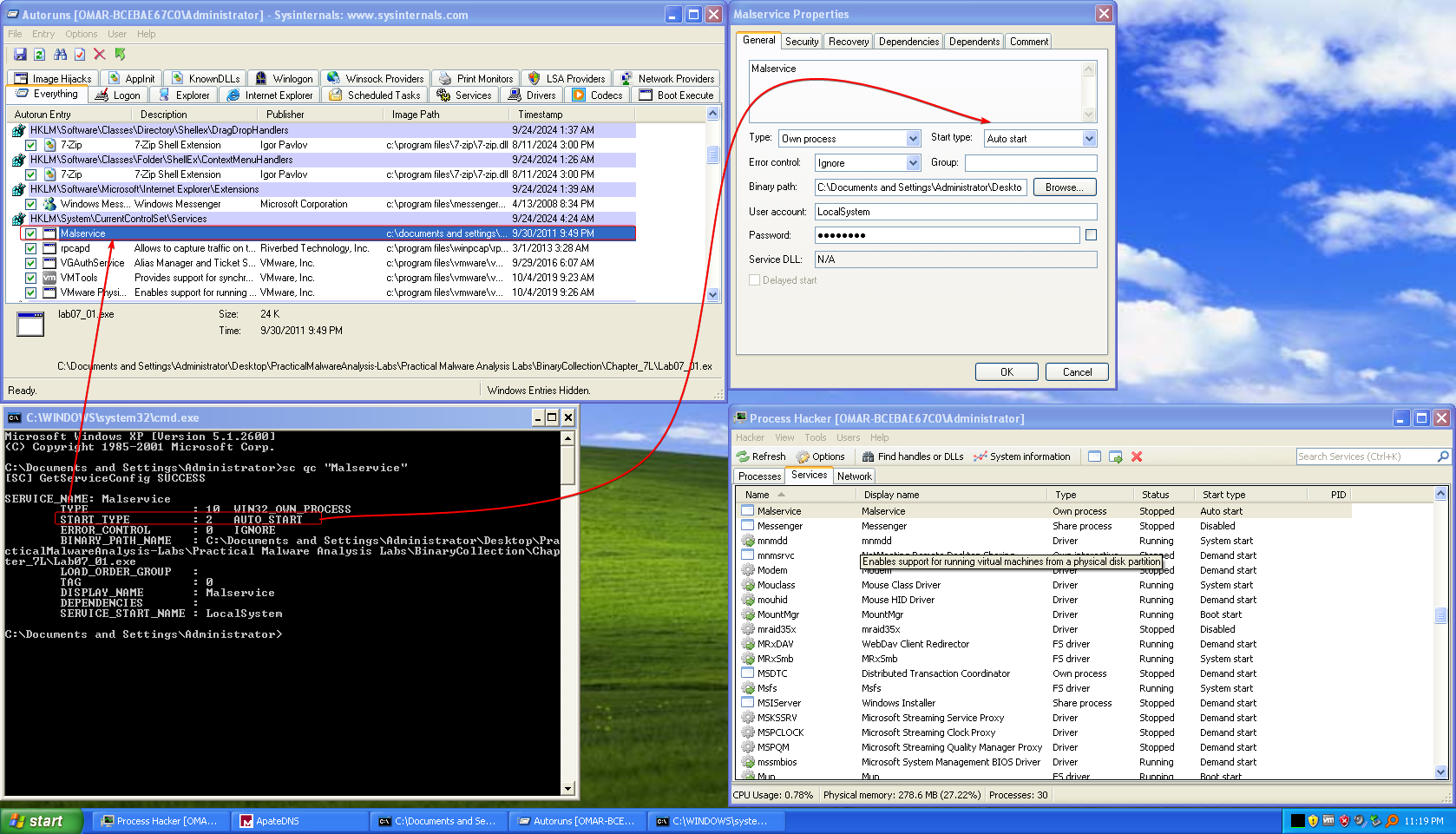
- Using autoruns, we notice that the malware uses a service that runs at startup named
Malservicethat has the keyStartwith value0x02, which is shown usingsc,autorunsand process hacker.
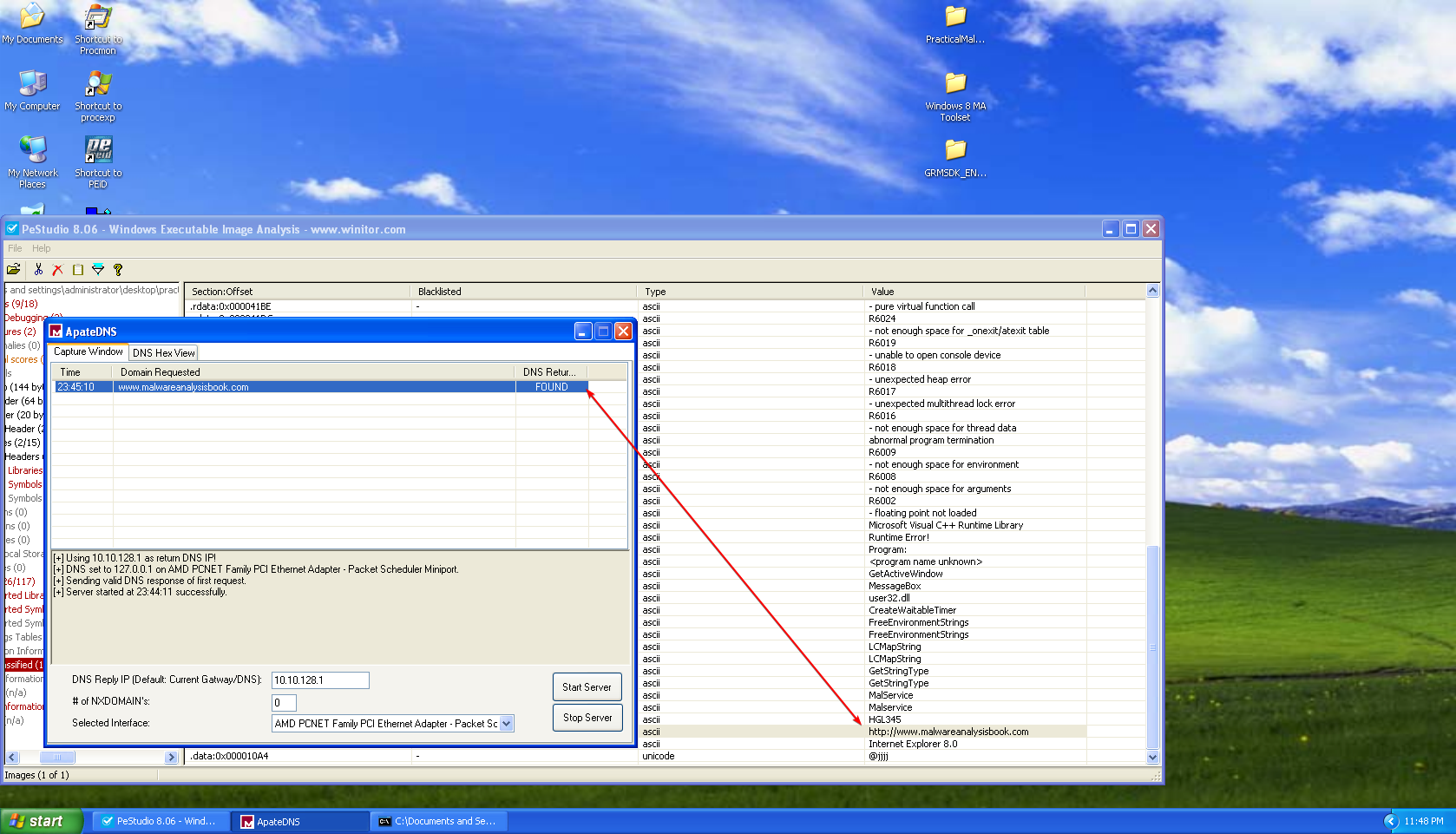
- The malware uses a mutex object named
HGL345, presumably to make sure that there’s only one instance of the malware running. - The service that the malware uses for persistence
Malservice, the mutex object’s nameHGL345can serve as host-based indicators. - The malware contacts
www.malwareanalysisbook.comas shown in the strings and using ApateDNS, and also the user agent that the malware usesInternet Explorer 8.0.
5. It seems that the malware checks if the computers infected have reached the date2100/1/1at midnight, then the malware attempts to create 20 threads that all of which executeStartAddressthat endlessly sends requests towww.malwareanalysisbook.com, so we may assume that this malware causes a DDoS.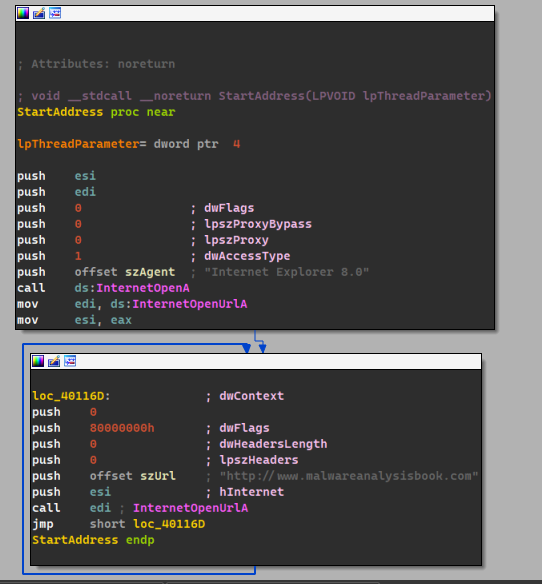
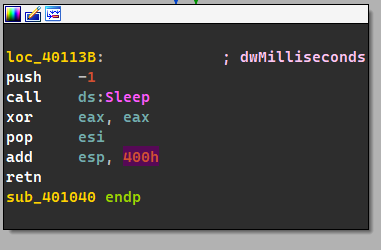
- Since each thread runs endlessly without an end condition, with the addition to the
sleep(-1)at the end.
Lab 7-2
Description
Analyze the malware found in the file Lab07-02.exe.
Questions
- How does this program achieve persistence?
- What is the purpose of this program?
- When will this program finish executing?
- This program does not achieve persistence, it just opens an Internet Explorer instance with the address
www.malwareanalysisbook.com/ad.htmland ends prematurely. - The purpose of this program is just to display an ad.
- The program finishes executing as soon as it finishes launching IE with the address specified above.
Lab 7-3
Description
For this lab, we obtained the malicious executable, Lab07-03.exe, and DLL, Lab07-03.dll, prior to executing. This is important to note because the malware might change once it runs. Both files were found in the same directory on the victim machine. If you run the program, you should ensure that both files are in the same directory on the analysis machine. A visible IP string beginning with 127 (a loopback address) connects to the local machine. (In the real version of this malware, this address connects to a remote machine, but we’ve set it to connect to localhost to protect you.)
WARNING: This lab may cause considerable damage to your computer and may be difficult to remove once installed. Do not run this file without a virtual machine with a snapshot taken prior to execution. This lab may be a bit more challenging than previous ones. You’ll need to use a combination of static and dynamic methods, and focus on the big picture in order to avoid getting bogged down by the details.
Questions
- How does this program achieve persistence to ensure that it continues running when the computer is restarted?
- What are two good host-based signatures for this malware?
- What is the purpose of this program?
- How could you remove this malware once it is installed?
-
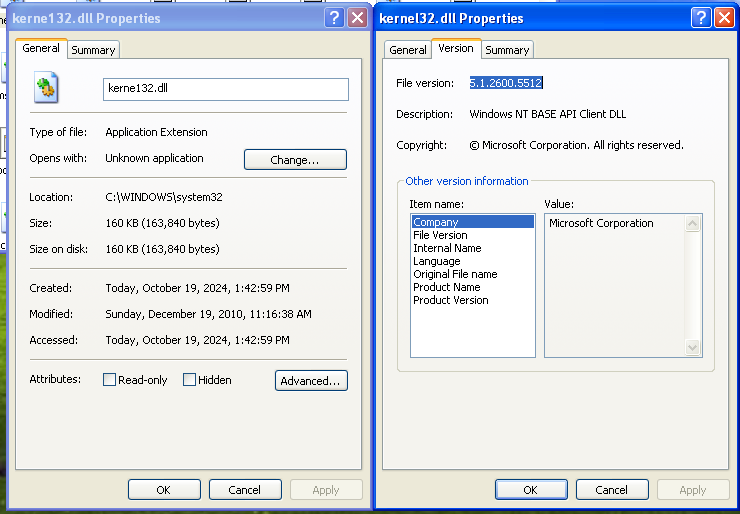
The malware sample modified files by loading them into memory, does it’s modifications and then rewrites it back to disk, then it attempts to copy the malicious DLL
Lab07-03.dllinto an impostorkerne132.dllwith all of it’s imports and (with the addition of the malicious code)

If we look at the malicious version, we see that it imports the originalkernel32.dllandWS2_32.dll, we also notice that it doesn’t have Microsoft’s signature.
This sample attempts to enumerate the entirety of theC:\directory and looks for all.exefiles and makes it import this newly malicious imposterkerne132.dll
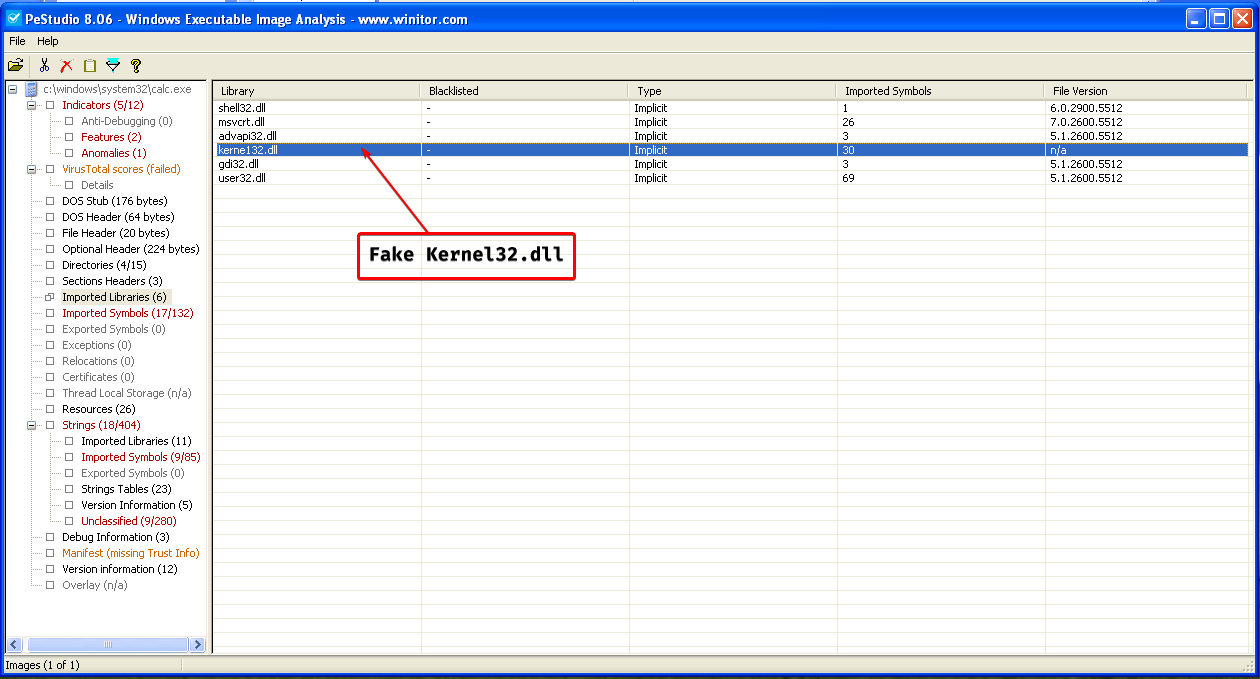
This means that this sample is a file infector, which means that every time an executable in this system is launched, it launches the malicious DLL along with it, which is a form of persistence.

-
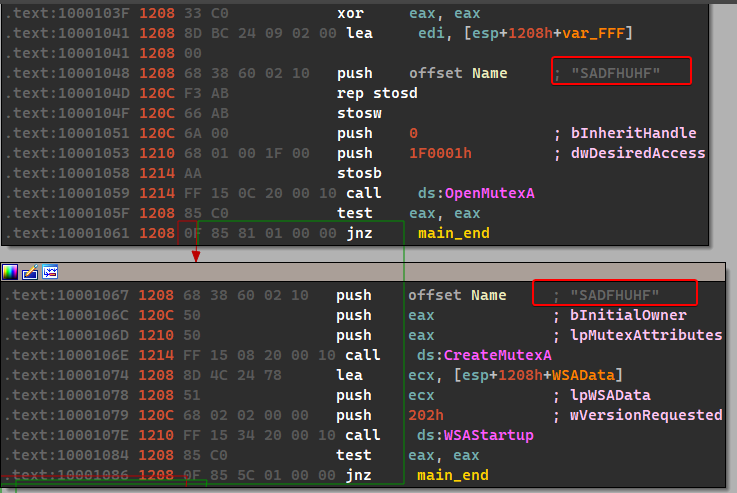
We have found two host based signatures:
SADFHUHFas a mutex object used by the DLL and thekerne132.dllfile itself.
-
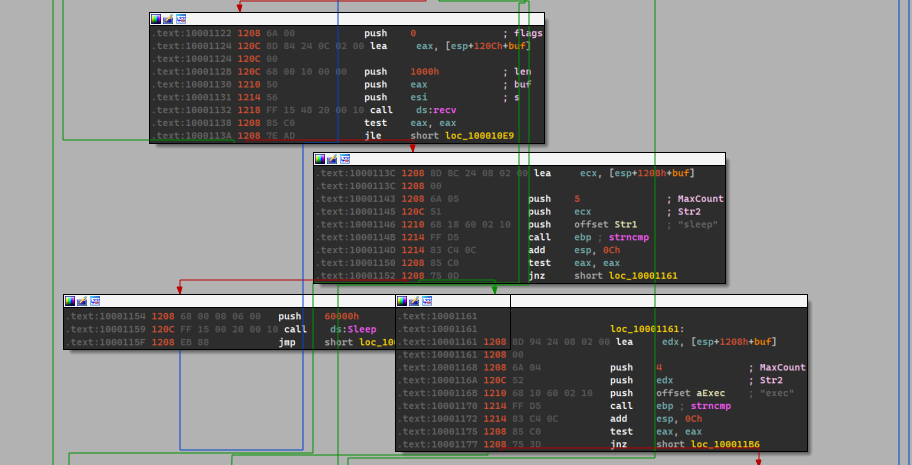
The purpose of this program can be subdivided into two things: the exe is used to “infect” all EXEs within the system to import the malicious payload that is contained within the DLL. The DLL itself contains functions that are related with networking and parses commands received from the C2 server and creates a new process to execute that command.
-
This malware is difficult to remove, because it modifies the IAT of the exes within the system and such removal is difficult. So it is best to resort to backups.