Lab 6-1
Description
In this lab, you will analyze the malware found in the file Lab06-01.exe.
Questions
- What is the major code construct found in the only subroutine called by main?
- What is the subroutine located at 0x40105F?
- What is the purpose of this program?
- We find ourselves a common code construct that is an if statement.
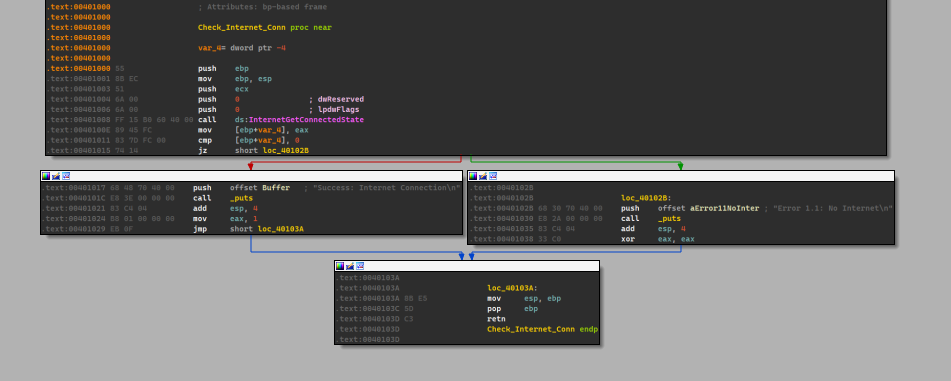
- If we look at the parameters passed to
sub_40105F, we see that a string literal is passed, which could indicate that this is a printing function.

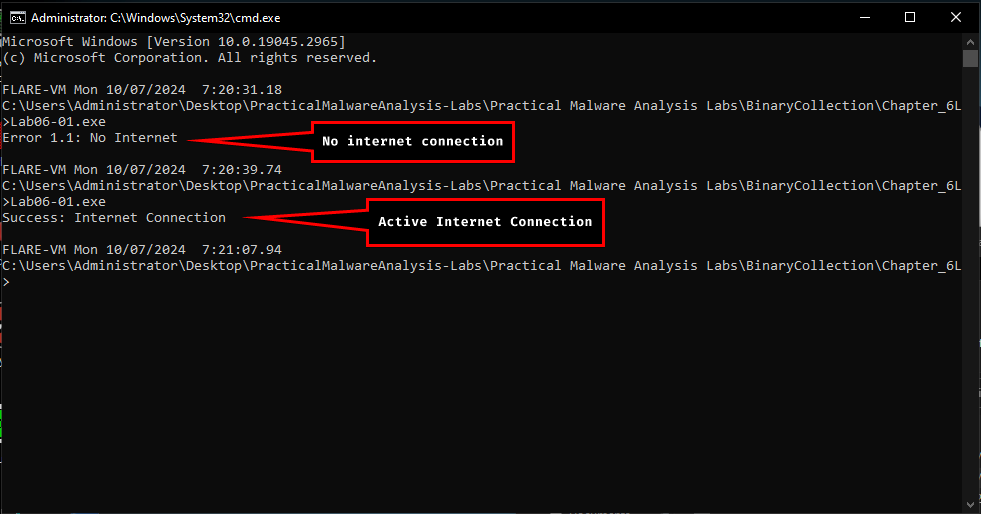
- The purpose of this program is that it attempts to check whether or not the machine has an active internet connection or not.
Lab 6-2
Description
Analyze the malware found in the file Lab06-02.exe.
Questions
- What operation does the first subroutine called by main perform?
- What is the subroutine located at 0x40117F?
- What does the second subroutine called by main do?
- What type of code construct is used in this subroutine?
- Are there any network-based indicators for this program?
- What is the purpose of this malware?
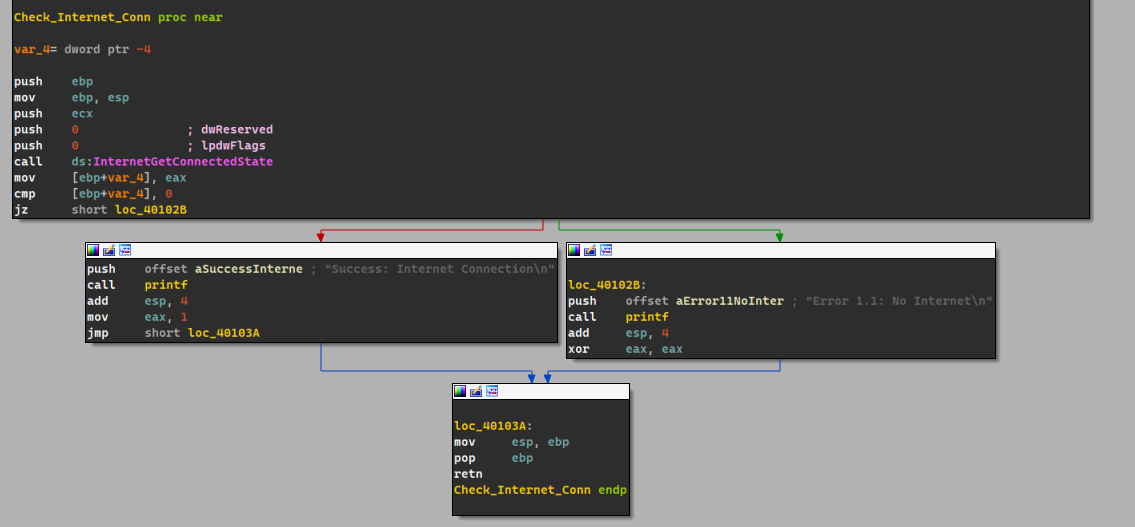
- Same as the first lab in this chapter, it checks whether the machine has an active internet connection.
- Same as the first lab in this chapter, we see a string literal passed to it, which means it could be a printing function.
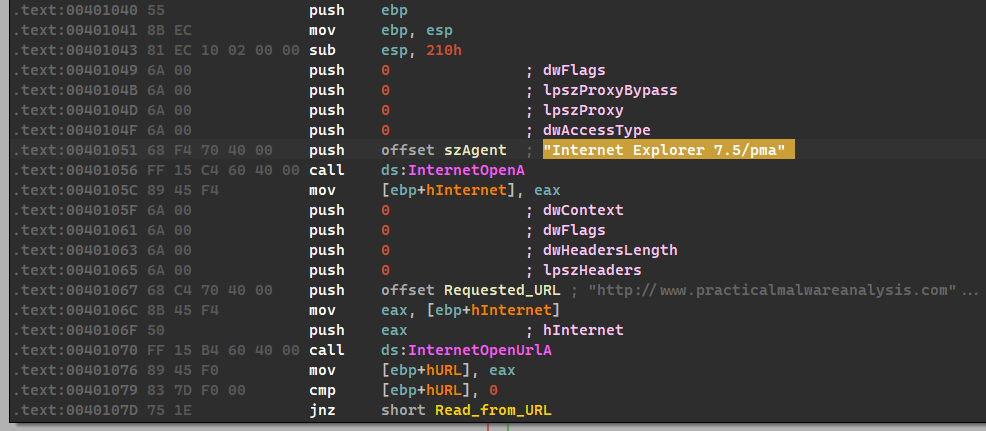
- The second subroutine
sub_401040attempts to connect with the websitewww.practicalmalwareanalysis.comand requestscc.htmusingInternet Explorer 7.5/pmauser agent.
It tries to read 512 bytes from the URL to a buffer and then checks the first four characters if it matches the following pattern:<!--
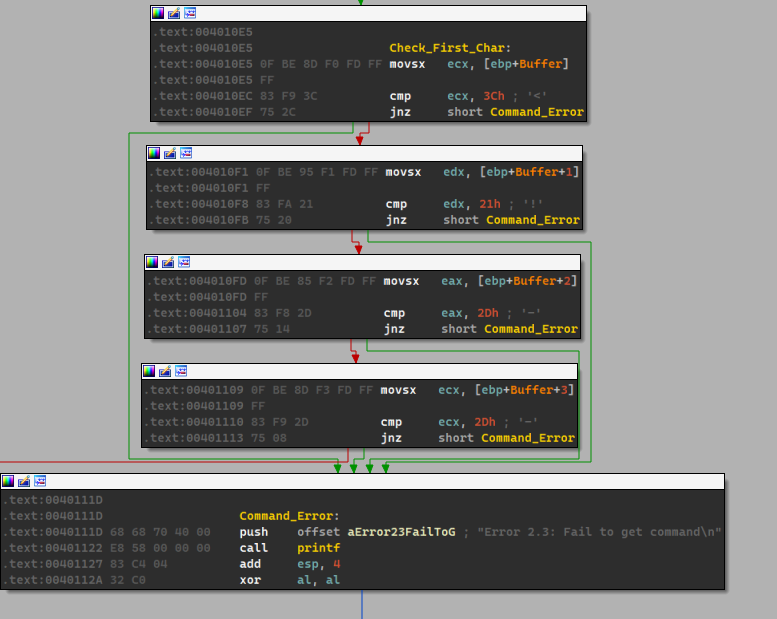
It it succeeds, then it moves the next character toaland it serves as the return value for our subroutine.
So it basically grabs the command from the website and does a little checking and returns it inAL.
4. The type of code construct used in this subroutine is anif...elsecode construct.
5. Yes, there’s one:www.practicalmalwareanalysis.com/cc.htm.
6. The purpose of this malware is that it attempts to seek out the forementioned website, downloads theHTMfile, retrieves a command and parses it in a specific format and then prints out the command to the user and then finally waits for a whole minute before terminating.
Lab 6-3
Description
In this lab, we’ll analyze the malware found in the file Lab06-03.exe.
Questions
- Compare the calls in main to Lab 6-2’s main method. What is the new function called from main?
- What parameters does this new function take?
- What major code construct does this function contain?
- What can this function do?
- Are there any host-based indicators for this malware?
- What is the purpose of this malware?
-
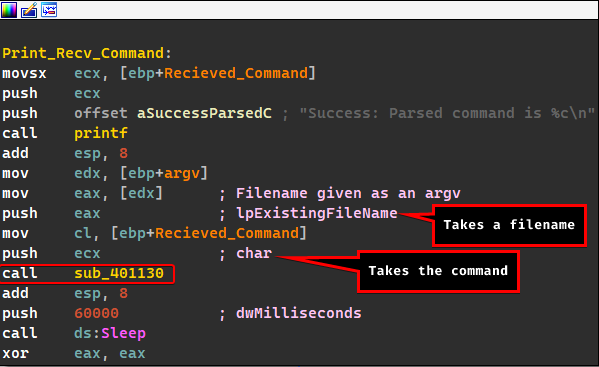
We notice a new function called after the command has been successfully parsed.
-
As illustrated above, it takes a filename and the command.
-
This function contains a switch statement construct.
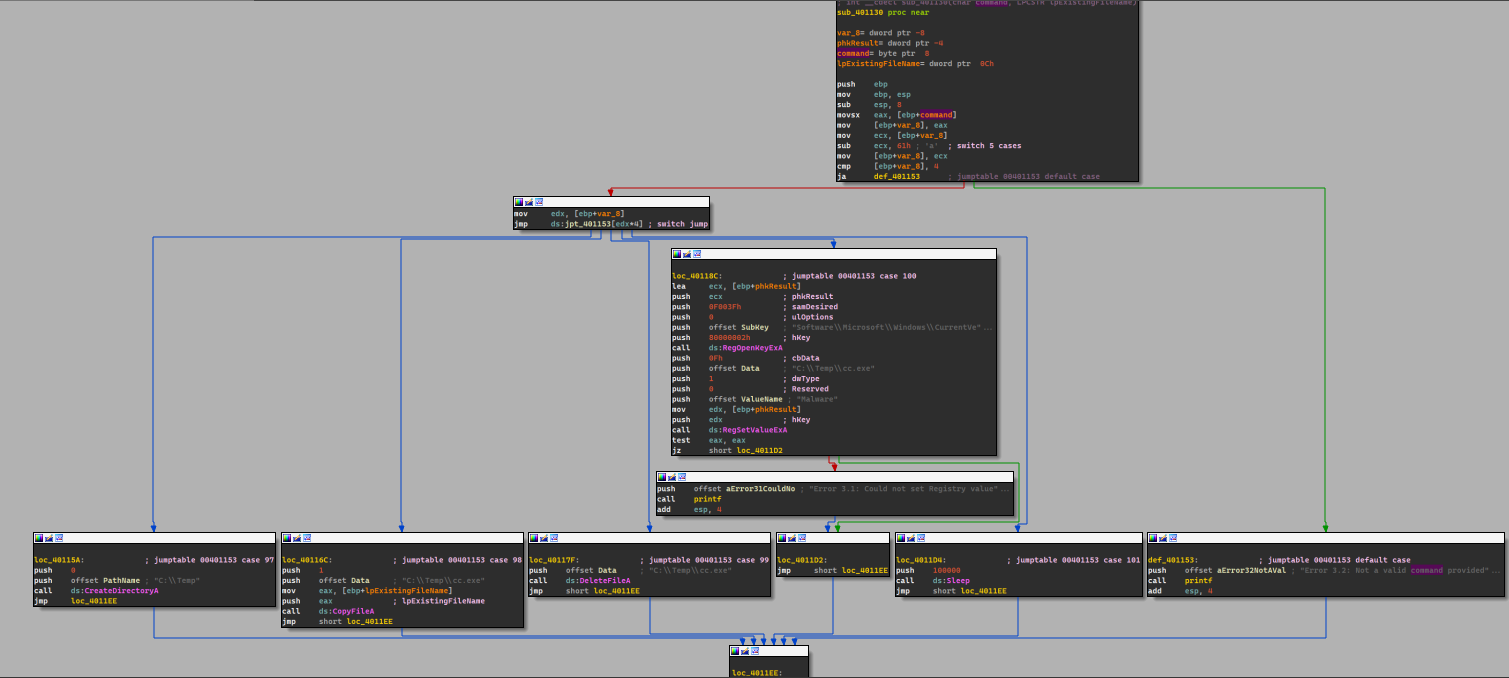
If you look closely
IDA recognizes this as a switch statement as it leaves out repeatable comments.
-
The program takes the command and modifies it so that it fits an offset for the jump table and then it does actions based on the command given:
- Case
a: Create a directoryC:\temp. - Case
b: Copy the malware’s name intoC:\tempwith a new namecc.exe. - Case
c: Delete the fileC:\temp\cc.exe. - Case
d: Adds the malware to startup with the key namedMalwareand has the valuecc.exein the registry, if it is first copied intoC:\temp - Case
e: Sleeps for 100 seconds. - Default Case: Prints out an error the command is not valid.
So this function basically does the action based on the given command.
- Case
-
Yes:
C:\Temp\cc.exeand also the registry keySOFTWARE\Microsoft\Windows\CurrentVersion\Run\Malware. -
The purpose of this malware is that it takes a command from the website, parses it and then does an action based on the command given.
Lab 6-4
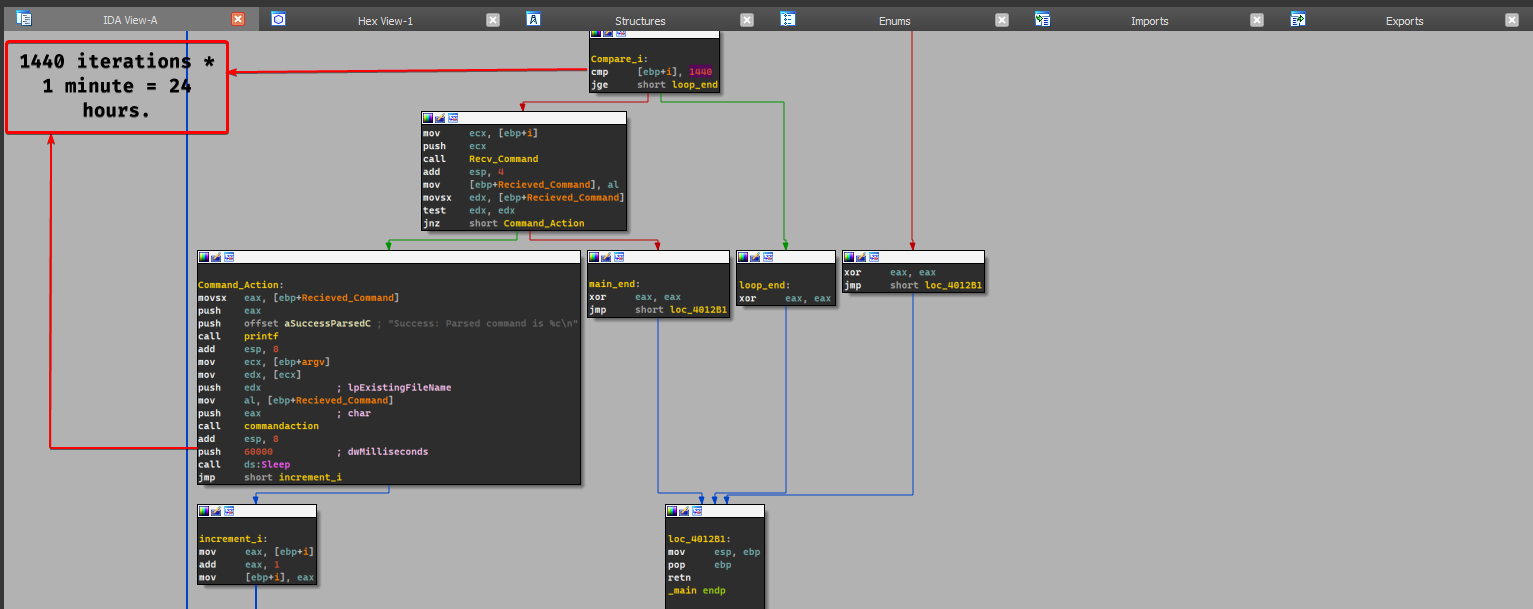
- There’s no difference except the fact that the malware does the command action based off a loop that occurs for 1440 iterations.
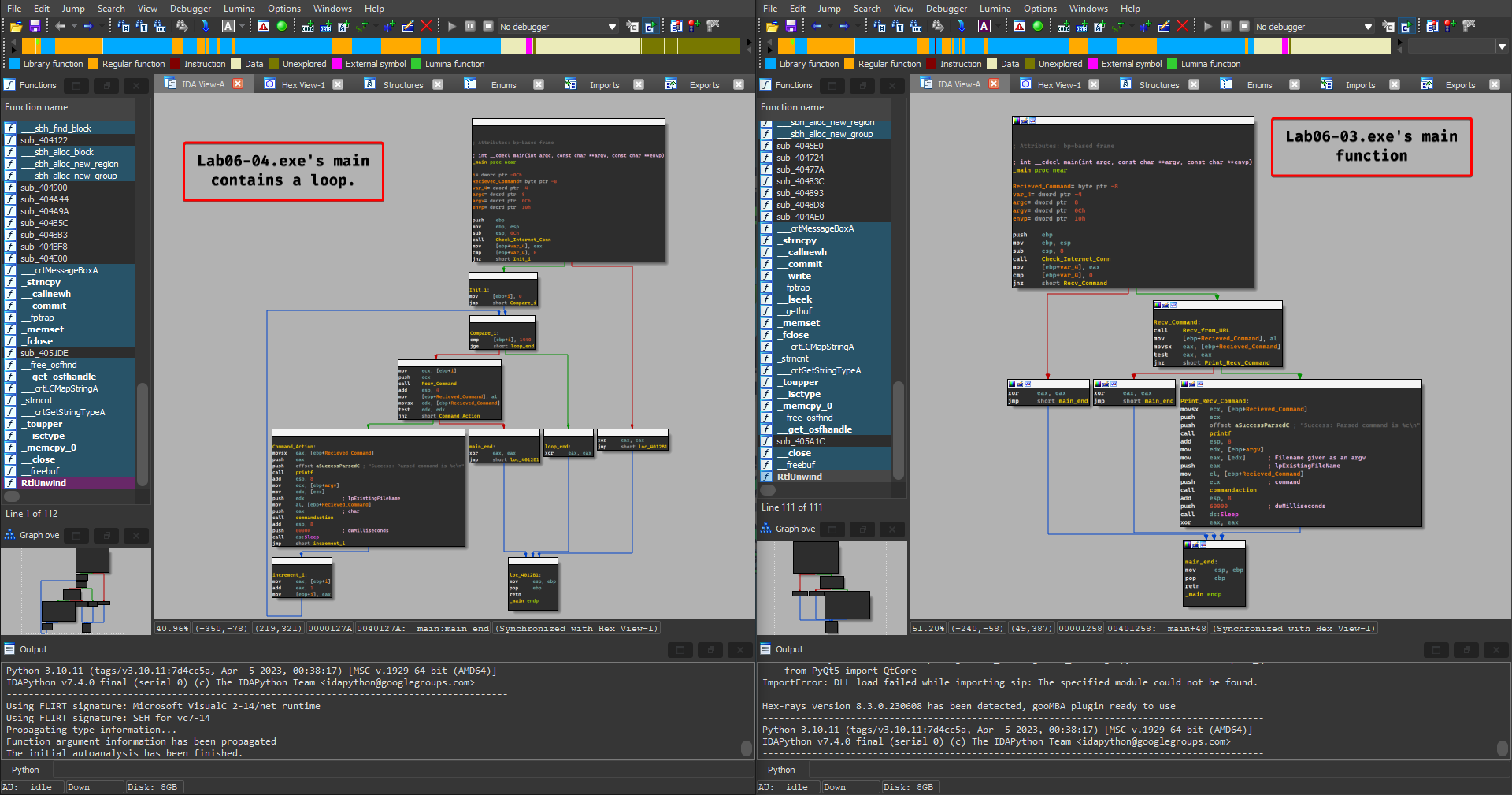
- The new code construct found in main is the for loop construct.
- The malware attempts to send off a different user agent where it prefixes the user agent with the iteration number (number of minutes).
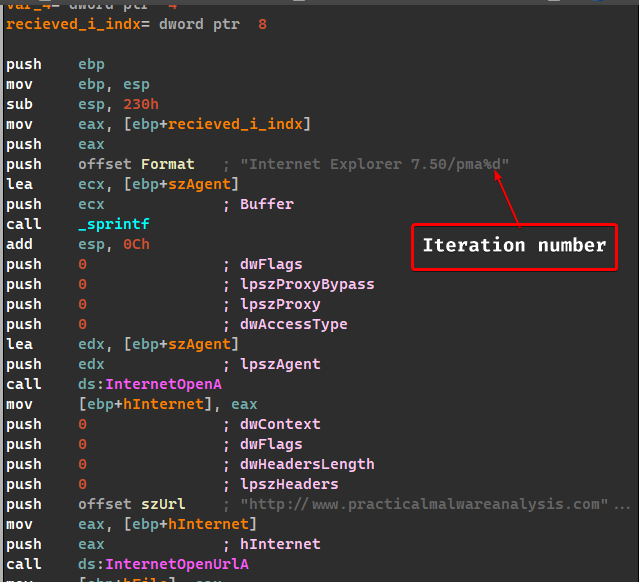
- This program will run for 24 hours.
- Yes, there are roughly new 1440 network based indicators where each time the malware contacts
www.practicalmalwareanalysis.com, it’ll send the iteration number (number of minutes) in the user agent. - The purpose of this malware is the same as Lab 6-3, but the only difference is that it does that for 24 hours.