Lab 3-1
Description
Analyze the malware found in the file Lab03-01.exe using basic dynamic analysis tools.
Questions
- What are this malware’s imports and strings?
- What are the malware’s host-based indicators?
- Are there any useful network-based signatures for this malware? If so, what are they?
- The malware has a few imports, one actually, which indicates that this malware is probably packed:

As for the strings: we find plenty of them, many of them are host based and network based indicators.
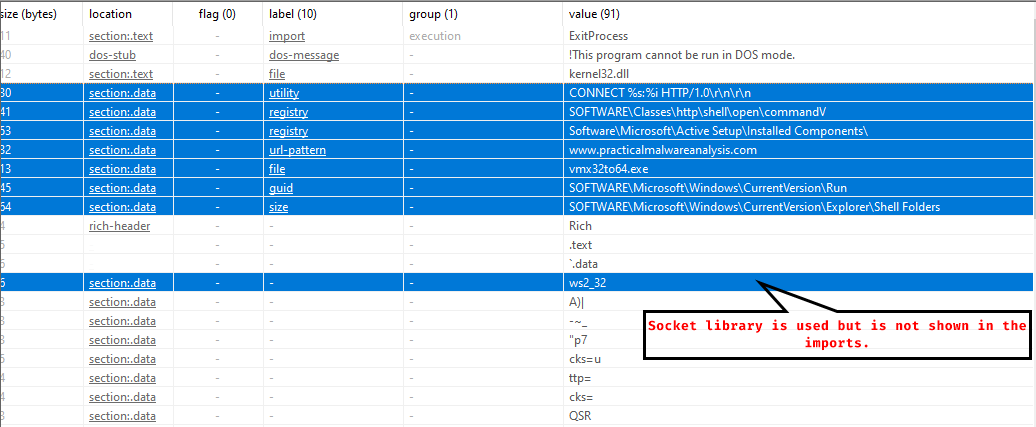
There are some registry based indicators, anHTTP CONNECTmethod which attempts to connect to a host and a port, sending only an HTTP header, there’s also a network based indicator:www.practicalmalwareanalysis.com
There are other strings which the malware may use during operation:
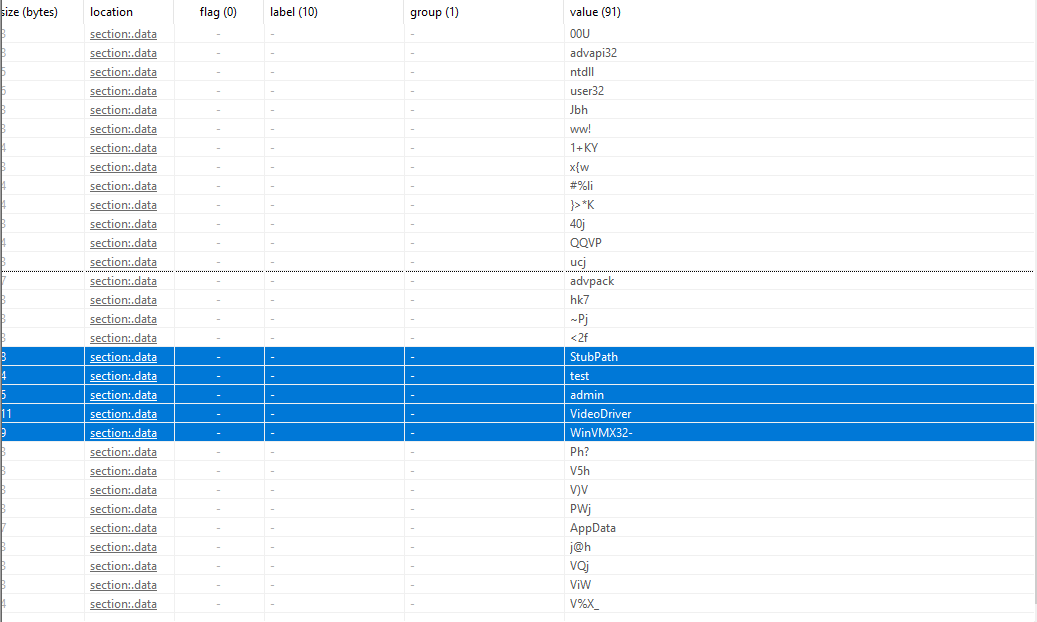
We also notice the libraries used by the malware without the.dllextension.
So the malware is packed but the strings are fairly visible. - As for host indicators: There are registry keys that the malware uses,
SOFTWARE\Microsoft\Windows\CurrentVersion\Runallows the malware to run at startup,vmx32to64.exeis also a host based indicator - We found one network signature, that is
www.practicalmalwareanalysis.com
Dynamic Analysis
We notice that the malware attempts to connect to www.practicalmalwareanalysis.com
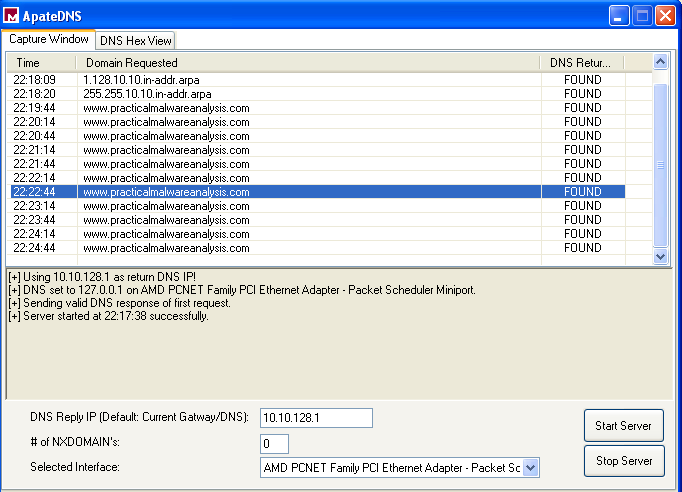
Attempting to follow the TCP stream that the malware attempts to establish with the server, we see that it’s of 256 bytes and with no meaning, which means that the malware might be using a specialized protocol for its operation:
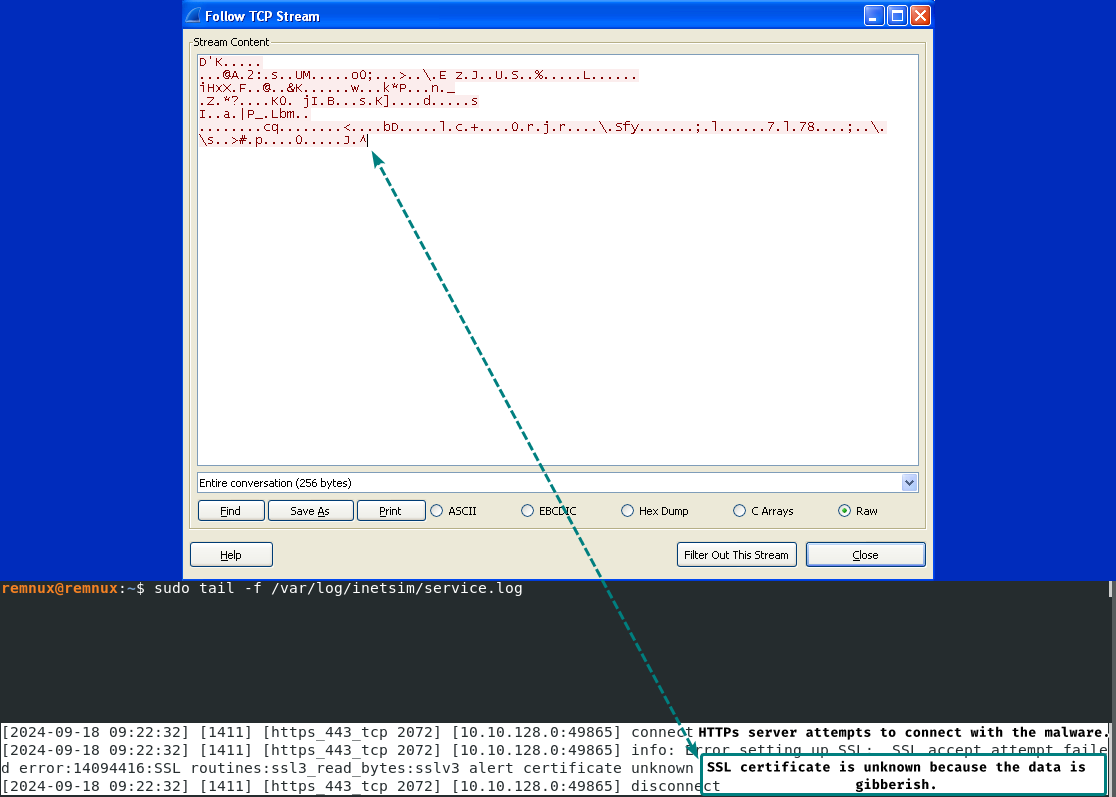
INetSim reports that the malware sends those 256 bytes to the HTTPs server, but since this is a customized protocol, the SSL protocol does not understand this packet and gives us that the certificate is unknown.
We find a mutex object under the name of WinVMX32 which can be used as a host based indicator:
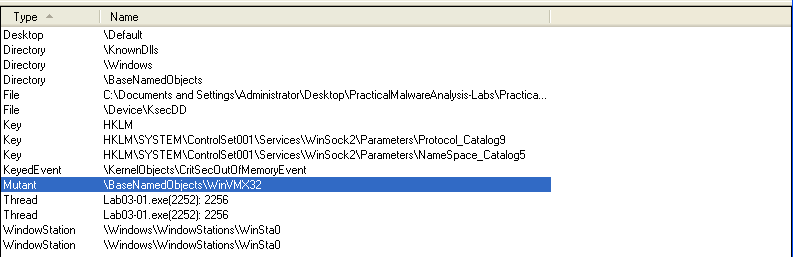
Mutexes can be treated as IoCs because they’re mostly used to make sure that one instance of the malware is running, they do that by having the executable name or image.
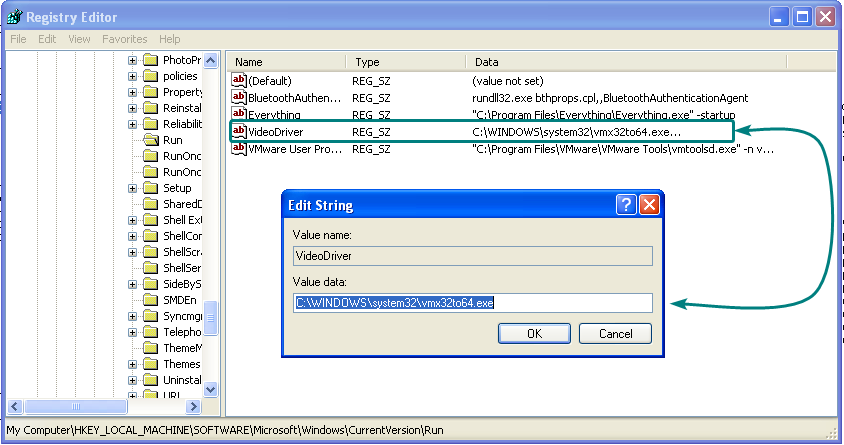
We also notice that it added itself to startup under the name of VideoDriver which executes vmx32to64.exe, this also counts as a host based indicator.
Lab 3-2
Description
Analyze the malware found in the file Lab03-02.dll using basic dynamic analysis tools.
Questions
- How can you get this malware to install itself?
- How would you get this malware to run after installation?
- How can you find the process under which this malware is running?
- Which filters could you set in order to use procmon to glean information?
- What are the malware’s host-based indicators?
- Are there any useful network-based signatures for this malware?
- The DLL has a function export named
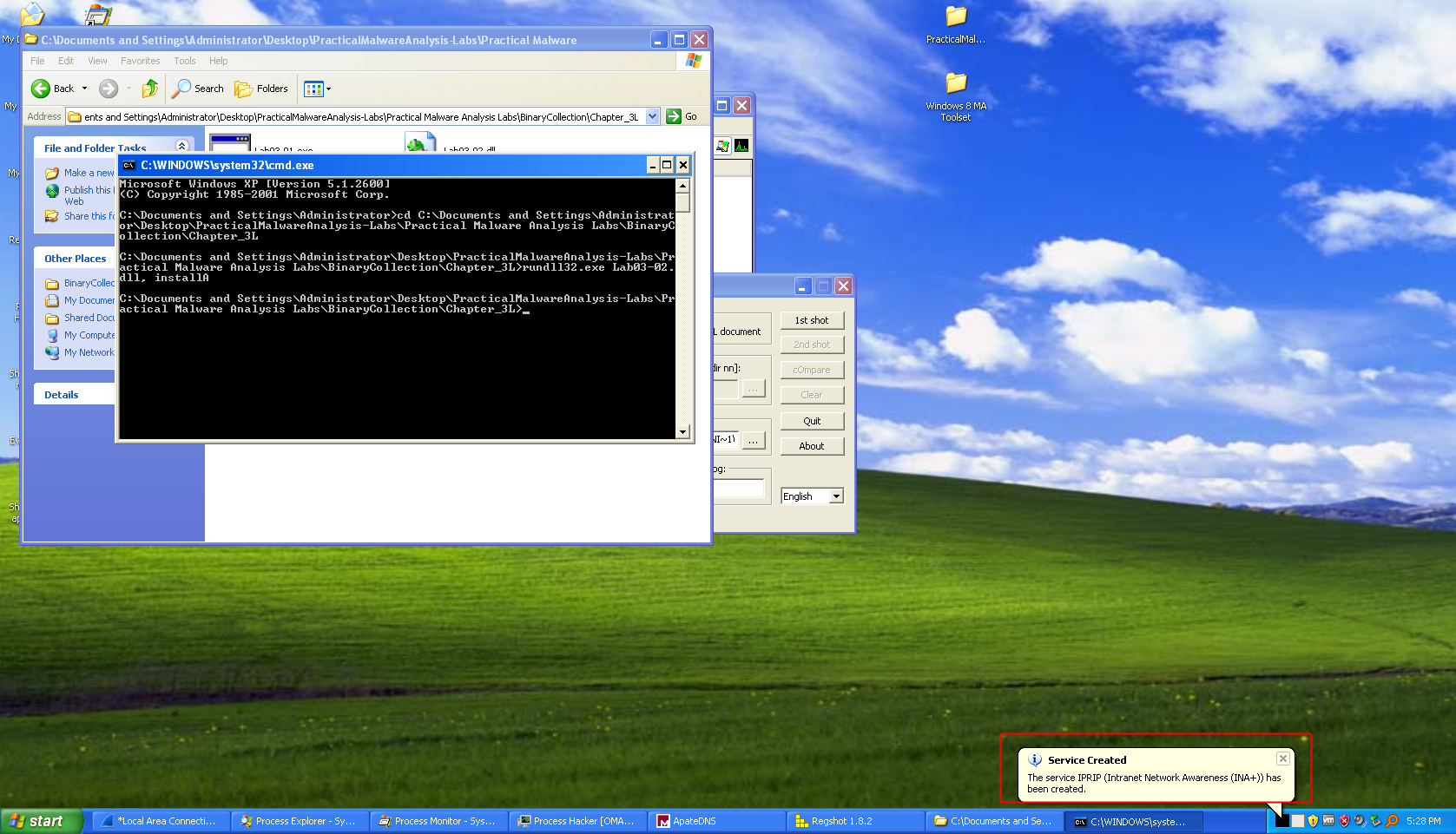
InstallandinstallAwhich can be used to install the malware onto the computer.

We’ll userundll32.exeto run the exported function.
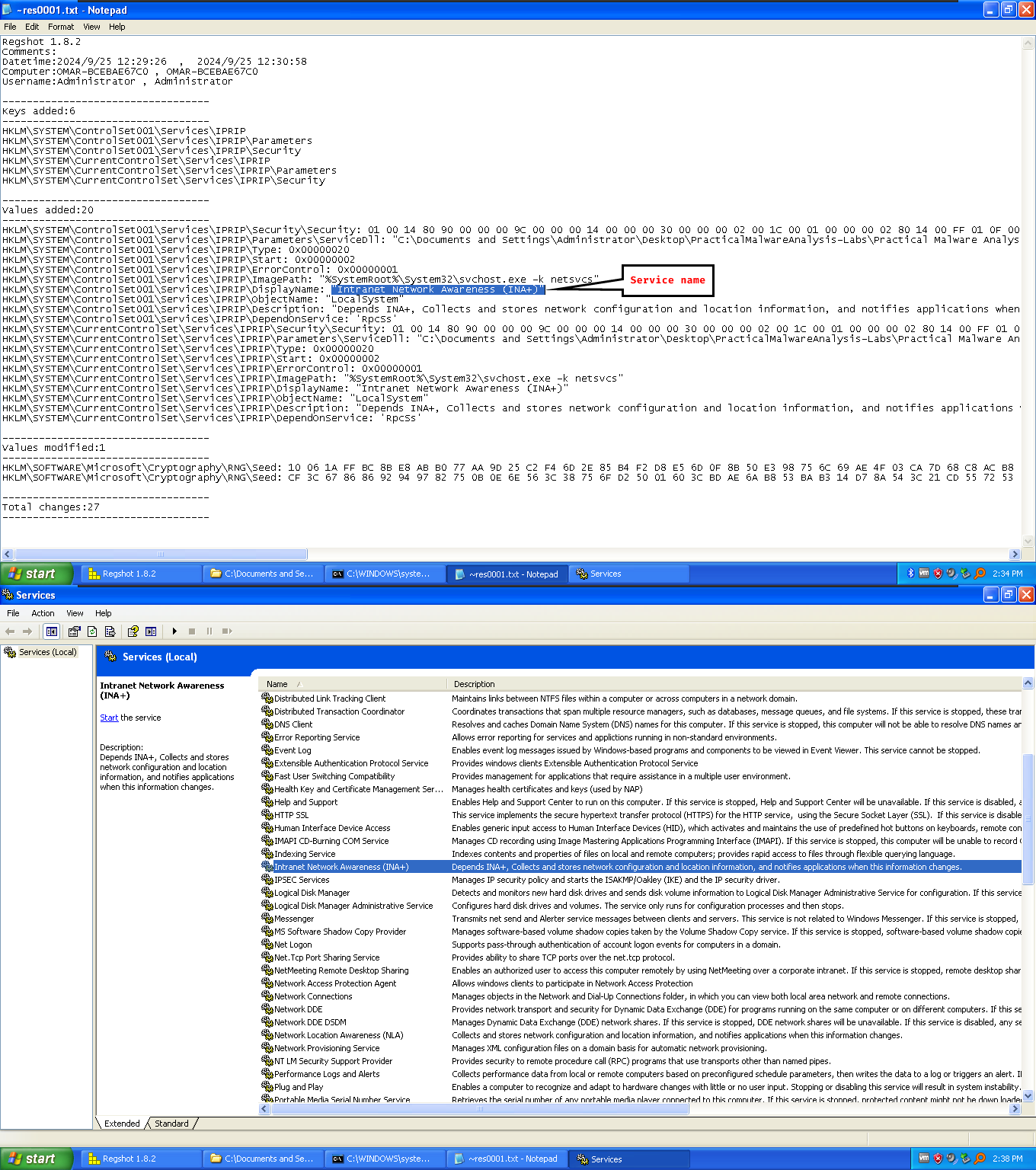
installAseems to be the function that manages to install the malware.We can use regshot to look out for registry changes, since malware changes the registry in order to install the service, particularly in
HKLM\SYSTEM\CurrentControlSet\Serviceskey.
The malware is created under a service called INA+:
-
Normally, we’d have to start the service using
sc start IPRIPornet start IPRIP. -
We can check
procexporprocesshackerwhen we first start the service as newly created processes are highlighted in green. -
When the service is started, a process called
net1.exeis created and exits quickly, so that indicates that the malware is doing internet connections, we can also search for thesvchost.exethat has our malicious DLL loaded, have it’s PID and use it as a filter for procmon.net.exe is used for many things, including internet connections.
-
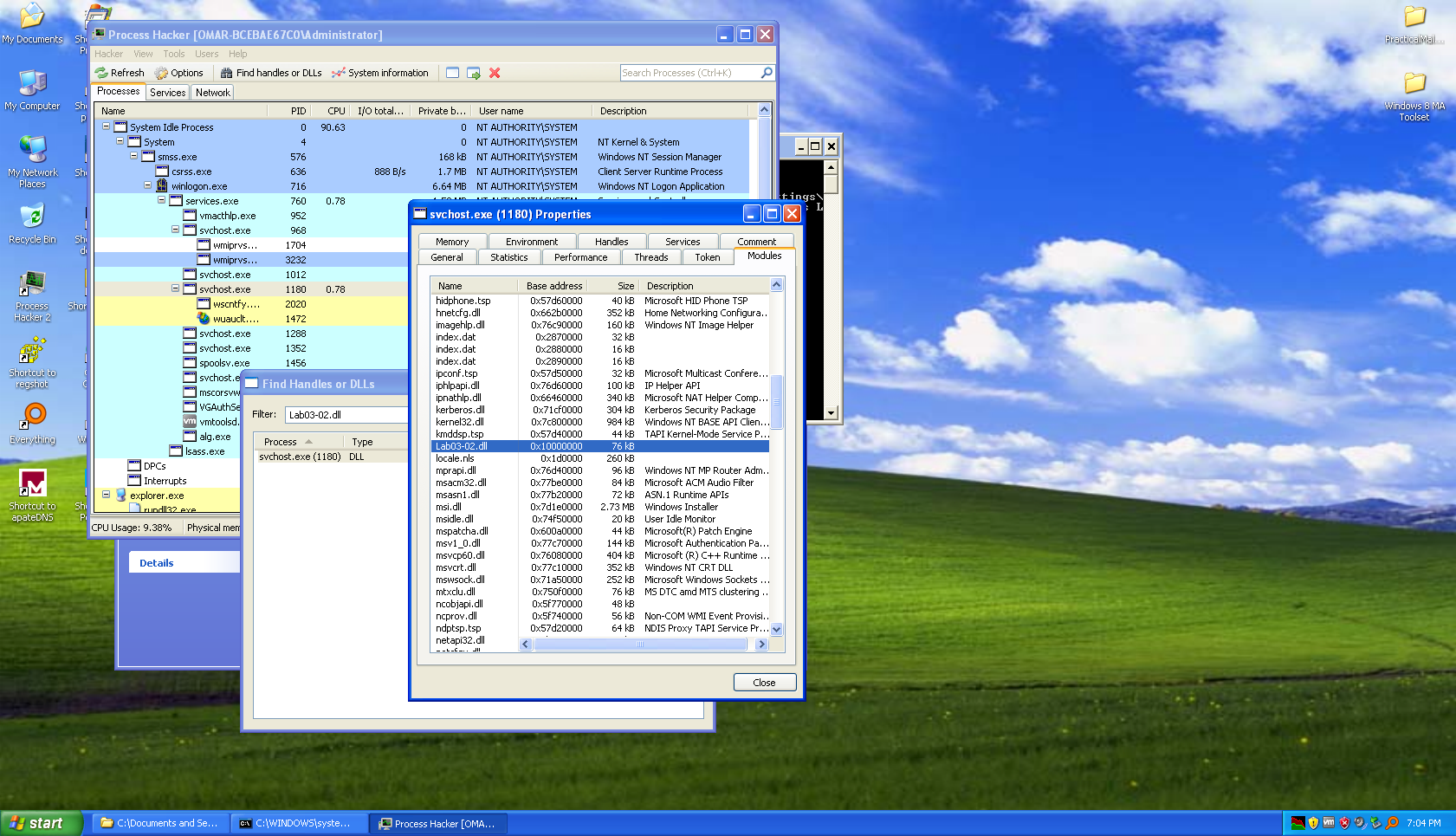
We have plenty of host based indicators:
- The service itself,
IPRIPand its content: The name and the description of the service. - A file that the malware retrieves from the server named
serve.html. - The DLL
Lab03-02.dllis loaded withinsvchost.exewhich has the malicious payload.
- The service itself,
-
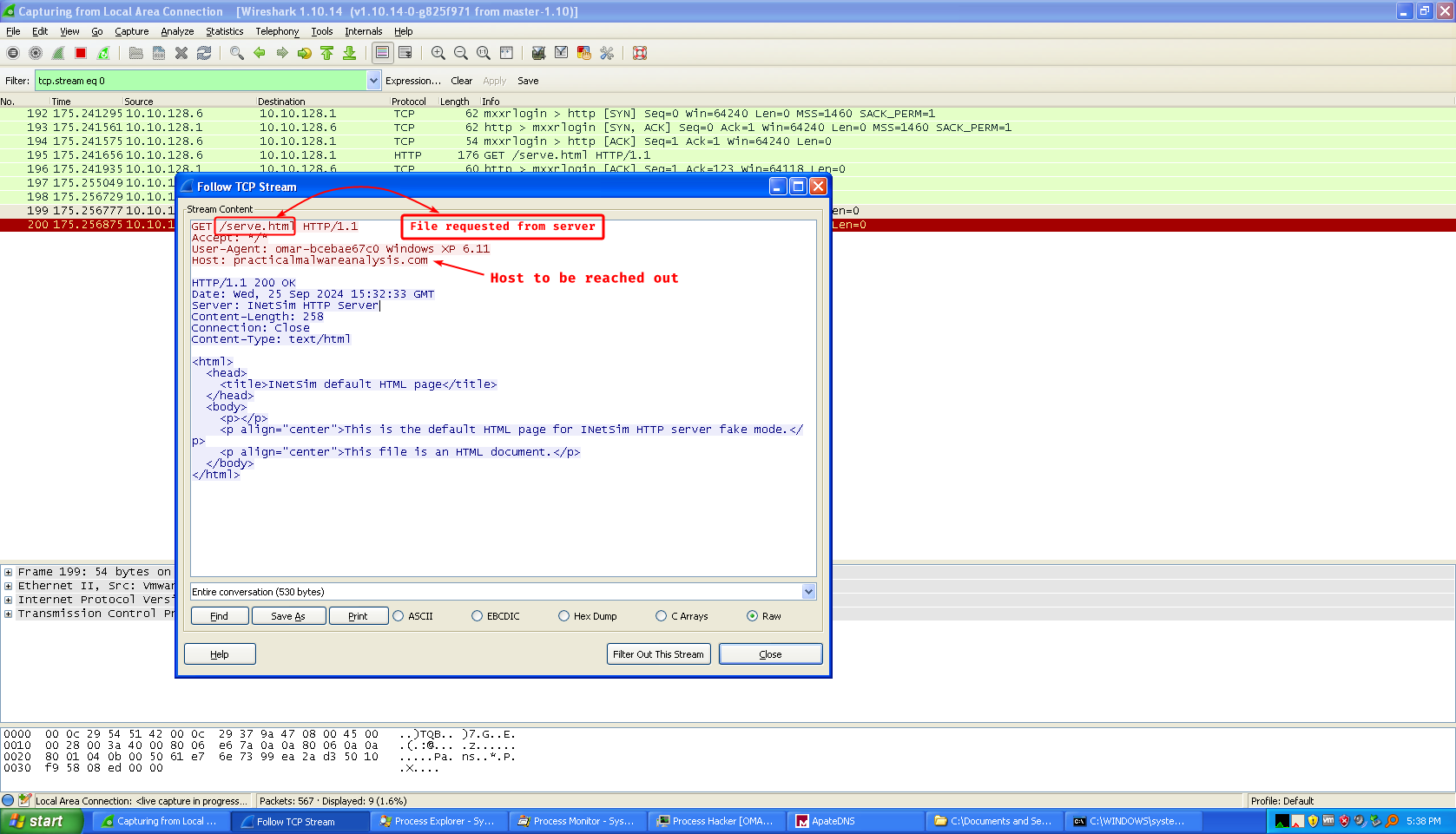
The malware attempts to connect to
practicalmalwareanalysis.comand asks for the fileserve.html
And to double check, we usencto see the HTTP request sent:
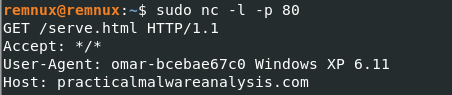
We can use our user name and the OS version as network based signatures as well.
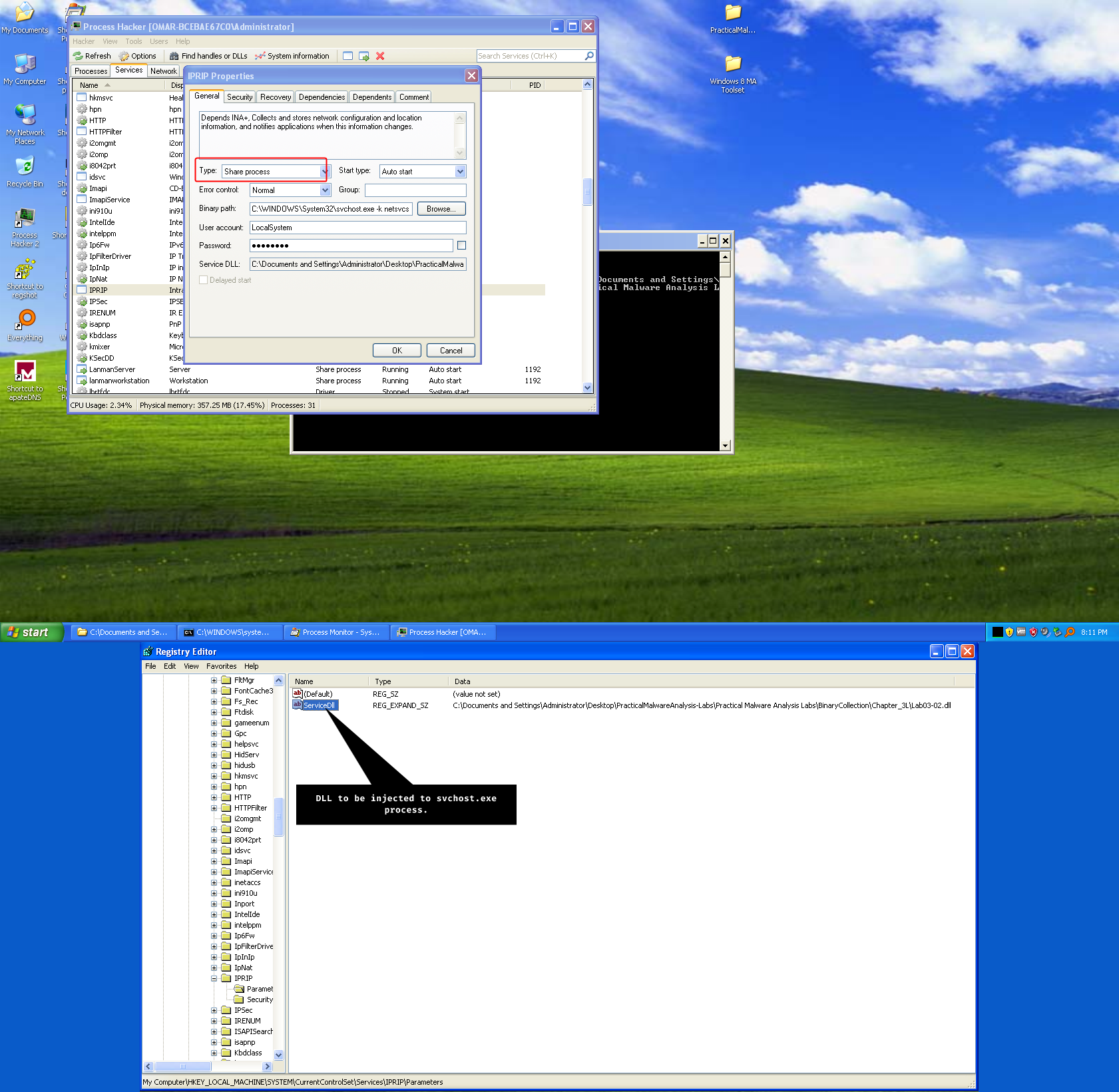
After further research we find that this service is called a Service DLL or known as a shared process service where the system loads the DLL into a running instance of svchost.exe, we notice in the key located at HKLM\SYSTEM\CurrentControlSet\Services\IPRIP\Parameters called ServiceDLL which has the path of our DLL, Process Hacker as well confirms that it is a shared process service.
Lab 3-3
Description
Execute the malware found in the file Lab03-03.exe while monitoring it using basic dynamic analysis tools in a safe environment.
Questions
- What do you notice when monitoring this malware with Process Explorer?
- Can you identify any live memory modifications?
- What are the malware’s host-based indicators?
- What is the purpose of this program?
- When the sample is executed, the sample does something and exits very quickly.
After further research:
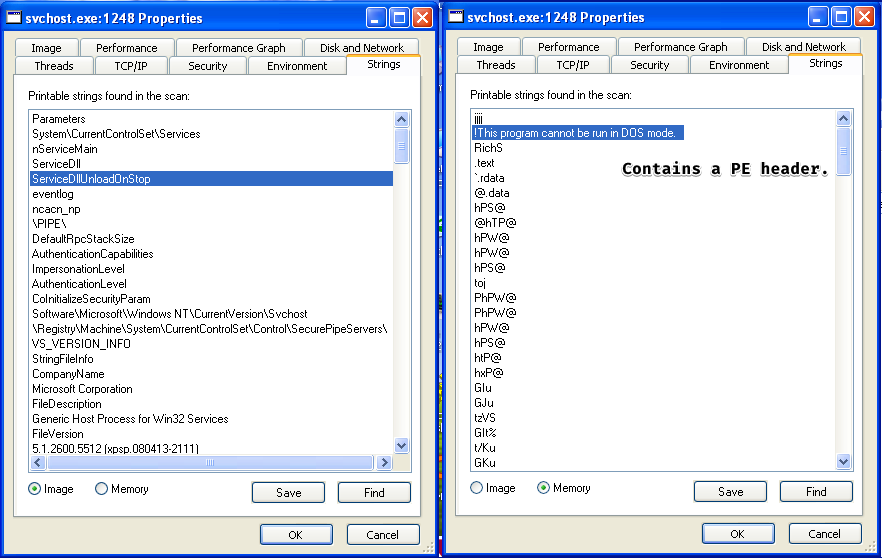
The technique used by this malware is called process replacement (hollowing) where it grabs the legitimate process and hollows out (empties) the content of this legitimate process and replace it with it’s own malicious code, or rather: the PE image.
- We notice that an ominous
svchost.exeprocess is created and does not have thesystemprocess as it’s parent, by doing a quick strings analysis between the disk image and the memory image we see that the two are NOT identical which means that this is the malicious process.
- We have one host-based indicator:
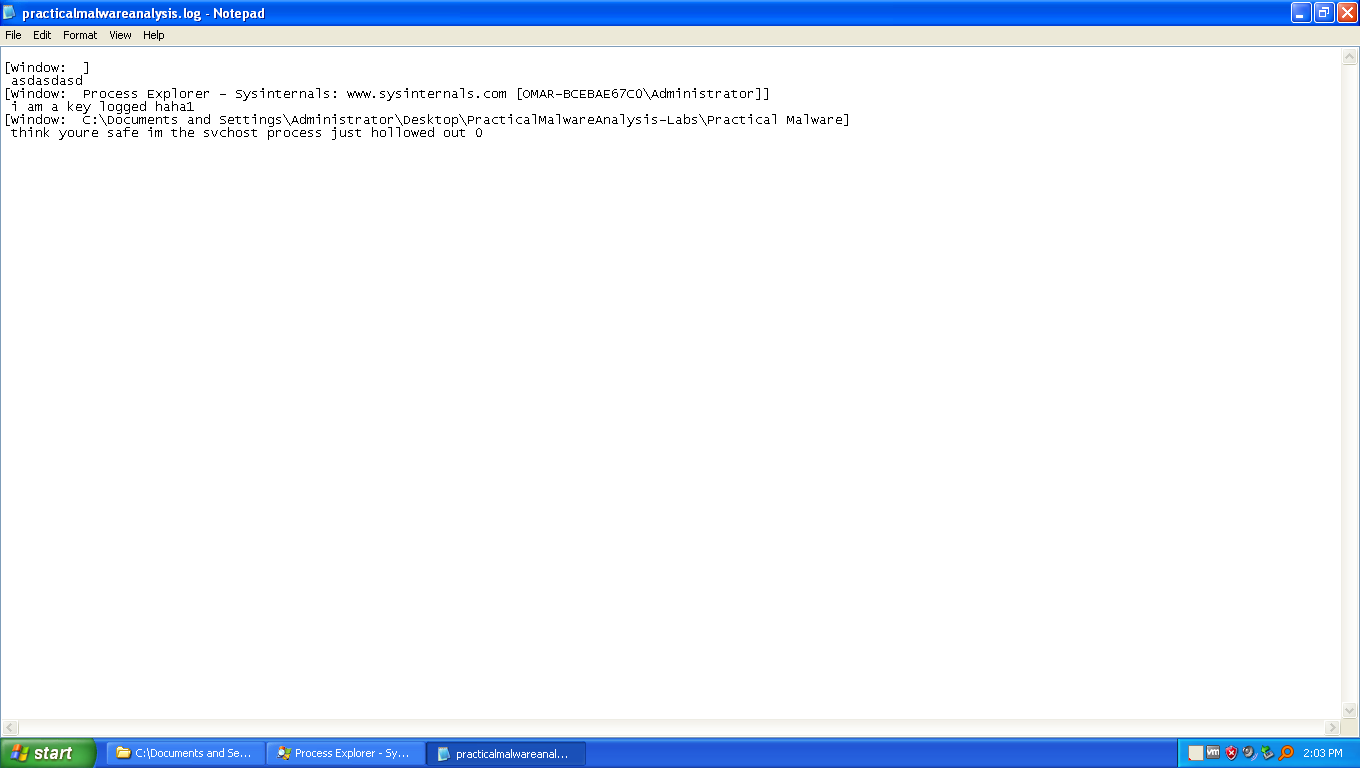
practicalmalwareanalysis.log
- This sample is a keylogger, where it keeps the keystrokes registered in a window by window basis in a file called
practicalmalwareanalysis.log.
Lab 3-4
Description
Analyze the malware found in the file Lab03-04.exe using basic dynamic analysis tools. (This program is analyzed further in the Chapter 9 labs.)
Questions
- What happens when you run this file?
- What is causing the roadblock in dynamic analysis?
- Are there other ways to run this program?
- Exits very quickly and also deletes itself.
- We only have one shot at running it, since it attempts to delete itself using cmd.exe
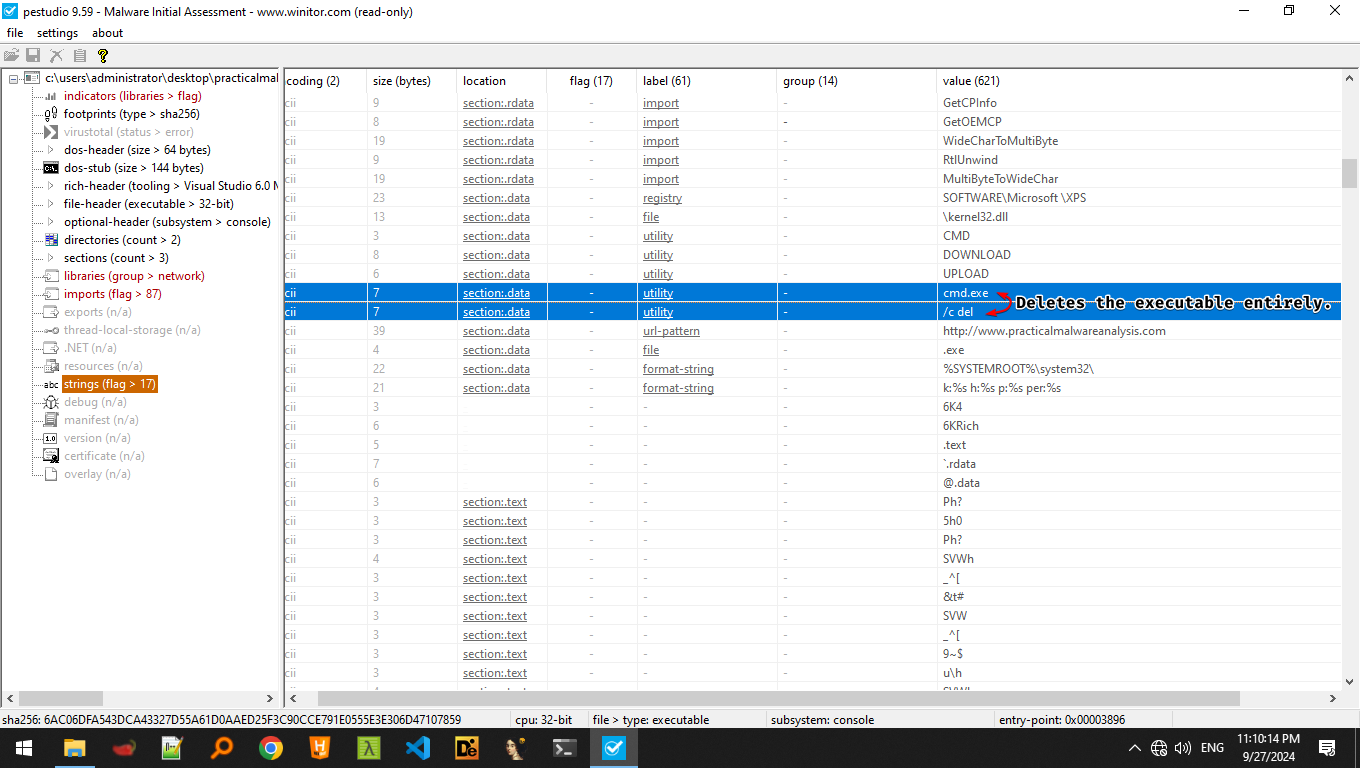
- We can run this malware if we reverse-engineer it and see what causes it to delete itself and patch it to not to do so it, or to debug it and skip the whole deletion routine.