Lab 13-1
Analyze the malware found in the file Lab13-01.exe
Question 1
Compare the strings in the malware (from the output of the strings command) with the information available via dynamic analysis. Based on this comparison, which elements might be encoded?
Answer 1
Taking a look at the strings, we see mostly gibberish except an HTTP format string and a Base64 alphabet, this makes us make an initial assumption that this malware beacons out somewhere on the internet and it has the HTTP request encoded with Base64.

That being said, it’s best that we set up our fake server so that we observe any HTTP requests sent by the malware.
The malware also imports networking related APIs which increases our assumption.
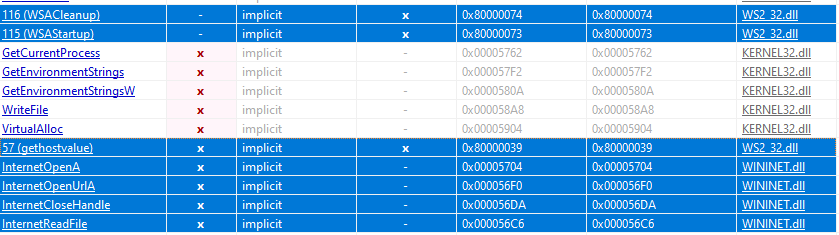
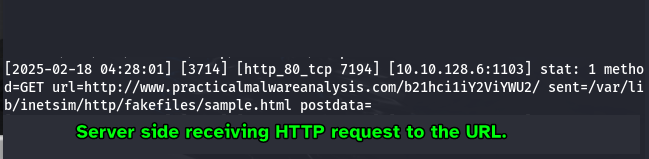
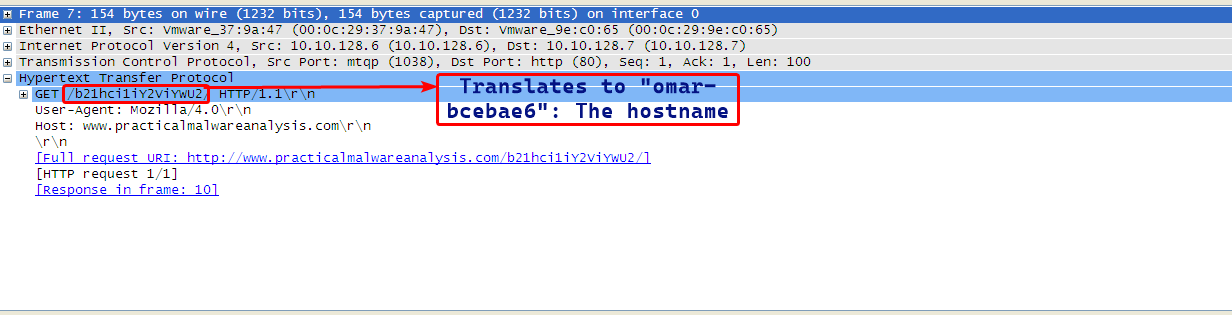
During dynamic analysis, we notice that the malware beacons out to www.practicalmalwareanalysis.com/ and makes an HTTP GET request for path b21hci1iY2ViYWU2.
which when decoded from Base64 to ASCII gives back the computer’s hostname.
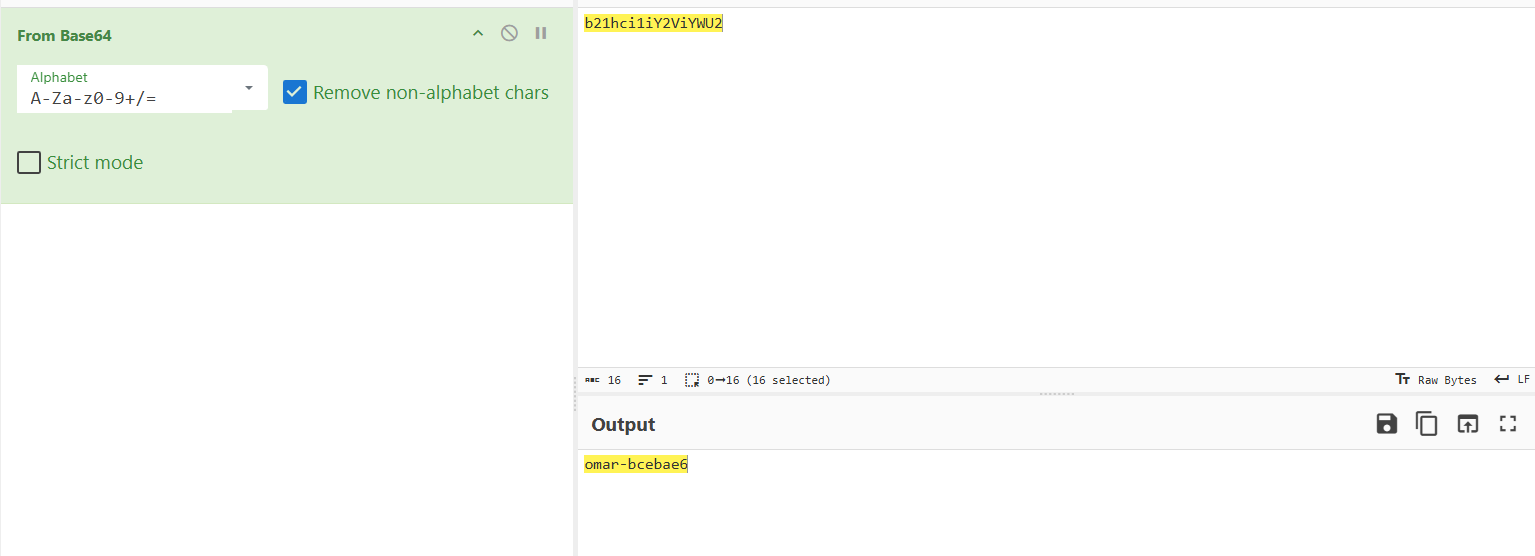
From this we can confirm that the malware encodes it’s URLs that it beacons to online and also encodes the computer hostname that is put in the GET request.
Question 2
Use IDA Pro to look for potential encoding by searching for the string xor. What type of encoding do you find?
Answer 2
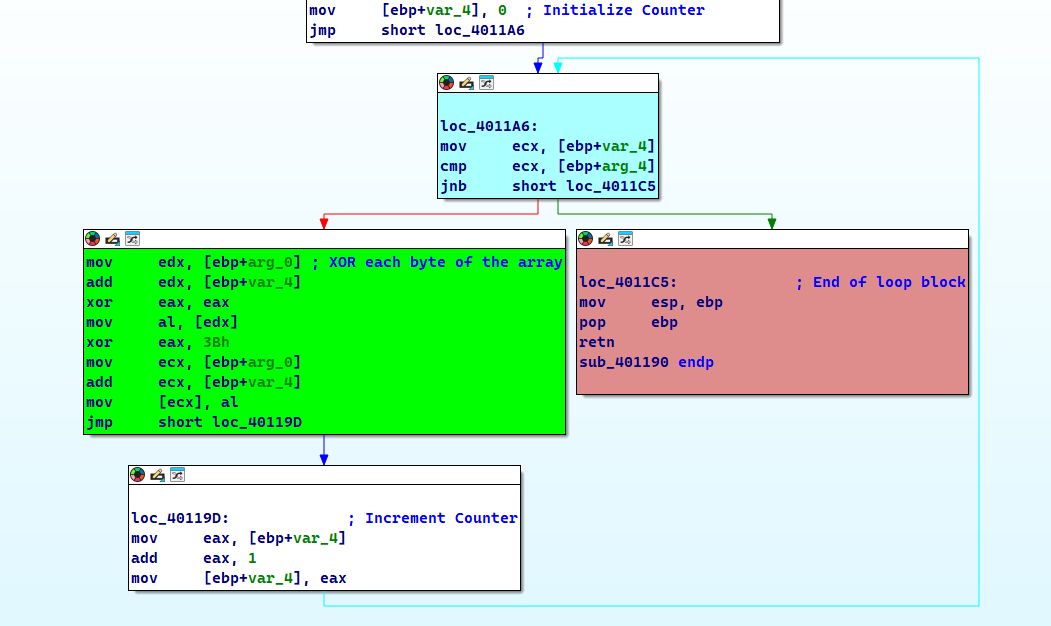
By searching all occurrences of the xor instruction, we mostly find occurrences that zeroes out registers, but what sticks out is an occurrence that xors eax with 0x3B.
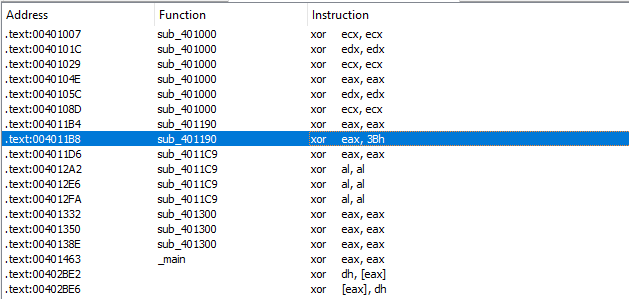
Following that instruction, we find a function which has a loop construct that iterates over the first argument and keeps doing so until the counter reaches the second argument, so we assume that the first argument is the array pointer and the second argument is the array size.
Question 3
What is the key used for encoding and what content does it encode?
Answer 3
As seen in Question 2, the key that is used for the XOR encoding is 0x3B.
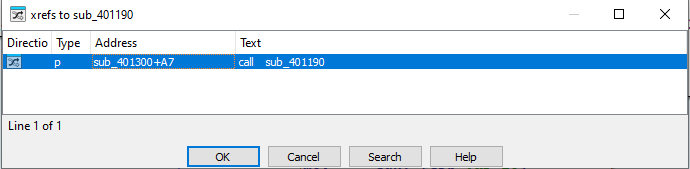
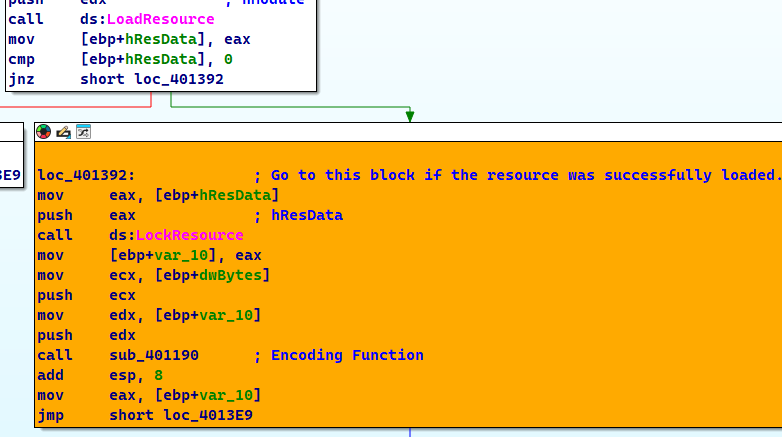
As for the content that it encodes, we can check the xrefs to this function and check all the functions that call this function.
Checking this function we can see that this function loads the resource embedded within he sample and decodes it.
Side Note
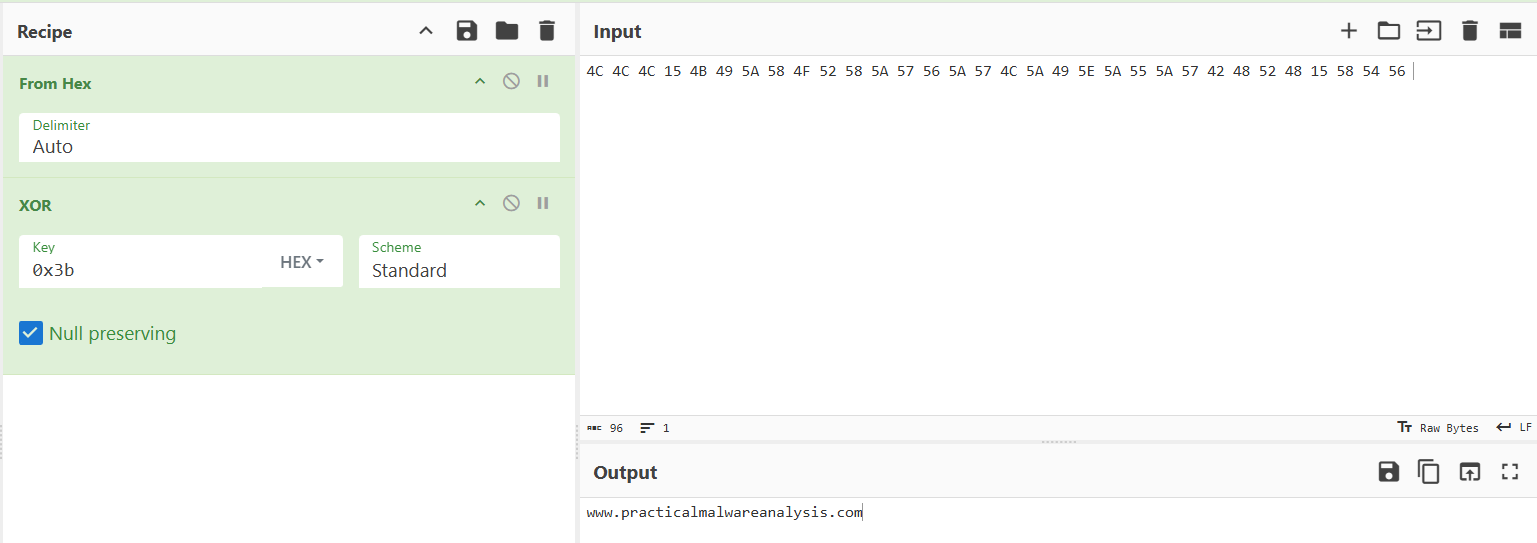
During static analysis, the sample was found to have a resource with an unknown signature.

Decoding this back, we can that this is actually the URL that the malware beacons to: www.practicalmalwareanalysis.com
Question 4
Use the static tools FindCrypt2, Krypto ANALyzer (KANAL), and the IDA Entropy Plugin to identify any other encoding mechanisms. What do you find?
Answer 4
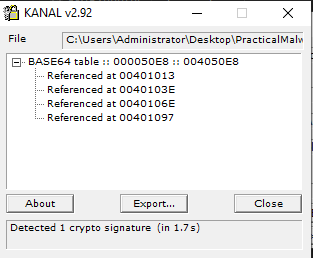
Using FindCrypt in IDA: we find that there a Base64 table at address 4050E8:

KANAL also shows the same result:
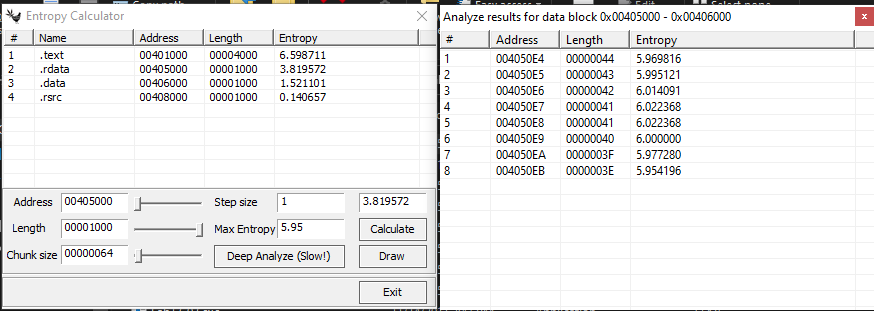
As for the IDA Entropy Plugin, this plugin wasn’t maintained anymore so I had to use an alternative called ida-ent.exe. We’ll be using max entropy as 5.95 and a chunk size of 64 on the .rdatasection (since we know that this contains read only variables) to detect Base64 alphabets and it gives the same exact results as the previous plugins.
Question 5
What type of encoding is used for a portion of the network traffic sent by the malware?
Answer 5
As shown in Question 1, we can see that the malware uses a GET request for a resource that is Base64 encoded which contains the computer’s hostname.
Question 6
Where is the Base64 function in the disassembly?
Answer 6
We can use the xrefs to the Base64 alphabet found by the plugins as shown in Question 4.
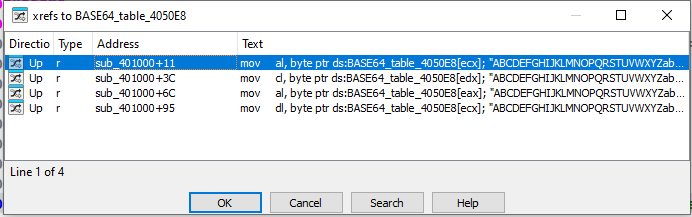
As we can see, there is only sub_401000 referencing this table.
Having a generalized look at this function, we can label this function as the Base64 Encoding function.
Question 7
For any Base64 encoded data, the length must be a multiple of 4.
In our current instance here, the length of the resource is shown here.
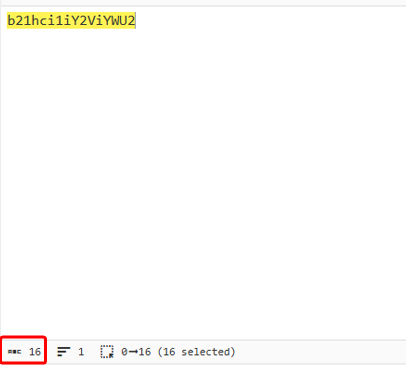
And as mentioned in previous questions, this resembles the computer’s hostname.
Question 8
In this malware, would you ever see the padding characters (= or ==) in the Base64-encoded data?
Answer 8
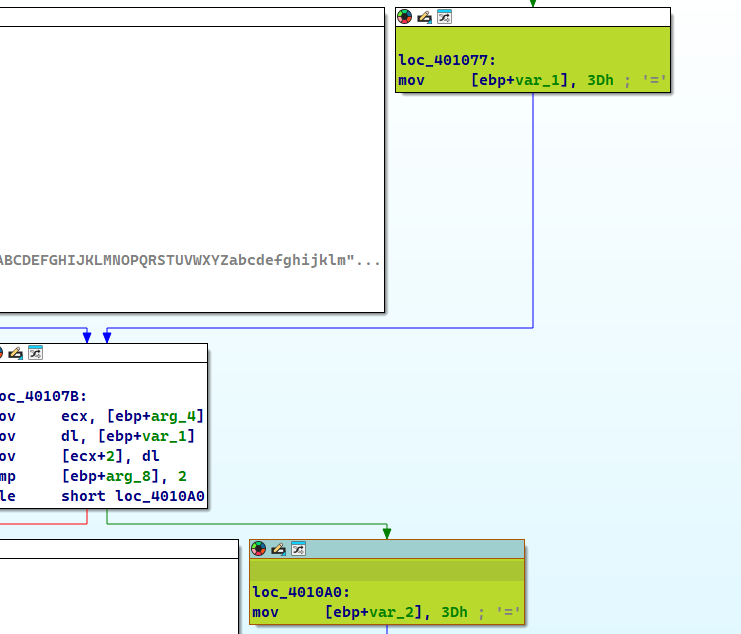
Yes, in the Base64 encoding function, we see references of the = character, which means it uses it.
Question 9
What does this malware do?
Answer 9
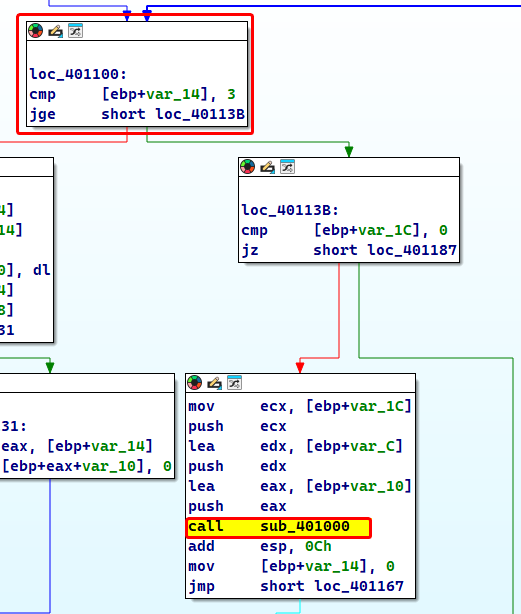
If we check the xrefs to the Base64 function we find sub_4010B1 which does a few comparisons to check if the given string is 3 bytes long and then does the mapping.
Xrefs to the sub_4010B1 gives us sub_4011C9 which hsa the entire logic of the program.
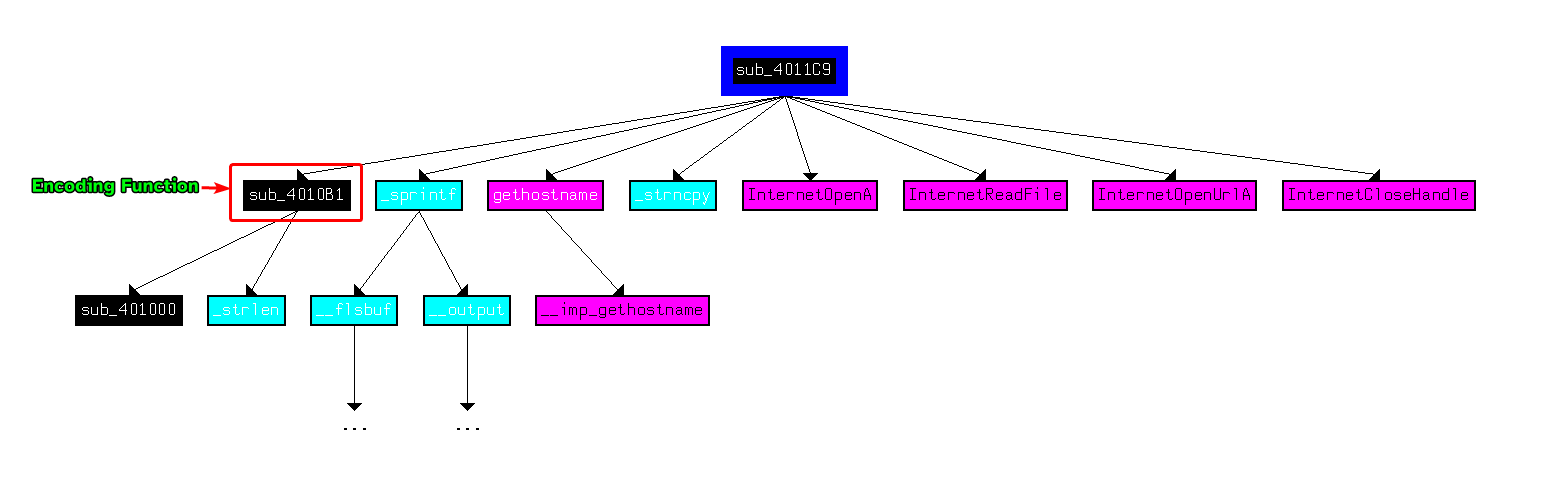
This function returns 1 if the malware received o from the malicious URL and 0 if otherwise.
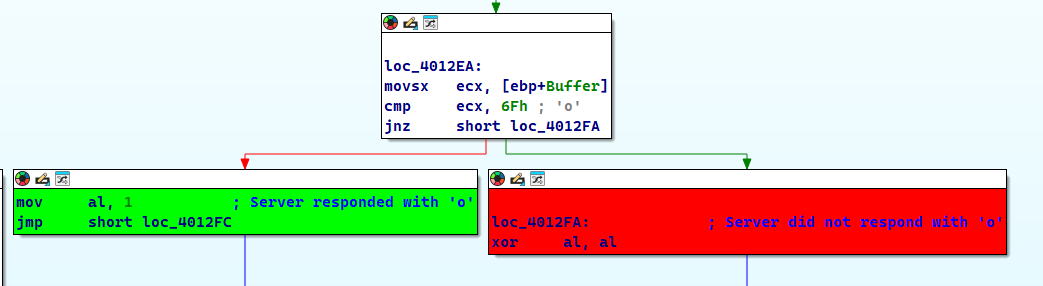
Checking the xrefs of this function as well, we can see that the main function calls it and checks if sub_4011C9 returns 0 or not, if it returns 0 then it’ll sleep for roughly 30 seconds and redo the entire operation, otherwise the program ends.
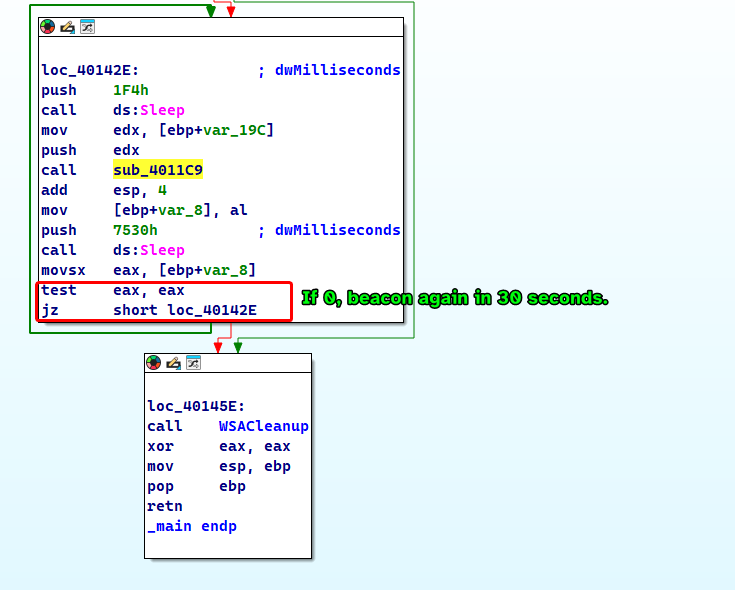
The malware basically beacons out to a malicious URL www.practicalmalwareanalysis.com with an HTTP GET request to our computer’s hostname (which is Base64 encoded) as a resource for 30 seconds if the URL does not respond with a specific response code back to the malware.
Lab 13-2
Analyze the malware found in the file Lab13-02.exe
Question 1
Using dynamic analysis, determine what this malware creates.
Answer 1
The malware seems to be creating “temp” files followed by random characters, each are 6.08 MB in size and it keeps creating these files indefinitely.
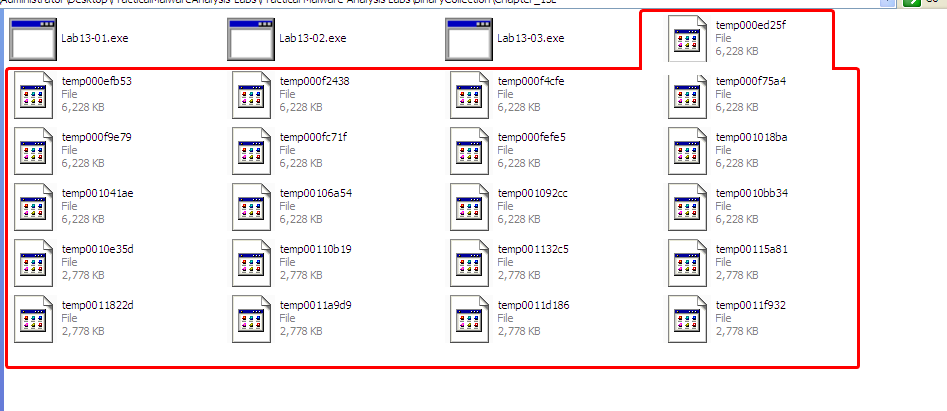
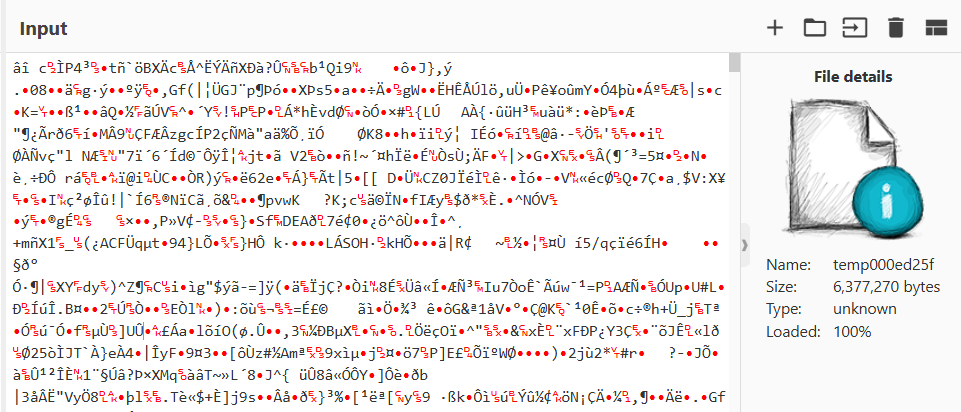
The files’ content seem to be containing gibberish.
Question 2
Use static techniques such as an xor search, FindCrypt2, KANAL and the IDA Entropy plugin to look for potential encoding. What do you find?
Answer 2
Judging from KANAL, we don’t find any normal crypto signatures.
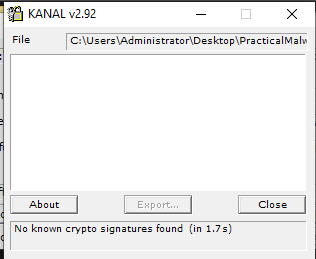
As for the xor search, we find plenty of XOR instructions coming from a single function, perhaps this function could be the encoding function.
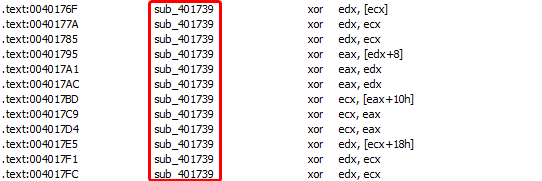
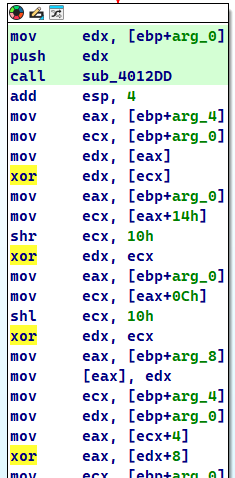
Checking this function, we find huge blocks of code that contain the XOR instruction, that being said, we can find where the real encoding function is in the next questions.
Question 3
Based on your answer to question 1, which imported function would be a good prospect for finding the encoding function.
Answer 3
Since the sample writes files to it’s current working directory, we could set a breakpoint to WriteFile and see what it takes as an input, since the files contain what appears to be random garbage, it’s input must be the output of the encoding function that will be written to the empty files created by CreateFileA
Question 4
Where is the encoding function in the disassembly?
Answer 4
If we check the second argument to WriteFile(), we can find the buffer that the malware uses to write on disk, and from there we can use the xref to that location to find who uses that memory address, and we keep tracing back until we find the function that alters that memory address, so we find the following results.
- The second argument of
WriteFileis actually a parameter used in the calling functionsub_401000.
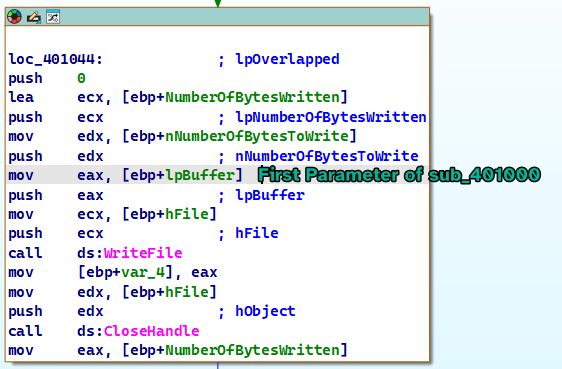
- The xref to
sub_401000leads us to a function calledsub_401851, as we’re only interested in the first parameter, the first parameter in the context of this function is calledhMem.
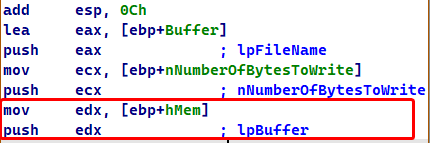
- Checking the xrefs to
hMem, we find thathMemis passed as a parameter to two different functions withinsub_401851:sub_401070andsub_40181Frespectively.
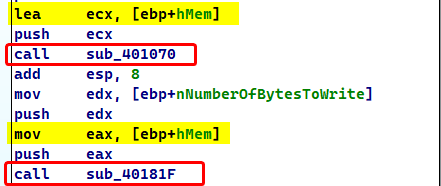
- Checking the first function, we find functions that related to graphics and image processing, which seems to produce meaningful data, so we make an assumption that this function could be the input of our encoding function.
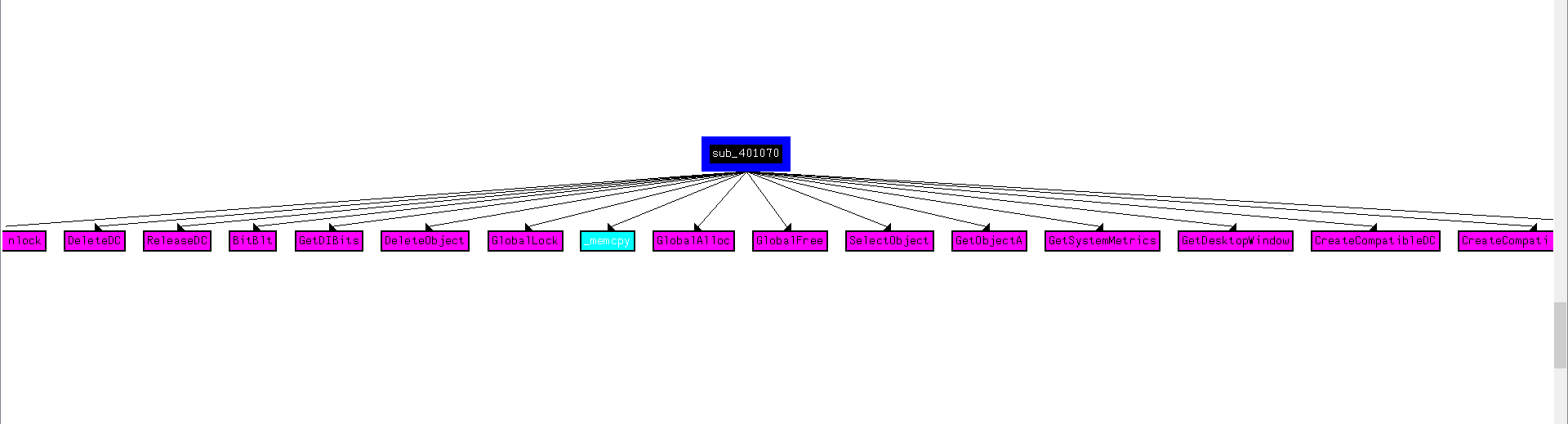
- Checking the secondary function, we find that it initializes some buffer and the size of data in preparation of calling
sub_401739.
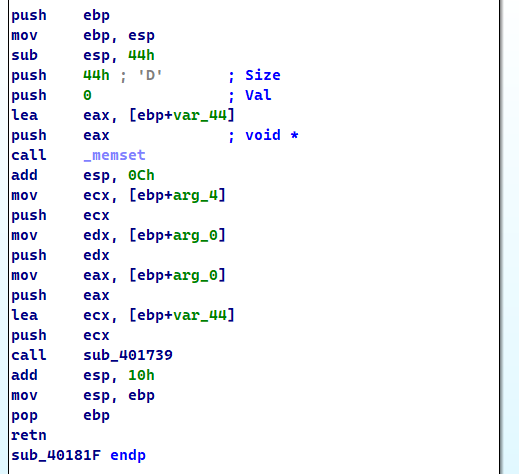
- Checking
sub_401739, we find the big block of code that contains XOR instructions that we had found earlier using thexorinstruction search, which means thatsub_401739is our encoding function!
Question 5
Trace from the encoding function to the source of the encoded content. What is the content?
Answer 5
As we have seen in the previous question, we saw that function sub_401070 was the input of the function at sub_40181F which in turn calls the encoding function sub_401739, if we debug this function and see the output buffer, we can see what the function outputs for ourselves.
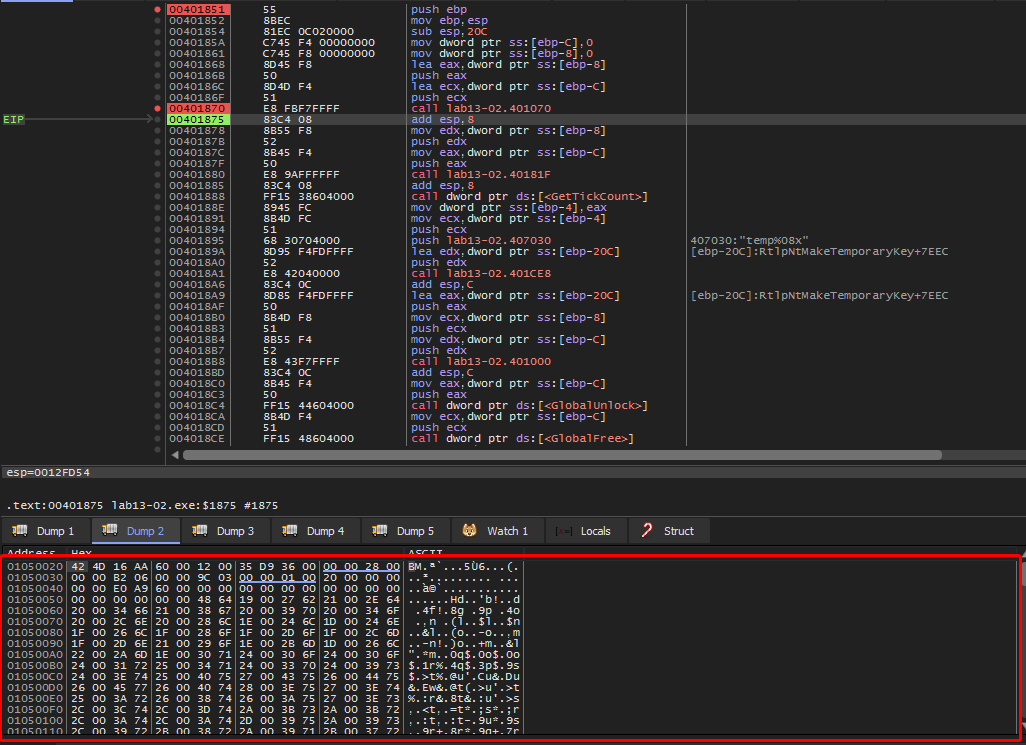
This dump contains the magic bytes of the .bmp file format and therefore we can assume that the file generated is actually an image and since sub_401070 uses the GetDesktopWindow() function, we can safely assume that it takes a screenshot of the desktop.

Question 6
Can you find the algorithm used for encoding? If not, how can you decode the content?
Answer 6
Based on previous questions, we have confirmed that the function sub_401739 is the encoding function, but we don’t know for sure if this function is actually reversible, so we’ll test it out by breaking on the call instruction that calls it, overwrite the buffer (that is the first argument passed to the function) that contained the raw data with the encoded data generated by the malware.
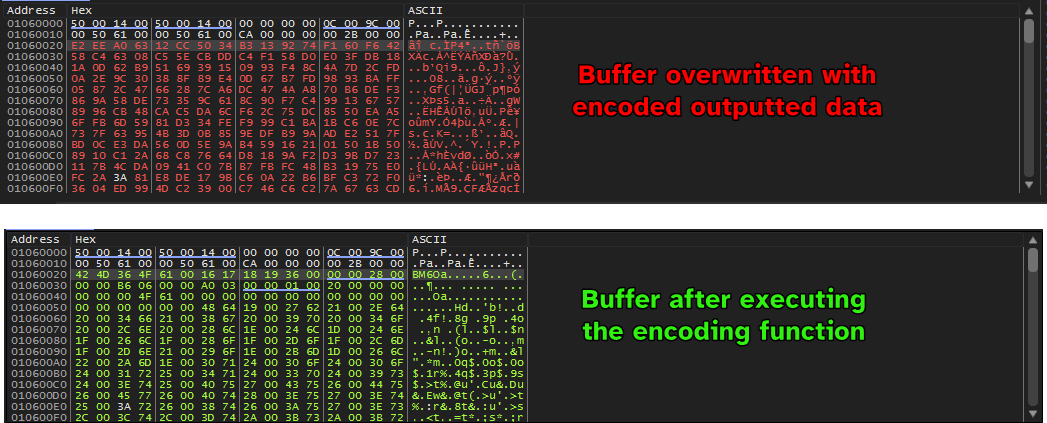
We can see that the buffer contains the .bmp magic bytes which means that the encoding function is reversible and instrumentation can be used to decode the outputted images.
Question 7
Using instrumentation, can you recover the original source of one of the encoded files?
Answer 7
Since this was done on a Windows XP machine, I was not able to produce a Python script that does this for us, although the image already exists in the buffer BEFORE it is passed to the encoding script.
Lab 13-3
I wasn’t able to get this one running, due it using outdated internet-related functions.
The sample couldn’t connect to my fake server using connect() as it gives SOCKET_ERROR.