Lab 21-01.exe
Analyze the code in Lab21-01.exe. This lab is similar to Lab 09-02.exe, but tweaked and compiled for a 64-bit system.
Question 1.1
What happens when you run this program without any parameters?
Nothing really seems to happen.
Question 1.2
Depending on your version of IDA Pro, main may not be recognized automatically. How can you identify the call to the main function?
Modern versions of IDA -as of this writing- are able to find the main function with ease, but in many cases it might not be able to recognize it so we’ll have to find it ourselves as if we don’t know it.
First, we’ll start at the entry point of the program which is the first instruction that executes after the program’s been loaded.
Now, we need to know the prototype of a main function in C, that’ll help us find what we’re looking for:
int main(int argc, char **argv, char **envp) // For CUI programs (CUI Subsystem)

void main(void) // For CUI as well

int WinMain(HINSTANCE hInstance, HINSTANCE hPrevInstance, LPSTR lpCmdLine, int nCmdShow) // For GUI programs (GUI Subsystem)

BOOL WINAPI DllMain(_In_ HINSTANCE hinstDLL, _In_ DWORD fdwReason, _In_ LPVOID lpvReserved); // For DLLs (First function to be executed upon load)
Since we’re dealing with a CUI application, we can assume that the main function will have the first signature, since it’s based off Lab09-02.exe which used command line arguments in it’s execution.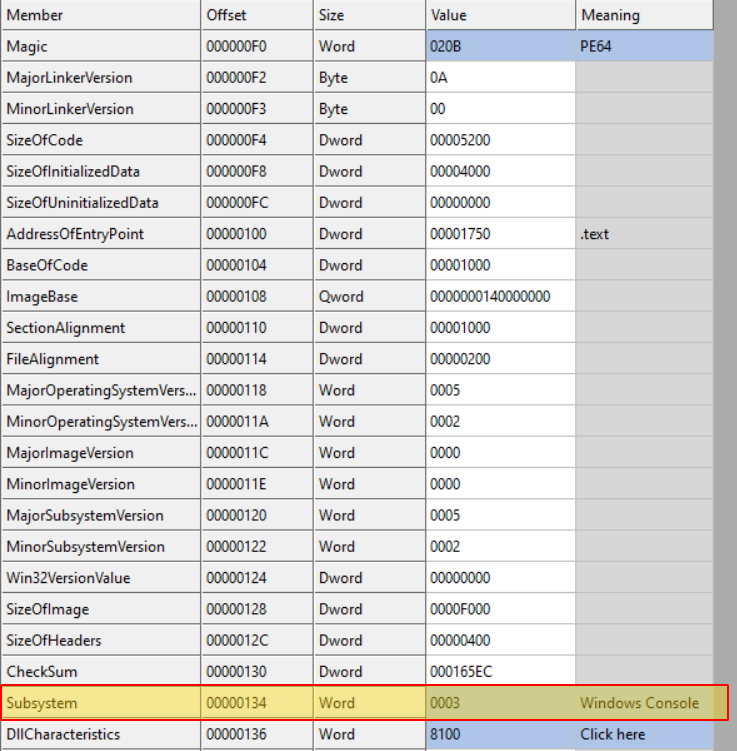
Now with this sorted out, we begin our analysis at the entry point.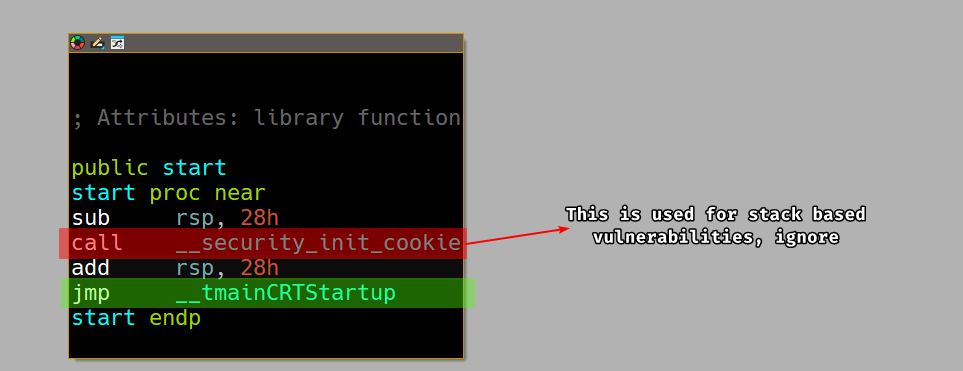
We then take the jump to the __tmainCRTStartup which is the entry point for the C runtime library that initializes the call to the main function that the author wrote.
Taking the jump, we can see that there are a lot of blocks but we’re not interested in reversing the whole thing, we only want to find the call to the main function.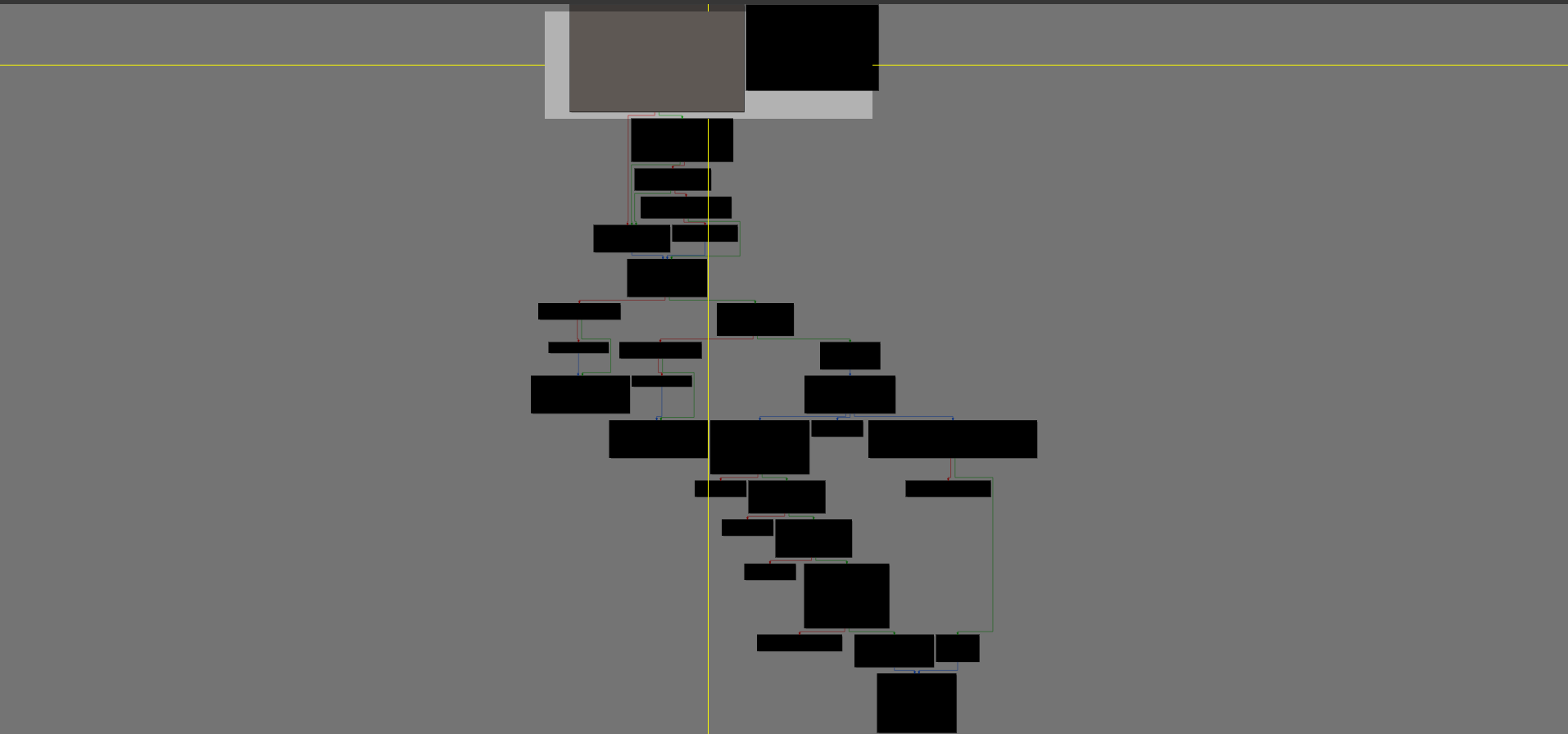
Following the first signature to the main function and this is a 64-bit compiled program, we’re looking for 3 mov instruction that set rdx, rcx and r8 with an int, char** and char**, so we can scroll down the function in linear IDA mode and look for the specific three instructions.
And indeed, we find this block of instructions that does exactly what we’re looking for!
Please Note
IDA during auto-analysis commented out the arguments of the function call but if IDA didn’t recognize them then you might have a harder time finding the main function, but since the prototype has (dword, qword, qword), you can tell that it’s a good candidate for a main function.

Question 1.3
What is being stored on the stack in the instructions from 0x0000000140001150 to 0x0000000140001161?
Starting from 0x140001116, we can see that it pushes 3 DWORDs in a row and a null terminator.
This reads "1qaz2wsx3edc", 0x00.
Then the program pushes ocl.exe into an array on the stack.
We read the characters in reverse because memory stores data in little endian, registers store them as big endian. And these characters are read DWORD by DWORD.
Question 1.4
How can you get this program to run its payload without changing the filename of the executable?
After the malware obtains the filename of the executable using GetModuleFileNameA and strrchr, the program then takes the buffer that has ocl.exe stored and begins encoding it with an algorithm.
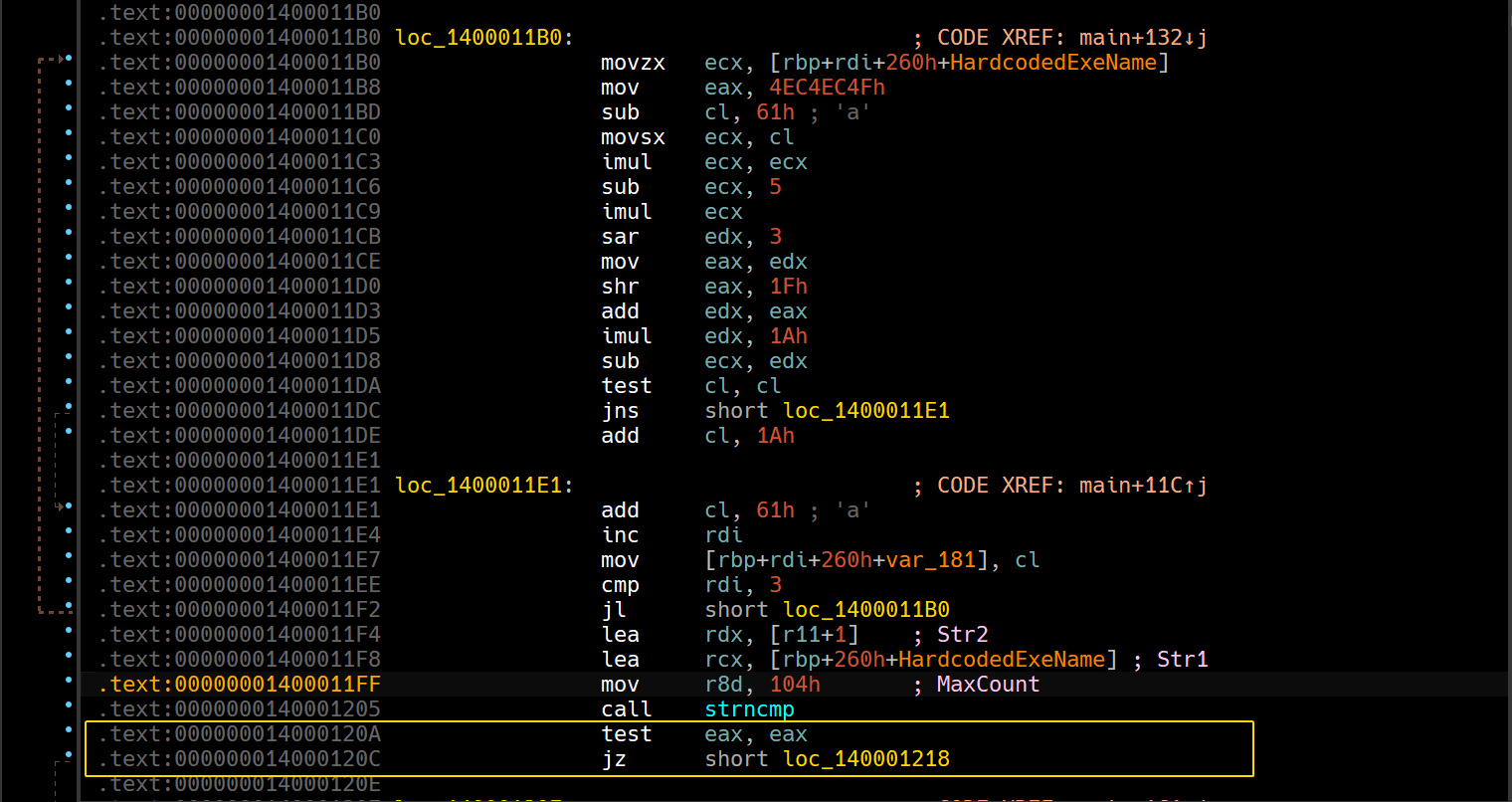
As highlighted, strncmp returns 0 if the two strings are lexicographically identical, so the jump must be taken, so we can reassemble the conditional jump into an unconditional jump.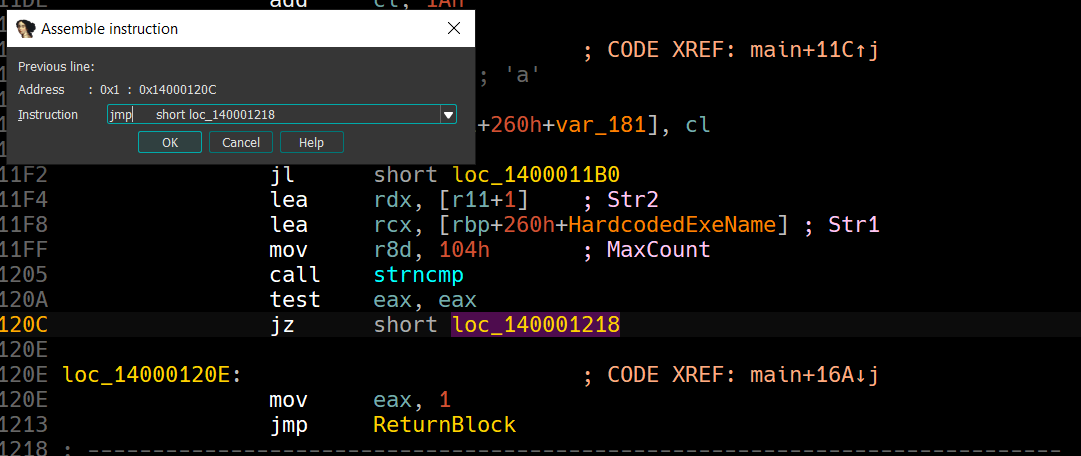
You can apply these patch changes by clicking Apply patches to input file: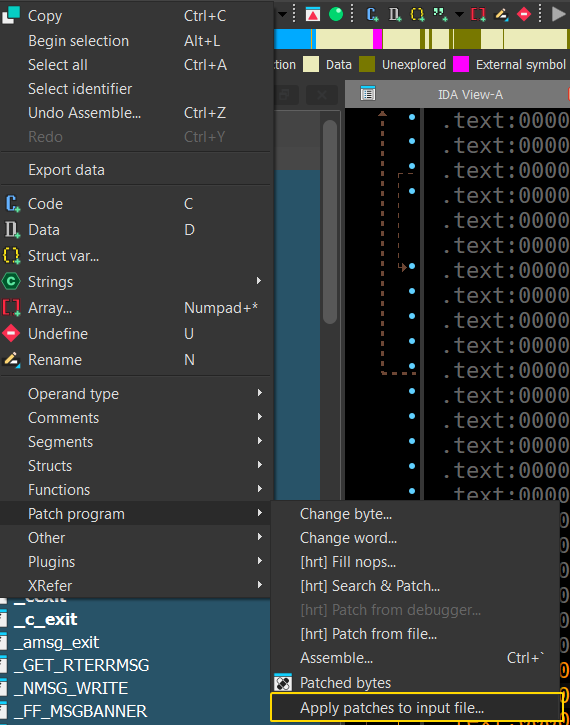
Don’t forget to create a backup file of the original executable in case things go wrong.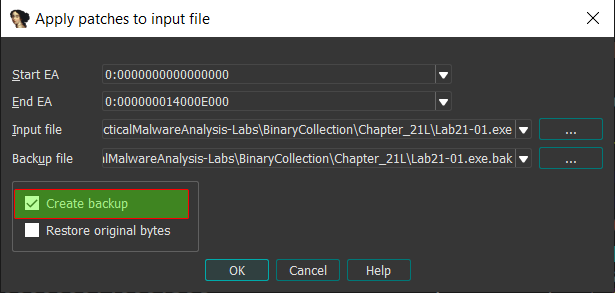
During Dynamic Analysis
When running this patched program, we see that the malware calls
gethostname()that returns0if the call was successful, so we’ll have tonopthis out as well.

Now, we see a DNS request to the following URL:

Question 1.5
Which two strings are being compared by the call to strncmp at 0x0000000140001205
We can set a breakpoint at this location and check both rdx and rcx parameters:
So we’re comparing our filename to jzm.exe, since the filename for the patched file is Lab21-01Newer.exe.
Question 1.6
Does the function at 0x00000001400013C8 take any parameters?
Checking the function call at this location, we can see a mov instruction that moves rbx into rcx, so it seems to be taking only one parameter.
We can confirm this by digging inside the function and seeing that rcx’s value is being copied into rbx.
Question 1.7
How many arguments are passed to the call to CreateProcess at 0x0000000140001093? How do you know?
Since CreateProcessA has a FLIRT signature in IDA, that tells us the parameters passed: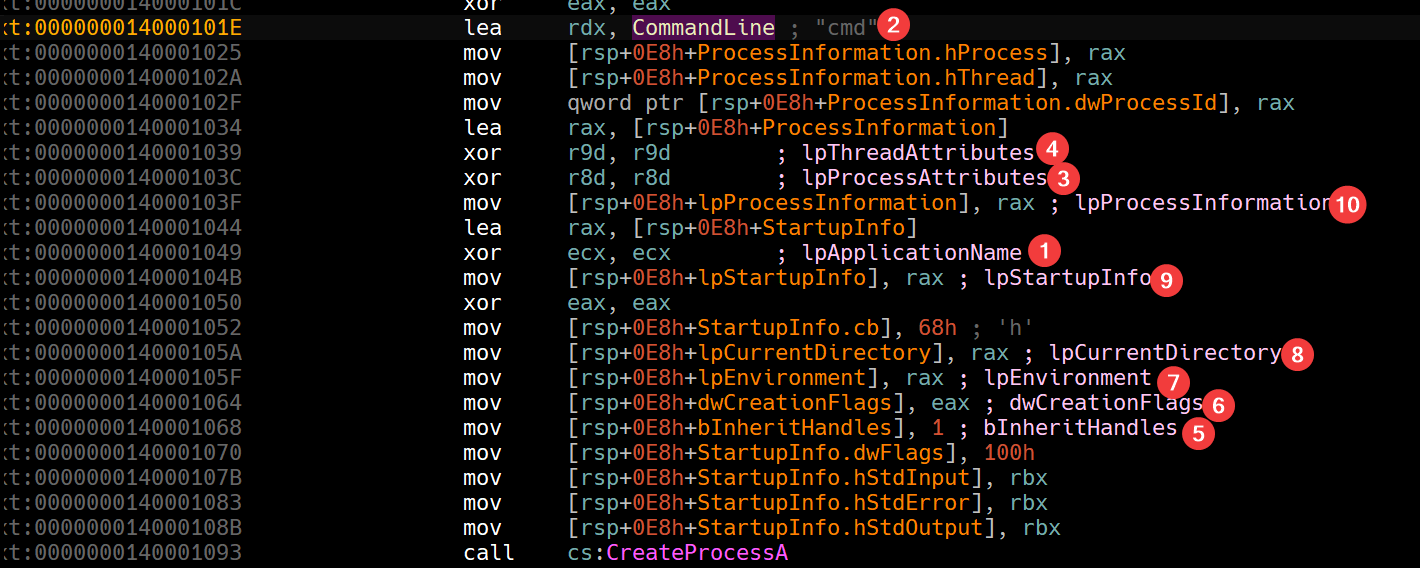
Note: in x64, we push the first parameters into
RCX,RDX,R8,R9and then on the stack from right to left.
We also have the MSDN for CreateProcessA, we can use it to check out the parameters if IDA hadn’t recognized it as a library function.
Lab 21-02.exe
Analyze the malware found in Lab21-02.exe on both x86 and x64 virtual machines. This malware is similar to Lab12-01.exe, with an added x64 component.
Question 2.1
What is interesting about the malware’s resource sections?
We can see three entries down the BIN directory: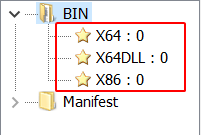
Each entry seems to be having an MZ header:


Since this sample is based on Lab12-01.exe, we know for a fact that the sample is an injector to explorer.exe. And now since this one has 3 executable resources, this gives us a hint on what the injector does: It checks for the architecture of the system executing it and injects the proper malicious executable suitable for the system.
Question 2.2
Is this malware compiled for x64 or x86?
The injector itself is compiled for x86, as shown by CFF Explorer: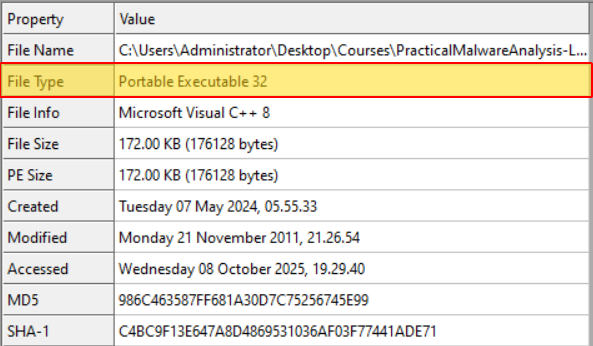
Question 2.3
How does the malware determine the type of environment in which it is running?
If we check the main function of the program, we can see that it attempts to load IsWow64Process at runtime: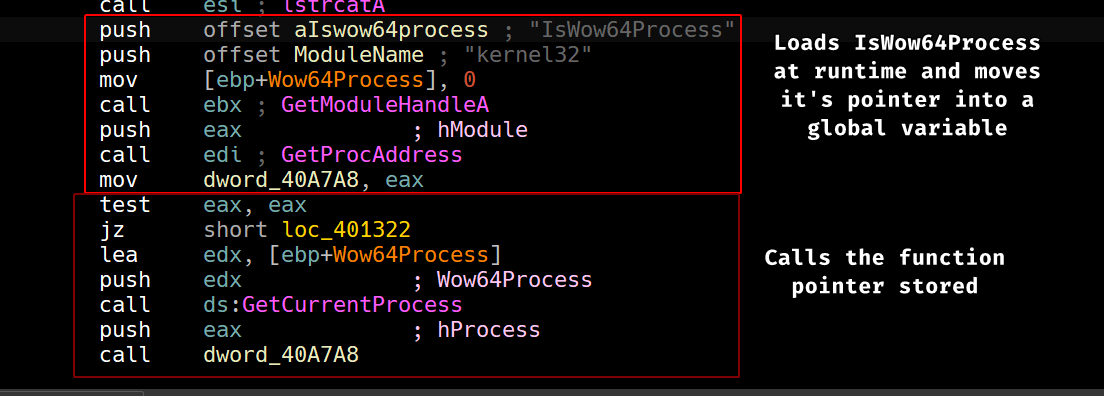
IsWow64Process takes a pointer to a boolean value as second parameter and returns 0 if it’s a WoW process (running under x64) or 1 if it’s running under x86.
Question 2.4
What does this malware do differently in an x64 environment versus an x86 environment?
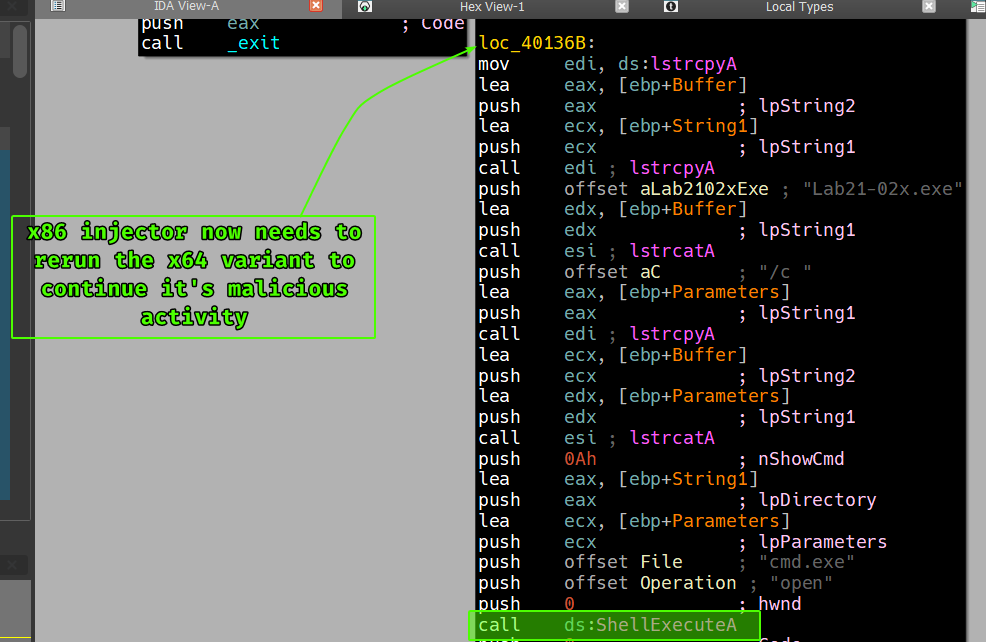
If we check both paths, we can see that the injector does a little bit of work on the x64 path where it attempts to write a DLL to disk and an executable as well (possibly an x64 compiled version of the injector) then begins to execute the x64 variant of the malware using ShellExecuteA: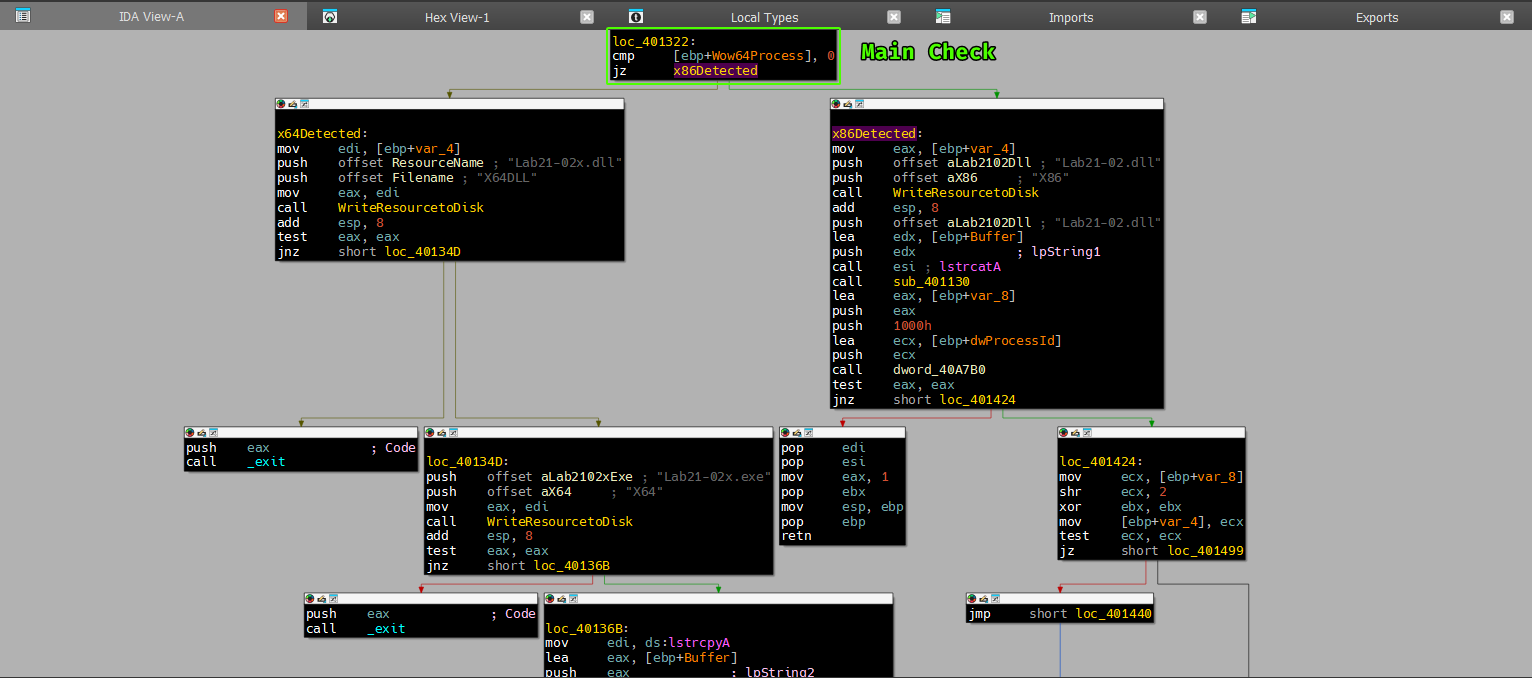
While the x86 simply writes the x86 compiled DLL variant to disk and then begins it’s normal injecting routine as explained in Lab12-01.exe.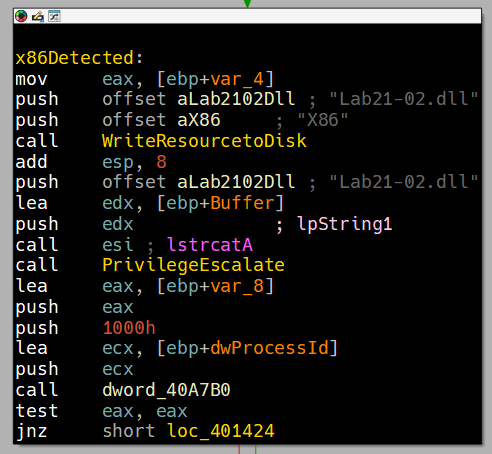
So in a nutshell, if the malware finds itself running under x64: it’ll dump the x64 compiled version of the DLL on disk along with the same x64 compiled version of the injector then runs it using ShellExecuteA.
Question 2.5
Which files does the malware drop when running on an x86 machine?
Where would you find the file or files?
If we check the function that’s responsible for writing resources to disk, we can see that it writes to the system directory.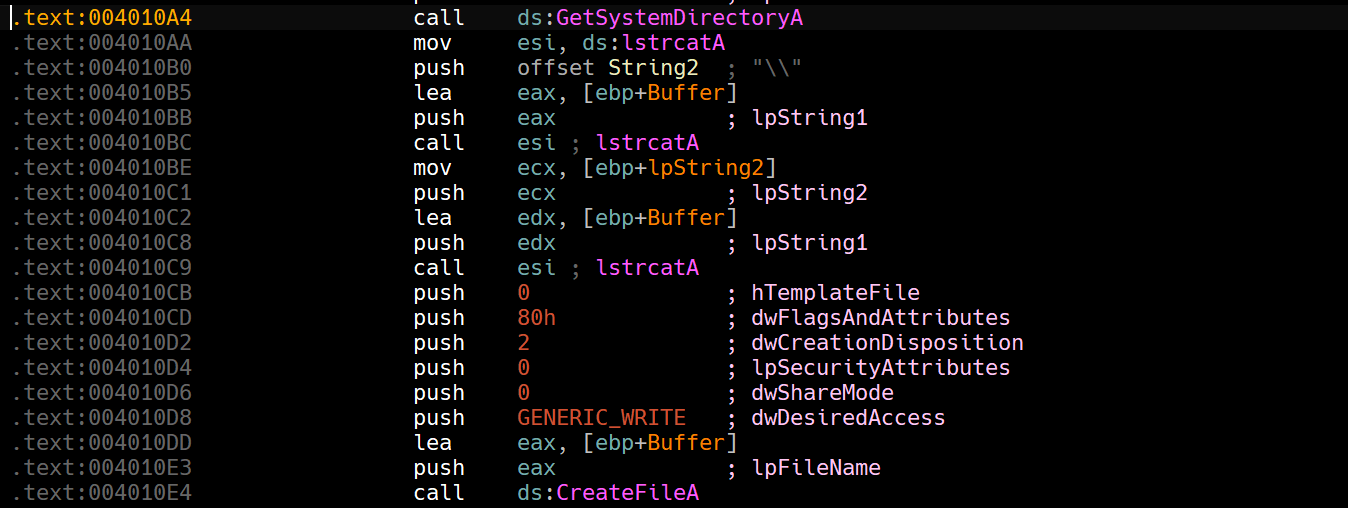
If this is running on an x86 machine, we’ll find it naturally in C:\Windows\System32 and based off the last question, it’ll be the file called Lab21-02.dll containing the X86 resource contained in the BIN directory as shown in Question 2.1.
Question 2.6
Which files does the malware drop when running on an x64 machine?
Where would you find the file or files?
If this injector is running on an x64 machine then it’ll be running under WoW64 so any filesystem manipulation in the system directory will redirected to C:\Windows\SysWow64.
As per Question 2.4, we know that the x64 path will write two files, both a x64-bit version of the injector and the DLL to be injected.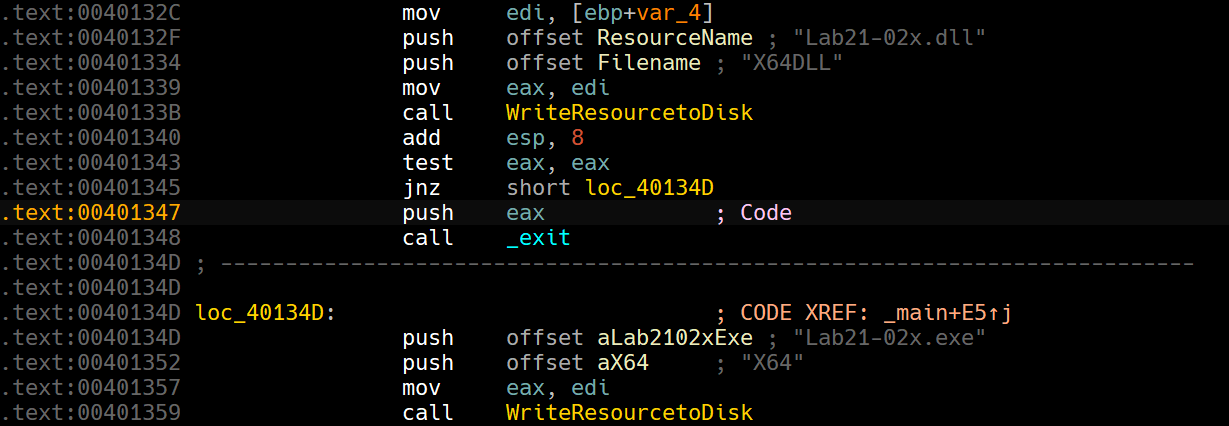
So the two files written are: Lab21-02x.dll and Lab21-02x.exe.
Question 2.7
What type of process does the malware launch when run on an x64 system?
To know what type of process the malware launches, we can begin by extracting both resources from the original malware and pass them into a PE analyzing program like CFF Explorer.
We can see that the x86 DLL has a machine type of Intel 386 in the beginning of the File Header under the NT header.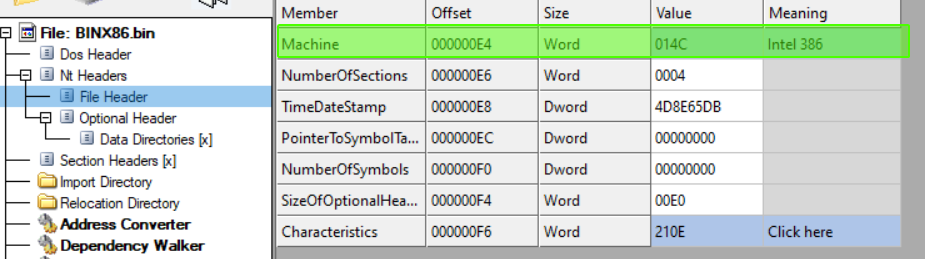
While the other two values both give AMD64 which means these are meant to run as x64 processes.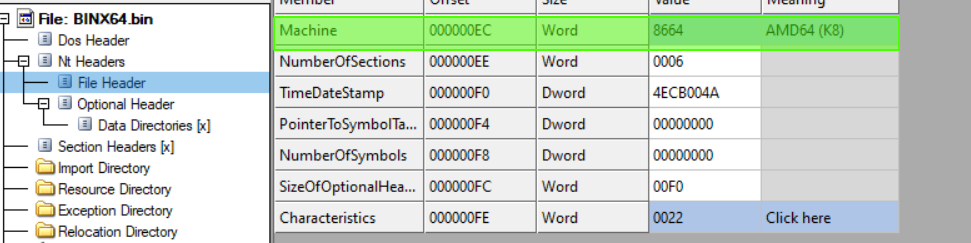
We can confirm this by running the malware under an x64 machine and checking thread objects in explorer.exe and also checking the files written on disk: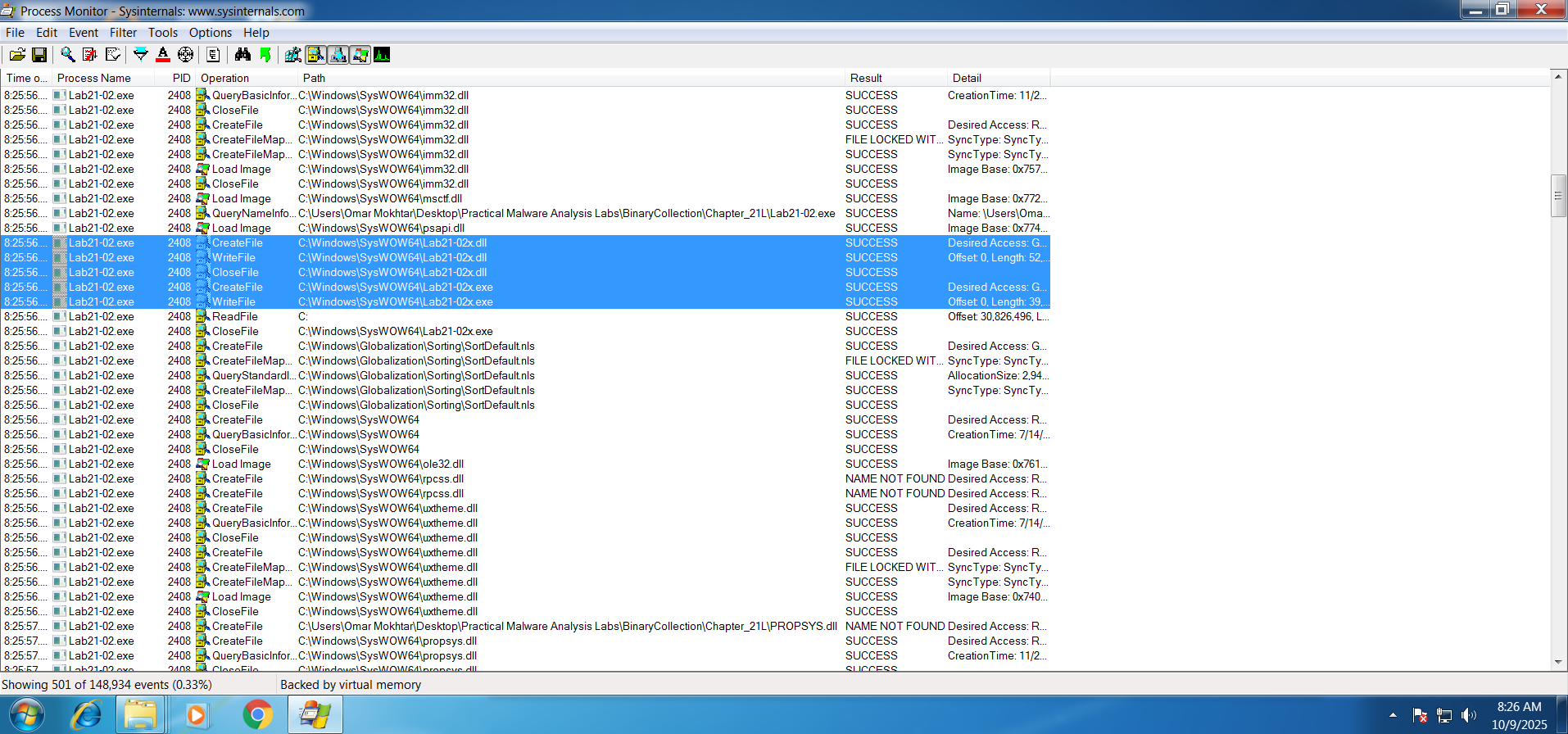
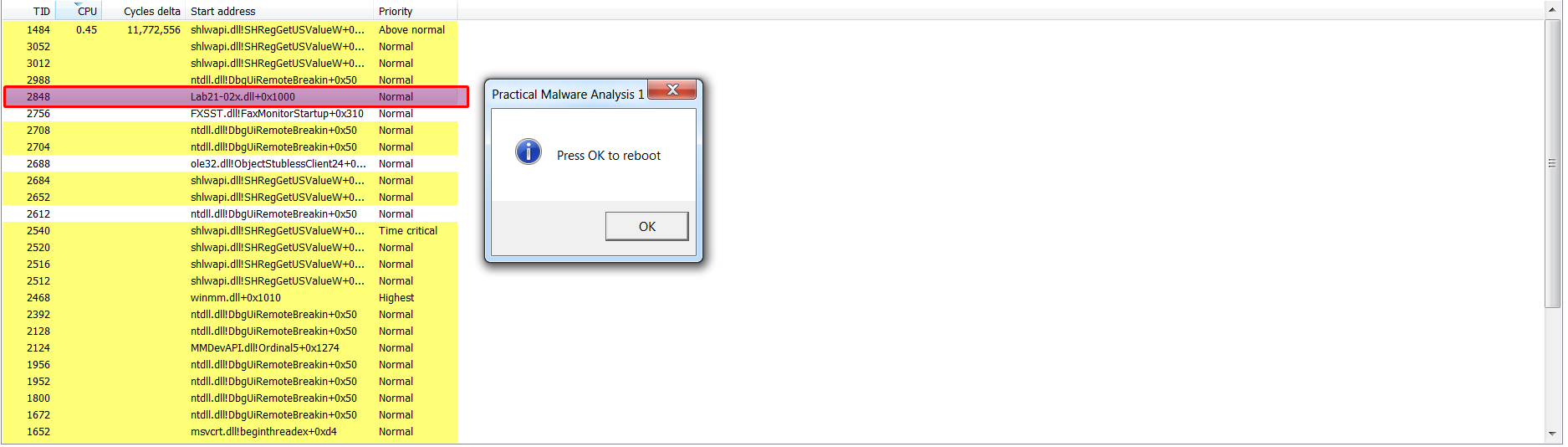
From this we confirm that the DLL loaded here must be a 64-bit DLL for it to be loaded under a 64-bit process, we can also see that the DLL does the same exact popup message in the original sample.
We can see that the x86 DLL is an identical match which means it’ll do the same exact thing.

Please note
x64 processes cannot load x86 DLLs due to pointer size differences and CPU execution modes.
Question 2.8
What does the malware do?
The malware does the same functionally as the original Lab12-01.exe with the addition of supporting x64 machines by adding an x64 compiled replica of the injector and it’s DLLs into it’s resources and attempts to determine the machine bitness using IsWow64Process, from there it determines whether to drop the original DLL or the x64-bit version of it along side with the x64 injector that will inject it.
Previous Lab: Lab 20