Analyze the malware found in Lab17-01.exe inside VMware. This is the same malware as Lab07-01.exe, with added anti-VMware technique.
Note
The anti-VM techniques found in this lab may not work in your environment.
Question 1.1
What anti-VM techniques does this malware use?
At address 4011B5, we can see an sidt instruction that fetches the IDTR’s content and stores it in memory.The 5th byte of the content is compared to 0xFF which can determine if the malware is running on a single processor virtual machine.
At address 401204, we see an str instruction which stores the task state segment into a variable.
At address 401121 of sub_401100, we see an sldt instruction which is used to load the local descriptor table content into a variable and then returns the variable content.The malware then takes the value and compares it with 0DDCC0000h to determine if it is running in a VM.
Question 1.2
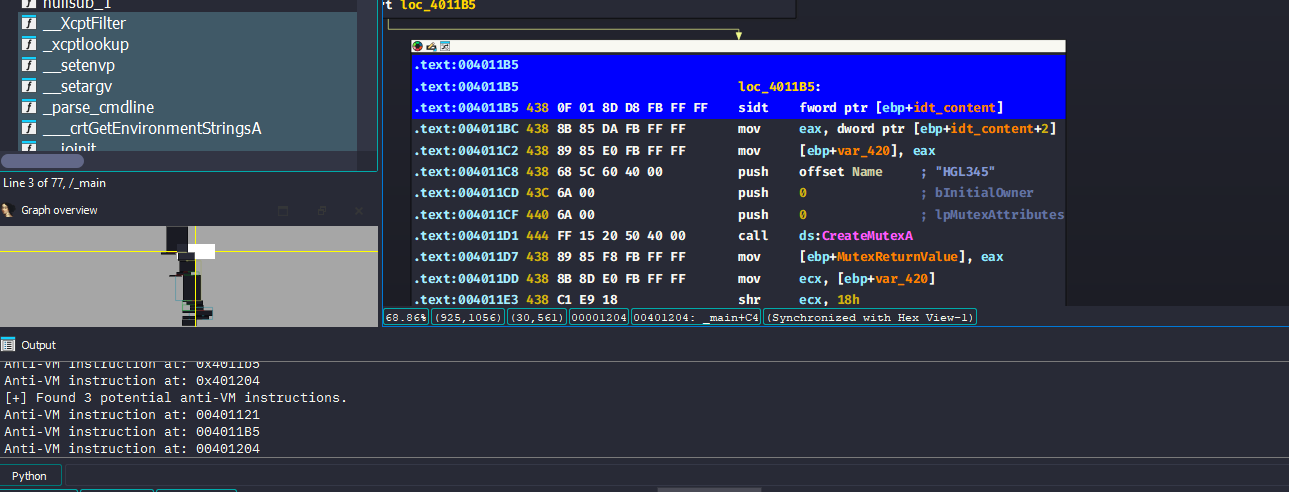
If you have the commercial version of IDA Pro, run the IDA Python script provided as findantiVM.py. What does it find?
The script doesn’t really run on modern versions of IDA (I’m using 9.1 here), we’ll have to adjust it for it to work:
import idaapiimport ida_segmentimport ida_bytesimport ida_uaimport idautilsea = idaapi.get_screen_ea()seg = ida_segment.getseg(ea)start = seg.start_eaend = seg.end_eaanti_vm_instructions = {"sidt", "sgdt", "sldt", "smsw", "str", "in", "cpuid"}anti_vm_hits = []for head in idautils.Heads(start, end): if ida_bytes.is_code(ida_bytes.get_flags(head)): mnemonic = ida_ua.print_insn_mnem(head) if mnemonic in anti_vm_instructions: anti_vm_hits.append(head) print(f"[+] Found {len(anti_vm_hits)} potential anti-VM instructions.")for ea in anti_vm_hits: idaapi.set_item_color(ea, 0xFF0000) print(f"Anti-VM instruction at: {ea:08X}")
This script basically highlights all anti-VM instructions found with blue and prints them out to the output window of IDA.
Question 1.3
What happens when each anti-VM technique succeeds?
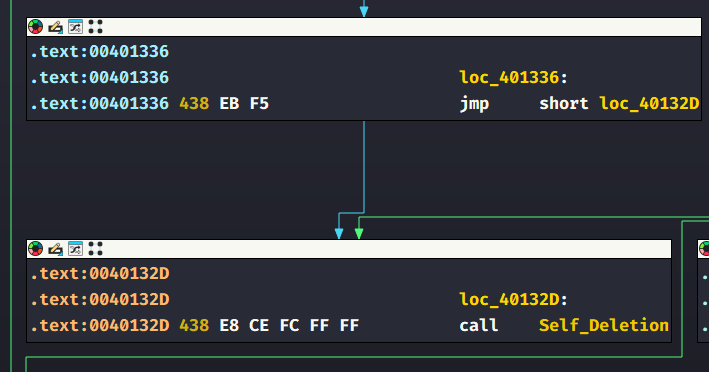
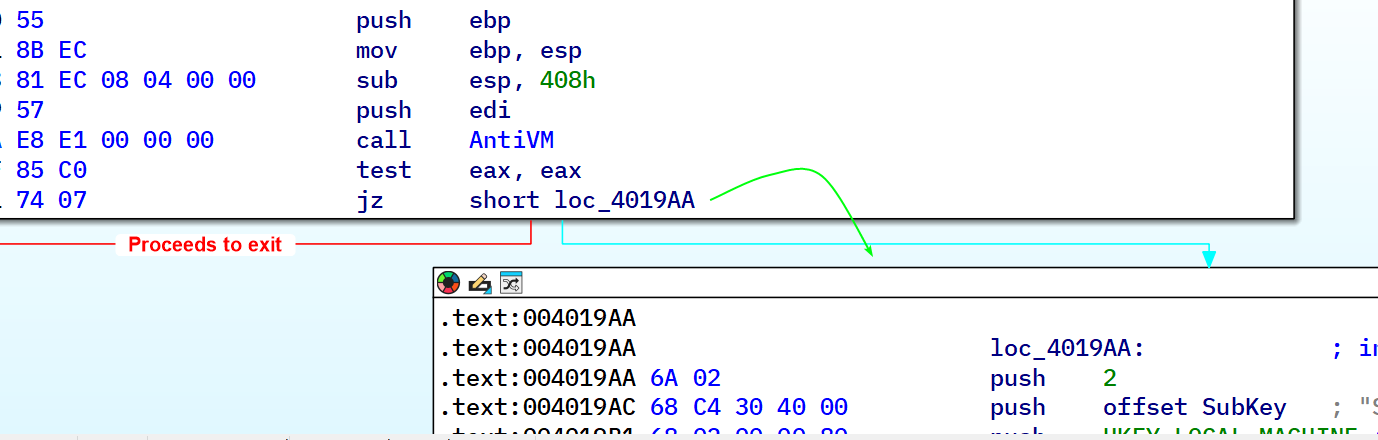
If any of the techniques succeed, the malware jumps to a label that in turn jumps to a call instruction whose target is a function that deletes the malware from the system, specifically sub_401000.
Question 1.4
Which of these anti-VM techniques work against your virtual machine?
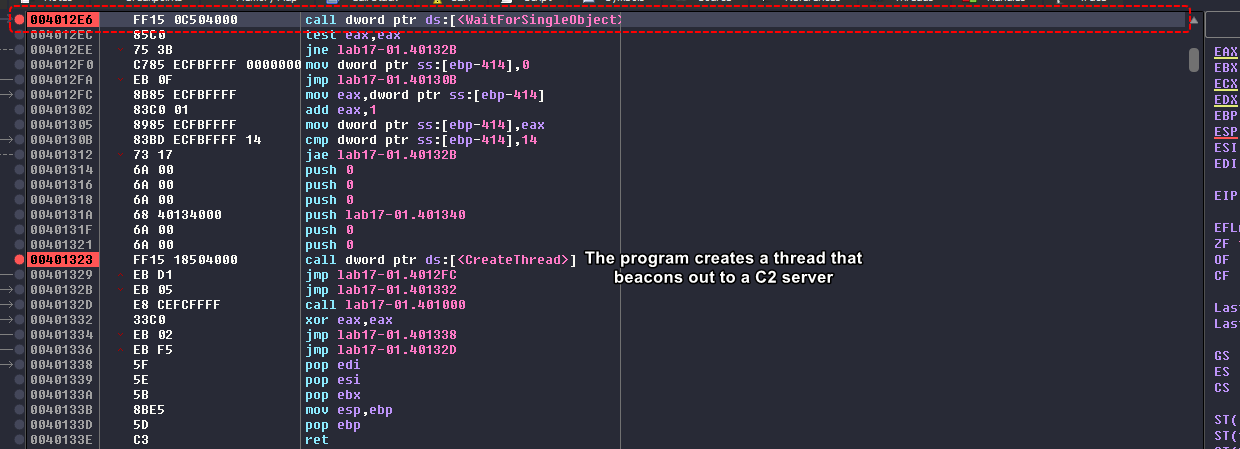
None of these anti-VM techniques work on my machine as I’m using a multicore VM that runs Windows XP 32-bit, we notice that the program runs normally and stops at the call to WaitForSingleObject which is already after the checks for VM presence’s been executed.
Nonetheless, if we check each anti-VM instruction we can see the following:
sidt instruction: This is the red pill technique where it attempts to use the sidt instruction and compare it to 0xFF (the VMware signature), but in our case here, it is compared to 0x80:
This is because this VM is a multicore machine and this technique isn’t really consistent in multicore machines.
str instruction: The malware retrieves the value of the TSS segment which can have it’s values differed from a real machine, in our case here, it checks the LSB (least significant byte) if it’s zero and if it is, then it compares the adjacent two bytes with 0x40, luckily for us the MSB was a nonzero value so it didn’t need to go to the secondary check.
This check usually fails to multicore VMs.
sldt instruction: This is the No Pill technique for Anti-VM which checks if the LDT (Local Descriptor Table) has a nonzero value (for VMs, it differs from real machines that normally return zero), in our case, it returns zero.
This techniques fails due to acceleration being disabled.
I’m using a modern version of VMware Workstation 17.5 Pro, these techniques could have been patched.
Question 1.5
Why does each anti-VM technique work or fail?
This is explained in previous questions.
Question 1.6
How could you disable these anti-VM techniques and get the malware to run?
We can easily NOP out any checks following the anti-VM instructions so that the program flows normally.
Lab 17-02.exe
Analyze the malware found in the file Lab17-02.dll inside VMware. After answering the the first question in this lab, try to run the installation exports using rundll32.exe and monitor them with a tool like procmon. The following is an example command line for executing the DLL:
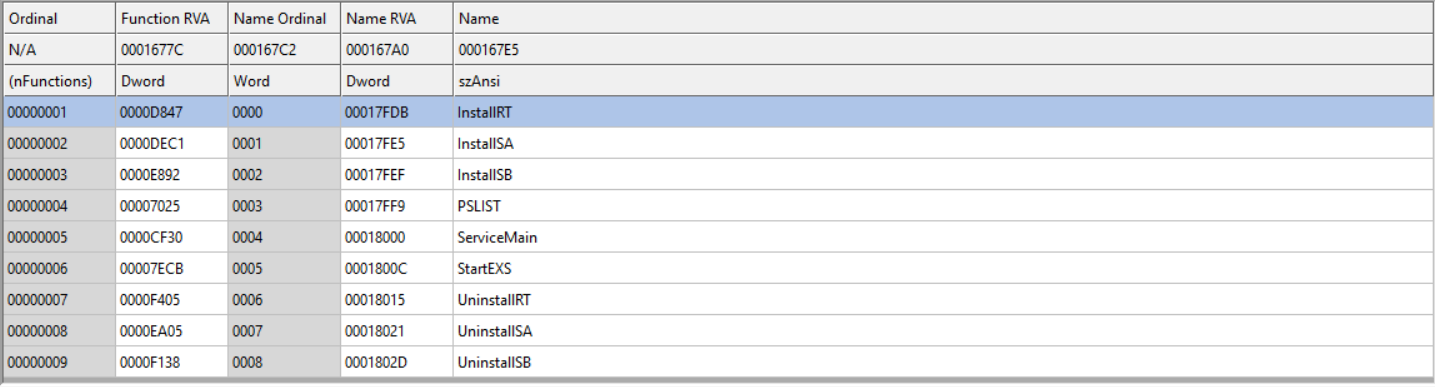
What are the exports for this DLL?
Using CFF Explorer, we can see multiple exports for this DLL:
Question 2.2
What happens after the attempted installation using rundll32.exe?
If we use InstallRT as a parameter, the malware deletes itself.
Same goes for the other Install* parameters.
Question 2.3
Which files are created and what do they contain?
We can see that the malware creates 2 files in the home directory of the user, namely: xinstall.log and vmselfdel.bat
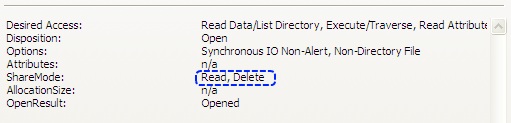
The second file vmselfdel.bat gets created, written to and then deleted so no artifacts of this file exist. (The name also suggests that it’s a batch file designed to self delete the malware in case of being run in a VM)
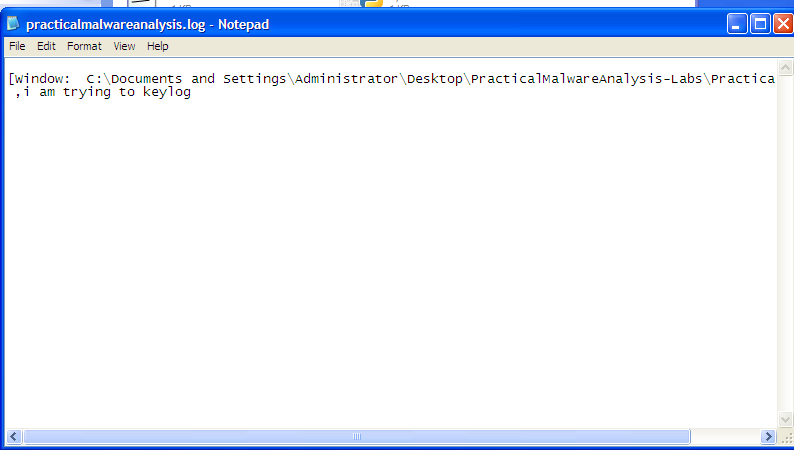
But the xinstall.log file remains within the directory and can be easily inspected:
From this we can conclude that the malware has some way of checking if it’s run a in VM.
After a little digging
We see that the function sub_10005567 responsible for creating vmselfdel.bat actually gives a hidden attribute to the file using the attrib batch command.
We can setup a breakpoint before the WinExec call that executes the newly created script and from there we can inspect what the script does:
@echo off:selfkillattrib -a -r -s -h "C:\Documents and >Settings\Administrator\Desktop\PracticalMalwareAnalysis-Labs\Practical Malware Analysis Labs\BinaryCollection\Chapter_17L\DLLLoader32_C4A2.exe"del "C:\Documents and Settings\Administrator\Desktop\PracticalMalwareAnalysis->Labs\Practical Malware Analysis >Labs\BinaryCollection\Chapter_17L\DLLLoader32_C4A2.exe"if exist "C:\Documents and Settings\Administrator\Desktop\PracticalMalwareAnalysis->Labs\Practical Malware Analysis >Labs\BinaryCollection\Chapter_17L\DLLLoader32_C4A2.exe" goto selfkilldel %0
The script basically removes all attributes from the executable that loads the malicious DLL (in my case, x64dbg creates a dummy executable that simply loads the DLL for dynamic analysis) and then checks if the executable “exists” or not, and if it doesn’t then the script deletes itself using del %0. (%0 here means the script name, similar to argv[0] in C)
For more information on how to debug DLL exports, check out this awesome video by OALabs.
Question 2.4
What method of anti-VM is in use?
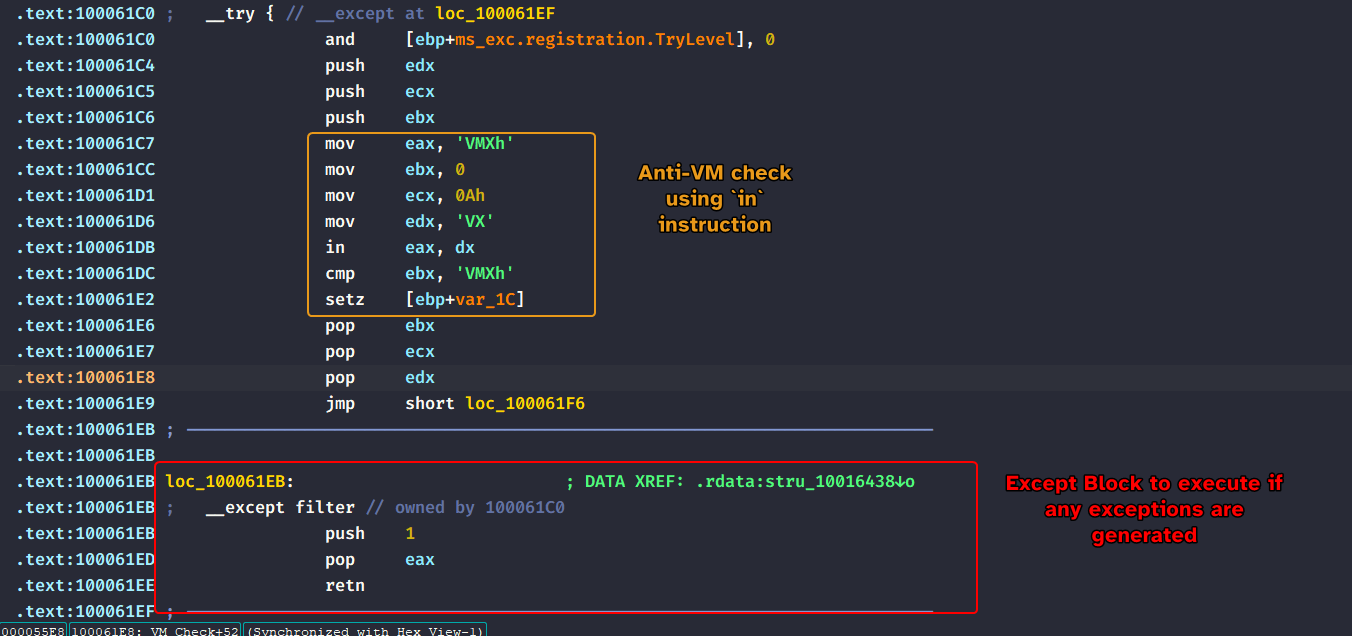
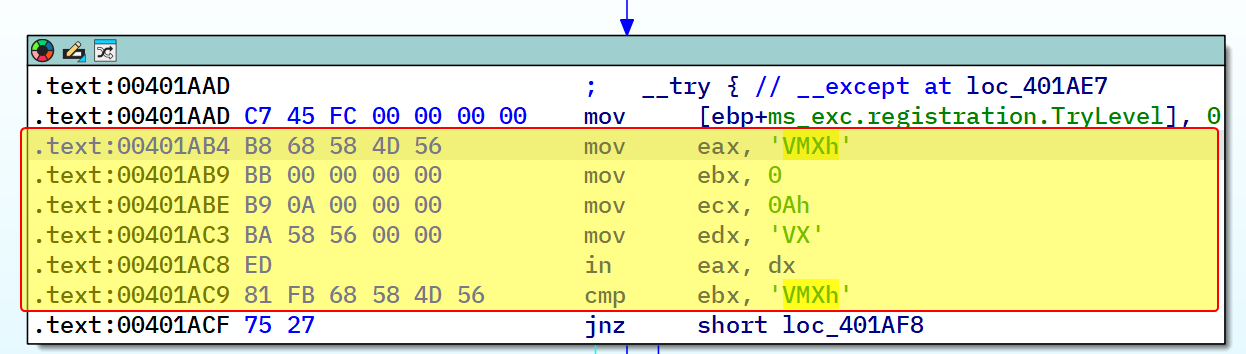
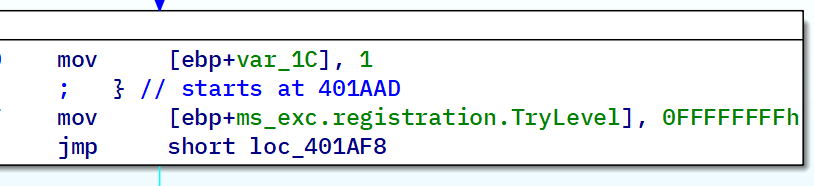
At sub_10006196, the function sets up a try-except statement where it attempts to query the I/O communication port using the in instruction and if it fails, it sets up an exception handler that basically returns 1 if any exceptions are generated.
The malware simply queries to the VMware communication port and then checks the return information in the EBX register after the in instruction’s executed.
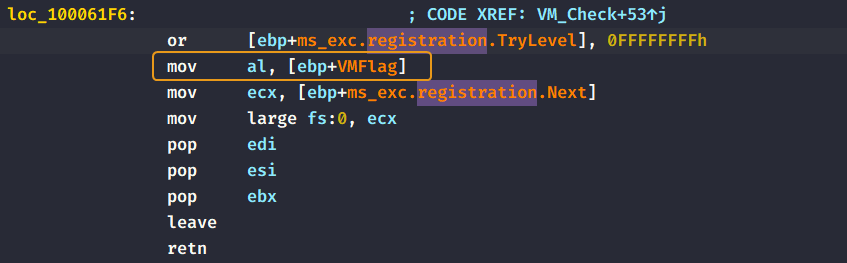
If the EBX register contains the value VMXh then the malware sets a dummy variable to zero and then moves that dummy variable into al as a return value for the function.
The installation function InstallRT then checks if the return value is zero and continues installation if is indeed 0, otherwise it creates the script that we have talked about in Question 2.3.
Question 2.5
How could you force the malware to install during runtime?
To install the malware, we can simply debug the export function modify the return value to be zero at runtime and continue execution.
We could also NOP out the in instruction and any related flags, but since all of that is controlled by a flag, we can do this at runtime.
Question 2.6
How could you permanently disable the anti-VM technique?
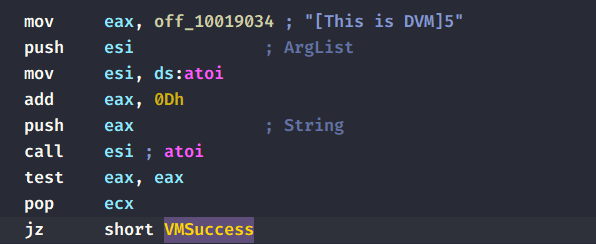
If we analyze the beginning of the installation function, we can see that the malware references a string [This is DVM]5 and then adds 0xD to the string to obtain the pointer that points to 5 directly:
VMSuccess is the same label that the malware jumps to if it passes the Anti-VM check.
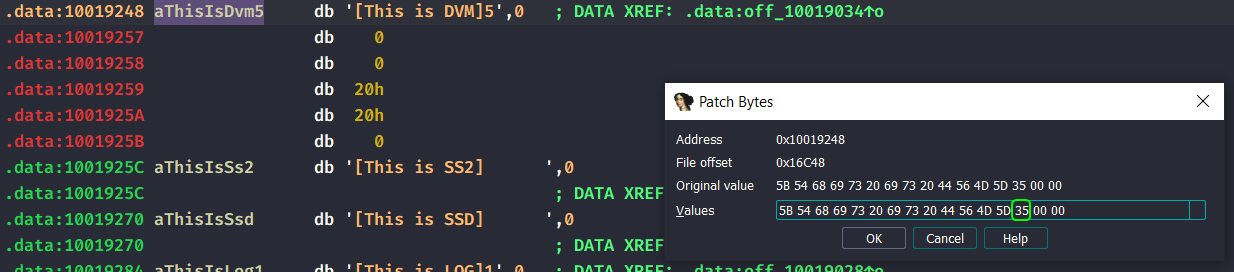
The malware then converts the ASCII letter 5 into an integer 5 and checks if it’s zero or not. Since the ASCII string is encoded that way, we can modify the string such that it doesn’t even get to the Anti-VM check and proceed to install itself.This is true for all installation export functions, as they use the same exact string literal.
As we can see, after modifying the original string, the log file now doesn’t print anything related to VM detection and proceeds to install itself.
Question 2.7
How does each installation export function work?
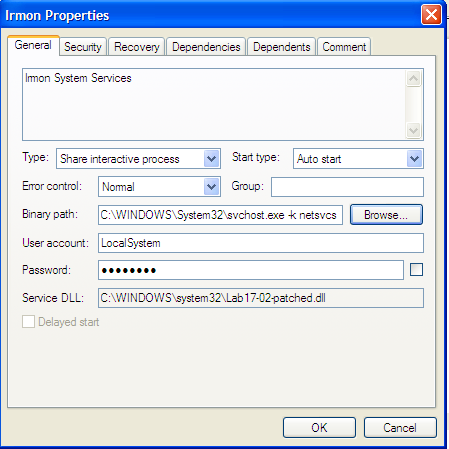
InstallSA installs a service called Irmon System Services that runs the malicious DLL as service by default.
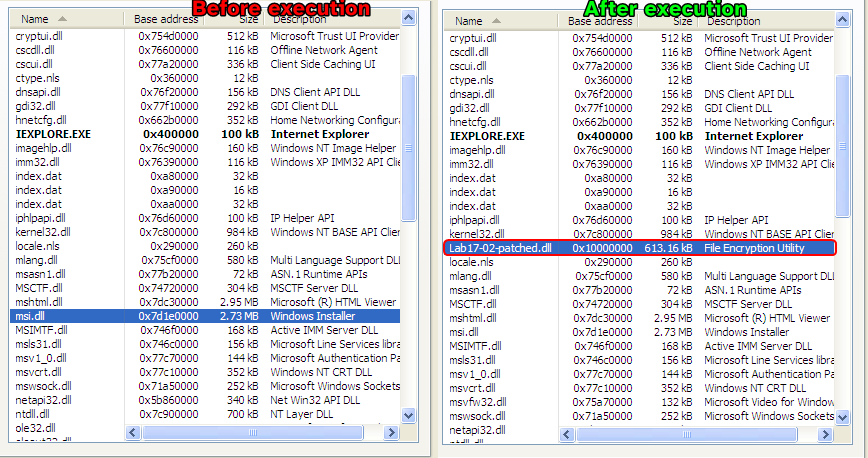
InstallRT copies a version of the malicious DLL into the system32 directory, then it attempts to find the PID of the iexplore.exe process through enumeration and injects the copy using normal CreateRemoteThread() method.
InstallSB obtains a handle to winlogon.exe and attempts to inject sfc_os.dll with export ordinal #2, which happens to be SfcTerminateWatcherThread(), which disables Windows File Protection, this is similar to Lab 12-04.exe. Then the malware looks for the NtmsSvc service and attempts to install itself to this specific service by replacing the ServiceDLL parameter into a copy of the malware, it also attempts to inject to any svchost.exe images running in memory.
Lab 17-03.exe
Analyze the malware Lab17-03.exe inside VMware. This lab is similar to Lab12-02.exe, with added anti-VM techniques.
Question 3.1
What happens when you run this malware in a virtual machine?
Nothing happens. The program either exits immediately or waits for a second until it exits.
Question 3.2
How could you get this malware to run and drop its keylogger?
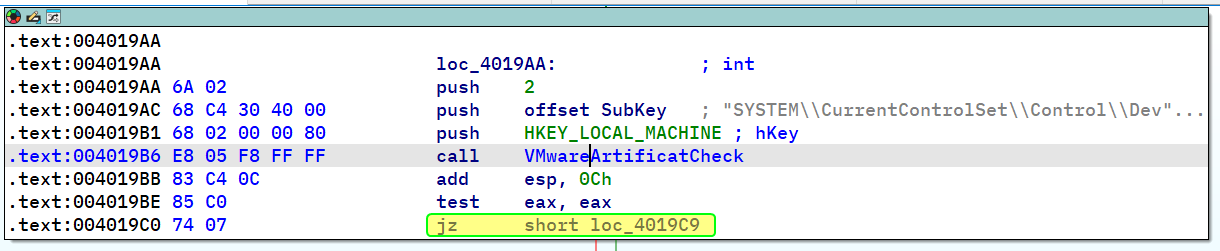
Analyzing the _main method of the malware, we can see that it calls sub_401A80 that basically queries the VMware communication port which is a common anti-VM technique in a try-catch statement and returns 1 if it is in a VM and 0 if otherwise, the main function then takes the return value and decides whether to exit or not.
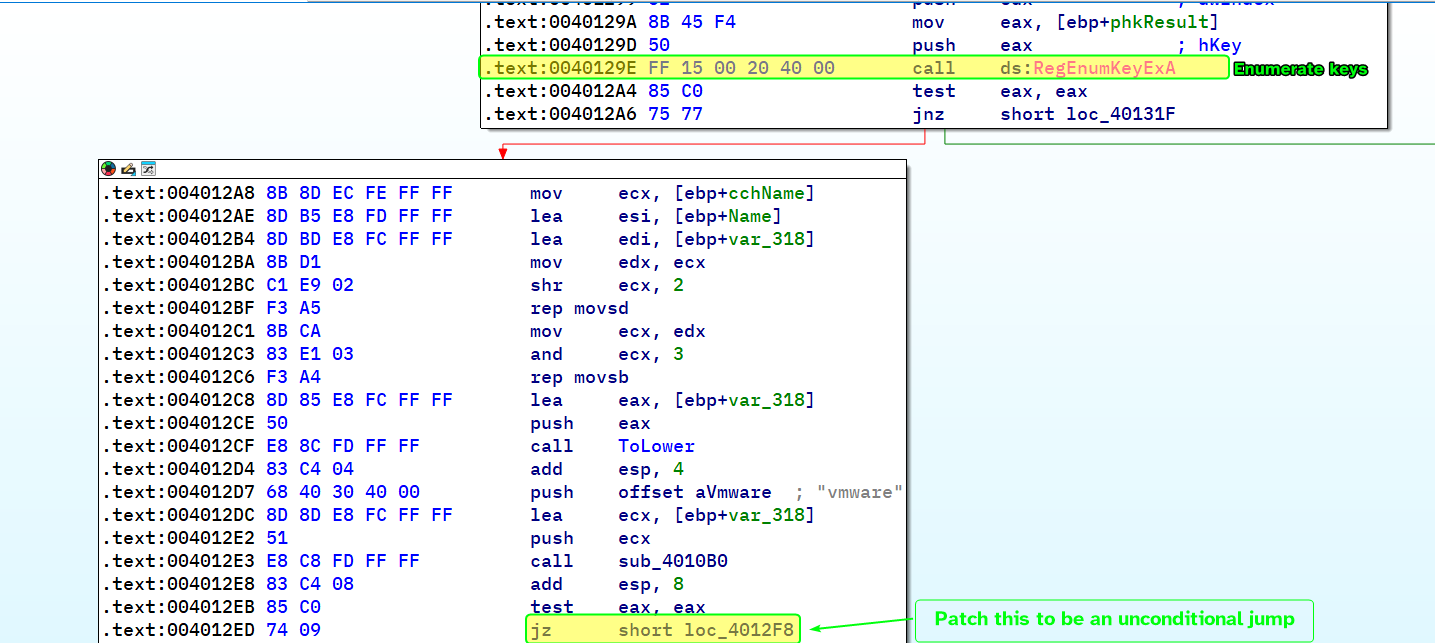
We can then patch the jump condition so that we don’t exit prematurely.At sub_4011C0, it attempts to enumerate keys at HKLM\SYSTEM\CurrentControlSet\Control\DeviceClasses and compare them with the hardcoded string vmware.
This indicates that it checks for some sort of system residue that is left behind by VMware, so we’ll have to patch the conditional jump into an unconditional jump to resume the normal flow of execution at the main function.
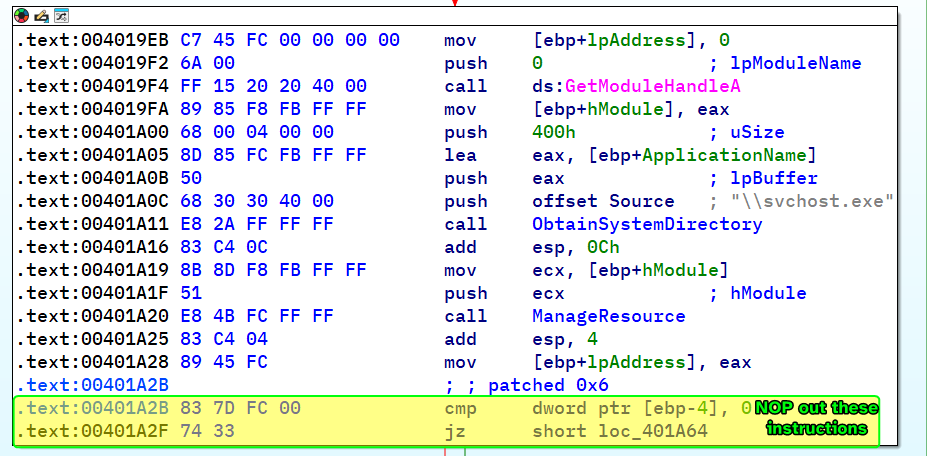
At _main:401A2F, we can see the functions that are related to resource extraction similar to how Lab12-02.exe works, so we’ll need to NOP out the jump instruction to ensure normal flow of execution.
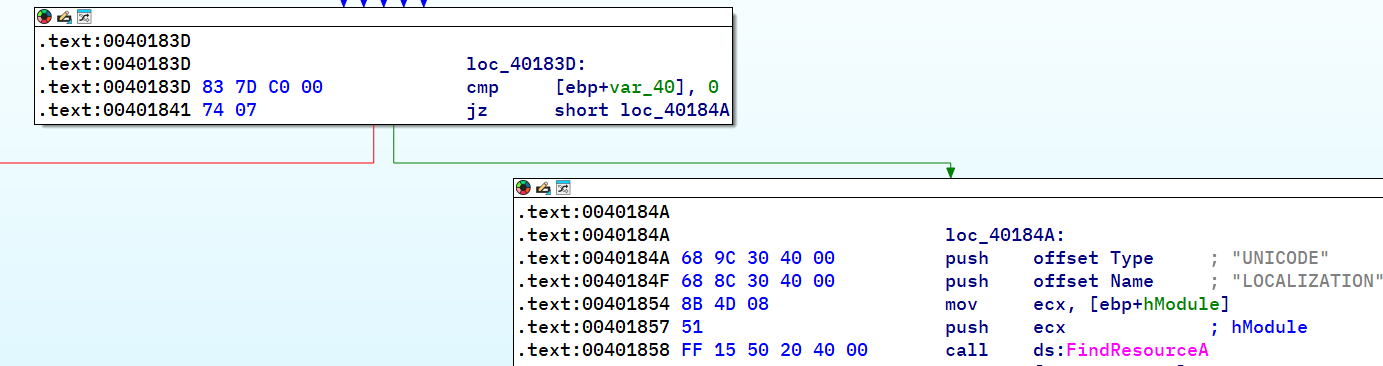
Within ManageResource (sub_401670), before the call to FindResourceA we can see a comparison that determines if the program gets to load the resource in the first place or not, so we’ll have to turn it into a conditional jump.
And with that, if we try to launch the malware again it’ll work and the hollowed svchost.exe will be created.
Question 3.3
Which anti-VM techniques does this malware use?
As shown in Question 3.2, the malware uses several techniques:
Querying VMware communication I/O port using the in instruction.
Checking for system residue that are created by VMware such as processes, drivers or programs, etc…
Question 3.4
What system changes could you make to permanently avoid the anti-VM techniques used by this malware?
A good place to start is by ending all related VMware processes and uninstalling VMware Tools, that way most of the system residue left by them will be removed.
Question 3.5
How could you patch the binary in OllyDbg to force the anti-VM techniques to permanently fail?
This was previously shown in Question 3.2.
 The 5th byte of the content is compared to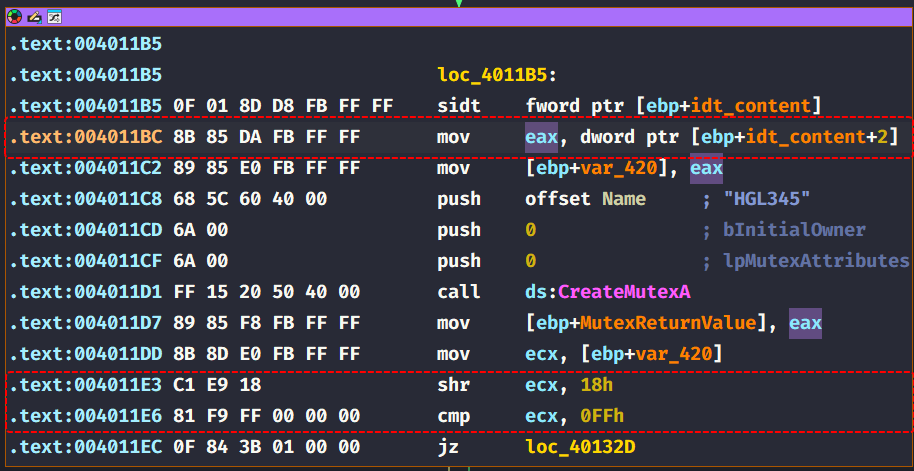

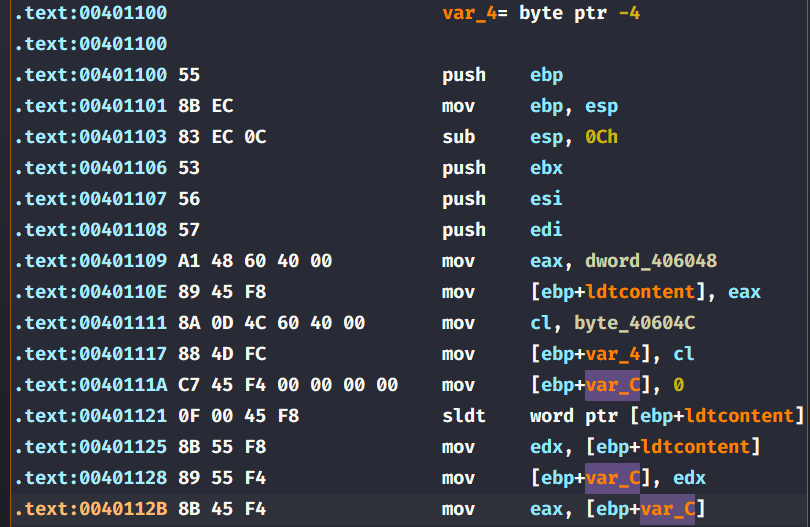 The malware then takes the value and compares it with







 This is true for all installation export functions, as they use the same exact string literal.

 At
At